Minecraft version
Back to mods 
CurseForge · Minecraft mod
RPG Tab Overlay
A clean, customizable RPG-themed player list (TAB menu) replacement for Minecraft
Choose a version Pick your version below, then grab the matching file.
Quick answer
Which RPG Tab Overlay release should I use?
Latest stable file rpgtab-1.34.0-neoforge-1.21.1.jar
Game version 1.21.1
Loader NeoForge
RPG Tab Overlay rpgtab-1.34.0-neoforge-1.21.1.jar targets 1.21.1 with NeoForge. The project page does not say whether this file belongs on the client, dedicated server, or both. No extra mods listed for this file.
Where it goes
Is RPG Tab Overlay required on the client, server, or both?
The project page does not say whether this file belongs on the client, dedicated server, or both.
Client Source doesn’t say
Dedicated server Source doesn’t say
Loader for this release NeoForge
Required install it here Optional supported, not mandatory Not supported do not install here Source doesn’t say do not assume
The source does not explicitly classify this release as client-only or server-only.
What else does RPG Tab Overlay rpgtab-1.34.0-neoforge-1.21.1.jar need?
rpgtab-1.34.0-neoforge-1.21.1.jar. Change the file and its required mods may change too.
This file does not list any required mods. Do not add a library just because a different file uses it.
This file does not list any required or optional mods.
Before you install it
Add RPG Tab Overlay without breaking your instance.
Built for RPG Tab Overlay rpgtab-1.34.0-neoforge-1.21.1.jar. Pick another file and the loader, install side or required mods may change.
- 01
Stick to this file
Use rpgtab-1.34.0-neoforge-1.21.1.jar. It targets 1.21.1 with NeoForge; another release may have different loader, side or dependency requirements.
- 02
Bring the mods it needs
This file does not list any required mods. Do not add a library just because a different file uses it.
- 03
Put it on the correct side
The project page does not say whether this file belongs on the client, dedicated server, or both.
- 04
Pick the file you checked
Use the “Get this file” button beside rpgtab-1.34.0-neoforge-1.21.1.jar. It opens that exact file at the source.
About this project
What does RPG Tab Overlay add?
RPG Tab Overlay
🤖 Honest Disclaimer
I want to be upfront: this project was entirely vibe-coded (written with the help of AI). I needed a mod like this for my own modpack and couldn't find one, so I made it and decided to share it in case it helps someone else.
I'm not a professional mod developer, so expect rough edges. It works for my use case, but I can't promise perfect support or polish. Bug reports and contributions are welcome, and feel free to use it, fork it, or improve it!
🛡️ RPG Tab Overlay (NeoForge 1.21.1)
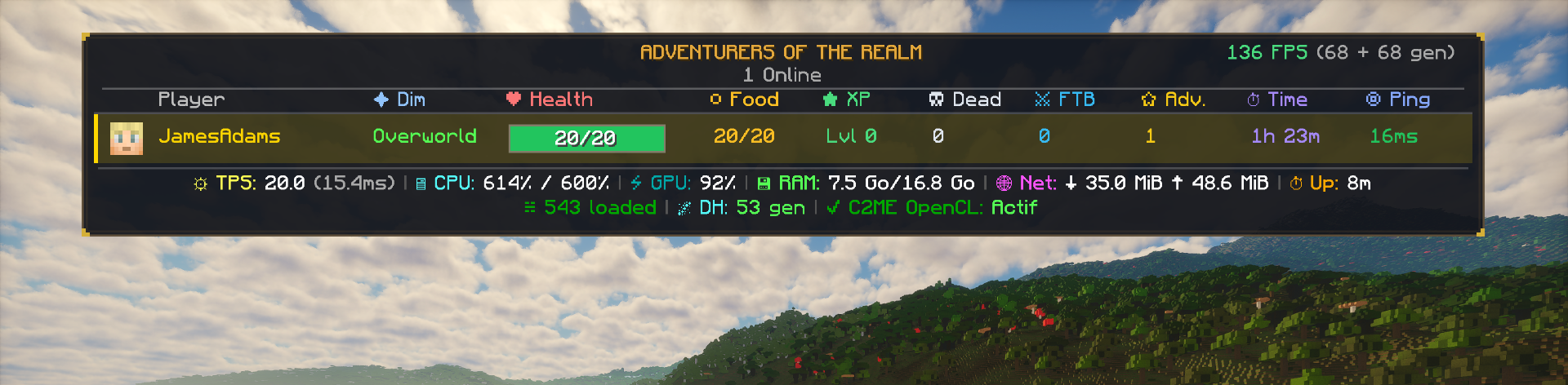
A clean, highly customizable medieval/fantasy RPG player list (TAB menu) replacement for Minecraft NeoForge 1.21.1.
Transform your standard multiplayer player list into an immersive adventurer roster with live player stats, dynamic health gauges, client FPS (with frame generation support), and real-time server hardware performance monitoring.
✨ Features
👑 Player Roster & Stats
- Fantasy RPG Design: Dark translucent backdrop framed with double gold/bronze borders and ornate corner accents.
- Top-Priority HUD Layer: Automatically suppresses conflicting HUD layers (like PartyHUD or RPG-HUD) while TAB is held for optimal readability.
- Player Avatar: Dynamic head render of player skins.
- FTB Teams Support: Displays party team names in italics directly below player usernames (MyTeam) only when the player belongs to a team.
- Player Dimension: Displays current dimension (
✦ Dim: Overworld, Nether, The End, or modded dimensions). - Dynamic Health Bar: Visual fill bar with exact numerical HP centered inside (e.g.
20/20) with smooth green > orange > red color progression. - Food & Hunger: Precise hunger points (
20/20). - Experience Level: Formatted level (
Lvl X). - Deaths Counter: Official vanilla death statistic tracking (
Dead X). - FTB Quests: Total completed quests per player or team.
- Advancements: Unlocked achievements count (crafting recipes excluded).
- Playtime & Ping: Total server playtime (e.g.
1h 23m) and color-coded network latency in ms.
⚡ Performance & Hardware Metrics (Footer)
- Client FPS (GGTU Frame Gen Compatible): Live FPS counter in the top-right corner, displaying native rendering frames and generated/interpolated frames from NeoForge GGTU (Resolution Scaler) (e.g.
136 FPS (68 + 68 gen)). - Server Performance Footer Bar:
- Line 1 (Hardware & Network):
- TPS & MSPT: Instantaneous tick performance (
☼ TPS: 20.0 (15.4ms)). - CPU Quota: Process CPU usage normalized against container allocated cores (
🖥 CPU: 614% / 600%). - GPU Load: Real-time GPU load percentage (
⚡ GPU: 92%). - RAM & Swap: Container cgroup RAM & Swap usage (
💾 RAM: 7.5 Go/16.8 Go, swap displayed only when active). - Network Traffic: Real-time cumulative data transfer (
🌐 Net: ↓ 35.0 MiB ↑ 48.6 MiB). - Uptime: Server uptime since last reboot (
⏱ Up: 8m). - Line 2 (World Generation & Engines):
- Loaded Chunks: Total active world chunks on the server (
☵ 543 loaded). - Distant Horizons: Real-time LOD chunk generation queue tracking (
🌌 DH: 53 gen). - C2ME OpenCL: GPU chunk acceleration module status (
✔ C2ME OpenCL: Actif).
🧩 Built-in Ecosystem Compatibility
Designed with safe, soft-reflection integrations — no hard dependencies and zero crashes if any mod is absent:
| Mod | Platform | Integration |
|---|---|---|
| NeoForge GGTU (Resolution Scaler) | Client | Native + interpolated frame generation breakdown. |
| FTB Teams | Server / Client | Party team name formatting below username. |
| FTB Quests | Server / Client | Live team/player completed quest counters. |
| C2ME OpenCL | Server | GPU acceleration context, real-time load and status. |
| Distant Horizons (DH) | Client / Server | Real-time LOD chunk generation queue monitoring. |
| Pelican / Pterodactyl Panel | Server | Direct API client integration to fetch exact dashboard metrics. |
⚙️ Server Configuration (config/rpgtab-server.toml)
Every single column, metric, color, and title can be toggled and customized to fit your server's style. Includes an optional [pelican_api] section to query your hosting panel directly.
Project description from CurseForge.
Pick your setup
RPG Tab Overlay by Minecraft version and loader
Choose the version and loader you play, then open the matching release.
Check the dependencies, then try the file in a copied instance before changing a world you care about.
Recent files
RPG Tab Overlay versions and loaders
rpgtab-1.34.0-neoforge-1.21.1.jar
2 Nov 2026
Client Source doesn’t say Server Source doesn’t say Dependencies No extras listed Listed on Release listing
Check the 1.21.1 · NeoForge setup 1.21.1NeoForge release
rpgtab-1.33.0-neoforge-1.21.1.jar
31 Oct 2026
Client Source doesn’t say Server Source doesn’t say Dependencies No extras listed Listed on Release listing
Check the 1.21.1 · NeoForge setup 1.21.1NeoForge release
Looking for an older file? The official CurseForge project page is in Resources.
 mod
CurseForge + Modrinth · Minecraft
Cinch's Missing Blocks
Cinch's Missing Blocks aims to add all the block variants that Mojang skipped. From random wall and stair variants that are missing to entire new brick sets.
 mod
CurseForge · Minecraft
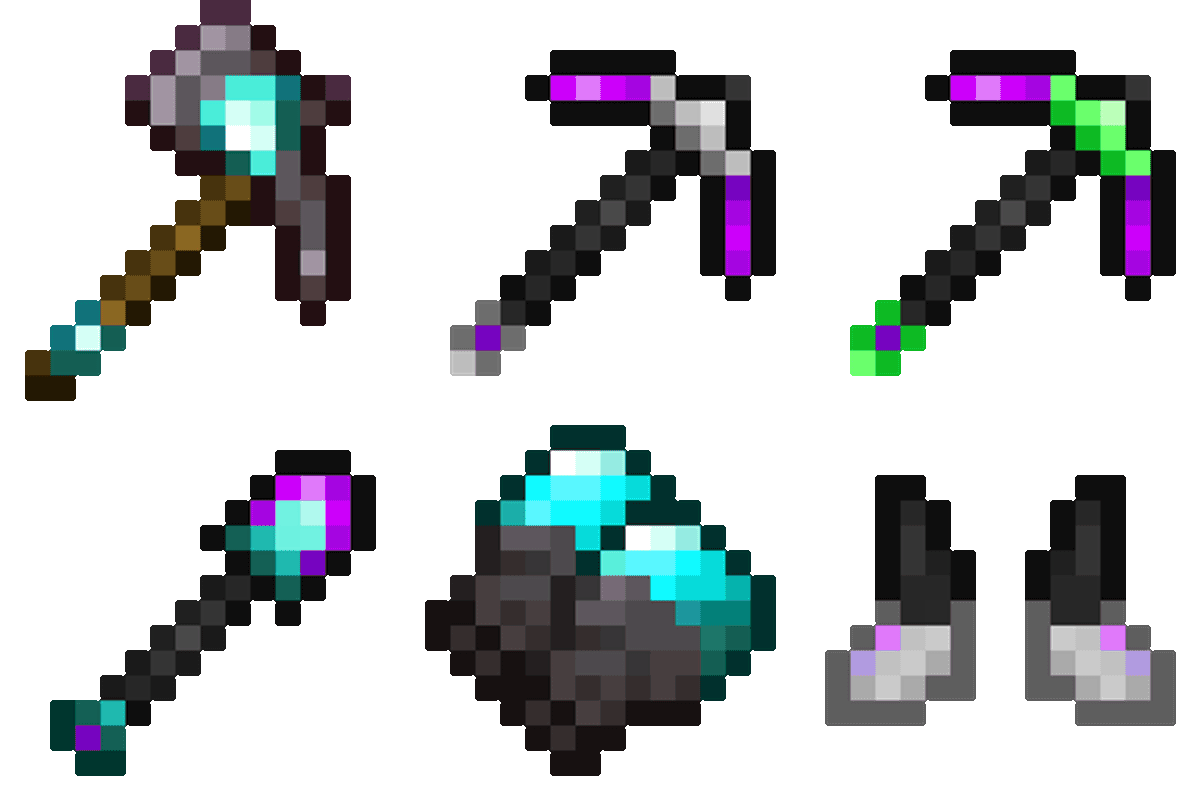
Many Random Compats
Adds compatibilities between mods that may not make any sense
 mod
CurseForge · Minecraft
Danny'sAOT Wall Breach Stages
Controls titan spawning in the Paradis dimension through three wall breach stages. Use `/wallbreach stage1`, `stage2`, or `stage3` to set how far from the center titans can spawn. Requires Fabric 1.21.1, Fabric API, and Danny’s AOT.