Minecraft version
Back to mods 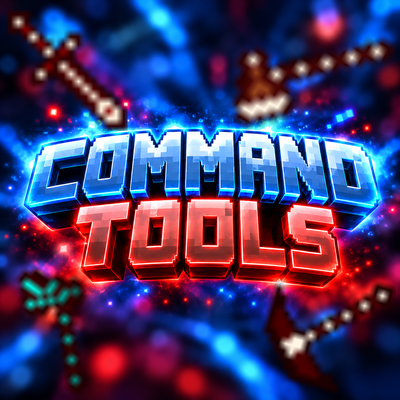
CurseForge · Minecraft mod
Command tools
Command Tools adds customizable pickaxes, swords, and axes, plus a world-editing axe. Right-click to adjust stats, left-click to select areas. Fill, clear, replace, and undo blocks. Limits: 90K liquid blocks, 100K other blocks.
Choose a version Pick your version below, then grab the matching file.
Quick answer
Which Command tools release should I use?
Latest stable file commandtools-1.0.0.jar
Game version 1.20.1
Loader Forge
Command tools commandtools-1.0.0.jar targets 1.20.1 with Forge. The project page does not say whether this file belongs on the client, dedicated server, or both. No extra mods listed for this file.
Where it goes
Is Command tools required on the client, server, or both?
The project page does not say whether this file belongs on the client, dedicated server, or both.
Client Source doesn’t say
Dedicated server Source doesn’t say
Loader for this release Forge
Required install it here Optional supported, not mandatory Not supported do not install here Source doesn’t say do not assume
The source does not explicitly classify this release as client-only or server-only.
What else does Command tools commandtools-1.0.0.jar need?
commandtools-1.0.0.jar. Change the file and its required mods may change too.
This file does not list any required mods. Do not add a library just because a different file uses it.
This file does not list any required or optional mods.
Before you install it
Add Command tools without breaking your instance.
Built for Command tools commandtools-1.0.0.jar. Pick another file and the loader, install side or required mods may change.
- 01
Stick to this file
Use commandtools-1.0.0.jar. It targets 1.20.1 with Forge; another release may have different loader, side or dependency requirements.
- 02
Bring the mods it needs
This file does not list any required mods. Do not add a library just because a different file uses it.
- 03
Put it on the correct side
The project page does not say whether this file belongs on the client, dedicated server, or both.
- 04
Pick the file you checked
Use the “Get this file” button beside commandtools-1.0.0.jar. It opens that exact file at the source.
About this project
What does Command tools add?
Command Tools
Command Tools is a Minecraft mod that adds four unique tools with customizable stats and powerful world-editing features.
Tools
Command Pickaxe — A customizable pickaxe with adjustable mining speed, attack damage, knockback, and durability.
Command Sword — A customizable sword with adjustable attack speed, attack damage, knockback, and durability.
Command Axe — A customizable axe with adjustable chopping speed, attack damage, and durability.
Set Command Axe — A powerful world-editing tool that allows players to select areas, fill them with blocks, clear regions, replace specific blocks, and undo the last operation.
Tool Settings & Controls
Hold a Command Tool and right-click (RMB) to open its settings menu. You can customize the tool's stats by entering your preferred values.
Click Apply Settings to save and activate your changes. Each tool stores its settings individually, so your custom values remain saved.
For Set Command Axe, use left-click (LMB) to select two positions. Right-click to open a block selection menu similar to Minecraft's Creative Inventory, where you can choose blocks and perform world-editing operations.
Limits
Maximum tool durability: 1,000,000
Water and lava filling: Up to 90,000 blocks
Other block editing operations: Up to 100,000 blocks
All tools feature custom textures, crafting recipes, and user-friendly configuration menus.
Project description from CurseForge.
Pick your setup
Command tools by Minecraft version and loader
Choose the version and loader you play, then open the matching release.
Check the dependencies, then try the file in a copied instance before changing a world you care about.
Recent files
Command tools versions and loaders
commandtools-1.0.0.jar
2 Nov 2026
Client Source doesn’t say Server Source doesn’t say Dependencies No extras listed Listed on Release listing
Check the 1.20.1 · Forge setup 1.20.1Forge release
Looking for an older file? The official CurseForge project page is in Resources.
 mod
CurseForge + Modrinth · Minecraft
Insane's Survival Overhaul (aka IguanaTweaks Reborn)
Overhaul survival with many changes to existing mechanics. Weapon rebalance, enchanting rework, and much more
 mod
CurseForge · Minecraft
BSP TELEPORT
A teleport, home, warp mod to be used with the BSP Modpack offical server allowing teleporting between all servers within the network.
 mod
CurseForge · Minecraft
Titan Combat: Frontline Mechs
Call down massive orbital-drop combat mechs with customizable faction colors, recharging energy shields, high-mobility thrusters, and immersive cockpit HUDs for Forge 1.20.1.