Minecraft version
Back to mods 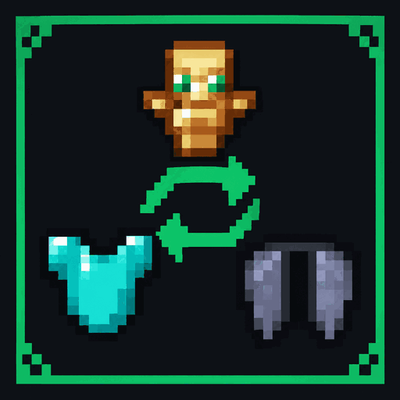
CurseForge · Minecraft mod
Quick Swap hotkey
Two hotkeys that work without opening your inventory: X puts a Totem of Undying from your inventory into your offhand G swaps between your elytra and your chestplate It is a client-side Fabric mod.
Choose a version Pick your version below, then grab the matching file.
Quick answer
Which Quick Swap hotkey release should I use?
Latest stable file quick-swap-hotkeys-fabric-1.0.0+26.1.2.jar
Game version 26.1.2
Loader Fabric
Quick Swap hotkey quick-swap-hotkeys-fabric-1.0.0+26.1.2.jar targets 26.1.2 with Fabric. The project page does not say whether this file belongs on the client, dedicated server, or both. No extra mods listed for this file.
Where it goes
Is Quick Swap hotkey required on the client, server, or both?
The project page does not say whether this file belongs on the client, dedicated server, or both.
Client Source doesn’t say
Dedicated server Source doesn’t say
Loader for this release Fabric
Required install it here Optional supported, not mandatory Not supported do not install here Source doesn’t say do not assume
The source does not explicitly classify this release as client-only or server-only.
What else does Quick Swap hotkey quick-swap-hotkeys-fabric-1.0.0+26.1.2.jar need?
quick-swap-hotkeys-fabric-1.0.0+26.1.2.jar. Change the file and its required mods may change too.
This file does not list any required mods. Do not add a library just because a different file uses it.
This file does not list any required or optional mods.
Before you install it
Add Quick Swap hotkey without breaking your instance.
Built for Quick Swap hotkey quick-swap-hotkeys-fabric-1.0.0+26.1.2.jar. Pick another file and the loader, install side or required mods may change.
- 01
Stick to this file
Use quick-swap-hotkeys-fabric-1.0.0+26.1.2.jar. It targets 26.1.2 with Fabric; another release may have different loader, side or dependency requirements.
- 02
Bring the mods it needs
This file does not list any required mods. Do not add a library just because a different file uses it.
- 03
Put it on the correct side
The project page does not say whether this file belongs on the client, dedicated server, or both.
- 04
Pick the file you checked
Use the “Get this file” button beside quick-swap-hotkeys-fabric-1.0.0+26.1.2.jar. It opens that exact file at the source.
About this project
What does Quick Swap hotkey add?
Quick Swap Hotkeys Two hotkeys for Minecraft 26.3 that work without opening your inventory:
X puts a Totem of Undying from your inventory into your offhand G swaps between your elytra and your chestplate It is a client-side Fabric mod. Servers don't need it, and it only sends the same inventory clicks you would make by hand.
How it works Totem: if you already hold a totem in your offhand, nothing happens. Otherwise the mod takes the first totem it finds in your inventory or hotbar and swaps it into your offhand. Whatever was in the offhand goes back to the slot the totem came from.
Elytra / chestplate: if you wear an elytra, it looks for a chestplate. If you wear a chestplate (or nothing), it looks for an elytra. When there are several, it picks in this order:
the one in your offhand the one with more durability left the one with more enchantment levels A nearly broken elytra (1 durability left) is skipped.
Changing the keys Options → Controls → Key Binds → Quick Swap Hotkeys.
Installing Install Fabric Loader for Minecraft 26.3. Put Fabric API and the mod's .jar into your mods folder. Requires Java 25 and Fabric Loader 0.19.5 or newer.
License MIT
Project description from CurseForge.
Pick your setup
Quick Swap hotkey by Minecraft version and loader
Choose the version and loader you play, then open the matching release.
Minecraft version
26.2
3 loader buildsMinecraft version
26.1.2
3 loader buildsCheck the dependencies, then try the file in a copied instance before changing a world you care about.
Recent files
Quick Swap hotkey versions and loaders
quick-swap-hotkeys-fabric-1.0.0+26.1.2.jar
quick-swap-hotkeys-fabric-1.0.0-26.1.2.jar
2 Nov 2026
Client Source doesn’t say Server Source doesn’t say Dependencies No extras listed Listed on Release listing
Check the 26.1.2 · Fabric setup Fabric26.1.2 release
quick-swap-hotkeys-fabric-1.0.0+26.2.jar
quick-swap-hotkeys-fabric-1.0.0-26.2.jar
2 Nov 2026
Client Source doesn’t say Server Source doesn’t say Dependencies No extras listed Listed on Release listing
Check the 26.2 · Fabric setup Fabric26.2 release
quick-swap-hotkeys-forge-1.0.0+26.1.2.jar
quick-swap-hotkeys-forge-1.0.0-26.1.2.jar
2 Nov 2026
Client Source doesn’t say Server Source doesn’t say Dependencies No extras listed Listed on Release listing
Check the 26.1.2 · Forge setup Forge26.1.2 release
quick-swap-hotkeys-forge-1.0.0+26.2.jar
quick-swap-hotkeys-forge-1.0.0-26.2.jar
2 Nov 2026
Client Source doesn’t say Server Source doesn’t say Dependencies No extras listed Listed on Release listing
Check the 26.2 · Forge setup Forge26.2 release
quick-swap-hotkeys-neoforge-1.0.0+26.2.jar
quick-swap-hotkeys-neoforge-1.0.0-26.2.jar
2 Nov 2026
Client Source doesn’t say Server Source doesn’t say Dependencies No extras listed Listed on Release listing
Check the 26.2 · NeoForge setup NeoForge26.2 release
quick-swap-hotkeys-neoforge-1.0.0+26.1.2.jar
quick-swap-hotkeys-neoforge-1.0.0-26.1.2.jar
2 Nov 2026
Client Source doesn’t say Server Source doesn’t say Dependencies No extras listed Listed on Release listing
Check the 26.1.2 · NeoForge setup NeoForge26.1.2 release
quick-swap-hotkeys-forge-1.0.0+26.3.jar
quick-swap-hotkeys-forge-1.0.0-26.3.jar
31 Oct 2026
Client Source doesn’t say Server Source doesn’t say Dependencies No extras listed Listed on Release listing
Check the 26.3 · Forge setup Forge26.3 release
quick-swap-hotkeys-neoforge-1.0.0+26.3.jar
quick-swap-hotkeys-neoforge-1.0.0-26.3.jar
31 Oct 2026
Client Source doesn’t say Server Source doesn’t say Dependencies No extras listed Listed on Release listing
Check the 26.3 · NeoForge setup NeoForge26.3 release
quick-swap-fabric-1.0.0+26.3.jar
quick-swap-1.0.0-26.3.jar
31 Oct 2026
Client Source doesn’t say Server Source doesn’t say Dependencies No extras listed Listed on Release listing
Check the 26.3 · Fabric setup Fabric26.3 release
Looking for an older file? The official CurseForge project page is in Resources.
 mod
CurseForge + Modrinth · Minecraft
Every Compat (Wood Good)
Universal Wood Compat: Quark, Twilight Forest, Twigs, Another Furniture, Farmers Delight, Macaw's, Valhelsia, Architects Palette, Deco Blocks, Crayfish FM
 mod
CurseForge + Modrinth · Minecraft
Oracle Index
A minecraft fabric / neoforge client-side documentation viewer mod, intended to be used with wikis alongside moddedmc.wiki
 mod
CurseForge · Minecraft
Da Cheese Mod
this is a mod that adds a bunch of cheese things like cheese armor, cheese tools, weapons, a structure, two boss, customizable features with the use of game rules, and more!