Fabric API Needed by Server Essentials - Fabric, Forge and NeoForge Server Essentials 1.1.0 for 1.18.2 Fabric
requiredMatching file found Matched file: [1.18.2] Fabric API 0.77.0+1.18.2
CurseForge · Minecraft mod
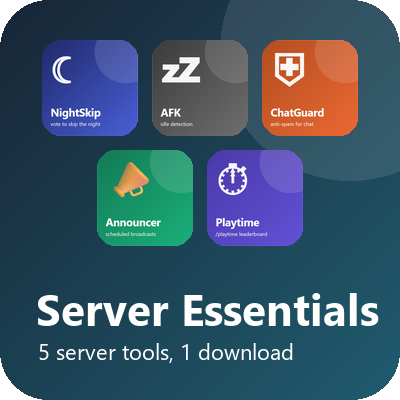
Twelve server tools in one download: restarts, backups, maintenance mode, info commands, polls, mail, TPS monitor, night-skip vote, AFK, chat guard, announcer and playtime.
Quick answer
Server Essentials - Fabric, Forge and NeoForge Server Essentials 1.1.0 for 1.18.2 Fabric targets 1.18.2 with Fabric. The project page does not say whether this file belongs on the client, dedicated server, or both. All 1 required mods have matching files.
Where it goes
The project page does not say whether this file belongs on the client, dedicated server, or both.
The source does not explicitly classify this release as client-only or server-only.
Server Essentials 1.1.0 for 1.18.2 Fabric. Change the file and its required mods may change too.
Install Fabric API first. We found matching files for this game-version and loader setup.
We only count dependency files that match this setup. A file for another loader does not fill the gap.
Before you install it
Built for Server Essentials - Fabric, Forge and NeoForge Server Essentials 1.1.0 for 1.18.2 Fabric. Pick another file and the loader, install side or required mods may change.
Use Server Essentials 1.1.0 for 1.18.2 Fabric. It targets 1.18.2 with Fabric; another release may have different loader, side or dependency requirements.
Install Fabric API first. We found matching files for this game-version and loader setup.
The project page does not say whether this file belongs on the client, dedicated server, or both.
Use the “Get this file” button beside Server Essentials 1.1.0 for 1.18.2 Fabric. It opens that exact file at the source.
About this project
Runs on: Minecraft 26.3 and 1.21 to 1.21.11 (Fabric); 1.21, 1.21.1, 1.21.3 to 1.21.5, 1.21.8, 1.21.10 and 1.21.11 (NeoForge); 1.20.3 and 1.20.4 (Fabric); 1.20, 1.20.1, 1.19.2 and 1.18.2 (Forge, Fabric). Server-side only, so vanilla players can join.
Twelve small tools most servers end up wanting, in one jar. Install it once and you get all twelve. Each tool keeps its own settings file in config/, so you can tune them separately.
/skipnight starts a vote in your world. When enough players agree (half by default) it becomes morning and the weather clears, like sleeping without beds. Alone, the night skips at once. Phantom timers reset for the voters.
thresholdPercent=50, voteTimeoutSeconds=60, cooldownSeconds=120, resetPhantomTimer=true in config/nightskip/nightskip.properties
Players who stand still for five minutes are marked AFK with a line in chat and an [AFK] prefix in the tab list. Moving clears it. /afk toggles it by hand; from the console /afk lists who is away.
idleMinutes=5, checkSeconds=10, broadcast=true, markTabList=true in config/afkstatus/afkstatus.properties
Stops chat spam without a permissions plugin: a cooldown between messages, repeated messages blocked after the second, caps lock warned or blocked, links blocked. Operators and the singleplayer host bypass everything.
cooldownMillis, maxRepeats, capsAction=warn|block, blockLinks, bypassOps in config/chatguard/chatguard.properties
One message per line in config/autoannouncer/messages.txt, broadcast in turn (or at random) every five minutes while players are online. /announcer shows the status; /announcer reload re-reads the file without a restart.
intervalSeconds=300, prefix=[Server], randomOrder=false, minPlayers=1 in announcer.properties
/playtime shows your total time on the server, session count and first-seen date. /playtimetop shows the ten most dedicated players. Saved every five minutes and on shutdown to config/playtimestats/playtime.tsv.
SCHEDULED RESTART Daily or every-N-hours restarts with chat countdown warnings. /restart in 10m, /restart now, /restart cancel, /restart status (operators). Players are kicked with a clean message right before the stop. The mod stops the server; your start script or panel brings it back. dailyTimes, intervalHours, warnSeconds, warnMessage, finalMessage, kickBeforeStop in config/scheduledrestart/scheduledrestart.properties
SERVER BACKUP Flushes the world, zips it every 60 minutes and keeps the newest 10 archives in backups/ next to the server. Skips runs when nobody is online and nothing changed, and runs one last backup on shutdown. /backup now, /backup list, /backup status (operators; alias /serverbackup). intervalMinutes=60 (0 = manual only), keep=10, targetDir, onlyWhenPlayersOnline, announce, backupOnShutdown in config/serverbackup/serverbackup.properties
MAINTENANCE MODE /maintenance on [reason] locks the server: anyone not on the allow-list is refused at login with your message, and online players who are not allowed are kicked. /maintenance off, status, allow, deny, list (operators). Operators are always allowed, and the state survives a restart. kickMessage, kickOnEnable, allowOps in config/maintenancemode/maintenance.properties
SERVER INFO COMMANDS /rules, /discord, /website, /vote, /store, /motd and /info from one settings file, plus your own commands with custom=events,wiki. URL lines are clickable. /serverinfo reload re-reads the file. Replace the placeholder links before players see them. config/serverinfo/serverinfo.properties
CHAT POLLS /poll "Question" option1 option2 --time 60 runs a timed poll (operators, or anyone with anyoneCanStart=true). Players answer with /vote <number>; results, percentages and the winner are broadcast when time is up. /poll end, cancel, status. config/polls/polls.properties
PLAYER MAIL /mail send <player> <message> leaves a message for someone offline; they get a notice on their next join. /mail read, /mail count, /mail clear. Inboxes are plain text files with size, length and cooldown limits. config/playermail/playermail.properties
SERVER MONITOR /tps over 10 seconds, 1 minute and 5 minutes, /mem (operators) and /uptime. Lag alerts go to the server log, rate-limited, with an optional player broadcast and an optional stats.csv you can chart. lagThreshold=15, broadcastLag, alertCooldownSeconds, csvLog in config/servermonitor/servermonitor.properties
UPGRADING FROM 1.0.0 The five original tools and their settings are unchanged. Two new tools act on their own: Server Backup starts hourly backups (set intervalMinutes=0 for manual only, and check your disk space on a large world), and Server Info adds commands with placeholder links until you edit them.
Want only some of them? Remove the matching line from the "jars" list inside the jar's fabric.mod.json, or ask in the comments and I will add an on/off switch.
Compatibility: Minecraft 26.3 with Fabric Loader 0.20.1 and Fabric API. Java 25. Server-side: runs on dedicated servers and on the integrated server in singleplayer; other players install nothing. Licence: MIT.
Found a bug or want a feature? Comment here and I will answer.
More free tools: actuallyop.com
Project description from CurseForge.
Pick your setup
Choose the version and loader you play, then open the matching release.
Showing the newest 12 of 19 game versions. Older files are in the list below.
Check the dependencies, then try the file in a copied instance before changing a world you care about.
Recent files
server-essentials-1.1.0-1.18.2-fabric.jar
5 Nov 2026
server-essentials-1.1.0-1.18.2-forge.jar
5 Nov 2026
server-essentials-1.1.0-1.19.2-fabric.jar
5 Nov 2026
server-essentials-1.1.0-1.19.2-forge.jar
5 Nov 2026
server-essentials-1.1.0-1.20-1.20.1-fabric.jar
5 Nov 2026
server-essentials-1.1.0-1.20-1.20.1-forge.jar
5 Nov 2026
server-essentials-1.1.0-1.20.4-fabric.jar
5 Nov 2026
server-essentials-1.1.0-1.21.3-1.21.4-neoforge.jar
5 Nov 2026
server-essentials-1.1.0-1.21-1.21.1-fabric.jar
5 Nov 2026
server-essentials-1.1.0-1.21-1.21.1-neoforge.jar
5 Nov 2026
server-essentials-1.1.0-1.21.4-fabric.jar
5 Nov 2026
server-essentials-1.1.0-1.21.5-fabric.jar
5 Nov 2026
Looking for an older file? The official CurseForge project page is in Resources.
 mod
You run several NeoForge servers behind a proxy like Velocity. A player walks from one server to another. Without this mod, they arrive with an empty backpack, because each server keeps its own copy of the player. NeoPlayerSync fixes that for you.
 mod
Extra Delight is an addon for Farmer's Delight with the aim to bring more cooking workstations and recipes to go along with them.
 mod
Storage, computation and crafting extensions for Neo ECO AE Extension, with KubeJS integration for custom infinite matrices.