Minecraft version
Back to mods 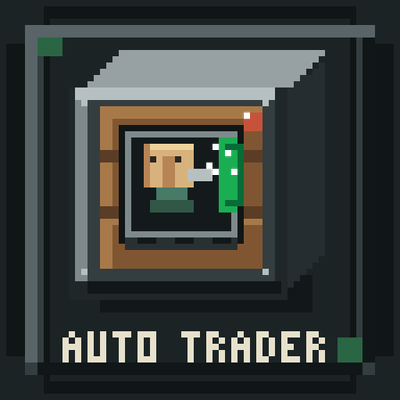
CurseForge · Minecraft mod
Auto Trader
Auto Trader automates villager trading. Capture a villager in a bucket, select a trade, and use redstone and hoppers to trade with real offers, stock limits, and restocking. Compatible with No Trade Cooldown by adamjaroui23.
Choose a version Pick your version below, then grab the matching file.
Quick answer
Which Auto Trader release matches 26.3?
Best match for your filters auto-trader-26.3.jar
Game version 26.3
Loader Fabric
Auto Trader auto-trader-26.3.jar targets 26.3 with Fabric. The project page does not say whether this file belongs on the client, dedicated server, or both. No extra mods listed for this file.
Where it goes
Is Auto Trader required on the client, server, or both?
The project page does not say whether this file belongs on the client, dedicated server, or both.
Client Source doesn’t say
Dedicated server Source doesn’t say
Loader for this release Fabric
Required install it here Optional supported, not mandatory Not supported do not install here Source doesn’t say do not assume
The source does not explicitly classify this release as client-only or server-only.
What else does Auto Trader auto-trader-26.3.jar need?
auto-trader-26.3.jar on 26.3. Every mod below is checked against that same setup.
This file does not list any required mods. Do not add a library just because a different file uses it.
This file does not list any required or optional mods.
Before you install it
Add Auto Trader without breaking your instance.
Built for Auto Trader auto-trader-26.3.jar on 26.3. Pick another file and the loader, install side or required mods may change.
- 01
Stick to this file
Use auto-trader-26.3.jar. It targets 26.3 with Fabric; another release may have different loader, side or dependency requirements.
- 02
Bring the mods it needs
This file does not list any required mods. Do not add a library just because a different file uses it.
- 03
Put it on the correct side
The project page does not say whether this file belongs on the client, dedicated server, or both.
- 04
Pick the file you checked
Use the “Get this file” button beside auto-trader-26.3.jar. It opens that exact file at the source.
About this project
What does Auto Trader add?
Auto Trader
Auto Trader adds a redstone-powered workstation for automating villager trades. Store a villager in the machine, choose one of their offers, and let your builds handle the trading.
Getting started
- Use an empty vanilla bucket on a villager to capture them. Their profession and trade data are preserved, and the bucket shows which profession it contains.
- Place an Auto Trader and insert the villager bucket into its villager slot.
- Select an offer from the trade list.
- Add the required items to the input slots.
- Send a redstone pulse to perform a trade.
The machine uses the villager’s actual offers and outputs the real trade result. It respects trade costs, stock limits, and vanilla restocking. Each new redstone activation performs at most one trade, so send another pulse to trade again.
Automation
Hoppers can feed items into the input inventory and extract purchased items from the output inventory. The machine uses sided inventory access to keep inputs and outputs in their intended slots.
Recipe
Iron Ingot Any Plank Iron Ingot
Iron Ingot Crafter Iron Ingot
Cobblestone Redstone Cobblestone
Image of recipe in Gallery
The plank slot accepts any plank type.
Requirements: Fabric, Minecraft 26.3
Compatibility: Can be used alongside No Trade Cooldown by adamjaroui23.
Project description from CurseForge.
Pick your setup
Auto Trader by Minecraft version and loader
Choose the version and loader you play, then open the matching release.
Check the dependencies, then try the file in a copied instance before changing a world you care about.
Recent files
Auto Trader versions and loaders
auto-trader-26.3.jar
1 Nov 2026
Client Source doesn’t say Server Source doesn’t say Dependencies No extras listed Listed on Release listing
Check the 26.3 · Fabric setup Fabric26.3 release
auto-trader-26.2.jar
1 Nov 2026
Client Source doesn’t say Server Source doesn’t say Dependencies No extras listed Listed on Release listing
Check the 26.3 · Fabric setup Fabric26.3 release
Looking for an older file? The official CurseForge project page is in Resources.
 mod
CurseForge · Minecraft
all villager work
In the vanilla game, only Farmers plant crops. Now, all employed villagers have active duties:
 mod
CurseForge · Minecraft
RFTools Utility
General RFTools blocks that don't fit in a more specific category
 mod
CurseForge · Minecraft
Iron Age Furniture
Iron Age Style Furniture, Chairs, Dynamic Benches, Sconces and new Lighting Options