Just Enough Items (JEI) Optional for Big Create Auto Crafter bigcreateautocrafter-0.1.6.jar
optionalMatching file found Matched file: 19.71.0.470 for NeoForge 1.21.1
CurseForge · Minecraft mod
Big Create Auto Crafter extends the Create Stock Keeper crafting workflow to larger Mechanical Crafter setups.
Quick answer
Big Create Auto Crafter bigcreateautocrafter-0.1.6.jar targets 1.21.1 with NeoForge. The project page does not say whether this file belongs on the client, dedicated server, or both. All 1 required mods have matching files.
Where it goes
The project page does not say whether this file belongs on the client, dedicated server, or both.
The source does not explicitly classify this release as client-only or server-only.
bigcreateautocrafter-0.1.6.jar. Change the file and its required mods may change too.
Install Create first. We found matching files for this game-version and loader setup. 2 come through another mod in the chain.
2 extra mods were pulled in by other dependencies. Indented rows show who needs each one. We only count dependency files that match this setup. A file for another loader does not fill the gap.
Before you install it
Built for Big Create Auto Crafter bigcreateautocrafter-0.1.6.jar. Pick another file and the loader, install side or required mods may change.
Use bigcreateautocrafter-0.1.6.jar. It targets 1.21.1 with NeoForge; another release may have different loader, side or dependency requirements.
Install Create first. We found matching files for this game-version and loader setup. 2 come through another mod in the chain.
The project page does not say whether this file belongs on the client, dedicated server, or both.
Use the “Get this file” button beside bigcreateautocrafter-0.1.6.jar. It opens that exact file at the source.
About this project
Craft recipes bigger than 3×3 with Create's logistics. Register your big Mechanical Crafter setups once, then order a Crushing Wheel (21 ingredients) straight from the Stock Keeper with JEI's "+", or let a Factory Gauge keep it in stock.
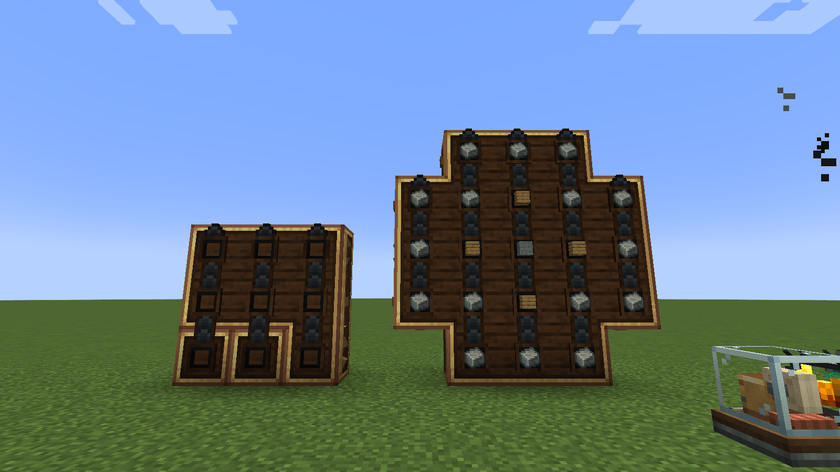
A 21-crafter setup that has just received one Crushing Wheel order (16 Andesite Alloy, 4 Planks, 1 Stone), next to a 3×3 field for small recipes.
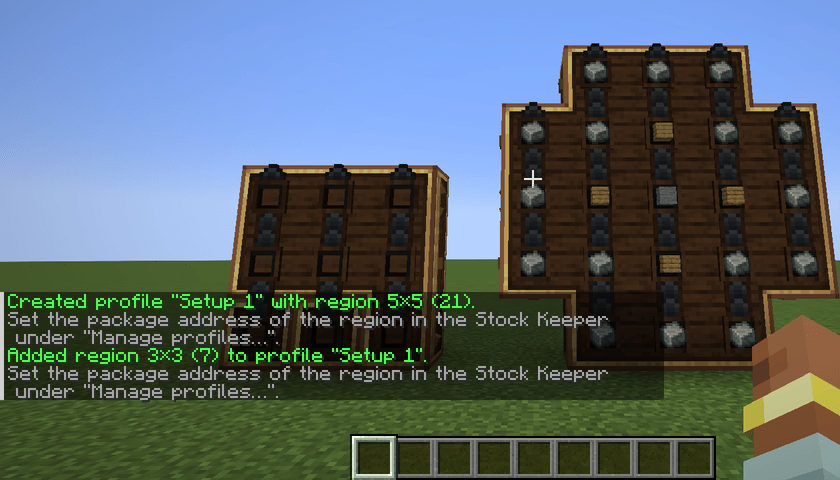
Build and connect your Mechanical Crafters as usual with Create. Then hold Ctrl and right-click one of them. The chat confirms the new region. Ctrl + right-click on another group adds it to the same profile.
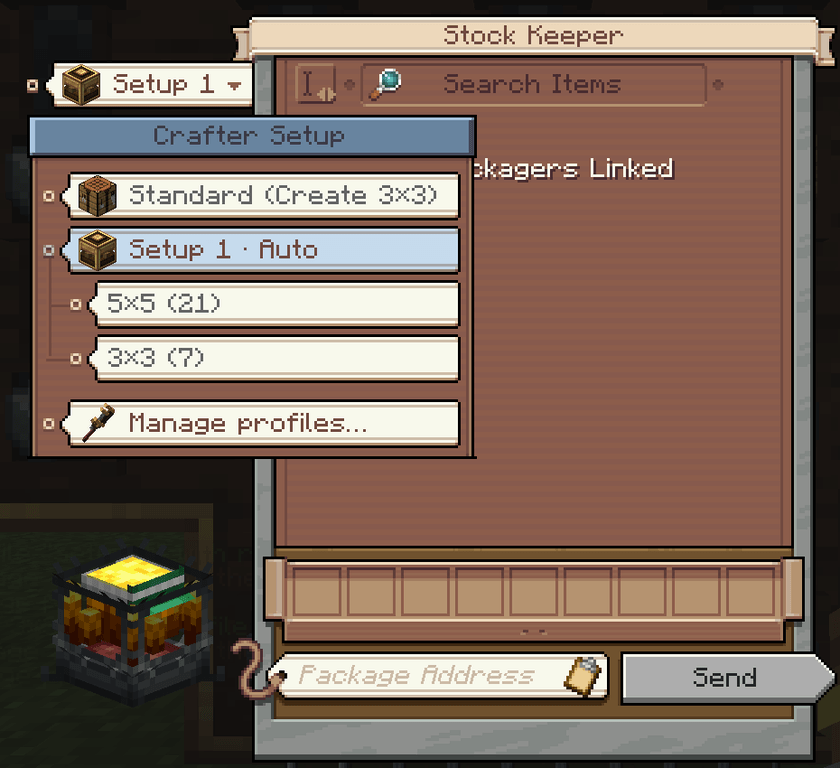
The paper tag on the left of the Stock Keeper window shows the current choice. Hover over it for details, or scroll over it to switch.
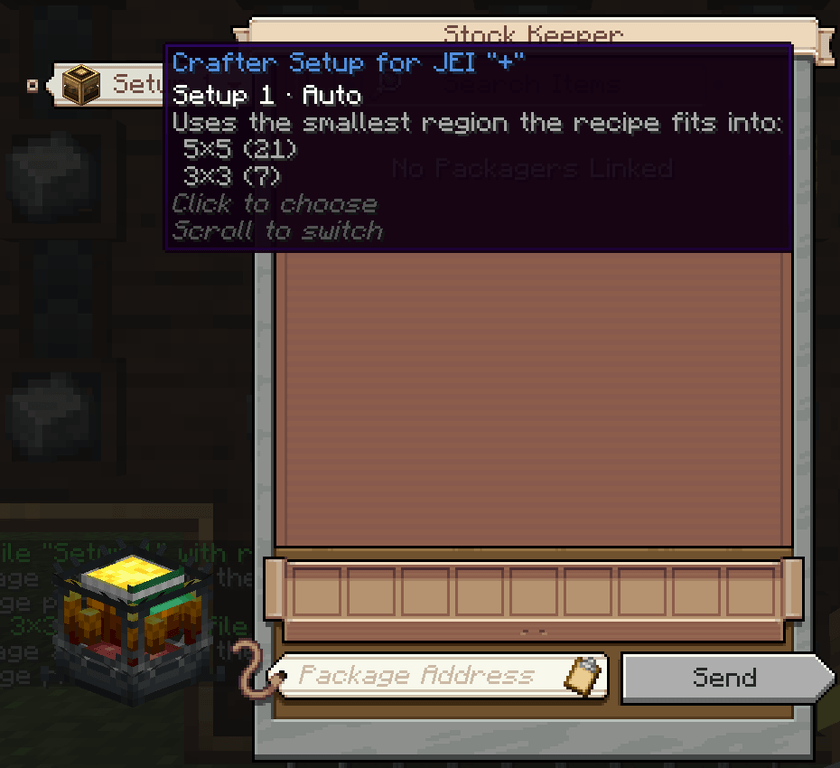
Click the tag to see every option as a card. Regions hang from their profile on a thread.
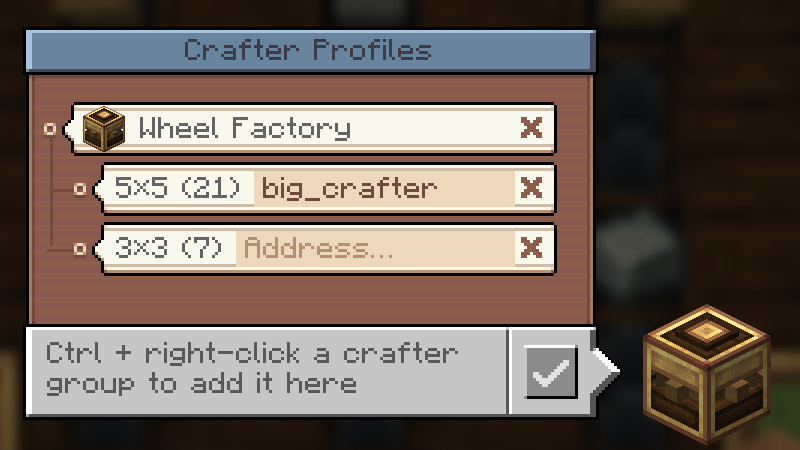
Open Manage profiles… and click the address field of a region. Enter the address of the packager at your crafters, then press Enter. When you order with that region, the address is filled into the Stock Keeper for you.
Click JEI's "+" on any recipe, for example the Crushing Wheel, then press Send. The ingredients arrive as packages, and the crafters start once the grid is complete.
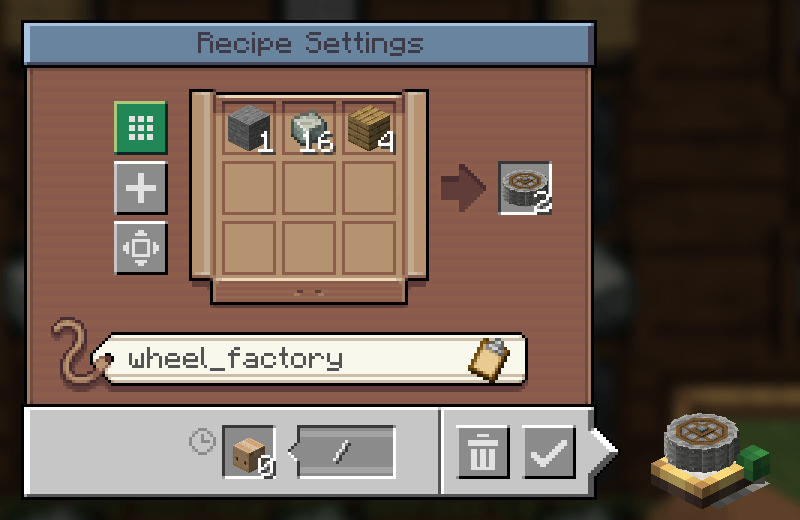
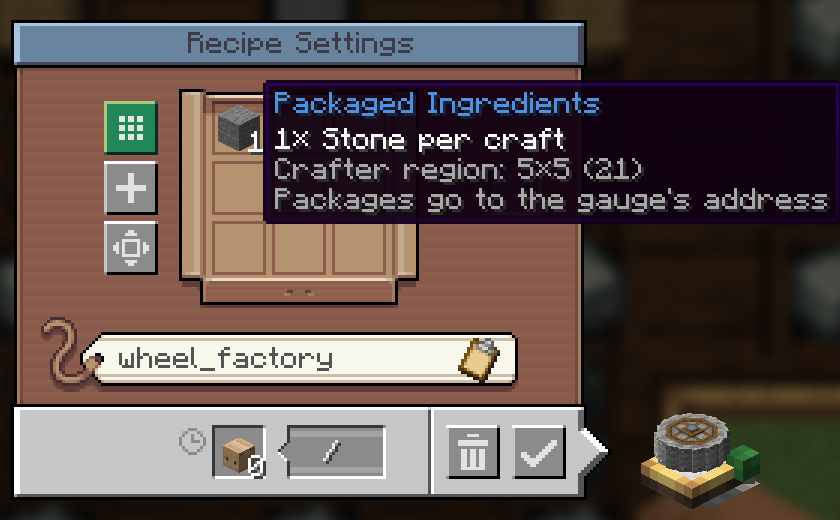
Set up the gauge as usual: the Crushing Wheel as the target, with input gauges for Andesite Alloy, Planks and Stone. Then click Use Mechanical Crafting. The window now shows the amount per craft. Enter the address of the packager at your crafters and confirm.
Just like in Create itself, the crafting information is only attached to the packages of one packager.
| Situation | without Repackager | with Repackager |
|---|---|---|
| 1 craft, all ingredients from one packager | ✅ | ✅ |
| 1 craft, ingredients from several packagers | ❌ | ✅ |
| several crafts in one order | ❌ | ✅ one package per craft |
A Factory Gauge always requests one craft per order, so there it is enough if all ingredients come from one packager.
Install the mod on both client and server.
/bcac list | select | rename | address | delete. These do the same as the profile menu.
| Setting | Default |
|---|---|
| Max. region width / height | 9 / 9 |
| Max. regions per profile | 8 |
| Max. profiles per player | 16 |
This mod was developed with AI assistance . It is tested with automated in-game tests: server-side GameTests, a client test that opens the real Stock Keeper, profile menu and Factory Gauge and a Test by a Human. All screenshots on this page are unedited captures from that client test.
Project description from CurseForge.
Pick your setup
Choose the version and loader you play, then open the matching release.
Check the dependencies, then try the file in a copied instance before changing a world you care about.
Recent files
19 Nov 2026
bigcreateautocrafter-0.1.3.jar
1 Nov 2026
Looking for an older file? The official CurseForge project page is in Resources.
 mod
Cinematic Interactions for Sophisticated Backpacks: press the backpack key to swing the bag off your back, set it on the floor, open it up and rummage through it by hand. Drag items into your inventory or out onto the floor.
 mod
Ad Astra compatibility add-on for Immersive Geology.
 mod
A lightweight utility for replacing one block with another, both during worldgen and afterward.