[ANGRY PIXEL] The Betweenlands Optional for Tomb Many Graves Continued 1.12.2-4.2.3-fork
optionalMatching file found Matched file: The Betweenlands v3.9.6
CurseForge · Minecraft mod
An unofficial 1.12.2 fork of M4thG33k's TombManyGraves2 with 70–85% smaller grave NBT, stability fixes, Betweenlands support, and right-click pickup.
Quick answer
Tomb Many Graves Continued 1.12.2-4.2.3-fork targets 1.12.2 with Forge. The project page does not say whether this file belongs on the client, dedicated server, or both. No extra mods listed for this file.
Where it goes
The project page does not say whether this file belongs on the client, dedicated server, or both.
The source does not explicitly classify this release as client-only or server-only.
1.12.2-4.2.3-fork. Change the file and its required mods may change too.
This file does not list any required mods. Do not add a library just because a different file uses it.
8 extra mods were pulled in by other dependencies. Indented rows show who needs each one. We only count dependency files that match this setup. A file for another loader does not fill the gap.
Before you install it
Built for Tomb Many Graves Continued 1.12.2-4.2.3-fork. Pick another file and the loader, install side or required mods may change.
Use 1.12.2-4.2.3-fork. It targets 1.12.2 with Forge; another release may have different loader, side or dependency requirements.
This file does not list any required mods. Do not add a library just because a different file uses it.
The project page does not say whether this file belongs on the client, dedicated server, or both.
Use the “Get this file” button beside 1.12.2-4.2.3-fork. It opens that exact file at the source.
About this project
An unofficial fork of TombManyGraves2 by M4thG33k (GitHub). Not affiliated with or endorsed by the original author.
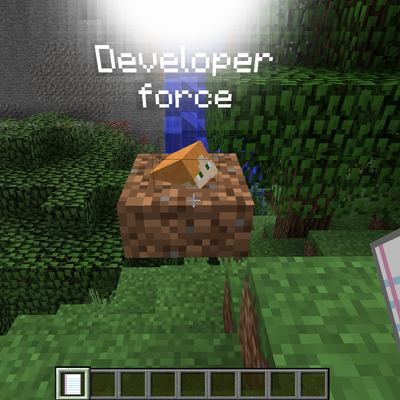
When a player dies, their items are stored in a grave at the place of death and can be recovered later by the player or their friends. This fork keeps the original mod's behavior and focuses on stability, smaller grave data, and safer item recovery.
keepInventory deaths no longer strand items, and a failing compatibility plugin no longer aborts the whole grave-capture process.tmg_drop, tmg_restore, tmg_steal, tmg_pop_grave, tmg_getDeathList, tmg_friends, tmg_toggle_render, tmg_toggle_grave_pos.All integrations are optional. The mod loads normally if they are not installed.
| Mod | What it adds |
|---|---|
| The Betweenlands | Amulets and equipment are saved with the grave |
| Baubles | Ring and amulet slots are saved |
| Aether Legacy | Accessory slots are saved |
| Galacticraft Legacy | Galacticraft inventory is saved |
| Techguns | Techguns player inventory is saved |
| Cosmetic Armor Reworked | Cosmetic armor slots are saved |
| Backpacks | Backpack contents are saved |
| JEI | Not required, compile-time only |
replaceStillLava = false to stop graves from replacing water, set replaceStillWater = false explicitly. The old key was a bug.-Dfile.encoding=UTF-8 to the JVM arguments.Licensed under the GNU General Public License v3.0.
Original copyright notices are preserved. Modifications are documented in the changelog and commit history. Full text: LICENSE, or https://www.gnu.org/licenses/gpl-3.0.txt. This fork is not affiliated with or endorsed by M4thG33k. Binary distribution requires making the corresponding source code available under GPLv3.
AI-assisted development; all code reviewed, tested, and maintained by human contributors. Not affiliated with Mojang or Microsoft; Minecraft is a trademark of Mojang Synergies AB.
Project description from CurseForge.
Pick your setup
Choose the version and loader you play, then open the matching release.
Check the dependencies, then try the file in a copied instance before changing a world you care about.
Recent files
TombManyGraves-1.12-4.2.3-fork.jar
10 Nov 2026
TombManyGraves-1.12-4.2.2-fork.jar
2 Nov 2026
Looking for an older file? The official CurseForge project page is in Resources.
 mod
Adds naturally spawning Moyai to your game 🗿
 mod
THE BEST SUPERMAN MOD IN MINECRAFT
 mod
DEDsafio 4 roulette featuring items, changes, and moments seen in the series—a fan project.