Minecraft version
Back to mods 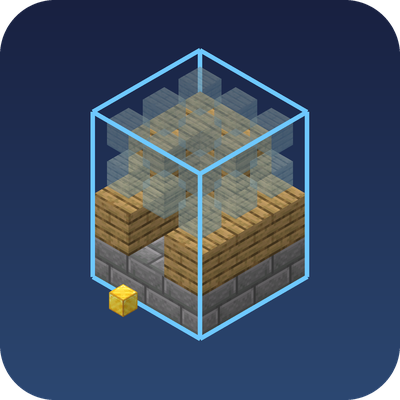
CurseForge · Minecraft mod
schemafacile
Built an amazing house and want it in another world? Litematica is great but complicated.
Choose a version Pick your version below, then grab the matching file.
Quick answer
Which schemafacile release should I use?
Latest stable file schemafacile-1.0.0 26.2
Game version 26.2
Loader Fabric
schemafacile-1.0.0 26.2 targets 26.2 with Fabric. The project page does not say whether this file belongs on the client, dedicated server, or both. No extra mods listed for this file.
Where it goes
Is schemafacile required on the client, server, or both?
The project page does not say whether this file belongs on the client, dedicated server, or both.
Client Source doesn’t say
Dedicated server Source doesn’t say
Loader for this release Fabric
Required install it here Optional supported, not mandatory Not supported do not install here Source doesn’t say do not assume
The source does not explicitly classify this release as client-only or server-only.
What else does schemafacile-1.0.0 26.2 need?
schemafacile-1.0.0 26.2. Change the file and its required mods may change too.
This file does not list any required mods. Do not add a library just because a different file uses it.
This file does not list any required or optional mods.
Before you install it
Add schemafacile without breaking your instance.
Built for schemafacile-1.0.0 26.2. Pick another file and the loader, install side or required mods may change.
- 01
Stick to this file
Use schemafacile-1.0.0 26.2. It targets 26.2 with Fabric; another release may have different loader, side or dependency requirements.
- 02
Bring the mods it needs
This file does not list any required mods. Do not add a library just because a different file uses it.
- 03
Put it on the correct side
The project page does not say whether this file belongs on the client, dedicated server, or both.
- 04
Pick the file you checked
Use the “Get this file” button beside schemafacile-1.0.0 26.2. It opens that exact file at the source.
About this project
What does schemafacile add?
Built an amazing house and want it in another world? Litematica is great but complicated. Schéma Facile does the essentials with one menu and clear buttons: press B.
How it works
- Point A / Point B: aim at two corners of your build. A blue frame previews the area live.
- Zero point (optional): stand in front of your door and press it. When you import, the house will be placed in front of you, facing the same way.
- Save…: the Windows file explorer opens, pick a name and a place for the
.nbtfile. - Import…: in any world, open your file. The schematic shows up as ghost blocks.
- Build! Each ghost block disappears as soon as you place the right block there.
Other buttons: Move here, Rotate 90°, Materials (what's missing vs. your inventory), Remove, Open the schematics folder.
Good to know
- Client-side only: works in singleplayer and on servers, nothing to install server-side.
- Your build site is kept when you restart the game.
.nbtfiles can be shared with friends.- The mod never places blocks for you: it's a guide, you build it yourself (no cheating in survival).
- Menu in English and French (it follows your game language).
Requirements
- Minecraft 26.2
- Fabric Loader 0.19.5+
- Fabric API
Project description from CurseForge.
Pick your setup
schemafacile by Minecraft version and loader
Choose the version and loader you play, then open the matching release.
Check the dependencies, then try the file in a copied instance before changing a world you care about.
Recent files
schemafacile versions and loaders
schemafacile-1.0.0 26.2
schemafacile-1.0.0.jar
2 Nov 2026
Client Source doesn’t say Server Source doesn’t say Dependencies No extras listed Listed on Release listing
Check the 26.2 · Fabric setup Fabric26.2 release
Looking for an older file? The official CurseForge project page is in Resources.
 mod
CurseForge + Modrinth · Minecraft
No Item Bounce
This mod disables item drop scatter by centering items on the block grid.
 mod
CurseForge · Minecraft
Vine & Barrel
A cozy brewing mod: beer, wine, mead and cider. Grow, brew, age in barrels and tap drinks for your friends.
 mod
CurseForge · Minecraft
Make It Hot
Make any fluid, item, block hot. Add heat damage, and proximity by which to apply the effect. Radiation compatibility can be enabled if paired with a radion mod.