Minecraft version
Back to mods 
CurseForge · Minecraft mod
Nick-Name
Give yourself a custom nickname that shows above your head, in chat, and in the tab list.
Choose a version Pick your version below, then grab the matching file.
Quick answer
Which Nick-Name release matches 26.2 NeoForge?
Best match for your filters nicknames-1.0.0+neoforge-26.2.jar
Game version 26.2
Loader NeoForge
Nick-Name nicknames-1.0.0+neoforge-26.2.jar targets 26.2 with NeoForge. The project page does not say whether this file belongs on the client, dedicated server, or both. No extra mods listed for this file.
Where it goes
Is Nick-Name required on the client, server, or both?
The project page does not say whether this file belongs on the client, dedicated server, or both.
Client Source doesn’t say
Dedicated server Source doesn’t say
Loader for this release NeoForge
Required install it here Optional supported, not mandatory Not supported do not install here Source doesn’t say do not assume
The source does not explicitly classify this release as client-only or server-only.
What else does Nick-Name nicknames-1.0.0+neoforge-26.2.jar need?
nicknames-1.0.0+neoforge-26.2.jar on 26.2 NeoForge. Every mod below is checked against that same setup.
This file does not list any required mods. Do not add a library just because a different file uses it.
This file does not list any required or optional mods.
Before you install it
Add Nick-Name without breaking your instance.
Built for Nick-Name nicknames-1.0.0+neoforge-26.2.jar on 26.2 NeoForge. Pick another file and the loader, install side or required mods may change.
- 01
Stick to this file
Use nicknames-1.0.0+neoforge-26.2.jar. It targets 26.2 with NeoForge; another release may have different loader, side or dependency requirements.
- 02
Bring the mods it needs
This file does not list any required mods. Do not add a library just because a different file uses it.
- 03
Put it on the correct side
The project page does not say whether this file belongs on the client, dedicated server, or both.
- 04
Pick the file you checked
Use the “Get this file” button beside nicknames-1.0.0+neoforge-26.2.jar. It opens that exact file at the source.
About this project
What does Nick-Name add?
Nicknames
Give yourself a nickname with /nick! Your real account name, UUID, permissions, whitelist and bans stay the same. Only the name other players see changes.
Features
- Nickname shows in **chat**, the **tab list**, and **join and death messages**
- **Colors and formatting** with
&, e.g./nick &cRed&lBold - **No impersonation:** other players' real names and nicknames already in use are blocked
- Hover over a name in chat to see the **real name**
- Nicknames are saved per world and survive restarts
- **Server-side:** players without the mod (even vanilla) can join
- **Optional on the client:** shows the nickname above players' heads too
Commands
| Command | Who | Description |
|---|---|---|
/nick <name> |
everyone | Set your nickname |
/nick |
everyone | Show your nickname |
/unnick |
everyone | Remove your nickname |
/realname [nick] |
everyone | See who is behind a nickname |
/setnick <player> <name> |
OP | Set a player's nickname |
/unnick <player> |
OP | Remove a player's nickname |
Nicknames may use 1–16 letters, digits or _.
Requirements
- Minecraft 26.2
- Fabric (with Fabric API), NeoForge or Forge
Project description from CurseForge.
Pick your setup
Nick-Name by Minecraft version and loader
Choose the version and loader you play, then open the matching release.
Check the dependencies, then try the file in a copied instance before changing a world you care about.
Recent files
Nick-Name versions and loaders
nicknames-1.0.0+neoforge-26.2.jar
nicknames-1.0.0-neoforge-26.2.jar
3 Nov 2026
Client Source doesn’t say Server Source doesn’t say Dependencies No extras listed Listed on Release listing
Check the 26.2 · NeoForge setup NeoForge26.2 release
Looking for an older file? The official CurseForge project page is in Resources.
 mod
CurseForge · Minecraft
Add to Creative tab
Automatically restores missing mod items into the vanilla Creative inventory so players can access every item effortlessly.
 mod
CurseForge · Minecraft
Breed faster Happy Ghasts
Breed faster Happy Ghasts, boost flight speed with Speed Potions or Snowballs, and inspect mount stats with a Book and Quill.
 mod
CurseForge · Minecraft
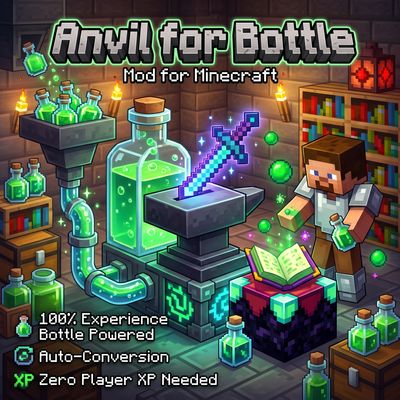
Anvil Enchanting Table for Bottle
Anvil for Bottle removes the need for player XP levels when repairing, combining, renaming, or enchanting items! Instead, power your workstation directly with Bottles o' Enchanting —manually or fully automated with hoppers.