Infinity Nexus Core Needed by Custom Multiblock Machines Infinity Nexus Multiblock-2.0.0-26.1.2 Neoforge
requiredMatching file found Matched file: Infinity Nexus Core-9.0.0-26.2 Neoforge
CurseForge · Minecraft mod
Data-driven multiblock machines for NeoForge.
Quick answer
Custom Multiblock Machines Infinity Nexus Multiblock-2.0.0-26.1.2 Neoforge targets 26.2 with NeoForge. The project page does not say whether this file belongs on the client, dedicated server, or both. All 1 required mods have matching files.
Where it goes
The project page does not say whether this file belongs on the client, dedicated server, or both.
The source does not explicitly classify this release as client-only or server-only.
Infinity Nexus Multiblock-2.0.0-26.1.2 Neoforge on 26.2. Every mod below is checked against that same setup.
Install Infinity Nexus Core first. We found matching files for this game-version and loader setup.
We only count dependency files that match this setup. A file for another loader does not fill the gap.
Before you install it
Built for Custom Multiblock Machines Infinity Nexus Multiblock-2.0.0-26.1.2 Neoforge on 26.2. Pick another file and the loader, install side or required mods may change.
Use Infinity Nexus Multiblock-2.0.0-26.1.2 Neoforge. It targets 26.2 with NeoForge; another release may have different loader, side or dependency requirements.
Install Infinity Nexus Core first. We found matching files for this game-version and loader setup.
The project page does not say whether this file belongs on the client, dedicated server, or both.
Use the “Get this file” button beside Infinity Nexus Multiblock-2.0.0-26.1.2 Neoforge. It opens that exact file at the source.
About this project
Build complex structures and turn patterns into functional machines with inventory, energy, fluids, GUI, and recipes — all defined in JSON. This mod is made for modpack and datapack creators who want to prototype and publish multiblocks without writing a Java class for every machine.
WARNING: This project is currently under development and incomplete; it is therefore in a constant state of change. Any suggestions or critiques are welcome. I am striving to make the project modular and flexible enough to accommodate a wide variety of recipe inputs, outputs, and structures.
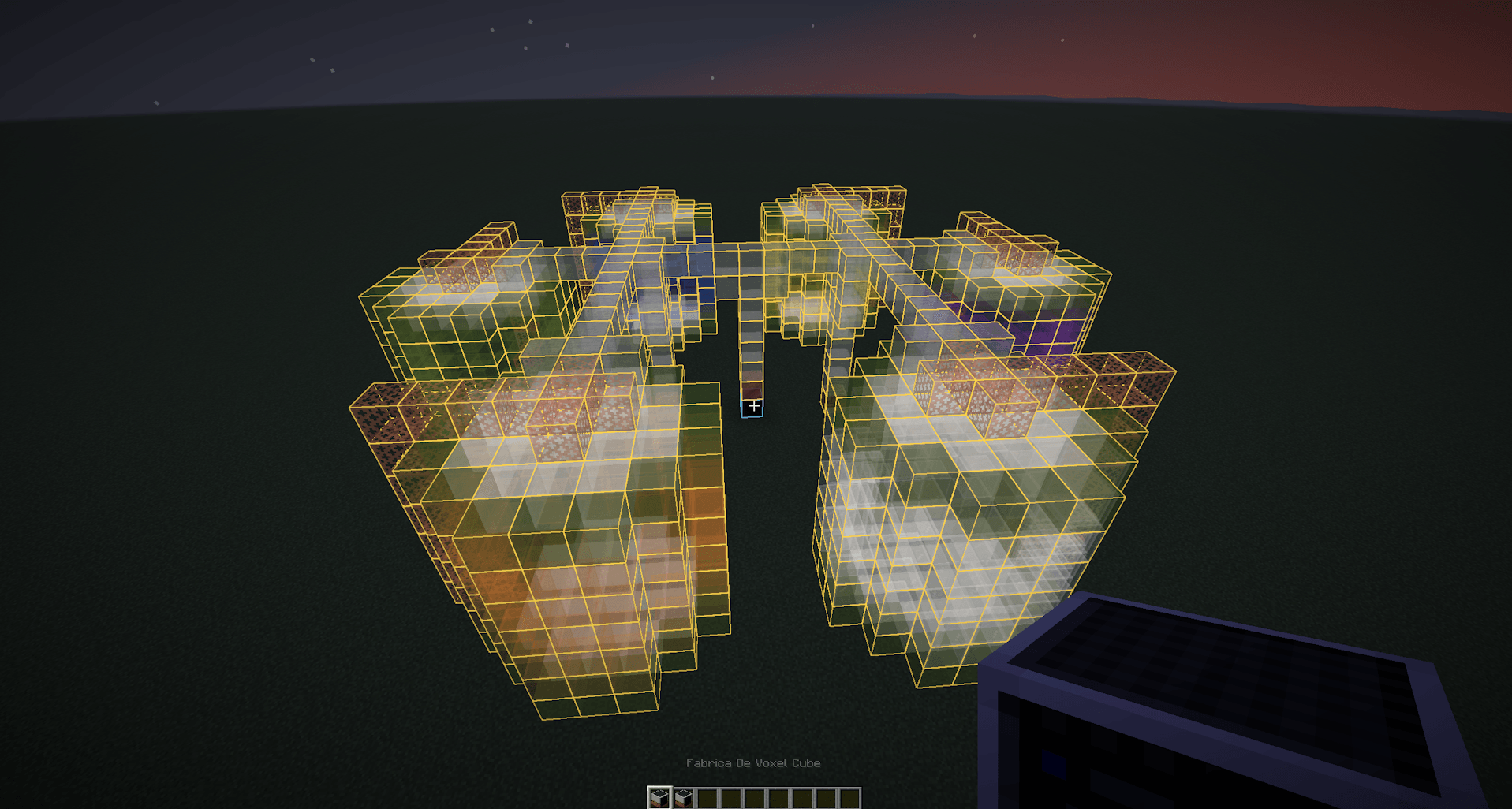
Patterns, slots, capabilities, GUI, recipes, inheritance, and templates are loaded from JSON and can be updated with /reload. Dynamic controllers bundled with the mod are registered at startup; to add a new controller block, the JSON must be in the mod namespace and the game must be restarted.
Build the pattern, slots, capabilities, GUI, and recipes in a visual interface and export datapack-ready JSON.
This is a framework mod: it provides the multiblock system and working examples, not a complete machine progression.
Project description from CurseForge.
Pick your setup
Choose the version and loader you play, then open the matching release.
Check the dependencies, then try the file in a copied instance before changing a world you care about.
Recent files
infinity_nexus_multiblock-2.0.0-26.2.jar
15 Nov 2026
Looking for an older file? The official CurseForge project page is in Resources.
 mod
BuildCraft 7.x and 8.x improved and unified on modern MC: pipes, engines, oil, quarries, builders, logic gates AND robots.
 mod
a block that reverses vanilla crafting. Place a crafted item in its input slot, and if the stack count exactly matches a known recipe's output, the table breaks it back down into the original ingredients.
 mod
Black-powder arms of the 1700s and early 1800s for Fabric: a flintlock musket, pistol and blunderbuss loaded with paper cartridges through a real drill, naval and field cannons served by a crew with powder charge, rammer and linstock, and Congreve rockets.