Minecraft version
Back to mods 
CurseForge · Minecraft mod
Ages Progression
Ages adds configurable progression with milestones to advance and gain access to selected equipment, items, and workstations
Choose a version Pick your version below, then grab the matching file.
Quick answer
Which Ages Progression release matches 26.3?
Best match for your filters ages_1.0.3_mc26.3_neoforge.jar
Game version 26.3
Loader NeoForge
Ages Progression ages_1.0.3_mc26.3_neoforge.jar targets 26.3 with NeoForge. The project page does not say whether this file belongs on the client, dedicated server, or both. No extra mods listed for this file.
Where it goes
Is Ages Progression required on the client, server, or both?
The project page does not say whether this file belongs on the client, dedicated server, or both.
Client Source doesn’t say
Dedicated server Source doesn’t say
Loader for this release NeoForge
Required install it here Optional supported, not mandatory Not supported do not install here Source doesn’t say do not assume
The source does not explicitly classify this release as client-only or server-only.
What else does Ages Progression ages_1.0.3_mc26.3_neoforge.jar need?
ages_1.0.3_mc26.3_neoforge.jar on 26.3. Every mod below is checked against that same setup.
This file does not list any required mods. Do not add a library just because a different file uses it.
This file does not list any required or optional mods.
Before you install it
Add Ages Progression without breaking your instance.
Built for Ages Progression ages_1.0.3_mc26.3_neoforge.jar on 26.3. Pick another file and the loader, install side or required mods may change.
- 01
Stick to this file
Use ages_1.0.3_mc26.3_neoforge.jar. It targets 26.3 with NeoForge; another release may have different loader, side or dependency requirements.
- 02
Bring the mods it needs
This file does not list any required mods. Do not add a library just because a different file uses it.
- 03
Put it on the correct side
The project page does not say whether this file belongs on the client, dedicated server, or both.
- 04
Pick the file you checked
Use the “Get this file” button beside ages_1.0.3_mc26.3_neoforge.jar. It opens that exact file at the source.
About this project
What does Ages Progression add?
Ages Progression
(⚠️ WIP: Feel free to leave your suggestions or mention any issues you encounter with the mod in the comments section. Thank you so much!!)
Shape your Minecraft world around a journey through the ages. Ages adds configurable progression to a world: players complete milestones to advance, while access to selected equipment, items, and workstations is limited by their current age.
The default progression moves through the Initial, Wood, Stone, Copper, Iron, Gold, Redstone, Diamond, and Netherite ages. Modpack creators can change the ages, milestones, requirements, and restrictions to fit their gameplay.
✅ Progress Through Milestones
Each age has its own goals. Depending on the milestones configured for your world, you might gather materials, mine ores, smelt ingots, craft items, or defeat specific creatures. Complete enough of the current age's milestones to unlock the next one. The required number can be adjusted, so a pack can ask players to complete every milestone or give them a choice.
Progress is tracked individually for each player. Milestone goals are tied to the age you are in, so actions completed before reaching an age do not count toward its milestones.
🚫 Age-Based Restrictions
Ages definitions set which items and workstations belong to each age. which items and workstations belong to each age. Until you reach the required age, you cannot use or craft restricted items, or access restricted workstations. You can still pick up, carry, move, and store those items; Ages does not take them away.
🔍 View Your Progress
Press H to open the Ages Progress screen. You can change this key in Minecraft's Controls settings. You can also open the screen with /ages or /ages gui.
The screen shows your current age, your progress toward its requirements, and its milestones.
⚙️ Admin Commands
These commands require operator permission level 2. Player-targeting commands require the target player to be online.
| Command | Description |
|---|---|
/ages progress player |
View the player's current age and completed milestones. |
/ages set player era_id |
Move the player to the specified age and clear their milestone progress. (Ex: ages:iron, ages:diamond, ...) |
/ages reset player |
Return the player to the initial age and clear their milestone progress. |
/ages reload |
Reload the selected datapacks and Ages definitions. |
| /ages progression reseed | Analyzes the differences between the mod's new progression and the one existing in the user's configuration, offering the option to migrate subject to confirmation. |
✏️ How to Customize
On first launch, Ages creates editable configuration files in the config folder. Modpack creators can customize the progression in config/ages/progression.json, including eras, milestones, advancement requirements, and age-based item and workstation restrictions. Selectors support individual items and blocks, Minecraft tags, and custom groups of modded content.
Supported milestone goals include breaking blocks, defeating entities, obtaining items, collecting furnace output, and crafting items in the vanilla inventory or crafting table. Keep era and milestone IDs stable to preserve player progress, and run /ages reload after editing the progression file.
Resource packs can provide translations and custom milestone icons.

Project description from CurseForge.
Pick your setup
Ages Progression by Minecraft version and loader
Choose the version and loader you play, then open the matching release.
Minecraft version
26.2
2 loader buildsMinecraft version
26.1.2
2 loader buildsMinecraft version
1.21.1
2 loader buildsCheck the dependencies, then try the file in a copied instance before changing a world you care about.
Recent files
Ages Progression versions and loaders
ages_1.0.3_mc26.3_neoforge.jar
12 Nov 2026
Client Source doesn’t say Server Source doesn’t say Dependencies No extras listed Listed on Release listing
Check the 26.3 · NeoForge setup NeoForge26.3 release
ages_1.0.3_mc26.3_fabric.jar
12 Nov 2026
Client Source doesn’t say Server Source doesn’t say Dependencies 1 required · 1 unchecked Listed on Release listing
Check the 26.3 · Fabric setup Fabric26.3 release
ages_1.0.2_mc26.3_neoforge.jar
8 Nov 2026
Client Source doesn’t say Server Source doesn’t say Dependencies No extras listed Listed on Release listing
Check the 26.3 · NeoForge setup NeoForge26.3 release
ages_1.0.2_mc26.3_fabric.jar
8 Nov 2026
Client Source doesn’t say Server Source doesn’t say Dependencies 1 required · 1 unchecked Listed on Release listing
Check the 26.3 · Fabric setup Fabric26.3 release
ages_1.0.1_mc26.3_neoforge.jar
5 Nov 2026
Client Source doesn’t say Server Source doesn’t say Dependencies No extras listed Listed on Release listing
Check the 26.3 · NeoForge setup NeoForge26.3 release
ages_1.0.1_mc26.3_fabric.jar
4 Nov 2026
Client Source doesn’t say Server Source doesn’t say Dependencies 1 required · 1 unchecked Listed on Release listing
Check the 26.3 · Fabric setup Fabric26.3 release
ages_1.0.0_mc26.3_neoforge.jar
3 Nov 2026
Client Source doesn’t say Server Source doesn’t say Dependencies No extras listed Listed on Release listing
Check the 26.3 · NeoForge setup NeoForge26.3 release
ages_1.0.0_mc26.3_fabric.jar
2 Nov 2026
Client Source doesn’t say Server Source doesn’t say Dependencies 1 required · 1 unchecked Listed on Release listing
Check the 26.3 · Fabric setup Fabric26.3 release
Looking for an older file? The official CurseForge project page is in Resources.
 mod
CurseForge · Minecraft
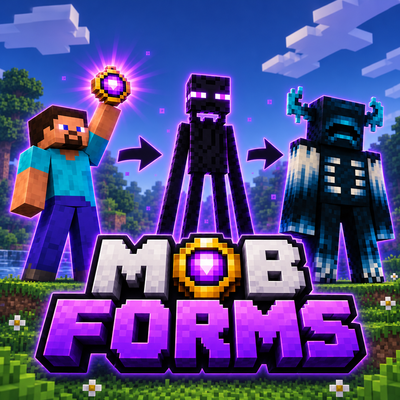
Mob Forms - Morph into Modded & Vanilla Mobs
Defeat mobs, collect their forms, and morph into modded and vanilla creatures! Experience their unique behaviors, abilities, variants, and survival mechanics, with full multiplayer support!
 mod
CurseForge · Minecraft
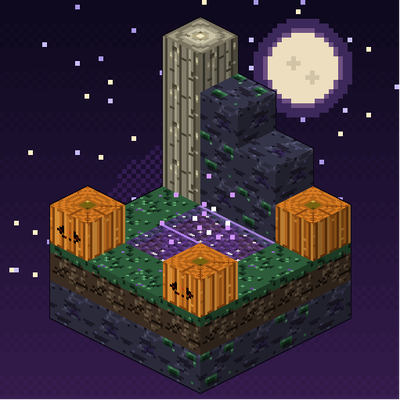
Hollowmere
An eternal-autumn dimension where lanternlight is currency. Explore 18 biomes, 56 structures and 70 creatures and variants in a spooky-cozy Halloween world. No gore. Fabric API required on Fabric.
 mod
CurseForge · Minecraft
Building Gadgets 2 (Fabric)
A Fabric port of Direwolf20's Building Gadgets. Easier building on Fabric.