Jade 🔍 Optional for Tensura: Jade v1.1.1
optionalMatching file found Matched file: [NeoForge 1.21.1] 15.10.6

CurseForge · Minecraft mod
Puts Tensura: Reincarnated's analysis window inside Jade's tooltip. A NeoForge 1.21.1 addon for both mods, made for the Tensura RPG pack.
Quick answer
Tensura: Jade v1.1.1 targets 1.21.1 with NeoForge. The project page does not say whether this file belongs on the client, dedicated server, or both. No extra mods listed for this file.
Where it goes
The project page does not say whether this file belongs on the client, dedicated server, or both.
The source does not explicitly classify this release as client-only or server-only.
v1.1.1. Change the file and its required mods may change too.
This file does not list any required mods. Do not add a library just because a different file uses it.
4 extra mods were pulled in by other dependencies. Indented rows show who needs each one. We only count dependency files that match this setup. A file for another loader does not fill the gap.
Before you install it
Built for Tensura: Jade v1.1.1. Pick another file and the loader, install side or required mods may change.
Use v1.1.1. It targets 1.21.1 with NeoForge; another release may have different loader, side or dependency requirements.
This file does not list any required mods. Do not add a library just because a different file uses it.
The project page does not say whether this file belongs on the client, dedicated server, or both.
Use the “Get this file” button beside v1.1.1. It opens that exact file at the source.
About this project
Tensura Jade puts Tensura: Reincarnated's analysis window inside Jade's look-up tooltip, so the information you already read for every block and mob now includes Tensura's stats. One tooltip, drawn once, instead of a second floating panel.
Aim at a mob and its race, alignment, HP, SHP, armor, aura, magicule, EP and abilities appear in the Jade tooltip. Aim at a block and its hardness, resistance, light, harvest check, age and EP appear the same way. Tensura's own overlay, which was showing all of that a second time, stays hidden while this addon is doing the work.
With Tensura and Jade installed there is nothing to configure first: aim at something as you normally would with Jade, and the Tensura lines appear. Every toggle lives in Jade's settings screen, under a Tensura Jade group, right next to the tooltip it controls:
| Setting | Default | What it does |
|---|---|---|
| Entity analysis | On | Add Tensura's stats to mob tooltips |
| Block analysis | On | Add Tensura's analysis to block tooltips |
| Show abilities | On | Include the target's ability list |
| Variant titles | On | Show mob variants in the entity name |
| Hide Tensura overlay | On | Suppress Tensura's floating panel |
| Respect analysis gating | On | Honour Tensura's analysis rules |
Turn Respect analysis gating off and the panel shows everything to everyone. It is handy for testing or screenshots, but it is a balance choice to leave to your server.
The mod loads and does nothing without these; install all four:
| Mod | Why | |
|---|---|---|
| Required | Tensura: Reincarnated | The analysis content being shown |
| Required | Jade | The tooltip it appears in |
| Required | ManasCore | Tensura's core library |
| Required | Mob Info Common | Shared variant-name and analysis-gating logic (ships with this addon's packs) |
Made for the Tensura RPG pack (Minecraft 1.21.1, NeoForge).
This addon embeds no third-party assets, textures, models or code.
GNU Lesser General Public License v2.1 — see LICENSE. Copyright (c) 2026 Bitwise Madness.
Parts of this project were written with the assistance of AI coding tools. AI-assisted code, data and documentation ship only after human review by the maintainers.
Project description from CurseForge.
Pick your setup
Choose the version and loader you play, then open the matching release.
Check the dependencies, then try the file in a copied instance before changing a world you care about.
Recent files
tensura_jade-1.1.1.jar
10 Nov 2026
tensura_jade-1.1.0.jar
3 Nov 2026
Looking for an older file? The official CurseForge project page is in Resources.
 mod
Optional Mekanism add-on for Infinity What: infinite chemical source, radiation sponge, extractor and fractionator. Supports Forge 1.19.2/1.20.1 and NeoForge 1.20.4/1.21.1.
 mod
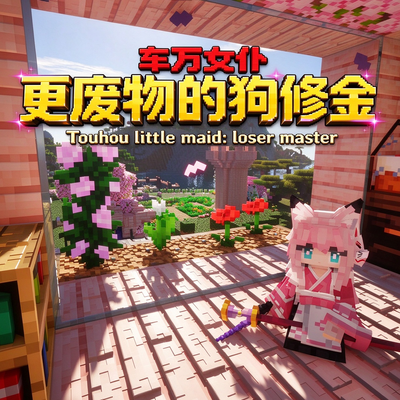
This is an add-on for "Touhou Maid". It aims to enrich the maid raising system, improve players' efficiency in raising maids, and increase maids' survival chance in combat.
 mod
This Mod adds new Dimensions and progression after the normal Diamond tier. Additionally this mod provides feats in Engineering and Technology! Stay tuned, a Fabric port is in development!