Minecraft version
Back to mods 
CurseForge · Minecraft mod
Voxelhair
This mod adds vanilla-style hair to your Minecraft skin
Choose a version Pick your version below, then grab the matching file.
Quick answer
Which Voxelhair release should I use?
Latest stable file voxelhair-fabric-1.16.5-1.2.4.jar
Game version 1.16.5
Loader Fabric
voxelhair-fabric-1.16.5-1.2.4.jar targets 1.16.5 with Fabric. The project page does not say whether this file belongs on the client, dedicated server, or both. No extra mods listed for this file.
Where it goes
Is Voxelhair required on the client, server, or both?
The project page does not say whether this file belongs on the client, dedicated server, or both.
Client Source doesn’t say
Dedicated server Source doesn’t say
Loader for this release Fabric
Required install it here Optional supported, not mandatory Not supported do not install here Source doesn’t say do not assume
The source does not explicitly classify this release as client-only or server-only.
What else does voxelhair-fabric-1.16.5-1.2.4.jar need?
voxelhair-fabric-1.16.5-1.2.4.jar. Change the file and its required mods may change too.
This file does not list any required mods. Do not add a library just because a different file uses it.
This file does not list any required or optional mods.
Before you install it
Add Voxelhair without breaking your instance.
Built for voxelhair-fabric-1.16.5-1.2.4.jar. Pick another file and the loader, install side or required mods may change.
- 01
Stick to this file
Use voxelhair-fabric-1.16.5-1.2.4.jar. It targets 1.16.5 with Fabric; another release may have different loader, side or dependency requirements.
- 02
Bring the mods it needs
This file does not list any required mods. Do not add a library just because a different file uses it.
- 03
Put it on the correct side
The project page does not say whether this file belongs on the client, dedicated server, or both.
- 04
Pick the file you checked
Use the “Get this file” button beside voxelhair-fabric-1.16.5-1.2.4.jar. It opens that exact file at the source.
About this project
What does Voxelhair add?
This mod adds vanilla-style hair to your Minecraft skin
Customization options include: color, length, hair density, detail level, and wind strength.
Server-side processing added: other players will now be able to see your hairstyles, just as you can see theirs.
Controls
- H — open hair settings.
- Drag with the mouse in the character window — rotate and tilt the model.
- Mouse wheel over the model — zoom in or out.
- Click on a strand — select it for editing.
- Ctrl + click — add a strand to the selection or remove it.
- Sliders on the right — adjust parameters for the hairstyle or selected strands.
- Palette — color the entire hairstyle or only the selected strands.
- Ctrl + Z — undo the previous change.
- "Save" — save your custom hairstyle; "Done" — close the menu.
It also includes ready-made hairstyles for your character (for both male and female skins). If your skin already has hair drawn on it, the mod can automatically generate hair based on that design, or you can choose a style from the list
Available in the following languages: Ukrainian, English, Russian
Project description from CurseForge.
Pick your setup
Voxelhair by Minecraft version and loader
Choose the version and loader you play, then open the matching release.
Minecraft version
1.21.11
1 loader buildMinecraft version
1.21.1
1 loader buildMinecraft version
1.21
1 loader buildMinecraft version
1.20.1
1 loader buildMinecraft version
1.18.2
1 loader buildMinecraft version
1.16.5
1 loader buildCheck the dependencies, then try the file in a copied instance before changing a world you care about.
Recent files
Voxelhair versions and loaders
voxelhair-fabric-1.16.5-1.2.4.jar
16 Nov 2026
Client Source doesn’t say Server Source doesn’t say Dependencies No extras listed Listed on Release listing
Check the 1.16.5 · Fabric setup 1.16.5Fabric release
voxelhair-fabric-1.18.2-1.2.4.jar
16 Nov 2026
Client Source doesn’t say Server Source doesn’t say Dependencies No extras listed Listed on Release listing
Check the 1.18.2 · Fabric setup Fabric1.18.2 release
voxelhair-fabric-26.1-1.2.4.jar
15 Nov 2026
Client Source doesn’t say Server Source doesn’t say Dependencies No extras listed Listed on Release listing
Check the 26.1 · Fabric setup Fabric26.1 release
voxelhair-fabric-1.21.1-1.2.4.jar
15 Nov 2026
Client Source doesn’t say Server Source doesn’t say Dependencies No extras listed Listed on Release listing
Check the 1.21.1 · Fabric setup Fabric1.21.1 release
voxelhair-fabric-1.21.11-1.2.4.jar
15 Nov 2026
Client Source doesn’t say Server Source doesn’t say Dependencies No extras listed Listed on Release listing
Check the 1.21.11 · Fabric setup Fabric1.21.11 release
voxelhair-fabric-1.21-1.2.4.jar
15 Nov 2026
Client Source doesn’t say Server Source doesn’t say Dependencies No extras listed Listed on Release listing
Check the 1.21 · Fabric setup 1.21Fabric release
voxelhair-fabric-1.20.1-1.2.4.jar
15 Nov 2026
Client Source doesn’t say Server Source doesn’t say Dependencies No extras listed Listed on Release listing
Check the 1.20.1 · Fabric setup Fabric1.20.1 release
voxelhair-fabric-1.21-0.6.7.jar
12 Nov 2026
Client Source doesn’t say Server Source doesn’t say Dependencies No extras listed Listed on Release listing
Check the 1.21 · Fabric setup 1.21Fabric release
voxelhair-fabric-1.21.11-0.6.7.jar
12 Nov 2026
Client Source doesn’t say Server Source doesn’t say Dependencies No extras listed Listed on Release listing
Check the 1.21.11 · Fabric setup Fabric1.21.11 release
voxelhair-fabric-26.1-0.6.7.jar
11 Nov 2026
Client Source doesn’t say Server Source doesn’t say Dependencies No extras listed Listed on Release listing
Check the 26.1 · Fabric setup Fabric26.1 release
voxelhair-fabric-1.21.1-0.6.7.jar
10 Nov 2026
Client Source doesn’t say Server Source doesn’t say Dependencies No extras listed Listed on Release listing
Check the 1.21.1 · Fabric setup Fabric1.21.1 release
voxelhair-fabric-1.20.1-0.6.7.jar
2 Nov 2026
Client Source doesn’t say Server Source doesn’t say Dependencies No extras listed Listed on Release listing
Check the 1.20.1 · Fabric setup Fabric1.20.1 release
Looking for an older file? The official CurseForge project page is in Resources.
 mod
CurseForge · Minecraft
JUJUTSU: REBORN
an action-packed Jujutsu Kaisen Minecraft mod featuring enhanced combat, cinematic cursed techniques and Domain Expansions, powerful cursed spirits and bosses, immersive quests, and an RPG progression system with dungeons, XP, leveling, and loot.
 mod
CurseForge · Minecraft
PhoenixCore
Coremod for the modpack Phoenix Forge Technologies. It seeks to make gameplay more interesting through wacky new multiblocks and systems.
 mod
CurseForge · Minecraft
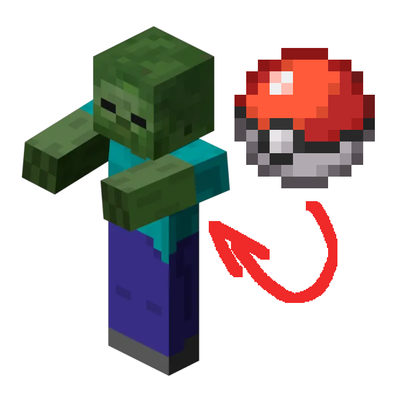
Gunch’s Mobmon - Cobblemon Catchable Mobs
Allows one to catch mobs as if they were a Pokémon.