Minecraft version
Back to mods 
CurseForge · Minecraft mod
Item Pickup
Pick up only what you want: look at an item, click, done – no more inventories full of junk. Switch between vanilla and manual pickup with one key, with a highlighted target and its name below the crosshair.
Choose a version Pick your version below, then grab the matching file.
Quick answer
Which Item Pickup release matches 26.3?
Best match for your filters Item Pickup 1.2.0 for NeoForge 26.3
Game version 26.3
Loader NeoForge
Item Pickup 1.2.0 for NeoForge 26.3 targets 26.3 with NeoForge. The project page does not say whether this file belongs on the client, dedicated server, or both. No extra mods listed for this file.
Where it goes
Is Item Pickup required on the client, server, or both?
The project page does not say whether this file belongs on the client, dedicated server, or both.
Client Source doesn’t say
Dedicated server Source doesn’t say
Loader for this release NeoForge
Required install it here Optional supported, not mandatory Not supported do not install here Source doesn’t say do not assume
The source does not explicitly classify this release as client-only or server-only.
What else does Item Pickup 1.2.0 for NeoForge 26.3 need?
Item Pickup 1.2.0 for NeoForge 26.3 on 26.3. Every mod below is checked against that same setup.
This file does not list any required mods. Do not add a library just because a different file uses it.
This file does not list any required or optional mods.
Before you install it
Add Item Pickup without breaking your instance.
Built for Item Pickup 1.2.0 for NeoForge 26.3 on 26.3. Pick another file and the loader, install side or required mods may change.
- 01
Stick to this file
Use Item Pickup 1.2.0 for NeoForge 26.3. It targets 26.3 with NeoForge; another release may have different loader, side or dependency requirements.
- 02
Bring the mods it needs
This file does not list any required mods. Do not add a library just because a different file uses it.
- 03
Put it on the correct side
The project page does not say whether this file belongs on the client, dedicated server, or both.
- 04
Pick the file you checked
Use the “Get this file” button beside Item Pickup 1.2.0 for NeoForge 26.3. It opens that exact file at the source.
About this project
What does Item Pickup add?
⚠️ Disclaimer: This project is AI-generated. The code, this description and the icon of this mod were created with generative AI (Claude by Anthropic), directed by me. While I am a professional software developer, I am not a Java developer, so I use generative AI to build mods that my friends and I want to play with, and I like to share the ones that work well with everyone. I understand if you do not want to support the use of generative AI, which is why I put this disclaimer here. If you run into any problems, please report them on GitHub.
Item Pickup
Choose how you pick up items lying on the ground: automatically like in vanilla, or only the ones you actually want.
Features
- Vanilla mode – unchanged Minecraft: everything near you is picked up automatically.
- Manual mode – walking over items does nothing. Look at an item and press the pick up key (right-click by default) to pick it up. Holding the key sweeps up a whole pile of drops.
- The targeted item is outlined and its name and count are shown below the crosshair.
- Items can be picked up within 2 blocks around you by default; solid blocks and entities in between hide them, grass and flowers do not.
- Clicking an item does not also use the item in your hand, so you do not place a block on the floor by accident.
- Toggle key (
Kby default) switches between both modes while playing.
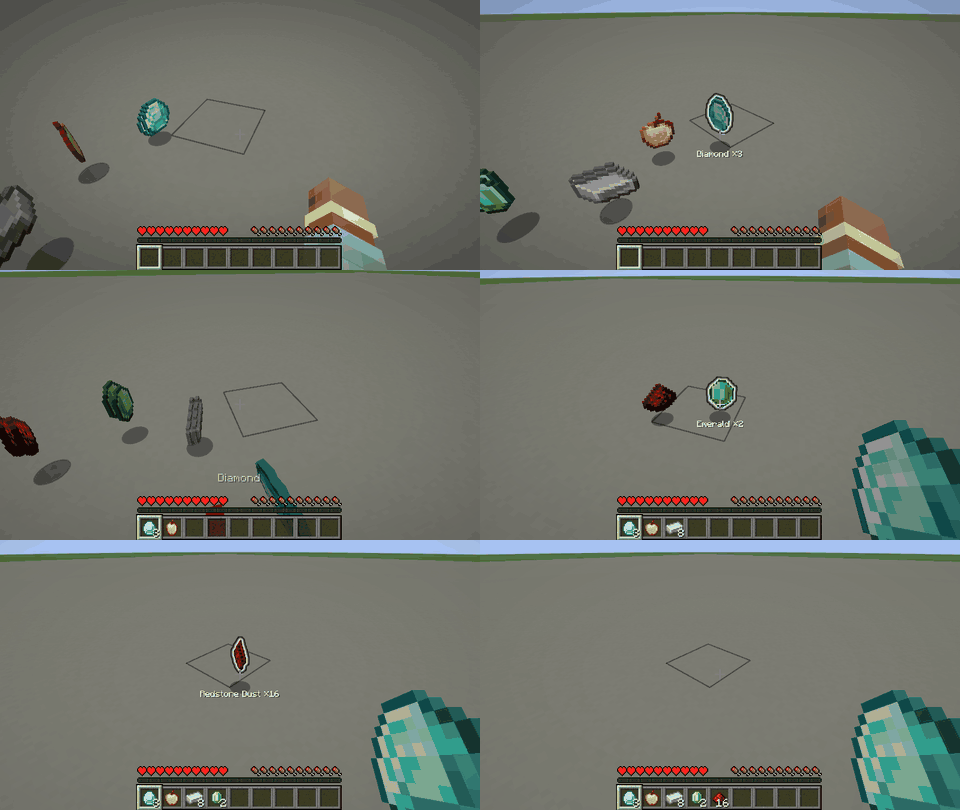
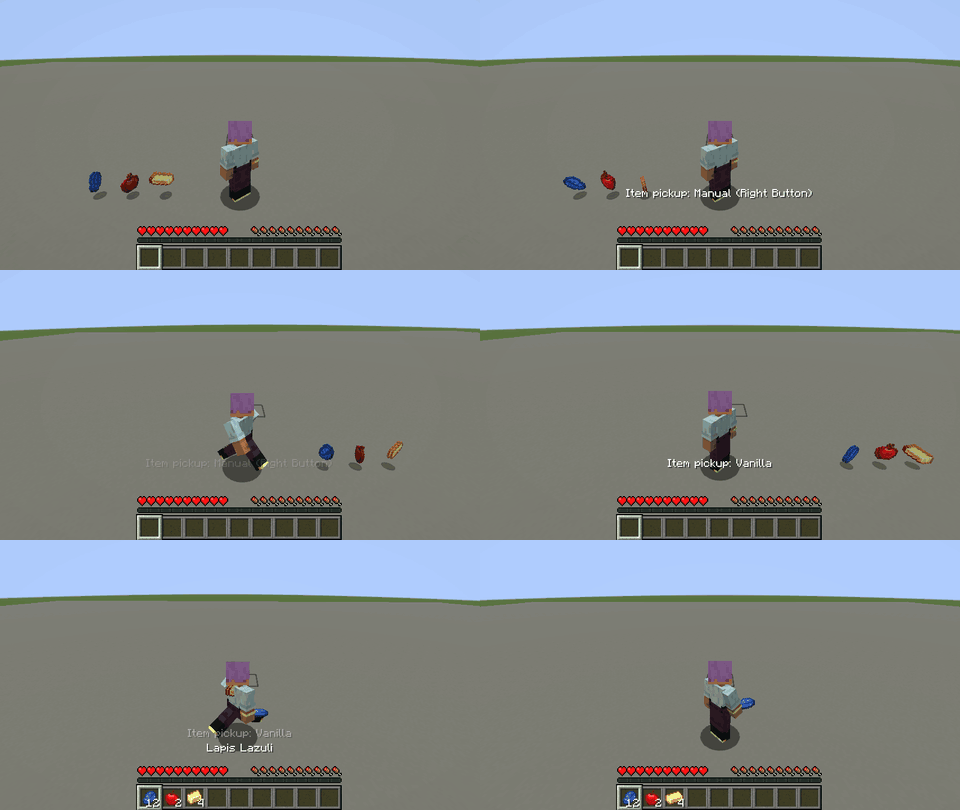
Both keys can be changed in Options → Controls → Key Binds → Gameplay.
Installation
Install the mod on the client to use manual mode and on the server (or in singleplayer, which runs both), since the server decides what a player picks up. Either side alone is harmless: a client with the mod on a server without it stays in vanilla mode, and players without the mod can join a server with it. On Fabric, Fabric API is required.
Configuration
config/itempickup.properties is created on first start and reloaded automatically when it changes. It can also be edited in game: on NeoForge in Mods → Item Pickup → Config, on Fabric through Mod Menu. Invalid values are marked red and cannot be saved, and every value can be reset to its default.
The mode at start, the pickup range (decided by the server in multiplayer), the outline and the name display can be configured.
Versions
Available for Fabric and NeoForge on Minecraft 1.21 – 26.3. Download the file that matches your loader and Minecraft version.
Links
Project description from CurseForge.
Pick your setup
Item Pickup by Minecraft version and loader
Choose the version and loader you play, then open the matching release.
Minecraft version
26.2
2 loader buildsMinecraft version
26.1.2
2 loader buildsMinecraft version
26.1.1
2 loader buildsMinecraft version
26.1
2 loader buildsMinecraft version
1.21.11
2 loader buildsMinecraft version
1.21.10
2 loader buildsMinecraft version
1.21.9
2 loader buildsMinecraft version
1.21.8
2 loader buildsMinecraft version
1.21.7
2 loader buildsMinecraft version
1.21.6
2 loader buildsMinecraft version
1.21.5
2 loader buildsShowing the newest 12 of 17 game versions. Older files are in the list below.
Check the dependencies, then try the file in a copied instance before changing a world you care about.
Recent files
Item Pickup versions and loaders
Item Pickup 1.2.0 for NeoForge 26.3
itempickup-neoforge-1.2.0-26.3.jar
3 Nov 2026
Client Source doesn’t say Server Source doesn’t say Dependencies No extras listed Listed on Release listing
Check the 26.3 · NeoForge setup NeoForge26.3 release
Item Pickup 1.2.0 for Fabric 26.3
itempickup-fabric-1.2.0-26.3.jar
3 Nov 2026
Client Source doesn’t say Server Source doesn’t say Dependencies 1 required · 1 unchecked Listed on Release listing
Check the 26.3 · Fabric setup Fabric26.3 release
Looking for an older file? The official CurseForge project page is in Resources.
 mod
CurseForge + Modrinth · Minecraft
Better Creeper Consent
Make creepers ask for permission before blowing up everything around you!
 mod
CurseForge · Minecraft
Pickable Villagers [Fabric]
Turn Villagers into Items an keep them in your pocket!
 mod
CurseForge · Minecraft
OG'S Backpacks
Backpack mod on all versions