Minecraft version
Back to mods 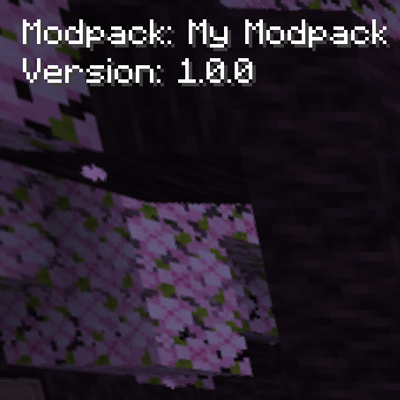
CurseForge · Minecraft mod
PackIdentity
A lightweight client-side UI utility that displays the modpack name and version in the top-left corner of the screen.
Choose a version Pick your version below, then grab the matching file.
Quick answer
Which PackIdentity release should I use?
Latest stable file packidentity-forge-1.20.1-v1.0.8.jar
Game version 1.20.1
Loader Forge
packidentity-forge-1.20.1-v1.0.8.jar targets 1.20.1 with Forge. The project page does not say whether this file belongs on the client, dedicated server, or both. No extra mods listed for this file.
Where it goes
Is PackIdentity required on the client, server, or both?
The project page does not say whether this file belongs on the client, dedicated server, or both.
Client Source doesn’t say
Dedicated server Source doesn’t say
Loader for this release Forge
Required install it here Optional supported, not mandatory Not supported do not install here Source doesn’t say do not assume
The source does not explicitly classify this release as client-only or server-only.
What else does packidentity-forge-1.20.1-v1.0.8.jar need?
packidentity-forge-1.20.1-v1.0.8.jar. Change the file and its required mods may change too.
This file does not list any required mods. Do not add a library just because a different file uses it.
This file does not list any required or optional mods.
Before you install it
Add PackIdentity without breaking your instance.
Built for packidentity-forge-1.20.1-v1.0.8.jar. Pick another file and the loader, install side or required mods may change.
- 01
Stick to this file
Use packidentity-forge-1.20.1-v1.0.8.jar. It targets 1.20.1 with Forge; another release may have different loader, side or dependency requirements.
- 02
Bring the mods it needs
This file does not list any required mods. Do not add a library just because a different file uses it.
- 03
Put it on the correct side
The project page does not say whether this file belongs on the client, dedicated server, or both.
- 04
Pick the file you checked
Use the “Get this file” button beside packidentity-forge-1.20.1-v1.0.8.jar. It opens that exact file at the source.
About this project
What does PackIdentity add?
PackIdentity
PackIdentity is a lightweight client-side mod that displays your modpack's name and version in the top-left corner of Minecraft's main menu. Your vanilla experience will be further improved thanks to this quality of life feature.
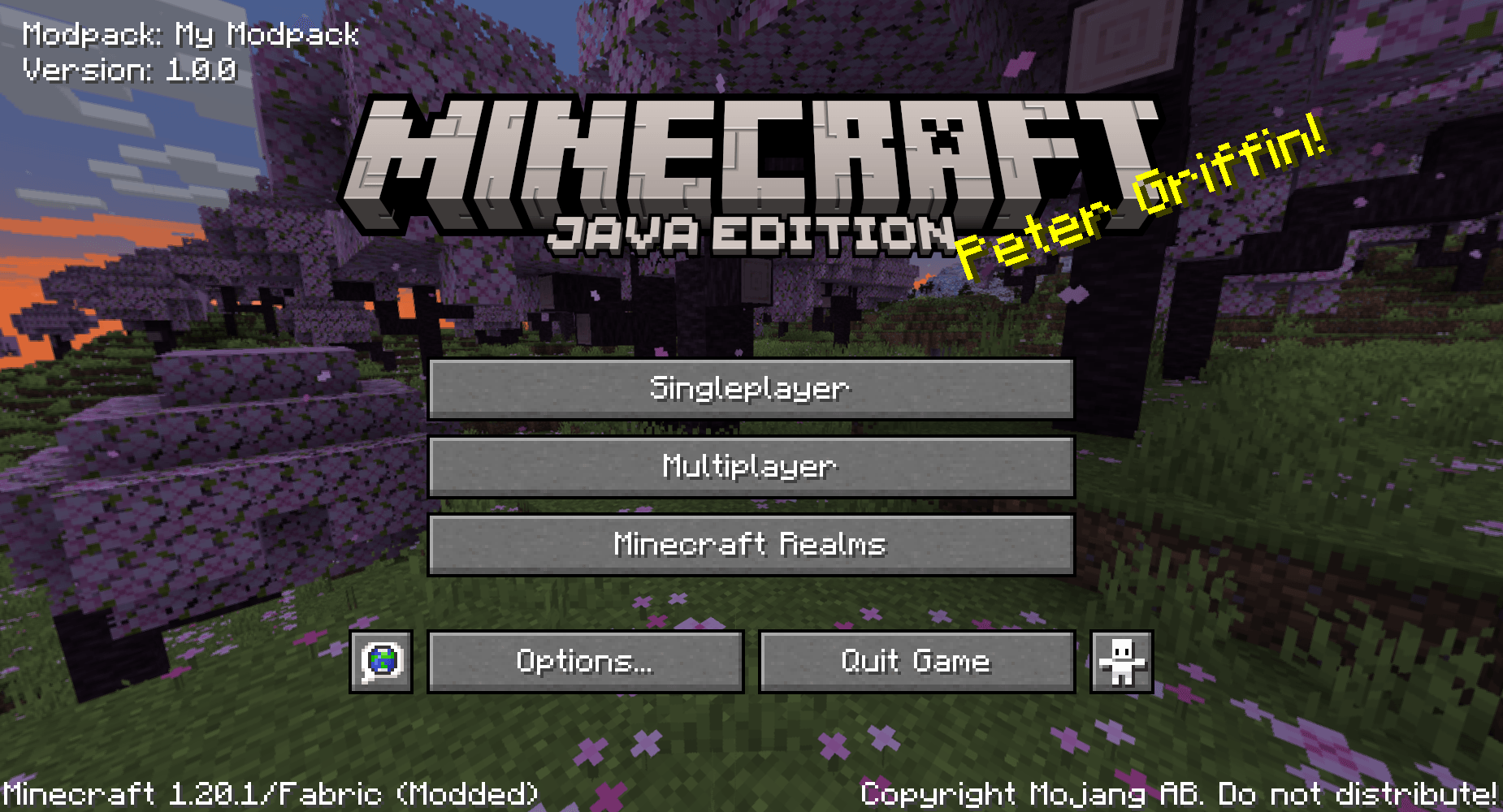
It's designed for modpack creators who want a simple way to show players which modpack and version they're running, without adding unnecessary features or modifying the rest of the game.
Everything is controlled through a small configuration file, making it easy to customise the display to suit your modpack.
Features
- Displays your modpack name and version on the main menu.
- Customisable modpack name and version number.
- Option to show or hide the "Modpack:" and "Version:" labels independently.
- Adjustable text positioning.
- Option to disable the display entirely.
- Automatically hides its display if a DarkRPG Tweaks configuration is detected, preventing duplicate version information.
- Client-side only. No server installation required.
Configuration
On first launch, PackIdentity automatically generates a configuration file:
config/packidentity-menu.properties
Default configuration:
modpack_name=My Modpack
modpack_version=1.0.0
show_modpack_label=true
show_version_label=true
enabled=true
x=8
y=8
You can change the modpack name, version, labels and positioning by editing this file.
For example, setting both label options to false will display:
My Modpack
1.0.0
With labels enabled, it will display:
Modpack: My Modpack
Version: 1.0.0
Restart Minecraft after making changes to the configuration.
Compatibility
- PackIdentity is designed to work with Minecraft's standard main menu.
- The mod does not include any FancyMenu integration or additional menu customisation features.
- If DarkRPG Tweaks is installed and its menu configuration file exists, PackIdentity automatically disables its own display to avoid showing duplicate information.
Project description from CurseForge.
Pick your setup
PackIdentity by Minecraft version and loader
Choose the version and loader you play, then open the matching release.
Check the dependencies, then try the file in a copied instance before changing a world you care about.
Recent files
PackIdentity versions and loaders
packidentity-forge-1.20.1-v1.0.8.jar
3 Nov 2026
Client Source doesn’t say Server Source doesn’t say Dependencies No extras listed Listed on Release listing
Check the 1.20.1 · Forge setup 1.20.1Forge release
Looking for an older file? The official CurseForge project page is in Resources.
 mod
CurseForge · Minecraft
Z80Z healthbar
A fully customisable health & status HUD for Minecraft
 mod
CurseForge · Minecraft
JEI Just Enough Items fork :Easy Crafting & QuickClear&Recipe Unlocker
automatically take the required ingredients from connected chests, ender chest and Shulker Box in your inventory,Item Search,Container Search,Storage Integration,Inventory Management,Chest Search
 mod
CurseForge · Minecraft
ModernUI Unofficial Port
An unofficial port of Modern UI, supporting both NeoForge and Fabric.