Fabric API Needed by Copper Pipes 0.33.1 for 26.1
requiredMatching file found Matched file: [26.1.2] Fabric API 0.155.3+26.1.2
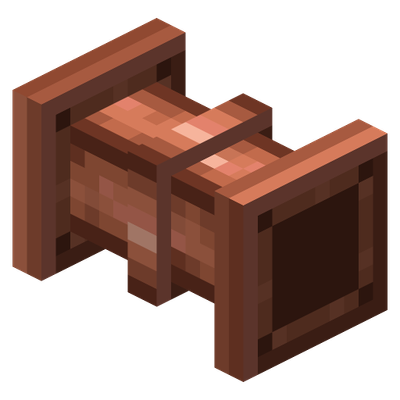
CurseForge · Minecraft mod
Vanilla-friendly copper pipes for items and fluids, controlled with item frames, redstone and comparators instead of menus.
Quick answer
Copper Pipes 0.33.1 for 26.1 targets 26.1, 26.1.1, 26.1.2 with Fabric. The project page does not say whether this file belongs on the client, dedicated server, or both. All 1 required mods have matching files.
Where it goes
The project page does not say whether this file belongs on the client, dedicated server, or both.
The source does not explicitly classify this release as client-only or server-only.
Copper Pipes 0.33.1 for 26.1 on 26.1.2. Every mod below is checked against that same setup.
Install Fabric API first. We found matching files for this game-version and loader setup.
We only count dependency files that match this setup. A file for another loader does not fill the gap.
Before you install it
Built for Copper Pipes 0.33.1 for 26.1 on 26.1.2. Pick another file and the loader, install side or required mods may change.
Use Copper Pipes 0.33.1 for 26.1. It targets 26.1, 26.1.1, 26.1.2 with Fabric; another release may have different loader, side or dependency requirements.
Install Fabric API first. We found matching files for this game-version and loader setup.
The project page does not say whether this file belongs on the client, dedicated server, or both.
Use the “Get this file” button beside Copper Pipes 0.33.1 for 26.1. It opens that exact file at the source.
About this project
Item and fluid pipes that feel like they belong in vanilla. There are no menus: you control everything with right-clicks, item frames, redstone and comparators. Pipes are made of copper, so they oxidize and slow down unless you wax them.
For Minecraft 1.21.1 to 26.3 on Fabric (all but 1.21.9). The mod works the same on every version, except where that Minecraft version lacks something: steam needs 26.2 or newer. See Versions below.
Put copper ingots in the top and bottom row of a crafting grid and leave the middle row empty. That gives you 6 copper pipes.
Pipes connect by themselves to neighbouring pipes and containers. Every connection to a container is a flange:
So to move items from one chest to another, place a line of pipes between them and right-click the flange at the first chest once. Items go to the nearest container with room, then on to the next one.
Copper pipes oxidize: fresh copper is twice as fast as a hopper, fully oxidized copper half as fast. Wax them with honeycomb to keep them as they are, or scrape them with an axe to make them fast again. Upgraded pipes never oxidize.
| Pipe | Ticks per pipe | Items per packet | Items per second | Fluids |
|---|---|---|---|---|
| Copper | 4 to 16 | 1 | 5 to 1.25 | water (lava melts it) |
| Iron | 4 | 1 | 5 | water, lava |
| Gold | 2 | 4 | 20 | none |
| Diamond | 2 | 2 | 10 | water, lava |
| Netherite | 2 | 8 | 40 | water, lava |
Windowed pipes have a glass window that shows the items and fluids passing through. They work exactly like the pipe they were made from.
Linked ports pass items and fluids between them without pipes in between, within one dimension, while both ends are loaded. A port is a shulker box with an ender eye inside, docked to the end of a pipe or onto a container. Craft two from an eye of ender in the middle, netherite pipes above, below, left and right of it, and shulker shells in the corners.
Quiet and only audible close by. Old copper creaks now and then, water gurgles, lava bubbles, steam hisses (26.2 and newer), and a pipe with stuck items knocks, so you can find a jam by ear. Every sound has a subtitle.
Each Minecraft version, or group of versions, has a file of its own. Everything on this page works on all of them, except for these points:
| Minecraft | Java | Differences |
|---|---|---|
| 26.3, 26.2 | 25 | none, everything is in |
| 26.1 to 26.1.2 | 25 | no steam |
| 1.21.11 | 21 | no steam |
| 1.21.10 | 21 | no steam; needs Fabric API 0.137.0 or newer |
| 1.21.6 to 1.21.8 | 21 | no steam |
| 1.21.5, 1.21.4 | 21 | no steam |
| 1.21.2 to 1.21.3 | 21 | no steam |
| 1.21.1 | 21 | no steam; bundles only with the Bundles experiment |
The pictures on this page are from Minecraft 26.3. New features come to every version listed here, as far as that Minecraft version has what they need.
The mod is needed on both the server and every client. Feel free to use it in modpacks.
Before removing the mod from a world, keep in mind that its pipes and tanks disappear together with what is inside them.
Every release runs through the mod's automated tests in game. The 1.21.1 version is also tested in the Cobblemon Official Modpack 1.8.3, including Sodium, Lithium and Iris with Complementary Reimagined shaders.
The pipes' creaks, knocks and hisses are cut from these recordings on Freesound, released under CC0. Thanks to their authors:
Project description from CurseForge.
Pick your setup
Choose the version and loader you play, then open the matching release.
Showing the newest 12 of 15 game versions. Older files are in the list below.
Check the dependencies, then try the file in a copied instance before changing a world you care about.
Recent files
copper-pipes-0.33.1-26.1.jar
19 Nov 2026
Looking for an older file? The official CurseForge project page is in Resources.
 mod
Arda's Uncrafting Table allows you to reverse crafting recipes seamlessly. Retrieve ingredients from unused items, supports damaged tools with a fair probability system, and works automatically with both vanilla and modded recipes.
 mod
Arda's Uncrafting Table allows you to reverse crafting recipes seamlessly. Retrieve ingredients from unused items, supports damaged tools with a fair probability system, and works automatically with both vanilla and modded recipes.
 mod
Backpack mod on all versions