Fabric API Needed by Item Container Preview 1.0.0
requiredMatching file found Matched file: [1.21.1] Fabric API 0.116.18+1.21.1
CurseForge · Minecraft mod
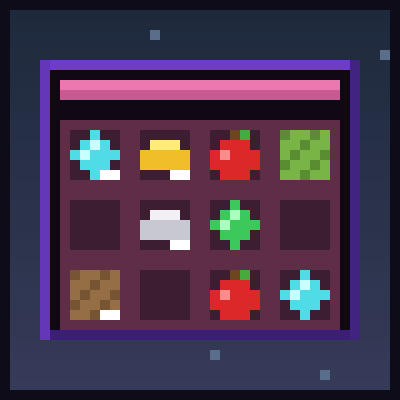
Client-side: Hover a Shulker Box to see its contents as a real item grid, tinted in the box's own color - no more placing boxes just to look inside.
Quick answer
Item Container Preview 1.0.0 targets 1.21, 1.21.1 with Fabric. The project page does not say whether this file belongs on the client, dedicated server, or both. All 1 required mods have matching files.
Where it goes
The project page does not say whether this file belongs on the client, dedicated server, or both.
The source does not explicitly classify this release as client-only or server-only.
Item Container Preview 1.0.0. Change the file and its required mods may change too.
Install Fabric API first. We found matching files for this game-version and loader setup.
We only count dependency files that match this setup. A file for another loader does not fill the gap.
Before you install it
Built for Item Container Preview 1.0.0. Pick another file and the loader, install side or required mods may change.
Use Item Container Preview 1.0.0. It targets 1.21, 1.21.1 with Fabric; another release may have different loader, side or dependency requirements.
Install Fabric API first. We found matching files for this game-version and loader setup.
The project page does not say whether this file belongs on the client, dedicated server, or both.
Use the “Get this file” button beside Item Container Preview 1.0.0. It opens that exact file at the source.
About this project
Your Ender Chest is full of Shulker Boxes. Which one has the redstone? Which one has your spare tools? In vanilla you either place every box down to check, or squint at a short text list that stops after five items.
**Item Container Preview** shows the real contents right in the tooltip: a grid of item icons with stack counts and durability bars, exactly as they sit in the box.
| Key | Action |
|---|---|
| Hover | Show the item grid |
| Shift (hold) | Show item names and counts under the grid |
The file config/itemcontainerpreview.properties is created on first launch. Edit it with a text editor while the game is closed:
enabled - preview on or off (default: true) previewOtherContainers - also preview chests, barrels, hoppers, dispensers, droppers, crafters (default: true) tintSlots - tint the slots in the container's color (default: true) showShiftHint - show "Hold Shift for item names" under the grid (default: true) maxDetailLines - how many name lines to show while holding Shift (default: 12)This is a **client-side only** mod. The server already sends what's inside a Shulker Box item to every player (that's how vanilla shows its short text list), and this mod only draws that same information as a grid. It works in singleplayer, on Realms and on any multiplayer server, with nothing installed on the server. It can't show anything the server doesn't already send to you.
mods folder. You are welcome to include this mod in any modpack. No need to ask.
The project logo is an illustration created with AI assistance; it is not an in-game screenshot. The screenshots in the gallery are real, unedited in-game captures.
Project description from CurseForge.
Pick your setup
Choose the version and loader you play, then open the matching release.
Check the dependencies, then try the file in a copied instance before changing a world you care about.
Recent files
item-container-preview-1.0.0.jar
4 Nov 2026
Looking for an older file? The official CurseForge project page is in Resources.
 mod
A Book of Dragons addon that turns dragon ownership into a hands-on bond: heal them, feed them, and customize them your way
 mod
Storage mod with multiple tiers and functional upgrades
 mod
An adventure mod featuring 4 new structures, 3 new bosses, new health bars for existing bosses, and much more! New Beta: Many bosses and items have been remodeled! Celestia's and Cursed Flora have been redesigned, and lots of new items have been added!