Minecraft version
Back to mods 
CurseForge · Minecraft mod
Yardsite
Before the world is created, pick your spawn point on a 3D biome map within a radius of a few hundred chunks.
Choose a version Pick your version below, then grab the matching file.
Quick answer
Which Yardsite release should I use?
Latest stable file yardsite-0.2.0.jar
Game version 1.21.1
Loader NeoForge
yardsite-0.2.0.jar targets 1.21.1 with NeoForge. The project page does not say whether this file belongs on the client, dedicated server, or both. No extra mods listed for this file.
Where it goes
Is Yardsite required on the client, server, or both?
The project page does not say whether this file belongs on the client, dedicated server, or both.
Client Source doesn’t say
Dedicated server Source doesn’t say
Loader for this release NeoForge
Required install it here Optional supported, not mandatory Not supported do not install here Source doesn’t say do not assume
The source does not explicitly classify this release as client-only or server-only.
What else does yardsite-0.2.0.jar need?
yardsite-0.2.0.jar. Change the file and its required mods may change too.
This file does not list any required mods. Do not add a library just because a different file uses it.
This file does not list any required or optional mods.
Before you install it
Add Yardsite without breaking your instance.
Built for yardsite-0.2.0.jar. Pick another file and the loader, install side or required mods may change.
- 01
Stick to this file
Use yardsite-0.2.0.jar. It targets 1.21.1 with NeoForge; another release may have different loader, side or dependency requirements.
- 02
Bring the mods it needs
This file does not list any required mods. Do not add a library just because a different file uses it.
- 03
Put it on the correct side
The project page does not say whether this file belongs on the client, dedicated server, or both.
- 04
Pick the file you checked
Use the “Get this file” button beside yardsite-0.2.0.jar. It opens that exact file at the source.
About this project
What does Yardsite add?
Yard Site
Select a spawn point or building site before world creation, and play a reveal animation before entering the world.
Overview
- Selection map: Displayed when creating a new single-player world. Provides a 3D terrain and biome sandbox for choosing a spawn point over a wide area.
- Chunk detail view: Each cell represents one real chunk, allowing the site to be placed on chunk boundaries.
- Reveal animation: After the site is confirmed, the camera flies from the sandbox view to the site. The building is generated as a gold wireframe and then as surface geometry, after which the real terrain takes over.
- Structure mode: Uses a
.litematic,.nbtor.schemfile as the site target. Footprint, spawn point, reveal animation and the actual building are all derived from that file.
Usage
- Select "Create New World". The selection map is displayed.
- Choose an approximate position on the large sandbox. Double-click or select "Enter Chunk Detail" to choose the site by chunk.
- Select "Confirm and Create" to play the reveal animation and create the world.
If the map is dismissed without a selection, the world is created with the vanilla spawn procedure. Changing the world seed causes the selection map to be sampled again.
Reveal animation
- Camera transition: Uses the fixed field of view of the final aerial position. Approach is performed by camera translation; distance is interpolated logarithmically, with a mid-flight lift to clear high terrain.
- Gold wireframe phase: The wireframe is generated from the structure's crease edges, lit from bottom to top, with hidden-line removal based on the current camera position. When installed with the Yard series, the inn's wireframe is displayed.
- Surface phase: Structure mode only. The building is drawn from baked block models, filled from bottom to top with a scan frame.
- Automatic framing: Camera distance is derived from the content bounding box; structure mode uses the structure geometry.
- Handover and fade: After the real terrain takes over, the building effect remains for a configurable delay and then fades in place.
The reveal animation (site.revealAnim) or the surface phase (site.revealSurface) can be disabled in the configuration.
Structure mode
Enable structure.enabled to display the structure footprint on the selection map and use the structure as the basis for the reveal animation and world generation.
[structure]
    enabled = true
    file = "config/yardsite/structures/tower.litematic"
    rotation = "CW90"   # NONE / CW90 / CW180 / CW270
    mirror = "NONE"     # NONE / X / Z / XZ
- Supported formats:
.litematic,.nbt,.schem. No projection mod is required. - When
structure.fileis empty, the first readable file inconfig/yardsite/structures/is used. - Geometry is generated from baked block models. Connection states for fences, walls, glass panes and stairs are taken from the block states in the file; colors are sampled from block textures.
- The footprint can be flattened before placement (
structure.flatten); the spawn point is a standable block inside the structure, near a door. - Rotation, mirror and offset apply to the footprint, spawn point, reveal animation and the actual blocks.
- In the selection map, press T to rotate 90° clockwise and M to cycle the mirror mode. These changes apply only to the current world creation and are not written to the configuration.
- When installed with the Yard series, structure mode takes priority and only one building is generated.
Yard series compatibility
- With this mod installed alone, the selected position is used as the spawn point.
- When installed with the Yard series, the selected position is used as the yard plot; the Yard series plans the building and spawn point.
- Neither side requires the other; both can be installed separately or together.
Requirements
- Minecraft 1.21.1, NeoForge 21.1.x, Java 21.
- No required dependencies. Projection files are parsed by this mod.
- Sodium is optional. When installed, the handover between real terrain and the sandbox is more precise; without it, functionality is unaffected.
- Applies to single-player and LAN world creation only. Dedicated servers do not have this flow.
Configuration
Configuration file: config/yardsite-common.toml.
| Key | Default | Description |
|---|---|---|
site.spawnSiteSelect |
true |
Display the selection screen when creating a new world; disable to use the vanilla spawn procedure |
site.selectRadius |
2000 |
Selection map radius (blocks) |
site.selectRadiusEpic |
8000 |
Selection map radius for Epic Terrain (blocks) |
site.sandboxColumns |
256 |
Maximum number of columns per side of the selection map |
site.sampleThreads |
0 |
Sampler thread count; 0 for automatic |
site.spawnChunkRadius |
3 |
Spawn chunk radius kept loaded after entering the world |
site.earlyEntry |
false |
Enter the world after waiting for 9 spawn chunks only |
site.instantReveal |
false |
Disable the growth animation of selection map columns |
site.revealAnim |
true |
Play the reveal animation before entering the world |
site.revealSurface |
true |
Draw the building as surface geometry during the reveal |
site.revealSurfaceScan |
true |
Fill the surface from bottom to top with a scan frame |
site.revealFadeDelayMs |
1000 |
Time the building effect remains after the center chunk hands over (ms) |
site.revealLineWidth |
1.5 |
Gold wireframe width (GUI pixels) |
site.revealLineGlow |
true |
Glow around the gold wireframe |
structure.enabled |
false |
Enable structure mode |
structure.file |
"" |
Structure file path; empty for automatic selection |
structure.rotation |
NONE |
Clockwise rotation applied on placement |
structure.mirror |
NONE |
Mirror mode applied before rotation |
structure.offsetX/Y/Z |
0 |
Structure offset (blocks) |
structure.place |
true |
Generate the building during world creation |
structure.flatten |
true |
Flatten the footprint before placement |
structure.maxVoxels |
4000000 |
Maximum readable structure volume |
structure.maxLines |
12000 |
Maximum number of reveal wireframe segments |
structure.showInfo |
false |
Display structure information on the selection map |
Biome color adjustments are stored in config/yardsite/site_biome_colors.json.
Notes
- The reveal animation takes over the vanilla world-creation loading screen. It may conflict with other mods that modify the same screen; disable it with
site.revealAnim. - The ground scan limit for site selection and building placement is y=300 (500 for Epic Terrain). High terrain is handled at its actual height.
- This mod contains no game assets or third-party mod code.
- The gold wireframe width is a constant in screen pixels and does not change with distance.
Building
./gradlew build       # jar output in build/libs/
./gradlew runClient   # development client
Sodium is used only for optional compile-time culling hooks. Place the corresponding Sodium jar in libs/ to enable them; the build succeeds without it.
Development notes
Design, trade-offs and in-game testing were performed by the author. Some code was written with AI assistance and was manually reviewed and organized before submission. The mod does not depend on any AI service at runtime.
License
MIT License. See LICENSE. Use, modification, redistribution and commercial use are permitted with retention of the copyright notice.
Author: CYun_CYER (Modrinth: CYun2024)
Project description from CurseForge.
Pick your setup
Yardsite by Minecraft version and loader
Choose the version and loader you play, then open the matching release.
Check the dependencies, then try the file in a copied instance before changing a world you care about.
Recent files
Yardsite versions and loaders
yardsite-0.2.0.jar
17 Nov 2026
Client Source doesn’t say Server Source doesn’t say Dependencies No extras listed Listed on Release listing
Check the 1.21.1 · NeoForge setup 1.21.1NeoForge release
yardsite-0.1.2.jar
5 Nov 2026
Client Source doesn’t say Server Source doesn’t say Dependencies No extras listed Listed on Release listing
Check the 1.21.1 · NeoForge setup 1.21.1NeoForge release
yardsite-0.1.1.jar
4 Nov 2026
Client Source doesn’t say Server Source doesn’t say Dependencies No extras listed Listed on Release listing
Check the 1.21.1 · NeoForge setup 1.21.1NeoForge release
yardsite-0.1.0.jar
4 Nov 2026
Client Source doesn’t say Server Source doesn’t say Dependencies No extras listed Listed on Release listing
Check the 1.21.1 · NeoForge setup 1.21.1NeoForge release
Looking for an older file? The official CurseForge project page is in Resources.
 mod
CurseForge + Modrinth · Minecraft
Dungeon Train: A Lore-Rich Roguelite RPG Adventure
Adventure time inspired dungeon crawler on a train. Procedurally generated carriages on a infinite sable physics train. Rich narrative, with custom made mods for a completely unique experience.
 mod
CurseForge + Modrinth · Minecraft
Reliable Replacer
A lightweight utility for replacing one block with another, both during worldgen and afterward.
 mod
CurseForge · Minecraft
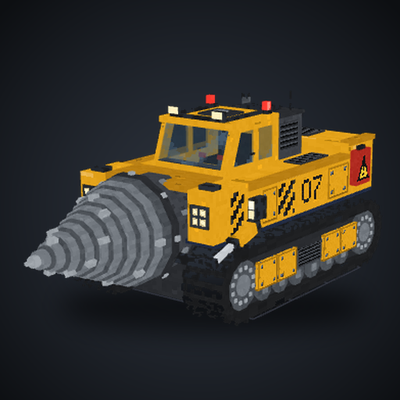
Drill Vehicle
A drill machine that help you collect blocks quicker