Minecraft version
Back to mods 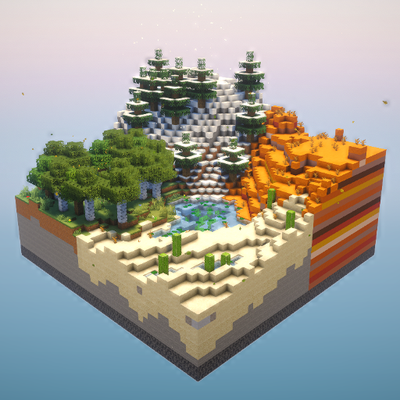
CurseForge · Minecraft mod
Connected Biomes
Natural, blended biome borders, partial-height terrain tiles that smooth out steps, and optional rounded terrain.
Choose a version Pick your version below, then grab the matching file.
Quick answer
Which Connected Biomes release should I use?
Latest stable file connected_biomes-0.2.0+fabric-26.3.jar
Game version 26.3
Loader Fabric
Connected Biomes connected_biomes-0.2.0+fabric-26.3.jar targets 26.3 with Fabric. The project page does not say whether this file belongs on the client, dedicated server, or both. No extra mods listed for this file.
Where it goes
Is Connected Biomes required on the client, server, or both?
The project page does not say whether this file belongs on the client, dedicated server, or both.
Client Source doesn’t say
Dedicated server Source doesn’t say
Loader for this release Fabric
Required install it here Optional supported, not mandatory Not supported do not install here Source doesn’t say do not assume
The source does not explicitly classify this release as client-only or server-only.
What else does Connected Biomes connected_biomes-0.2.0+fabric-26.3.jar need?
connected_biomes-0.2.0+fabric-26.3.jar. Change the file and its required mods may change too.
This file does not list any required mods. Do not add a library just because a different file uses it.
This file does not list any required or optional mods.
Before you install it
Add Connected Biomes without breaking your instance.
Built for Connected Biomes connected_biomes-0.2.0+fabric-26.3.jar. Pick another file and the loader, install side or required mods may change.
- 01
Stick to this file
Use connected_biomes-0.2.0+fabric-26.3.jar. It targets 26.3 with Fabric; another release may have different loader, side or dependency requirements.
- 02
Bring the mods it needs
This file does not list any required mods. Do not add a library just because a different file uses it.
- 03
Put it on the correct side
The project page does not say whether this file belongs on the client, dedicated server, or both.
- 04
Pick the file you checked
Use the “Get this file” button beside connected_biomes-0.2.0+fabric-26.3.jar. It opens that exact file at the source.
About this project
What does Connected Biomes add?
🌄 Connected Biomes
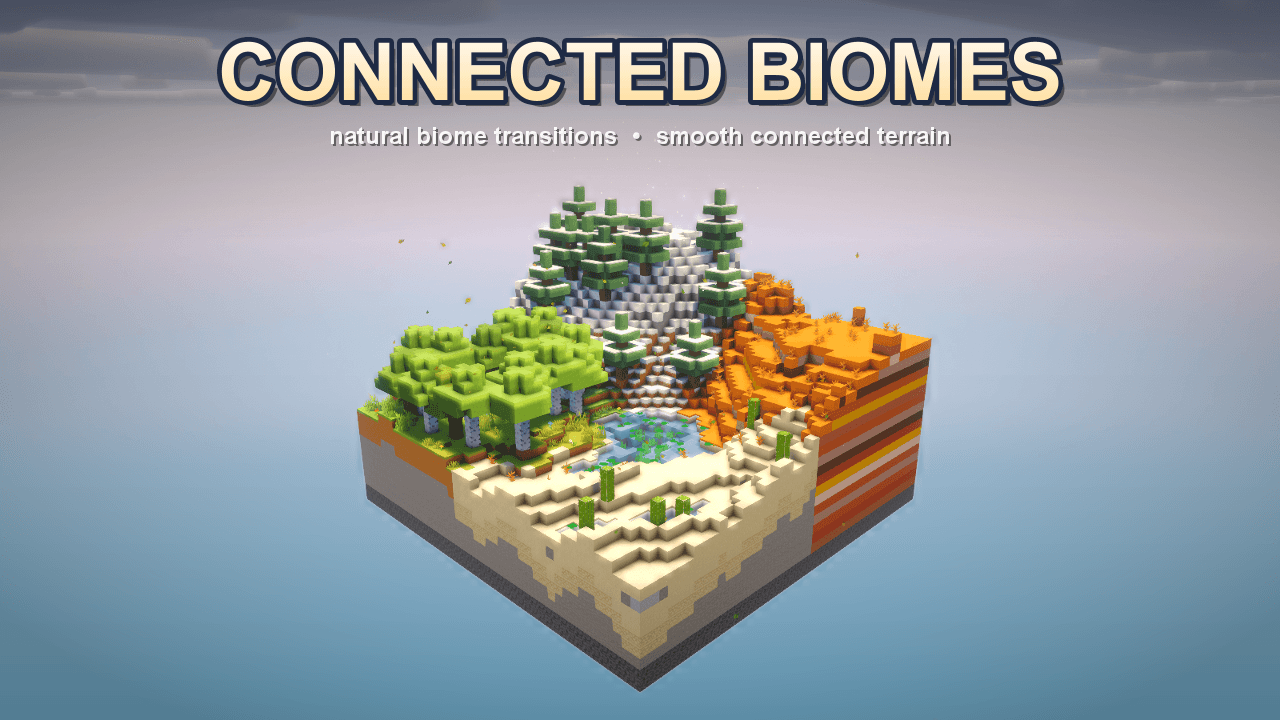
Tired of biomes that end in a perfectly straight wall? Connected Biomes makes borders between biomes flow into each other naturally, then softens the blocky terrain with partial-height tiles and optional rounded ground.
🌿 Natural Biome Transitions
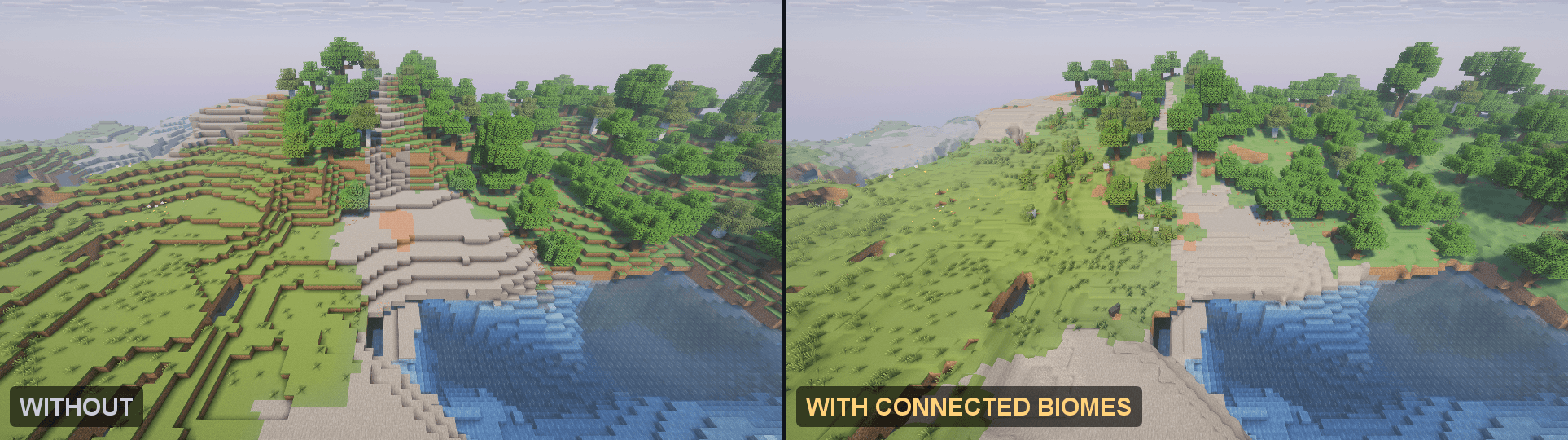
- Biome borders are warped by noise into fingers, islands and gradual blends instead of hard lines
- Vegetation bleed: trees and plants from a compatible neighbour sparsely cross the border, so a forest fades into the plains instead of stopping
- Adjustable transition width, blending intensity and noise scale
- Smart compatibility reads modded biomes' data (climate, tags, trees) to decide how they should blend, so it works with worldgen mods out of the box
- Blacklist any mod or single biome (
modidormodid:biome) to keep its vanilla borders
🧱 Terrain Tiles
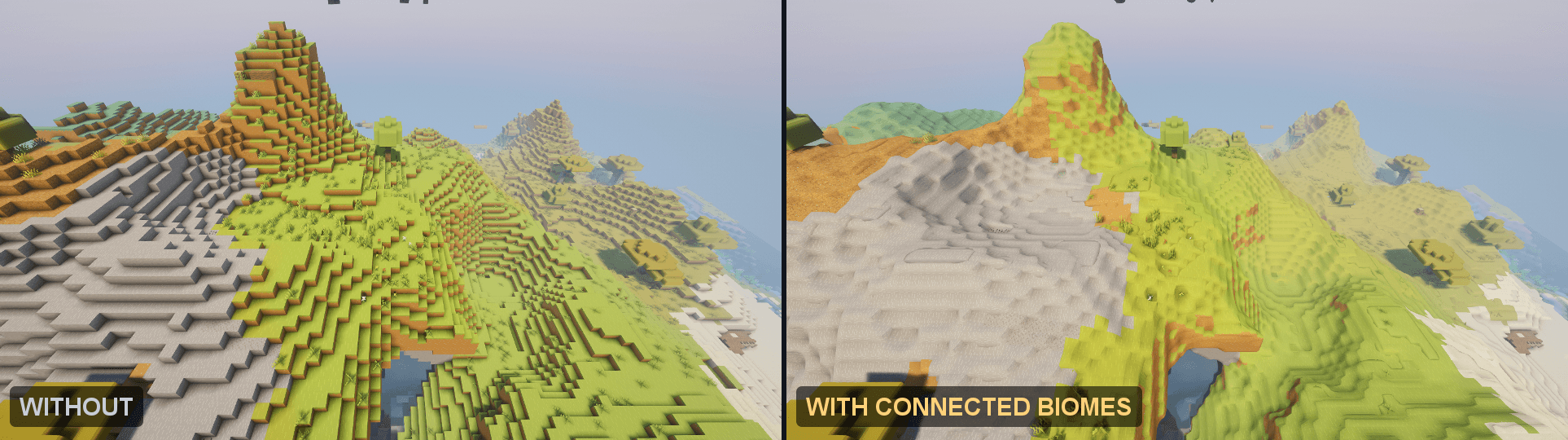
One-block height steps are smoothed during world generation with partial-height tiles: blocks split into 2, 4 or 8 layers (your choice).
23 tile types: grass, dirt, coarse dirt, rooted dirt, podzol, mycelium, moss, mud, clay, sand, red sand, gravel, snow, stone, deepslate, granite, diorite, andesite, tuff, calcite, sandstone, red sandstone and terracotta.
- Tiles behave like their parent block: grass spreads, sand and gravel fall
- Choose whether a mined tile drops a full block or a proportional amount
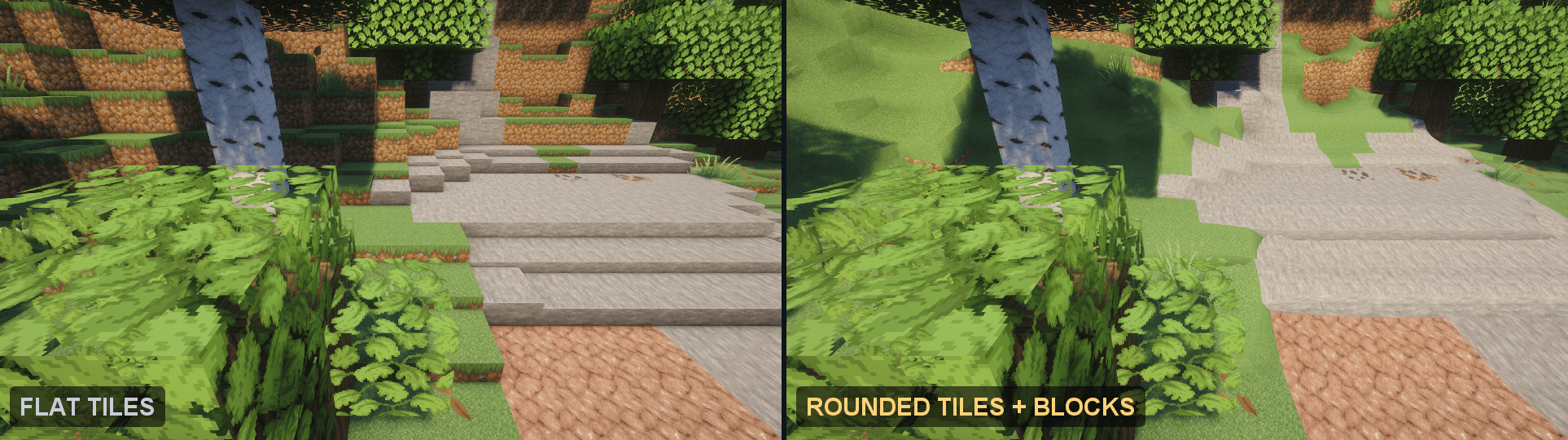
🔵 Rounded Terrain (experimental, visual only)
- Rounded tiles: smooth tile surfaces (collision stays stepped)
- Round edges: soften exposed corners of tiles and snow
- Rounded Blocks: ground next to tiles is rounded along with them
- Every Block Rounded: round all the ground in the world
- Full rounding: no edges or corners left at all, with curved surfaces
- Trees, leaves, crafting tables and builds are never touched
- Applies instantly, even in existing worlds
🎥 Smooth Step Camera
Your camera glides up steps, tiles and rounded terrain instead of snapping.
⚙️ Configuration
- Full in-game settings screen via Mod Menu + Cloth Config
- Presets:
natural,subtle,dramatic,smooth_world,performance. You can also save your own. - Command:
/connectedbiomes preset - Works with Sodium
ℹ️ Biome transitions and tiles only affect newly generated chunks. Rounding is visual and works anywhere.
📦 Versions
| Loader | Minecraft |
|---|---|
| Fabric | 1.21.1, 1.21.11, 26.1.2, 26.2, 26.3 |
| Forge | 1.20.1 |
Requires: Fabric API (on Fabric) Recommended: Mod Menu, Cloth Config
❓ FAQ
Can I use it in modpacks? Yes, but don't publish it without my permission. All rights preserved. Does it work with other worldgen mods? Yes, that's what Smart compatibility is for. If a biome looks wrong, add it to the blacklist and report it. Server-side? Install it on both the server and the client.
Project description from CurseForge.
Pick your setup
Connected Biomes by Minecraft version and loader
Choose the version and loader you play, then open the matching release.
Minecraft version
26.2
1 loader buildMinecraft version
26.1.2
1 loader buildMinecraft version
1.21.11
1 loader buildMinecraft version
1.21.1
1 loader buildMinecraft version
1.20.1
1 loader buildCheck the dependencies, then try the file in a copied instance before changing a world you care about.
Recent files
Connected Biomes versions and loaders
connected_biomes-0.2.0+fabric-26.3.jar
connected_biomes-0.2.0-fabric-26.3.jar
9 Nov 2026
Client Source doesn’t say Server Source doesn’t say Dependencies No extras listed Listed on Release listing
Check the 26.3 · Fabric setup Fabric26.3 release
connected_biomes-0.2.0+fabric-26.2.jar
connected_biomes-0.2.0-fabric-26.2.jar
9 Nov 2026
Client Source doesn’t say Server Source doesn’t say Dependencies No extras listed Listed on Release listing
Check the 26.2 · Fabric setup Fabric26.2 release
connected_biomes-0.2.0+fabric-26.1.2.jar
connected_biomes-0.2.0-fabric-26.1.2.jar
9 Nov 2026
Client Source doesn’t say Server Source doesn’t say Dependencies No extras listed Listed on Release listing
Check the 26.1.2 · Fabric setup Fabric26.1.2 release
connected_biomes-0.2.0+fabric-1.21.11.jar
connected_biomes-0.2.0-fabric-1.21.11.jar
9 Nov 2026
Client Source doesn’t say Server Source doesn’t say Dependencies No extras listed Listed on Release listing
Check the 1.21.11 · Fabric setup Fabric1.21.11 release
connected_biomes-0.2.0+fabric-1.21.1.jar
connected_biomes-0.2.0-fabric-1.21.1.jar
9 Nov 2026
Client Source doesn’t say Server Source doesn’t say Dependencies No extras listed Listed on Release listing
Check the 1.21.1 · Fabric setup Fabric1.21.1 release
connected_biomes-0.2.0+forge-1.20.1.jar
connected_biomes-0.2.0-forge-1.20.1.jar
9 Nov 2026
Client Source doesn’t say Server Source doesn’t say Dependencies No extras listed Listed on Release listing
Check the 1.20.1 · Forge setup 1.20.1Forge release
connected_biomes-0.1.1+fabric-26.3.jar
connected_biomes-0.1.1-fabric-26.3.jar
4 Nov 2026
Client Source doesn’t say Server Source doesn’t say Dependencies No extras listed Listed on Release listing
Check the 26.3 · Fabric setup Fabric26.3 release
connected_biomes-0.1.1+fabric-26.2.jar
connected_biomes-0.1.1-fabric-26.2.jar
4 Nov 2026
Client Source doesn’t say Server Source doesn’t say Dependencies No extras listed Listed on Release listing
Check the 26.2 · Fabric setup Fabric26.2 release
connected_biomes-0.1.1+fabric-26.1.2.jar
connected_biomes-0.1.1-fabric-26.1.2.jar
4 Nov 2026
Client Source doesn’t say Server Source doesn’t say Dependencies No extras listed Listed on Release listing
Check the 26.1.2 · Fabric setup Fabric26.1.2 release
connected_biomes-0.1.1+fabric-1.21.11.jar
connected_biomes-0.1.1-fabric-1.21.11.jar
4 Nov 2026
Client Source doesn’t say Server Source doesn’t say Dependencies No extras listed Listed on Release listing
Check the 1.21.11 · Fabric setup Fabric1.21.11 release
connected_biomes-0.1.1+fabric-1.21.1.jar
connected_biomes-0.1.1-fabric-1.21.1.jar
4 Nov 2026
Client Source doesn’t say Server Source doesn’t say Dependencies No extras listed Listed on Release listing
Check the 1.21.1 · Fabric setup Fabric1.21.1 release
connected_biomes-0.1.1+forge-1.20.1.jar
connected_biomes-0.1.1-forge-1.20.1.jar
4 Nov 2026
Client Source doesn’t say Server Source doesn’t say Dependencies No extras listed Listed on Release listing
Check the 1.20.1 · Forge setup 1.20.1Forge release
Looking for an older file? The official CurseForge project page is in Resources.
 mod
CurseForge · Minecraft
Old Gods' - Forge, fragments, relics
The gods are gone. Their forges are not. Its anvil still works. And somewhere inside it, scattered across pedestals and a forgotten chest, lie the fragments of divine weapons that were broken on purpose.
 mod
CurseForge · Minecraft
Functional Storage (Fabric-port)
This is an unofficial Fabric port of the Functional Storage(https://github.com/Buuz135/FunctionalStorage) mod.
 mod
CurseForge · Minecraft
TAKOU TRADES
This mod adds a new system for trading in minecraft.