Minecraft version
Back to mods 
CurseForge · Minecraft mod
VulkanFlow
VulkanFlow brings bloom, shadows and shader like effects to Minecraft highly optimized for integrated GPUs and low end devices. Achieve stable 60 FPS on hardware like Intel UHD 620, fully compatible with Sodium.
Choose a version Pick your version below, then grab the matching file.
Quick answer
Which VulkanFlow release matches 26.3?
Best match for your filters vulkanflow-1.1.0.jar
Game version 26.3
Loader Fabric
vulkanflow-1.1.0.jar targets 26.3 with Fabric. The project page does not say whether this file belongs on the client, dedicated server, or both. No extra mods listed for this file.
Where it goes
Is VulkanFlow required on the client, server, or both?
The project page does not say whether this file belongs on the client, dedicated server, or both.
Client Source doesn’t say
Dedicated server Source doesn’t say
Loader for this release Fabric
Required install it here Optional supported, not mandatory Not supported do not install here Source doesn’t say do not assume
The source does not explicitly classify this release as client-only or server-only.
What else does vulkanflow-1.1.0.jar need?
vulkanflow-1.1.0.jar on 26.3. Every mod below is checked against that same setup.
This file does not list any required mods. Do not add a library just because a different file uses it.
This file does not list any required or optional mods.
Before you install it
Add VulkanFlow without breaking your instance.
Built for vulkanflow-1.1.0.jar on 26.3. Pick another file and the loader, install side or required mods may change.
- 01
Stick to this file
Use vulkanflow-1.1.0.jar. It targets 26.3 with Fabric; another release may have different loader, side or dependency requirements.
- 02
Bring the mods it needs
This file does not list any required mods. Do not add a library just because a different file uses it.
- 03
Put it on the correct side
The project page does not say whether this file belongs on the client, dedicated server, or both.
- 04
Pick the file you checked
Use the “Get this file” button beside vulkanflow-1.1.0.jar. It opens that exact file at the source.
About this project
What does VulkanFlow add?
VulkanFlow
A Shader Mod for Low End Hardware.
Welcome to VulkanFlow! This mod integrates Shader effects directly into the Minecraft rendering pipeline without destroying your framerate. It is made for players on laptops or older PCs that just want to play shaders without playing on really low fps. I made this mod because I wanted to play with Shaders on my iGPU, so I made this solution.
Embed Removed: https://www.youtube-nocookie.com/embed/etSagQcJ8sM 


Features
VulkanFlow 1.0 packs a ton of features to make your game look great without killing your FPS:
- Bloom: Threshold and separable blur for a smooth highlight roll-off around light sources.
- Wind: Smoother, height-weighted swaying for leaves and foliage. Tall plants and stalks bend as one.
- Screen-space shadows: Ambient occlusion and shadows cast towards the real sun direction.
- Atmosphere & Weather: God rays, underwater light shafts, a rain veil, wet glossy surfaces, and sparkling snow.
- Night sky: Stars, a faint Milky Way, a moon with real phases, and slow-moving Auroras.
- Water depth: Water gets darker and more turquoise the deeper it goes, complete with soft shores and foam.
- Details: Depth of field, cinematic vignette, drifting particles (pollen by day, fireflies by night), and colored light source glow.
- Strength sliders: Almost every effect has a 0–10 slider in the Sodium settings so you can tweak it to your liking.
Performance & Quality
- Automatic Quality: Just set a target FPS. If your framerate drops, the mod automatically scales back effects based on their performance cost to keep your game running smooth.
- Fused effect chains: Atmosphere, clouds, reflections, and shadows run as a single chain to save on full-screen copies.
- Optimized processing: Far less CPU work per frame, cheaper sky-cloud marching, and fewer depth fetches in the shadow mask.
Commands
/vulkanflow quality- Shows your current automatic quality level./vulkanflow perf- Measures the CPU cost of the rendering stages./vulkanflow bench- Benchmarks the GPU cost of each effect group directly on your machine./vulkanflow fuse- Toggles fused chains on/off so you can compare performance.
Why VulkanFlow?
Standard shaders (via Iris or OptiFine) usually drops your framerate on integrated graphics cards because they force heavy calculations into a single frame. VulkanFlow takes a different approach based on the following techniques:":
- Time Slicing:
- The mod distributes the rendering load across multiple frames, smoothing out frame spikes.
- Vulkan & OpenGL Fallback: Designed to hook directly into Minecraft's new Vulkan pipeline while maintaining OpenGL fallback.
- Made for iGPUs: Specifically optimized and tested to maintain a stable 60 FPS on hardware like the Intel UHD 620 (tested on a ThinkPad T480).
Compatibility & Setup
- Sodium: Fully compatible! VulkanFlow is designed from the ground up to run alongside Sodium.
- No Iris / OptiFine Required: VulkanFlow runs as a completely standalone, lightweight graphics mod.
Installation: Right now you have to install Sodium to access the Settings Menu of the VulkanFlow mod.
Join the Community & Support
Want to report bugs, request features? Join our community on the official CraftingStudioPro Discord server!
FAQ
Is this mod paid/are some features paid? No, and they never will be! This mod will forever remain free for everyone to use.
Why is this mod in ALPHA? Currently, we are missing a lot of features. We hope to improve on these features as we drift towards a full release.
How can I contribute to the Vulkanflow Project? Simply play the mod! If you wish to join our team, please join our Discord. If you simply have an issue, please report it there - we look forwards to making this mod the best - the most bug-free - that it can be!
May I use this in my modpack? Yep, go ahead! Just give credit where it's due :D
Project description from CurseForge.
Pick your setup
VulkanFlow by Minecraft version and loader
Choose the version and loader you play, then open the matching release.
Check the dependencies, then try the file in a copied instance before changing a world you care about.
Recent files
VulkanFlow versions and loaders
vulkanflow-1.1.0.jar
7 Nov 2026
Client Source doesn’t say Server Source doesn’t say Dependencies No extras listed Listed on Release listing
Check the 26.3 · Fabric setup Fabric26.3 release
vulkanflow-1.0.0.jar
4 Nov 2026
Client Source doesn’t say Server Source doesn’t say Dependencies No extras listed Listed on Release listing
Check the 26.3 · Fabric setup Fabric26.3 release
Looking for an older file? The official CurseForge project page is in Resources.
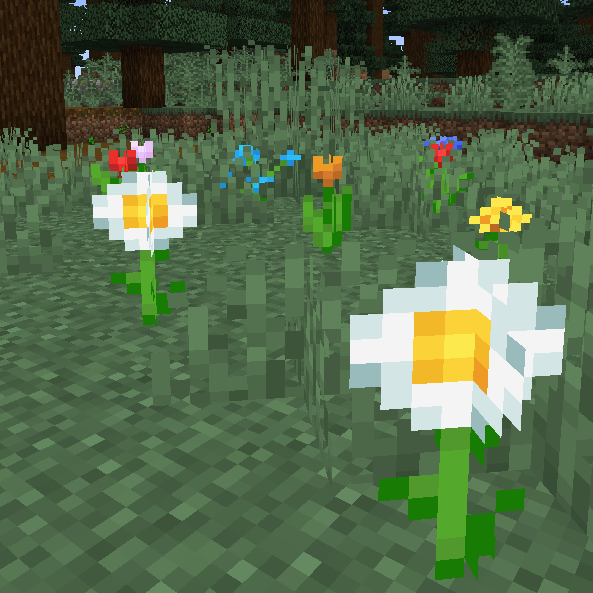 mod
CurseForge + Modrinth · Minecraft
Random Bone Meal Flowers
🎲 Randomizes the flowers spawned by bonemeal, allowing all (modded) types to spawn everywhere.
 mod
CurseForge · Minecraft
MoreCulling
A mod that changes how multiple types of culling are handled in order to improve performance
 mod
CurseForge · Minecraft
BetterGamma
A Minecraft mod which greatly improves how you deal with dark lighting.