Minecraft version
Back to mods 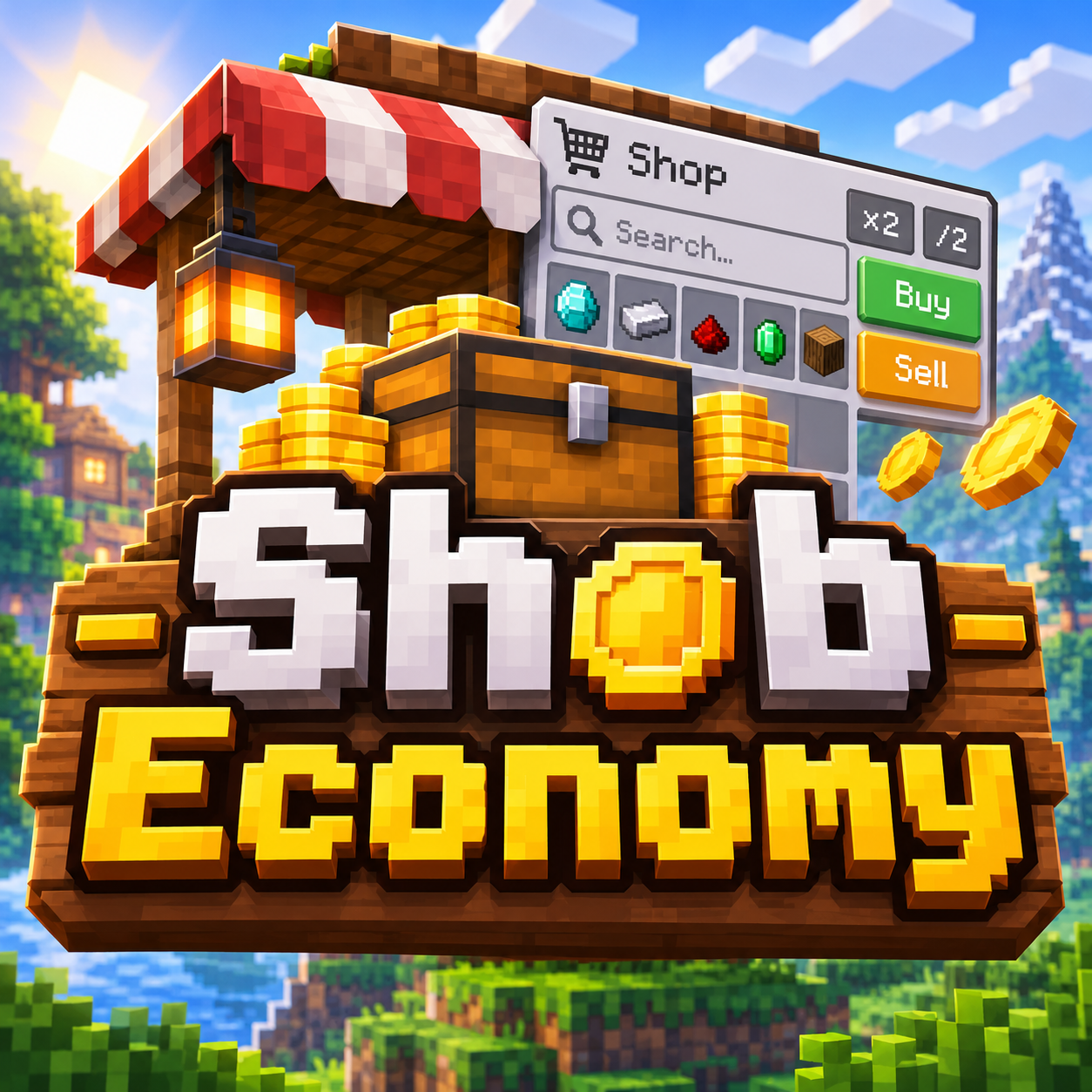
CurseForge · Minecraft mod
Shob Economy
Virtual per-player marketplace for Minecraft. It adds a shop you can open from your inventory — no shop block, no physical coins to place in the world. Buy and sell curated items with dynamic prices that react to how much the server has been trading.
Choose a version Pick your version below, then grab the matching file.
Quick answer
Which Shob Economy release should I use?
Latest stable file shob-neoforge-1.0.1-1.21.1.jar
Game version 1.21.1
Loader NeoForge
Shob Economy shob-neoforge-1.0.1-1.21.1.jar targets 1.21.1 with NeoForge. The project page does not say whether this file belongs on the client, dedicated server, or both. No extra mods listed for this file.
Where it goes
Is Shob Economy required on the client, server, or both?
The project page does not say whether this file belongs on the client, dedicated server, or both.
Client Source doesn’t say
Dedicated server Source doesn’t say
Loader for this release NeoForge
Required install it here Optional supported, not mandatory Not supported do not install here Source doesn’t say do not assume
The source does not explicitly classify this release as client-only or server-only.
What else does Shob Economy shob-neoforge-1.0.1-1.21.1.jar need?
shob-neoforge-1.0.1-1.21.1.jar. Change the file and its required mods may change too.
This file does not list any required mods. Do not add a library just because a different file uses it.
This file does not list any required or optional mods.
Before you install it
Add Shob Economy without breaking your instance.
Built for Shob Economy shob-neoforge-1.0.1-1.21.1.jar. Pick another file and the loader, install side or required mods may change.
- 01
Stick to this file
Use shob-neoforge-1.0.1-1.21.1.jar. It targets 1.21.1 with NeoForge; another release may have different loader, side or dependency requirements.
- 02
Bring the mods it needs
This file does not list any required mods. Do not add a library just because a different file uses it.
- 03
Put it on the correct side
The project page does not say whether this file belongs on the client, dedicated server, or both.
- 04
Pick the file you checked
Use the “Get this file” button beside shob-neoforge-1.0.1-1.21.1.jar. It opens that exact file at the source.
About this project
What does Shob Economy add?
Shob Economy adds a personal market to Minecraft — no shop building, no coin items, no trading hall required.
Open your inventory, click Shop, and buy or sell from a catalog tailored to the mods actually installed in your pack. Your money is a virtual balance saved with your player. The goal is simple: give servers and solo worlds a fair way to move resources around without letting one automated farm print infinite wealth.
Key features
Inventory shop The Shop button lives in your survival and creative inventory. There is no shop block to place and nothing physical to lose. Every player has their own wallet and their own access to the same market rules.
Virtual wallet Balances are stored on the player. You can check them with /balance, pay other players with /pay, and operators can grant or adjust money when needed. No coin stacks cluttering chests.
Curated catalogs The shop does not dump every registered item into a list. It ships with hand-built catalogs for vanilla and popular tech, magic, storage, and farming mods. If a mod is not installed, its entries stay hidden. If an item id does not exist in your pack, it never appears.
Living prices Sell and buy prices are not fixed forever. The market reacts to:
- how heavily an item has been sold recently (saturation softens buyback)
- automation and “synergy” mods installed in the pack (mass production makes common goods pay less and cost more to buy)
- world difficulty
Mono-farms still work — they just stop being free money printers.
Sell and buy in one screen Browse by mod, search, set a stack size, and sell what you do not need or buy what you are missing. Prices for the selected amount are shown side by side before you confirm.
Who it is for
Shob Economy is for pack makers and players who want a lightweight economy layer that respects progression. It rewards exploration and variety, and it pushes back when one easy pipeline feeds the whole server.
It does not replace quests, does not add a new tech tree, and does not invent fake items. It prices what your pack already has.
Project description from CurseForge.
Pick your setup
Shob Economy by Minecraft version and loader
Choose the version and loader you play, then open the matching release.
Minecraft version
1.21.1
1 loader buildMinecraft version
1.12.2
1 loader buildCheck the dependencies, then try the file in a copied instance before changing a world you care about.
Recent files
Shob Economy versions and loaders
shob-neoforge-1.0.1-1.21.1.jar
shob-1.0.1-1.21.1.jar
8 Nov 2026
Client Source doesn’t say Server Source doesn’t say Dependencies No extras listed Listed on Release listing
Check the 1.21.1 · NeoForge setup 1.21.1NeoForge release
shob-forge-1.0.1-1.12.2.jar
7 Nov 2026
Client Source doesn’t say Server Source doesn’t say Dependencies No extras listed Listed on Release listing
Check the 1.12.2 · Forge setup Forge1.12.2 release
shob-neoforge-1.0.1-26.1.2.jar
shob-1.0.1.jar
7 Nov 2026
Client Source doesn’t say Server Source doesn’t say Dependencies No extras listed Listed on Release listing
Check the 26.1.2 · NeoForge setup NeoForge26.1.2 release
shob-fabric-1.0.0-26.1.2.jar
shob-fabric-1.0.0.jar
6 Nov 2026
Client Source doesn’t say Server Source doesn’t say Dependencies No extras listed Listed on Release listing
Check the 26.1.2 · Fabric setup Fabric26.1.2 release
shob-forge-1.0.0-26.1.2.jar
shob-forge-1.0.0.jar
6 Nov 2026
Client Source doesn’t say Server Source doesn’t say Dependencies No extras listed Listed on Release listing
Check the 26.1.2 · Forge setup Forge26.1.2 release
shop-neoforge-1.0.0-26.1.2.jar
shob-1.0.0.jar
5 Nov 2026
Client Source doesn’t say Server Source doesn’t say Dependencies No extras listed Listed on Release listing
Check the 26.1.2 · NeoForge setup NeoForge26.1.2 release
Looking for an older file? The official CurseForge project page is in Resources.
 mod
CurseForge · Minecraft
Saddle & Spear
Call your mount back with a whistle and ride with more control.
 mod
CurseForge · Minecraft
Boogaloo Core
A core mod for the Integrated Boogaloo modpack
 mod
CurseForge + Modrinth · Minecraft
Dungeon Train: A Lore-Rich Roguelite RPG Adventure
Adventure time inspired dungeon crawler on a train. Procedurally generated carriages on a infinite sable physics train. Rich narrative, with custom made mods for a completely unique experience.