Minecraft version
Back to mods 
CurseForge · Minecraft mod
Ledz
Stick LED strips on any block edge and paint them with animated colour gradients that flow across blocks and around corners.
Choose a version Pick your version below, then grab the matching file.
Quick answer
Which Ledz release should I use?
Latest stable file Ledz 0.2.1
Game version 26.3
Loader NeoForge
Ledz 0.2.1 targets 26.3 with NeoForge. The project page does not say whether this file belongs on the client, dedicated server, or both. No extra mods listed for this file.
Where it goes
Is Ledz required on the client, server, or both?
The project page does not say whether this file belongs on the client, dedicated server, or both.
Client Source doesn’t say
Dedicated server Source doesn’t say
Loader for this release NeoForge
Required install it here Optional supported, not mandatory Not supported do not install here Source doesn’t say do not assume
The source does not explicitly classify this release as client-only or server-only.
What else does Ledz 0.2.1 need?
Ledz 0.2.1. Change the file and its required mods may change too.
This file does not list any required mods. Do not add a library just because a different file uses it.
This file does not list any required or optional mods.
Before you install it
Add Ledz without breaking your instance.
Built for Ledz 0.2.1. Pick another file and the loader, install side or required mods may change.
- 01
Stick to this file
Use Ledz 0.2.1. It targets 26.3 with NeoForge; another release may have different loader, side or dependency requirements.
- 02
Bring the mods it needs
This file does not list any required mods. Do not add a library just because a different file uses it.
- 03
Put it on the correct side
The project page does not say whether this file belongs on the client, dedicated server, or both.
- 04
Pick the file you checked
Use the “Get this file” button beside Ledz 0.2.1. It opens that exact file at the source.
About this project
What does Ledz add?
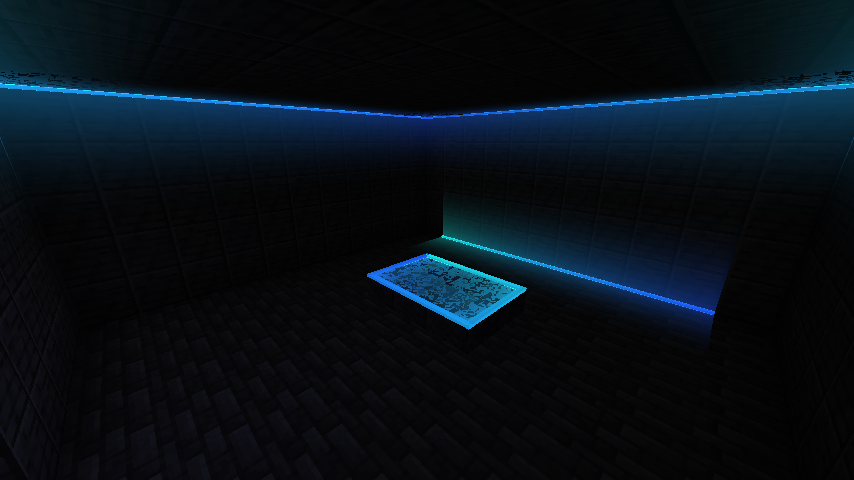
Ledz adds LED strips you can stick on any block edge, then paint with colour gradients and animations using the LED Configurator. Strips that touch join into one run, so a gradient flows across blocks, round corners and up walls.
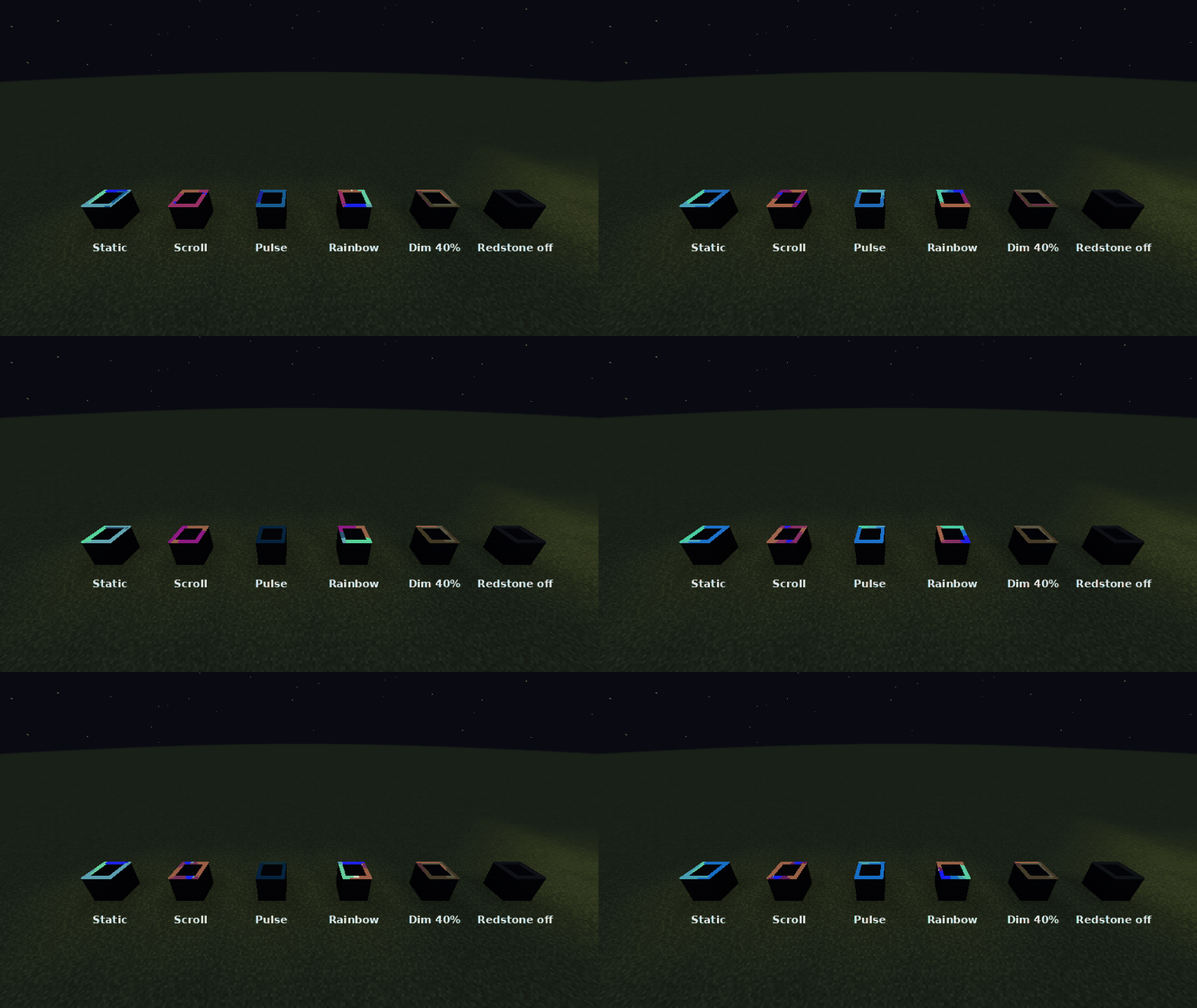
LED Strip
- Use on a block face and the strip snaps to the nearest edge of that face. Up to 24 strips fit in one block space (4 edges on each of 6 faces).
- Strips that touch end to end form a run. The gradient spans the whole run, not each block.
- A new strip copies the look of a strip it touches, so a run keeps going as you build.
- Break strips one at a time. A strip pops off if the block holding it is removed.
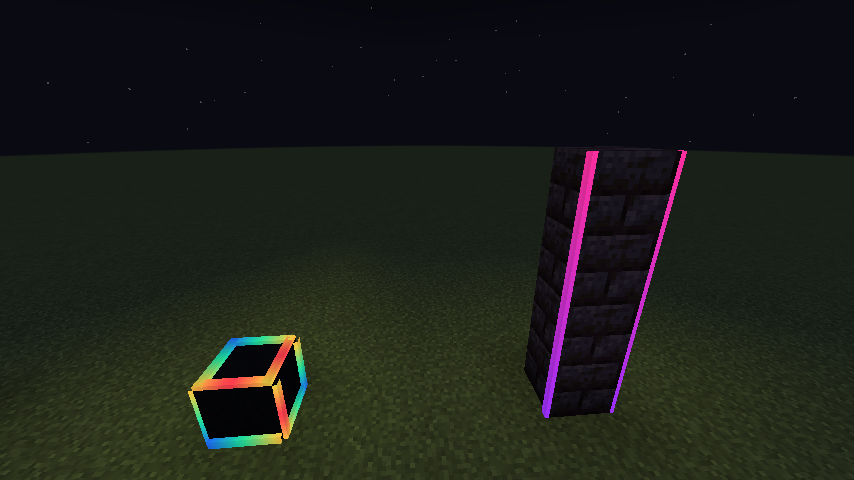
LED Configurator
- Use in the air to open the editor, with a live preview of the strip.
- Use on a strip to apply your settings to its whole run. Sneak-use copies a strip's look into the configurator.
- 2 to 4 colour stops, set with hex codes, RGB sliders or the dye palette.
- Modes: Static, Scroll, Pulse and Rainbow, with speed, brightness and direction.
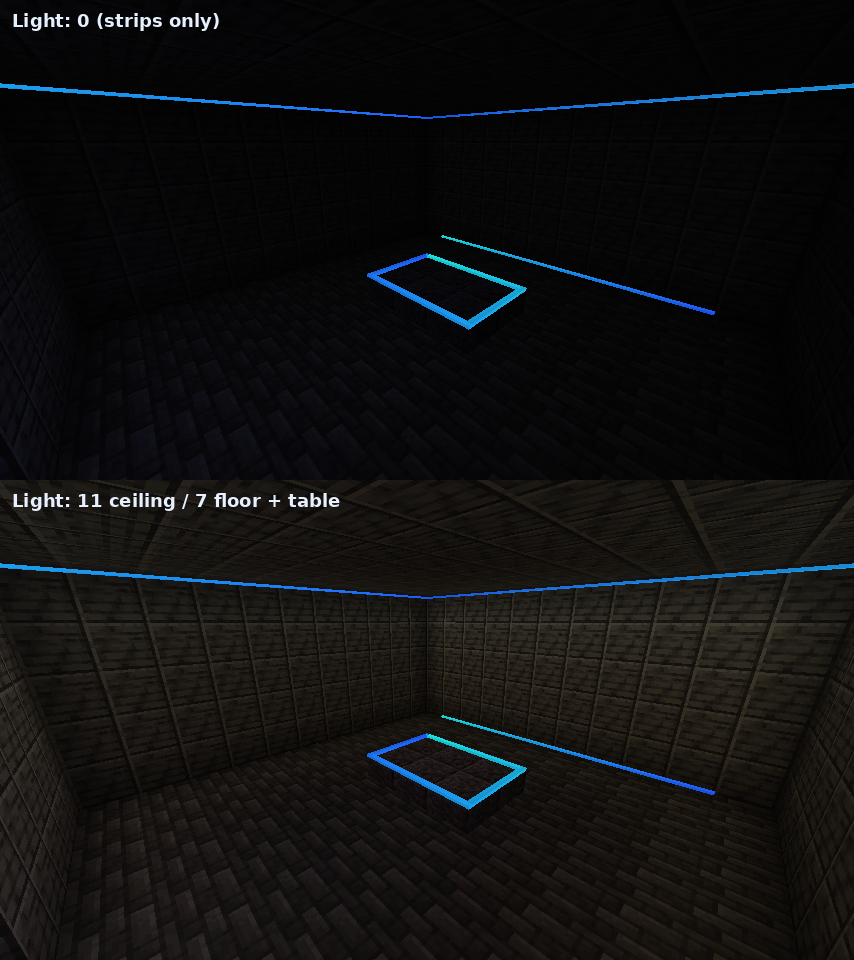
- Light: 0 to 15 real block light.
- Redstone: ignore it, on when powered, off when powered, or brightness by signal strength.
- Colour wash: 0 to 100%. Tints nearby walls, floors and ceilings with the strip's colour, fading out over 2.5 blocks. Vanilla light has no colour, so this fakes it.
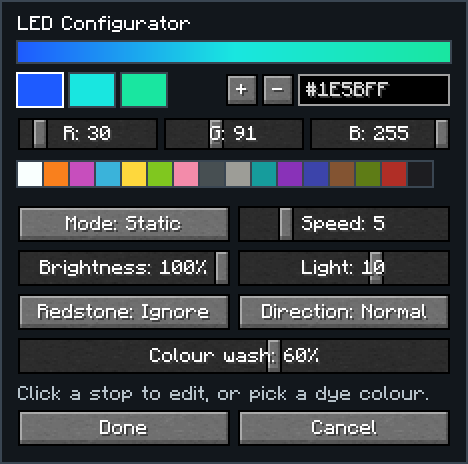
Lighting a room
Recipes
- 8 LED Strips: glowstone dust + glass pane + copper ingot (shapeless)
- LED Configurator: amethyst shard on top, copper / redstone / copper in the middle, copper below.
Requirements
- Minecraft 1.21.1 with NeoForge 21.1+, or Minecraft 26.1.2 with NeoForge 26.1.2+
- Install on both client and server
Project description from CurseForge.
Pick your setup
Ledz by Minecraft version and loader
Choose the version and loader you play, then open the matching release.
Minecraft version
26.2
1 loader buildMinecraft version
26.1.2
1 loader buildMinecraft version
1.21.1
1 loader buildCheck the dependencies, then try the file in a copied instance before changing a world you care about.
Recent files
Ledz versions and loaders
Ledz 0.2.1
ledz-0.2.1-26.3.jar
9 Nov 2026
Client Source doesn’t say Server Source doesn’t say Dependencies No extras listed Listed on Release listing
Check the 26.3 · NeoForge setup NeoForge26.3 release
Ledz 0.2.1
ledz-0.2.1-26.2.jar
9 Nov 2026
Client Source doesn’t say Server Source doesn’t say Dependencies No extras listed Listed on Release listing
Check the 26.2 · NeoForge setup NeoForge26.2 release
Ledz 0.2.1
ledz-0.2.1.jar
5 Nov 2026
Client Source doesn’t say Server Source doesn’t say Dependencies No extras listed Listed on Release listing
Check the 1.21.1 · NeoForge setup 1.21.1NeoForge release
Ledz 0.2.1
ledz-0.2.1-26.1.2.jar
5 Nov 2026
Client Source doesn’t say Server Source doesn’t say Dependencies No extras listed Listed on Release listing
Check the 26.1.2 · NeoForge setup NeoForge26.1.2 release
Ledz 0.2.0
ledz-0.2.0-26.1.2.jar
5 Nov 2026
Client Source doesn’t say Server Source doesn’t say Dependencies No extras listed Listed on Release listing
Check the 26.1.2 · NeoForge setup NeoForge26.1.2 release
Ledz 0.2.0
ledz-0.2.0.jar
5 Nov 2026
Client Source doesn’t say Server Source doesn’t say Dependencies No extras listed Listed on Release listing
Check the 1.21.1 · NeoForge setup 1.21.1NeoForge release
Looking for an older file? The official CurseForge project page is in Resources.
 mod
CurseForge + Modrinth · Minecraft
Minestuck Extended
Addon and compat mod for Minestuck
 mod
CurseForge + Modrinth · Minecraft
Ars Nouveau
Craft custom spells, summon magical servants, and make powerful wearables and tools!
 mod
CurseForge · Minecraft
Botania Revived
Unofficial NeoForge Port Of Botania(Botania is a mod that adds nature magic to Minecraft).