Minecraft version
Back to mods 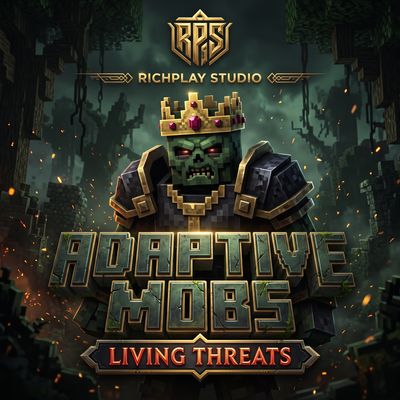
CurseForge · Minecraft mod
Adaptive Mobs: Living Threats
Transform Minecraft hostile mobs with RPG levels, intelligent AI, unique personalities, emotions, persistent memories, adaptive combat behavior, and coordinated pack tactics.**
Choose a version Pick your version below, then grab the matching file.
Quick answer
Which Adaptive Mobs: Living Threats release should I use?
Latest stable file adaptivemobs-1.8.1.jar
Game version 1.20.1
Loader Forge
Adaptive Mobs: Living Threats adaptivemobs-1.8.1.jar targets 1.20.1 with Forge. The project page does not say whether this file belongs on the client, dedicated server, or both. No extra mods listed for this file.
Where it goes
Is Adaptive Mobs: Living Threats required on the client, server, or both?
The project page does not say whether this file belongs on the client, dedicated server, or both.
Client Source doesn’t say
Dedicated server Source doesn’t say
Loader for this release Forge
Required install it here Optional supported, not mandatory Not supported do not install here Source doesn’t say do not assume
The source does not explicitly classify this release as client-only or server-only.
What else does Adaptive Mobs: Living Threats adaptivemobs-1.8.1.jar need?
adaptivemobs-1.8.1.jar. Change the file and its required mods may change too.
This file does not list any required mods. Do not add a library just because a different file uses it.
This file does not list any required or optional mods.
Before you install it
Add Adaptive Mobs: Living Threats without breaking your instance.
Built for Adaptive Mobs: Living Threats adaptivemobs-1.8.1.jar. Pick another file and the loader, install side or required mods may change.
- 01
Stick to this file
Use adaptivemobs-1.8.1.jar. It targets 1.20.1 with Forge; another release may have different loader, side or dependency requirements.
- 02
Bring the mods it needs
This file does not list any required mods. Do not add a library just because a different file uses it.
- 03
Put it on the correct side
The project page does not say whether this file belongs on the client, dedicated server, or both.
- 04
Pick the file you checked
Use the “Get this file” button beside adaptivemobs-1.8.1.jar. It opens that exact file at the source.
About this project
What does Adaptive Mobs: Living Threats add?
Adaptive Mobs: Living Threats
Mobs That Want to Survive.
What if Minecraft mobs could think, feel, remember, and adapt?
Adaptive Mobs: Living Threats transforms ordinary Minecraft hostile mobs into intelligent RPG-style enemies with dynamic levels, unique personalities, emotional states, persistent memories, and tactical group behavior.
Forget enemies that simply chase and attack. Mobs can analyze your equipment, recognize dangerous players, remember previous encounters, communicate with nearby allies, retreat when overwhelmed, or fight to the death.
This is not a mod that simply adds more health and damage to monsters. It changes how existing Minecraft mobs behave while preserving their original identities and core mechanics.
KEY FEATURES
1. Dynamic Mob Level System
Every managed hostile mob receives an individual level when it spawns.
Mob levels range from 1 to 100.
Levels affect health, damage, defense, and movement.
Lower-level mobs are more common by default.
Difficulty and dimensions can influence level generation.
Spawn distributions and stat scaling can be customized.
2. Unique Mob Personalities
Every mob develops its own permanent personality profile.
Personality attributes include:
Courage
Aggression
Intelligence
Fear Sensitivity
Loyalty
Survival Instinct
Two zombies can behave completely differently. One may fear a heavily equipped player, while another may aggressively pursue the same target.
3. Emotional Intelligence
Mobs experience emotional states that influence their decisions.
Available emotional states include:
FEAR
ANGER
TRUST
ANXIETY
VENGEANCE
OVERCONFIDENCE
Emotions change according to combat events, injuries, defeated allies, victories, and encounters with powerful opponents.
An angry or VENGEFUL mob may refuse to retreat even when the odds are against it.
4. Adaptive Combat AI
Hostile mobs evaluate their surroundings and choose tactical actions based on their personality, emotions, equipment analysis, and nearby allies.
Possible behaviors include:
ATTACK – Engage the target.
RETREAT – Escape from dangerous opponents.
OBSERVE – Evaluate the situation.
FOLLOW – Follow a target or ally.
DEFEND – Protect a position or group.
CALL ALLIES – Request nearby support.
REPOSITION – Find a more advantageous position.
HOLD POSITION – Maintain a defensive position.
Enemy behavior is influenced by actual circumstances rather than random combat decisions.
5. Persistent Encounter Memories
Mobs can remember players they have encountered.
Their memories can contain:
Previous combat encounters
Damage received
Player threat assessments
Successful escapes
Players responsible for killing their allies
Individual mob memories persist through chunk unloading and world reloads while the mob remains alive.
A fearful creature may remember a dangerous opponent and avoid another encounter. A vengeful creature may seek revenge.
6. Intelligent Pack Behavior
Nearby hostile mobs can form temporary groups and coordinate their actions.
Pack intelligence includes:
Leader selection
Group morale
Calling nearby allies
Majority-based tactical decisions
Coordinated attacks
Reactions to fallen group members
Groups can continue operating even after losing their leader.
7. Elite Mobs and King Variants
Some hostile mobs can spawn as stronger Elite or King variants.
King variants currently include:
Zombie King
Skeleton King
Enderman King
Spider King
Creeper King
King mobs have a default 1% spawn chance and a minimum level of 60.
They feature unique visual equipment, increased attributes, and the ability to command nearby pack members. The Creeper King also has a larger explosion.
Elite spawn modifiers and probabilities can be configured.
8. Equipment-Based Threat Analysis
Mobs do not judge players by their XP level.
Instead, they analyze real combat-related information, including:
Armor and protection
Weapons
Health
Enchantments
Status effects
Combat performance
Nearby allies
A heavily equipped player may cause weaker enemies to retreat, while courageous or powerful enemies may decide to fight.
9. 3D Mob Management Menu (J)
Press J to open the Mob Management screen.
Browse detected mob types using 3D models.
Configure behavior profiles for individual mob types.
Choose Monster, Animal, Automatic, or Ignore profiles.
Save selections to the world.
Manage newly detected modded creatures.
Receive chat notifications when new modded entity types are detected.
10. Threat Information Panel (H)
Press H to inspect the mob you are looking at.
The information panel can display:
Mob threat assessment
Your threat score
Threat calculation breakdown
Current emotional state
Mob name, level, and health information
Note: The detailed H information panel requires infoDisplayMode = 1 in the client configuration.
11. Mod Compatibility and Support Steve Integration
Adaptive Mobs is designed to work with modded creatures, not just vanilla Minecraft mobs.
Automatically classifies detected modded entities.
Supports FULL, PARTIAL, PASSIVE, and IGNORED compatibility profiles.
Provides entity tags and a public Java API for mod developers.
Includes optional integration with Support Steve.
When Support Steve is installed, Steve NPCs are included in threat analysis. Owned and allied Steve entities are recognized as allies, while Support Steve's own AI and targeting systems remain untouched.
Support Steve is optional and is not a required dependency.
12. Multiplayer and Performance
Core mob intelligence runs server-side.
Basic gameplay does not require the mod on every client.
Client installation is required for visual information panels and nameplates.
Cached threat calculations help reduce unnecessary processing.
Configurable AI evaluation budgets help control server workload.
CONFIGURATION
Customize the experience through the generated configuration files:
adaptivemobs-common.tomladaptivemobs-client.toml
Available settings include mob levels, spawn distribution, personality behavior, emotional thresholds, pack intelligence, King and Elite spawn chances, threat calculations, memory settings, and performance limits.
CONTROLS AND COMMANDS
| Key / Command | Function |
|---|---|
| J | Open Mob Management |
| H | Open Threat Information Panel |
/adaptivemobs level |
View your equipment threat level |
/adaptivemobs debug |
Inspect the targeted mob |
/adaptivemobs debug metrics |
View performance metrics |
/adaptivemobs debug config |
Inspect important configuration values |
INSTALLATION
Install Minecraft 1.20.1.
Install Minecraft Forge 47.2.0 or newer in the Forge 47.x series.
Download the Adaptive Mobs JAR file.
Place it inside your Minecraft
modsfolder.Launch Minecraft.
Configuration files are generated automatically on the first launch.
COMPATIBILITY
Minecraft: 1.20.1
Mod Loader: Minecraft Forge
Forge: 47.2.0 or newer (47.x)
Java: 17 or newer
Environment: Client & Server
Optional Integration: Support Steve
Fabric: Not supported
NeoForge: Not supported
Some vanilla mobs retain their original targeting systems and do not use every tactical behavior. Please check the compatibility notes before combining Adaptive Mobs with other creature mods.
ABOUT
Adaptive Mobs: Living Threats is developed by RichPlayStudio.
The goal is simple: make every encounter feel different, make enemies feel alive, and turn ordinary Minecraft combat into a more dynamic RPG survival experience.
Your enemies remember. Your enemies adapt. Your enemies want to survive.
Project description from CurseForge.
Pick your setup
Adaptive Mobs: Living Threats by Minecraft version and loader
Choose the version and loader you play, then open the matching release.
Check the dependencies, then try the file in a copied instance before changing a world you care about.
Recent files
Adaptive Mobs: Living Threats versions and loaders
adaptivemobs-1.8.1.jar
22 Nov 2026
Client Source doesn’t say Server Source doesn’t say Dependencies No extras listed Listed on Release listing
Check the 1.20.1 · Forge setup 1.20.1Forge release
adaptivemobs-1.8.0.jar
19 Nov 2026
Client Source doesn’t say Server Source doesn’t say Dependencies No extras listed Listed on Release listing
Check the 1.20.1 · Forge setup 1.20.1Forge release
adaptivemobs-1.7.1.jar
5 Nov 2026
Client Source doesn’t say Server Source doesn’t say Dependencies No extras listed Listed on Release listing
Check the 1.20.1 · Forge setup 1.20.1Forge release
Looking for an older file? The official CurseForge project page is in Resources.
 mod
CurseForge + Modrinth · Minecraft
Jodek's Mob Heads
Mobs can drop their head when killed by a player, easy drop rate config, drop messages, advancement collection and more
 mod
CurseForge + Modrinth · Minecraft
Neo ECO Prototype
Storage, computation and crafting extensions for Neo ECO AE Extension, with KubeJS integration for custom infinite matrices.
 mod
CurseForge · Minecraft
King Music
A customizable music player for Minecraft. Play your own music, control playback in-game, and optionally connect Yandex Music.