Minecraft version
Back to mods 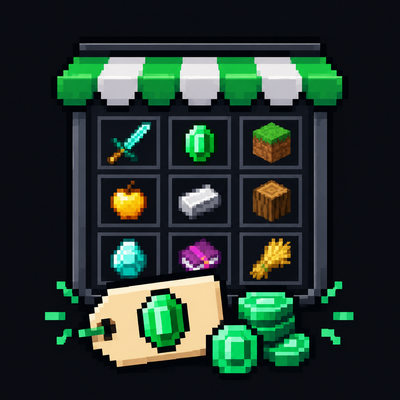
CurseForge · Minecraft mod
SmartShopMode
SmartShopMod is a mod that adds a shop featuring an automated pricing system for both vanilla items and items from any Minecraft mod. Buy and sell items using a user-friendly graphical interface
Choose a version Pick your version below, then grab the matching file.
Quick answer
Which SmartShopMode release matches Fabric?
Best match for your filters shopmod-1.8.0-fabric-1.21.1.jar
Game version 1.21.1
Loader Fabric
SmartShopMode shopmod-1.8.0-fabric-1.21.1.jar targets 1.21.1 with Fabric. The project page does not say whether this file belongs on the client, dedicated server, or both. No extra mods listed for this file.
Where it goes
Is SmartShopMode required on the client, server, or both?
The project page does not say whether this file belongs on the client, dedicated server, or both.
Client Source doesn’t say
Dedicated server Source doesn’t say
Loader for this release Fabric
Required install it here Optional supported, not mandatory Not supported do not install here Source doesn’t say do not assume
The source does not explicitly classify this release as client-only or server-only.
What else does SmartShopMode shopmod-1.8.0-fabric-1.21.1.jar need?
shopmod-1.8.0-fabric-1.21.1.jar on Fabric. Every mod below is checked against that same setup.
This file does not list any required mods. Do not add a library just because a different file uses it.
This file does not list any required or optional mods.
Before you install it
Add SmartShopMode without breaking your instance.
Built for SmartShopMode shopmod-1.8.0-fabric-1.21.1.jar on Fabric. Pick another file and the loader, install side or required mods may change.
- 01
Stick to this file
Use shopmod-1.8.0-fabric-1.21.1.jar. It targets 1.21.1 with Fabric; another release may have different loader, side or dependency requirements.
- 02
Bring the mods it needs
This file does not list any required mods. Do not add a library just because a different file uses it.
- 03
Put it on the correct side
The project page does not say whether this file belongs on the client, dedicated server, or both.
- 04
Pick the file you checked
Use the “Get this file” button beside shopmod-1.8.0-fabric-1.21.1.jar. It opens that exact file at the source.
About this project
What does SmartShopMode add?
SmartShopMod adds a full-featured shop with automatic price calculation, loot cases and a fortune wheel to Minecraft 1.21.1. Available for Forge, NeoForge and Fabric.
🔹 TABS
- Items — buy and sell items, search the assortment, choose the amount and see your balance. - Cases + Roulette — open loot cases or try your luck on the fortune wheel. - Energy — currently a UI placeholder only. There is no charging, energy storage, buying or selling energy, or any energy economy yet. The tab can be disabled in the mod settings and is off by default.
Unused tabs can be disabled in the settings; disabled tabs stay visible but become inactive.
🔹 PRICING SYSTEM
- Automatic price calculation based on crafting recipes, with protection against infinite loops. - Prices for items without a crafting recipe can be adjusted with a separate multiplier. - Manual price overrides via the configuration file. - Configurable blacklist, no-recipe exceptions and minimum prices for construction blocks. - Starting balance, buy/sell multipliers, price limits and tier settings are configurable.
🔹 CASES
- Case grid with icons, names and scrolling — comfortable even with a large number of cases. - Three default cases: Common, Rare and Legendary, with different prices, reward pools, tier chances and pity settings. - Detailed case screen with a large icon, price, tier chances, pity information and an open button. - Pity guarantee: if the desired reward has not dropped for too long, the next reward is guaranteed. The threshold and minimum tier are configured per case;
0means the default30/6. - Cases can be created, deleted and edited directly in the mod settings: name, price, item count, pity and tier weights. - If the inventory is full, the reward is dropped next to the player.
🔹 WHEEL OF FORTUNE (ROULETTE)
- Place a bet, spin the animated wheel and win according to the selected multiplier. - Multipliers: ×0, ×0.5, ×1, ×2, ×5, ×10; ×0 is a loss, ×0.5 returns half of the bet. - Animated wheel with a pointer, slowdown, sound and a win/loss result. - Configurable minimum and maximum bet, cooldown, sector weights and house edge (default 8%). - The result is determined by the server; the client only displays it. - The roulette bet is separate from the shop quantity and no longer leaks into buy/sell amounts.
🔹 TIERS
- Items are split into 7 tiers based on their buy price. - Tier boundaries are configurable; the default values are
20 / 50 / 100 / 250 / 1000 / 10000. - Empty tiers are skipped safely, and their weights are normalized. - Tiers are used by cases, drop chances and the pity system. - Tiers do not change buy or sell prices. - Use/shop tiersand/shop debug tier <item>to inspect tier assignments.
🔹 MOD SETTINGS
- A completely reworked settings screen for Forge, NeoForge and Fabric. - The Cases tab includes the case editor and case/roulette settings; the other tabs contain regular config fields with scrolling. - Changes are not saved automatically. When leaving with unsaved changes, a «Save / Cancel / Continue» dialog appears. Continue exits without saving and reverts the changes. - The Energy tab toggle is located in the Economy tab.
Config files:
- Forge / NeoForge:
config/shopmod-common.toml- Fabric:config/shopmod.json- Cases and roulette:config/shopmod-games.json- Manual prices:config/shopmod-prices.json
🔹 COMMANDS
Player commands:
/shop open— open the shop -/shop balance [player]— show your balance or another player's balance -/shop tiers— show the tier summary -/shop cases— list cases -/shop case <id>— open a case by ID -/shop roulette <bet>— place a roulette bet
Admin commands:
/shop reload— reload prices and configuration -/shop setbalance <player> <amount>— set a player's balance -/shop add <player> <amount>— add coins -/shop remove <player> <amount>— remove coins -/shop cases stats— case opening statistics -/shop debug tier <item>— diagnose an item's tier
🔹 CONTROLS
B — open the shop (the key can be rebound; the shop also opens from the inventory) ESC — close the shop RMB — select an item to sell Shift / Ctrl — transfer items using the usual Inventory Essentials combinations
🔹 PLANNED FEATURES
- Improve automatic price detection. - Add support for popular mods (currently, automatic price detection works poorly for items crafted using non-vanilla methods). - Port the mod to other game versions as time permits. - Implement actual energy mechanics for the Energy tab in the future.
If you find any errors or bugs, please leave a comment.
Project description from CurseForge.
Pick your setup
SmartShopMode by Minecraft version and loader
Choose the version and loader you play, then open the matching release.
Check the dependencies, then try the file in a copied instance before changing a world you care about.
Recent files
SmartShopMode versions and loaders
shopmod-1.8.0-fabric-1.21.1.jar
10 Nov 2026
Client Source doesn’t say Server Source doesn’t say Dependencies No extras listed Listed on Release listing
Check the 1.21.1 · Fabric setup Fabric1.21.1 release
shopmod-1.5.0-fabric-1.21.1.jar
8 Nov 2026
Client Source doesn’t say Server Source doesn’t say Dependencies No extras listed Listed on Release listing
Check the 1.21.1 · Fabric setup Fabric1.21.1 release
shopmod-1.1.0-fabric-1.21.1.jar
7 Nov 2026
Client Source doesn’t say Server Source doesn’t say Dependencies No extras listed Listed on Release listing
Check the 1.21.1 · Fabric setup Fabric1.21.1 release
Looking for an older file? The official CurseForge project page is in Resources.
 mod
CurseForge · Minecraft
Restmark
Graves: your items and experience wait in a headstone where you died, and go back into the slots they came from.
 mod
CurseForge · Minecraft
Seamstrike
Vein mining on a key you choose: hold it and one swing takes the whole seam, with tool wear, enchantments and hunger still counting.
 mod
CurseForge · Minecraft
Wayfarer Minimap
A minimap, a full-screen world map that remembers what you explored, and waypoints with beams in the world. Client side only.