Minecraft version
Back to mods 
CurseForge · Minecraft mod
Centralized Storage
Simple , easy to learn storage mod for players who don't like rummaging through piles of chests, no energy needed!
Choose a version Pick your version below, then grab the matching file.
Quick answer
Which Centralized Storage release should I use?
Latest stable file centralized-storage-forge-0.6.3-alpha.1+26.2.jar
Game version 26.2
Loader Forge
Centralized Storage centralized-storage-forge-0.6.3-alpha.1+26.2.jar targets 26.2 with Forge. The project page does not say whether this file belongs on the client, dedicated server, or both. No extra mods listed for this file.
Where it goes
Is Centralized Storage required on the client, server, or both?
The project page does not say whether this file belongs on the client, dedicated server, or both.
Client Source doesn’t say
Dedicated server Source doesn’t say
Loader for this release Forge
Required install it here Optional supported, not mandatory Not supported do not install here Source doesn’t say do not assume
The source does not explicitly classify this release as client-only or server-only.
What else does Centralized Storage centralized-storage-forge-0.6.3-alpha.1+26.2.jar need?
centralized-storage-forge-0.6.3-alpha.1+26.2.jar. Change the file and its required mods may change too.
This file does not list any required mods. Do not add a library just because a different file uses it.
This file does not list any required or optional mods.
Before you install it
Add Centralized Storage without breaking your instance.
Built for Centralized Storage centralized-storage-forge-0.6.3-alpha.1+26.2.jar. Pick another file and the loader, install side or required mods may change.
- 01
Stick to this file
Use centralized-storage-forge-0.6.3-alpha.1+26.2.jar. It targets 26.2 with Forge; another release may have different loader, side or dependency requirements.
- 02
Bring the mods it needs
This file does not list any required mods. Do not add a library just because a different file uses it.
- 03
Put it on the correct side
The project page does not say whether this file belongs on the client, dedicated server, or both.
- 04
Pick the file you checked
Use the “Get this file” button beside centralized-storage-forge-0.6.3-alpha.1+26.2.jar. It opens that exact file at the source.
About this project
What does Centralized Storage add?
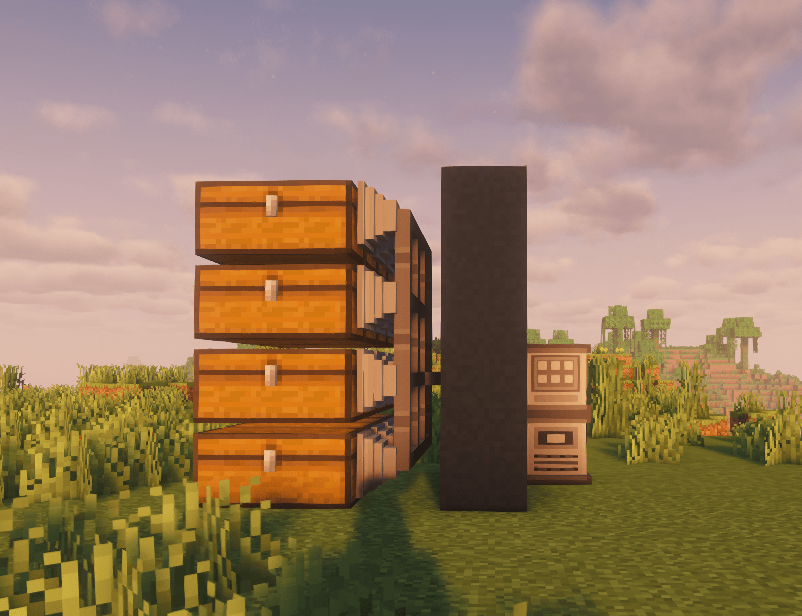
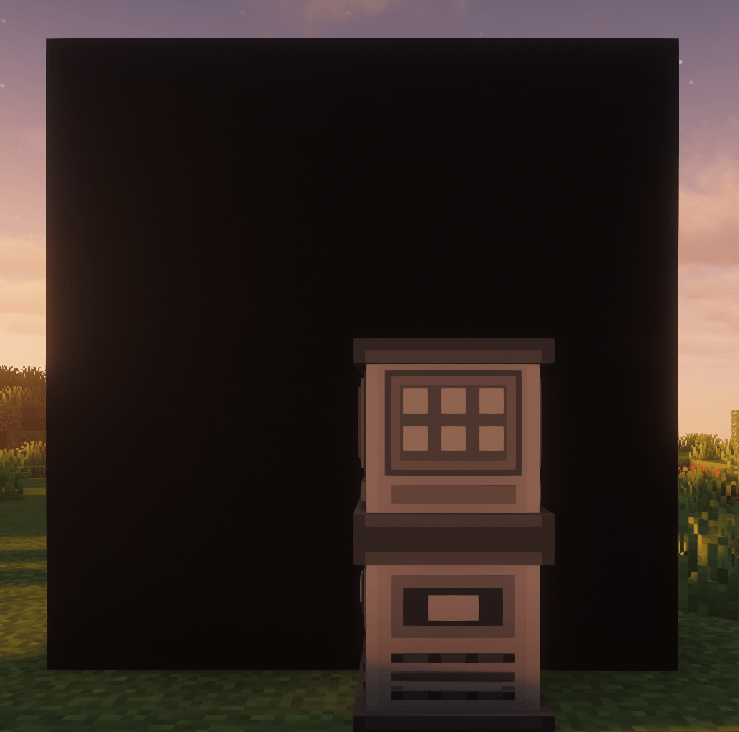
Centralized Storage connects your chests and other containers to one terminal, so finding something doesn’t mean opening half your storage room.
Your items can all be deposited and withdrawn from a single block, allowing you to hide your big ol' ugly chest mountain, into a nice compact singular block. (With tons of versatility mind you)
Features
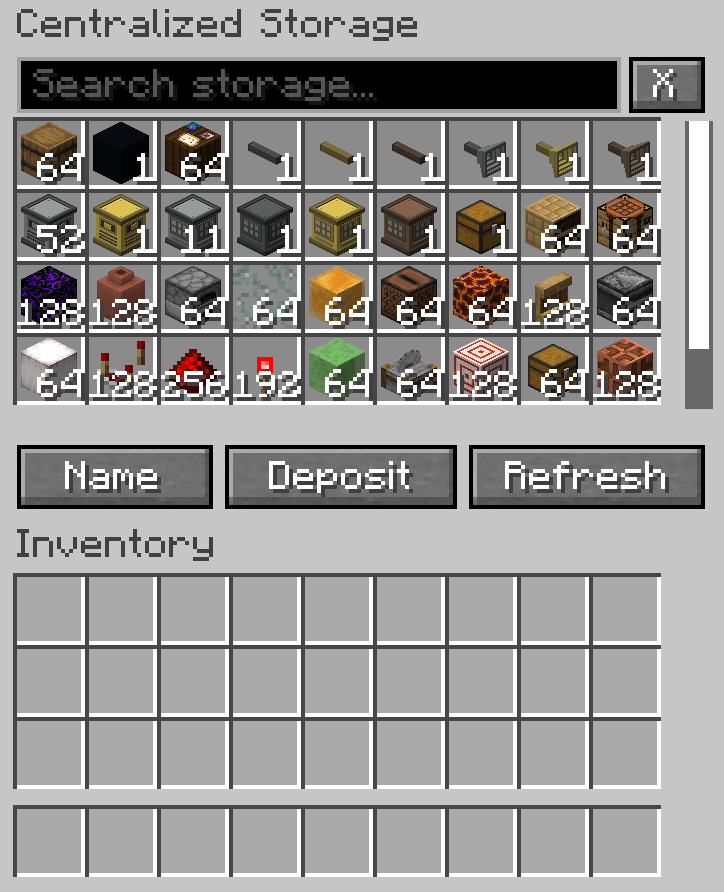
-Search, sort and scroll through one combined item list.
-See total item quantities across connected containers.
-Craft directly in the terminal, with optional ingredient refill from storage.
-Add a Furnace Module to smelt through the terminal.
-Automatically send finished smelts into storage, or leave them in the output slot.
-Check connections and storage information at the controller.
-Choose your UI colors.
-Dye cables, connectors, controllers and terminals with vanilla dyes.
Double chests are supported. Iron Chests is also supported. Support for other container mods depends on the inventory interface they use.
Getting started
Place a controller and terminal, attach connectors to your storage containers, and join everything with cables. Each connected network needs one controller.
Requirements
Minecraft Java 26.3, Fabric Loader and Fabric API. On multiplayer, install the mod on both the server and clients.
Release status
Centralized Storage is currently stable but still testing. Item handling has extensive automated server tests, while graphical and broader modpack testing are still in progress. Back up your world before updating. If you find a bug, please include your mod list and the steps needed to reproduce it.
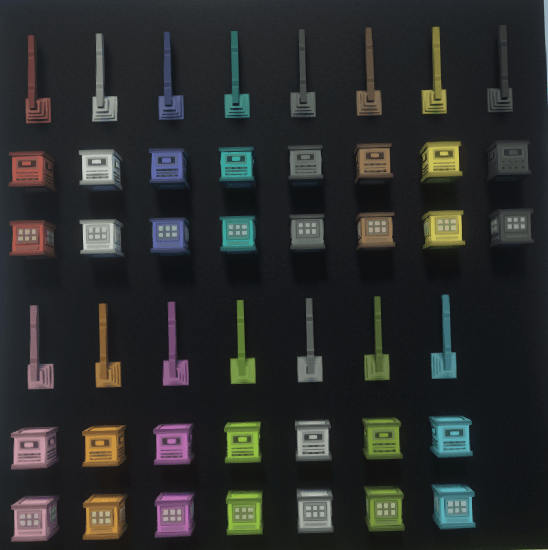
Project description from CurseForge.
Pick your setup
Centralized Storage by Minecraft version and loader
Choose the version and loader you play, then open the matching release.
Minecraft version
26.2
3 loader buildsMinecraft version
1.21.11
3 loader buildsMinecraft version
1.21.1
3 loader buildsCheck the dependencies, then try the file in a copied instance before changing a world you care about.
Recent files
Centralized Storage versions and loaders
centralized-storage-forge-0.6.3-alpha.1+26.2.jar
centralized-storage-forge-0.6.3-alpha.1-26.2.jar
6 Nov 2026
Client Source doesn’t say Server Source doesn’t say Dependencies No extras listed Listed on Release listing
Check the 26.2 · Forge setup Forge26.2 release
centralized-storage-neoforge-0.6.3-alpha.1+26.2.jar
centralized-storage-neoforge-0.6.3-alpha.1-26.2.jar
6 Nov 2026
Client Source doesn’t say Server Source doesn’t say Dependencies No extras listed Listed on Release listing
Check the 26.2 · NeoForge setup NeoForge26.2 release
centralized-storage-fabric-0.6.3-alpha.1+26.2.jar
centralized-storage-fabric-0.6.3-alpha.1-26.2.jar
6 Nov 2026
Client Source doesn’t say Server Source doesn’t say Dependencies No extras listed Listed on Release listing
Check the 26.2 · Fabric setup Fabric26.2 release
centralized-storage-forge-0.6.2-alpha.1+26.3.jar
centralized-storage-forge-0.6.2-alpha.1-26.3.jar
6 Nov 2026
Client Source doesn’t say Server Source doesn’t say Dependencies No extras listed Listed on Release listing
Check the 26.3 · Forge setup Forge26.3 release
centralized-storage-forge-0.6.2-alpha.1+1.21.11.jar
centralized-storage-forge-0.6.2-alpha.1-1.21.11.jar
6 Nov 2026
Client Source doesn’t say Server Source doesn’t say Dependencies No extras listed Listed on Release listing
Check the 1.21.11 · Forge setup Forge1.21.11 release
centralized-storage-forge-0.6.2-alpha.1+1.21.1.jar
centralized-storage-forge-0.6.2-alpha.1-1.21.1.jar
6 Nov 2026
Client Source doesn’t say Server Source doesn’t say Dependencies No extras listed Listed on Release listing
Check the 1.21.1 · Forge setup Forge1.21.1 release
centralized-storage-neoforge-0.6.2-alpha.1+26.3.jar
centralized-storage-neoforge-0.6.2-alpha.1-26.3.jar
6 Nov 2026
Client Source doesn’t say Server Source doesn’t say Dependencies No extras listed Listed on Release listing
Check the 26.3 · NeoForge setup NeoForge26.3 release
centralized-storage-neoforge-0.6.2-alpha.1+1.21.11.jar
centralized-storage-neoforge-0.6.2-alpha.1-1.21.11.jar
6 Nov 2026
Client Source doesn’t say Server Source doesn’t say Dependencies No extras listed Listed on Release listing
Check the 1.21.11 · NeoForge setup NeoForge1.21.11 release
centralized-storage-neoforge-0.6.2-alpha.1+1.21.1.jar
centralized-storage-neoforge-0.6.2-alpha.1-1.21.1.jar
6 Nov 2026
Client Source doesn’t say Server Source doesn’t say Dependencies No extras listed Listed on Release listing
Check the 1.21.1 · NeoForge setup 1.21.1NeoForge release
centralized-storage-fabric-0.6.2-alpha.1+1.21.11.jar
centralized-storage-fabric-0.6.2-alpha.1-1.21.11.jar
6 Nov 2026
Client Source doesn’t say Server Source doesn’t say Dependencies No extras listed Listed on Release listing
Check the 1.21.11 · Fabric setup Fabric1.21.11 release
centralized-storage-fabric-0.6.2-alpha.1+1.21.1.jar
centralized-storage-fabric-0.6.2-alpha.1-1.21.1.jar
6 Nov 2026
Client Source doesn’t say Server Source doesn’t say Dependencies No extras listed Listed on Release listing
Check the 1.21.1 · Fabric setup Fabric1.21.1 release
centralized-storage-0.6.2-alpha.1+26.3.jar
centralized-storage-0.6.2-alpha.1-26.3.jar
6 Nov 2026
Client Source doesn’t say Server Source doesn’t say Dependencies No extras listed Listed on Release listing
Check the 26.3 · Fabric setup Fabric26.3 release
Looking for an older file? The official CurseForge project page is in Resources.
 mod
CurseForge + Modrinth · Minecraft
OverflowAnimations
The all-you-could-want 1.7, 1.8, and modern animations mod for Minecraft. Animatium fork, backported to 1.8.9 and more. By Polyfrost, best with OneClient.
 mod
CurseForge + Modrinth · Minecraft
Crate Delight: Croptopia
Useful crates and bags for Croptopia that will save you storage and look great.
 mod
CurseForge · Minecraft
FTBQ Nexus
AE2–FTB Quests integration: auto-submits item/fluid tasks, checks stock without consuming, claims rewards, optional glass UI.