Back to mods
AE2 Item Locator project artwork

CurseForge · Minecraft mod

AE2 Item Locator

Locate the physical drive and slot that hold any item in your AE2 network, straight from the terminal.

Choose a version Pick your version below, then grab the matching file.

Quick answer

Which AE2 Item Locator release should I use?

Updated 18 days ago
Latest stable file AE2 Item Locator 1.4.2 (Forge 1.20.1)
Game version 1.20.1
Loader Forge

AE2 Item Locator 1.4.2 (Forge 1.20.1) targets 1.20.1 with Forge. The project page does not say whether this file belongs on the client, dedicated server, or both. All 2 required mods have matching files.

Where it goes

Is AE2 Item Locator required on the client, server, or both?

The project page does not say whether this file belongs on the client, dedicated server, or both.

Client Source doesn’t say
Dedicated server Source doesn’t say
Loader for this release Forge
Required install it here Optional supported, not mandatory Not supported do not install here Source doesn’t say do not assume

The source does not explicitly classify this release as client-only or server-only.

What else does AE2 Item Locator 1.4.2 (Forge 1.20.1) need?

AE2 Item Locator 1.4.2 (Forge 1.20.1). Change the file and its required mods may change too.

All 2 required mods have matching files

Install Applied Energistics 2, GuideME first. We found matching files for this game-version and loader setup. 13 come through another mod in the chain.

2 listed on this file 13 pulled in by those mods
Applied Energistics 2 Needed by AE2 Item Locator 1.4.2 (Forge 1.20.1)
required
Matching file found Matched file: AE2 15.4.12 [FORGE]

GuideME Needed by AE2 Item Locator 1.4.2 (Forge 1.20.1)
required
Matching file found Matched file: GuideME 20.1.15
The One Probe Needed by Applied Energistics 2
pulled in
Matching file found Matched file: TheOneProbe - 1.20.1-10.0.5
WTHIT Needed by Applied Energistics 2
pulled in
No matching file
Jade 🔍 Needed by Applied Energistics 2
pulled in
Matching file found Matched file: [Forge 1.20.1] 11.13.3
Just Enough Items (JEI) Needed by Applied Energistics 2
pulled in
Matching file found Matched file: 15.75.0.242 for Forge 1.20.1
Baubles Needed by The One Probe
pulled in
No matching file
Redstone Flux Needed by The One Probe
pulled in
No matching file
TESLA Needed by The One Probe
pulled in
No matching file
MezzConfig Needed by Just Enough Items (JEI)
pulled in
Matching file found Matched file: MezzConfig 0.7.1 for Forge 1.20.1
MezzConfigGUI Needed by Just Enough Items (JEI)
pulled in
Matching file found Matched file: MezzConfig GUI mc1.20.1-0.7.2 for Forge
Architectury API Needed by Roughly Enough Items Fabric/Forge/NeoForge (REI)
pulled in
Matching file found Matched file: [Forge 1.20(.1)] v9.2.14

13 extra mods were pulled in by other dependencies. Indented rows show who needs each one. We only count dependency files that match this setup. A file for another loader does not fill the gap.

Before you install it

Add AE2 Item Locator without breaking your instance.

Built for AE2 Item Locator 1.4.2 (Forge 1.20.1). Pick another file and the loader, install side or required mods may change.

  1. 01

    Stick to this file

    Use AE2 Item Locator 1.4.2 (Forge 1.20.1). It targets 1.20.1 with Forge; another release may have different loader, side or dependency requirements.

  2. 02

    Bring the mods it needs

    Install Applied Energistics 2, GuideME first. We found matching files for this game-version and loader setup. 13 come through another mod in the chain.

  3. 03

    Put it on the correct side

    The project page does not say whether this file belongs on the client, dedicated server, or both.

  4. 04

    Pick the file you checked

    Use the “Get this file” button beside AE2 Item Locator 1.4.2 (Forge 1.20.1). It opens that exact file at the source.

About this project

What does AE2 Item Locator add?

Stop pulling disks one by one.

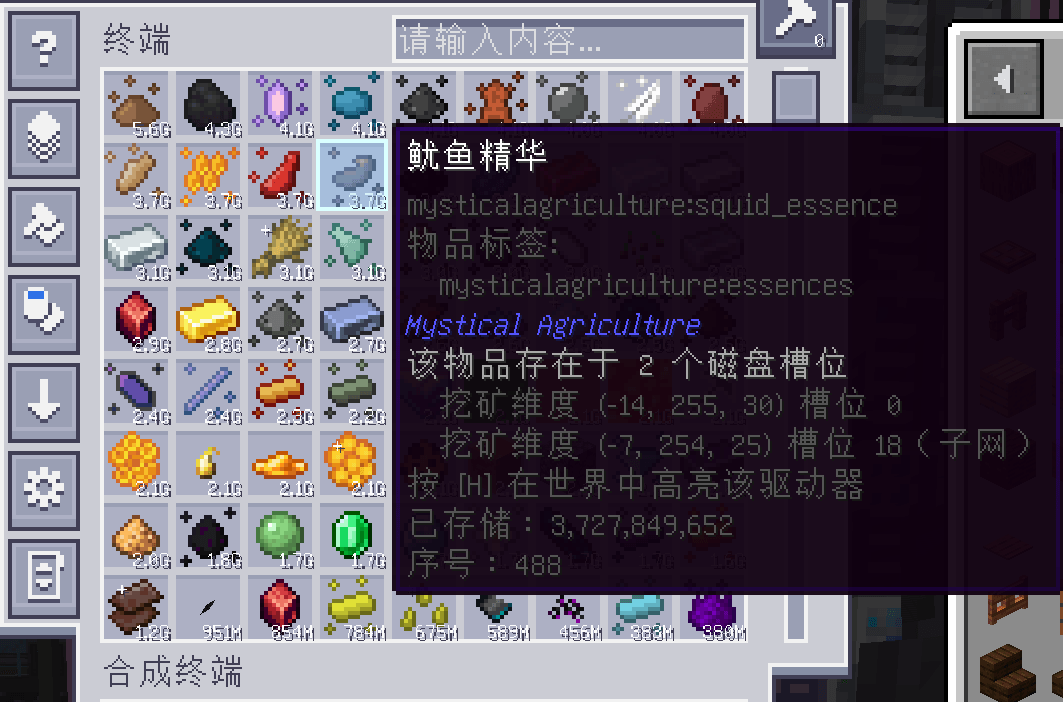
In AE2, finding out which disk holds an item is manual work: the terminal shows the item, but not where it is stored, so the only way to know is to pull disks out one at a time. This mod turns that into a single hover — the tooltip reports the drive's coordinates and slot, and one key highlights that drive in the world.
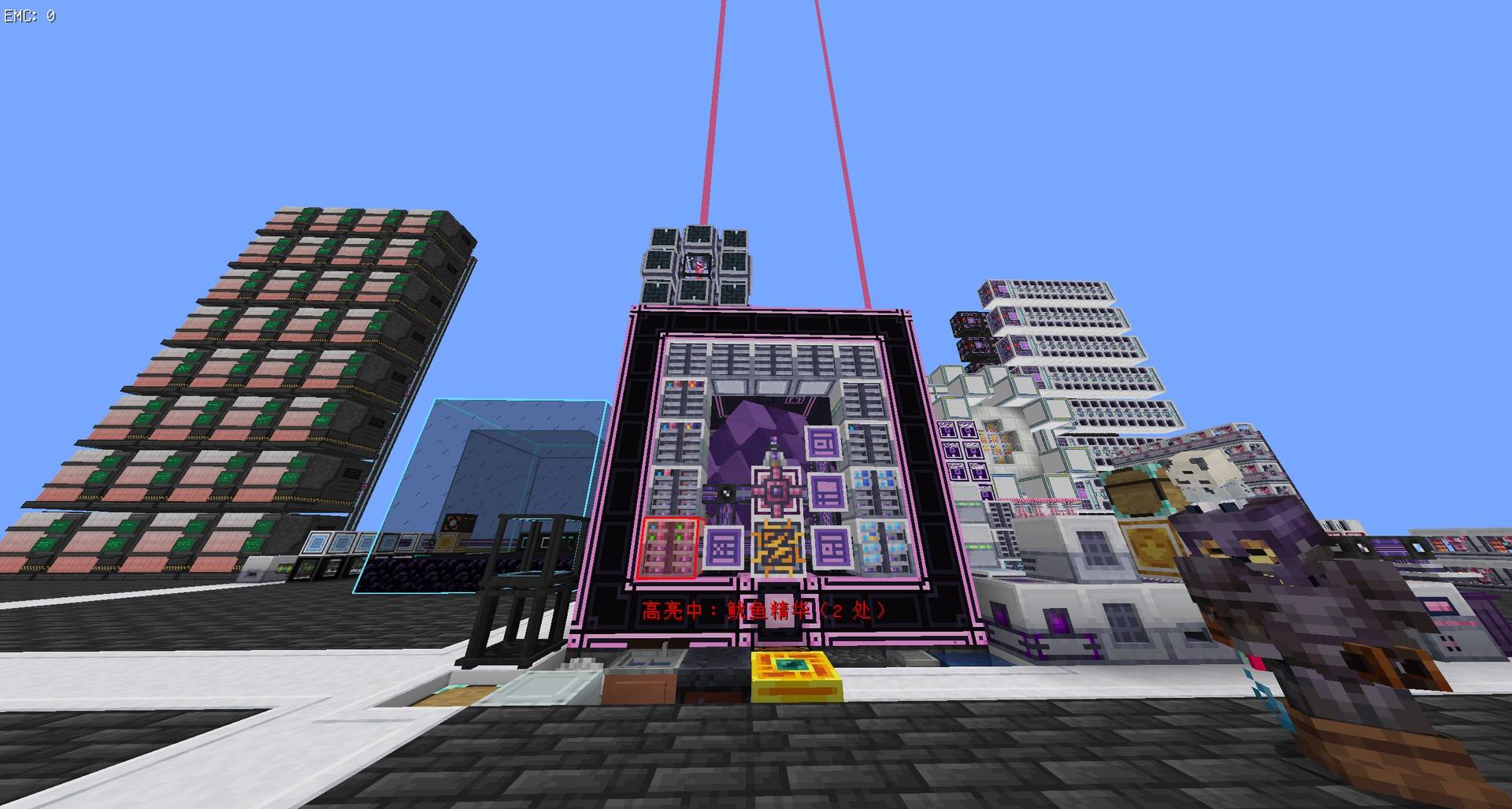
Features

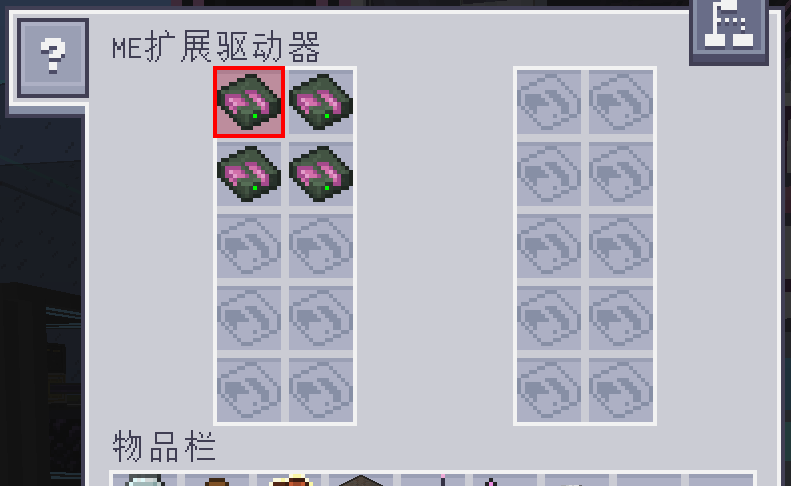
  • Drive and slot in the tooltip — coordinates, slot number and cell type for every network item.
  • In-world highlight — translucent shell, edge outline and optional beacon beam; the lock survives closing the terminal.
  • Slot outline — opening the drive marks the exact slot to pull.
  • Subnetwork aware — storage-bus bridges are followed, results from a subnet are labelled.
  • Multiblock aware — Neo ECO AE drives draw a link line to their controller, the controller is highlighted too, and the cell is framed inside the controller's GUI.
  • Configurable — unified or per-part colours, rainbow cycle per colour, draggable status text.

alt text alt text alt text

Supported mods

  • Applied Energistics 2 (required) — ME Drive, ME Chest
  • ExtendedAE — Ex Drive, 20 slots, both columns
  • MEGA Cells — Cell Dock
  • Neo ECO AE Extension — eco_drive + storage subsystem host
  • AE2 Things / MEGA bulk cells / any other cell — located in whichever drive holds them

Requirements

  • Minecraft 1.21.1
  • NeoForge 21.1.169 or newer
  • Applied Energistics 2 19.2.18 – 19.x
  • GuideME

Install on both client and server.

Links

Project description from CurseForge.

Pick your setup

AE2 Item Locator by Minecraft version and loader

Choose the version and loader you play, then open the matching release.

2 available setups

Check the dependencies, then try the file in a copied instance before changing a world you care about.

Recent files

AE2 Item Locator versions and loaders

2 of 2 releases match

Looking for an older file? The official CurseForge project page is in Resources.