Minecraft version
Back to mods 
CurseForge · Minecraft mod
Chat Selects
Select the chat text using your mouse and copy it to the clipboard with Ctrl + C
Choose a version Pick your version below, then grab the matching file.
Quick answer
Which Chat Selects release matches 26.3?
Best match for your filters chatselect-1.0.0+26.3.jar
Game version 26.3
Loader Fabric
Chat Selects chatselect-1.0.0+26.3.jar targets 26.3 with Fabric. The project page does not say whether this file belongs on the client, dedicated server, or both. No extra mods listed for this file.
Where it goes
Is Chat Selects required on the client, server, or both?
The project page does not say whether this file belongs on the client, dedicated server, or both.
Client Source doesn’t say
Dedicated server Source doesn’t say
Loader for this release Fabric
Required install it here Optional supported, not mandatory Not supported do not install here Source doesn’t say do not assume
The source does not explicitly classify this release as client-only or server-only.
What else does Chat Selects chatselect-1.0.0+26.3.jar need?
chatselect-1.0.0+26.3.jar on 26.3. Every mod below is checked against that same setup.
This file does not list any required mods. Do not add a library just because a different file uses it.
This file does not list any required or optional mods.
Before you install it
Add Chat Selects without breaking your instance.
Built for Chat Selects chatselect-1.0.0+26.3.jar on 26.3. Pick another file and the loader, install side or required mods may change.
- 01
Stick to this file
Use chatselect-1.0.0+26.3.jar. It targets 26.3 with Fabric; another release may have different loader, side or dependency requirements.
- 02
Bring the mods it needs
This file does not list any required mods. Do not add a library just because a different file uses it.
- 03
Put it on the correct side
The project page does not say whether this file belongs on the client, dedicated server, or both.
- 04
Pick the file you checked
Use the “Get this file” button beside chatselect-1.0.0+26.3.jar. It opens that exact file at the source.
About this project
What does Chat Selects add?
Chat Selects by levikk
EN
Select messages in the chat by clicking and dragging the cursor, then press Ctrl+C to copy them. Double-click to select a word. The selected text is highlighted in blue; this color can also be customized in the configuration file.
If you have any suggestions or questions, just dm me on Discord: LeviyTapoKK
Config
The configuration file is located at:
.minecraft\config\chatselect.json
It is created automatically on the first launch and looks like this:
{
  "selectionColor": "#FF0078D7"
}
RU
Выделяйте сообщения в чате, зажав левую кнопку мыши и перетаскивая курсор, затем нажмите Ctrl+C, чтобы скопировать их. Двойной щелчок позволяет выделить слово. Выделенный текст подсвечивается синим; этот цвет можно изменить в файле конфигурации.
Если у вас есть какие-либо предложения или вопросы, просто напишите мне в Discord: LeviyTapoKK
Конфиг
Файл конфигурации находится здесь:
.minecraft\config\chatselect.json
Он создаётся автоматически при первом запуске и выглядит так:
{
  "selectionColor": "#FF0078D7"
}
Project description from CurseForge.
Pick your setup
Chat Selects by Minecraft version and loader
Choose the version and loader you play, then open the matching release.
Minecraft version
26.2
1 loader buildMinecraft version
26.1.1
1 loader buildMinecraft version
26.1
1 loader buildMinecraft version
1.21.11
1 loader buildMinecraft version
1.21.4
1 loader buildCheck the dependencies, then try the file in a copied instance before changing a world you care about.
Recent files
Chat Selects versions and loaders
chatselect-1.0.0+26.3.jar
chatselect-1.0.0-26.3.jar
6 Nov 2026
Client Source doesn’t say Server Source doesn’t say Dependencies No extras listed Listed on Release listing
Check the 26.3 · Fabric setup Fabric26.3 release
Looking for an older file? The official CurseForge project page is in Resources.
 mod
CurseForge · Minecraft
Workling
Workling traz novas formas de fazer as coisas em Minecraft, combinando mecânicas úteis, novas possibilidades e pequenos ajudantes para o seu mundo.
 mod
CurseForge · Minecraft
Traveler's Lantern
Hang a lantern on your belt: it lights your way hands-free with smooth moving light and swings as you move. Works client-only on any server.
 mod
CurseForge · Minecraft
Fast Trades Villager: NO GUI One-Click Trading
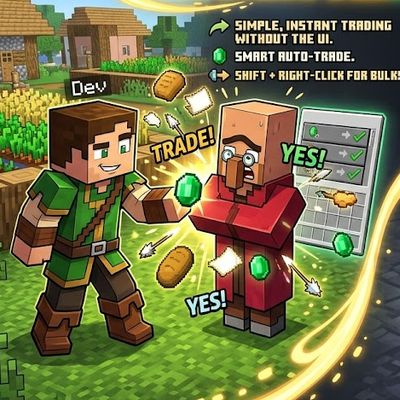
auto , instant and easy quick Shift + Right-Click: Empty your backpack of all affordable resources and complete bulk trades automatically with one click