DV Lib Needed by DV Grave dvgrave-1.20.1-1.0.0.2.jar
requiredMatching file found Matched file: dvlib-1.20.1-1.0.2.jar
CurseForge · Minecraft mod
A gravestone keeps everything you had when you died — and one button puts it all back.
Quick answer
DV Grave dvgrave-1.20.1-1.0.0.2.jar targets 1.20.1 with Forge. The project page does not say whether this file belongs on the client, dedicated server, or both. All 1 required mods have matching files.
Where it goes
The project page does not say whether this file belongs on the client, dedicated server, or both.
The source does not explicitly classify this release as client-only or server-only.
dvgrave-1.20.1-1.0.0.2.jar. Change the file and its required mods may change too.
Install DV Lib first. We found matching files for this game-version and loader setup.
We only count dependency files that match this setup. A file for another loader does not fill the gap.
Before you install it
Built for DV Grave dvgrave-1.20.1-1.0.0.2.jar. Pick another file and the loader, install side or required mods may change.
Use dvgrave-1.20.1-1.0.0.2.jar. It targets 1.20.1 with Forge; another release may have different loader, side or dependency requirements.
Install DV Lib first. We found matching files for this game-version and loader setup.
The project page does not say whether this file belongs on the client, dedicated server, or both.
Use the “Get this file” button beside dvgrave-1.20.1-1.0.0.2.jar. It opens that exact file at the source.
About this project
Part of Darkvolfi's DV mods: small, focused quality-of-life mods that share one library (DV Lib). Every DV mod adds its settings and key bindings to the DV button on the title screen and pause menu. Written from scratch; no code from other mods.
Project description from CurseForge.
Pick your setup
Choose the version and loader you play, then open the matching release.
Check the dependencies, then try the file in a copied instance before changing a world you care about.
Recent files
14 Nov 2026
6 Nov 2026
Looking for an older file? The official CurseForge project page is in Resources.
 mod
Hold a key to break a whole vein, harvest a whole field or shear every sheep around — straight into your inventory.
 mod
Backpacks from leather to netherite, with tools, auto-pickup, tanks and a sleeping bag.
 mod
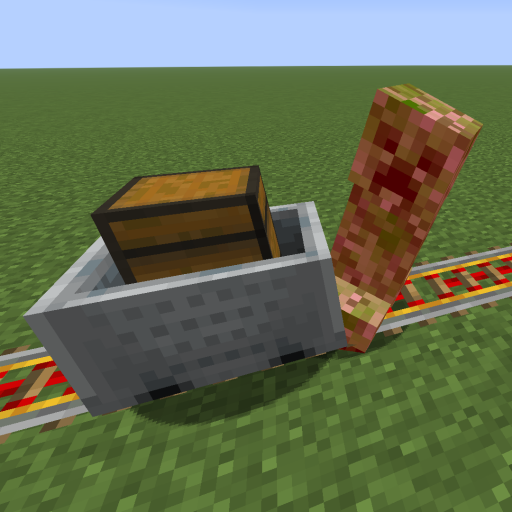
This mod increases damage to moving minecarts; the faster they move, the higher the damage, with virtually no damage limit!