Sophisticated Item Actions Needed by Sophisticated Hot Deposit Block 1.4.1 (Forge/NeoForge 1.20.1)
requiredMatching file found Matched file: sophisticateditemactions-1.20.1-0.4.22.447.jar

CurseForge · Minecraft mod
A carved owl block that deposits your matching items into nearby storage with one right-click. A controller-friendly add-on for Sophisticated Item Actions.
Quick answer
Sophisticated Hot Deposit Block 1.4.1 (Forge/NeoForge 1.20.1) targets 1.20.1 with Forge, NeoForge. The project page does not say whether this file belongs on the client, dedicated server, or both. All 2 required mods have matching files.
Where it goes
The project page does not say whether this file belongs on the client, dedicated server, or both.
The source does not explicitly classify this release as client-only or server-only.
Sophisticated Hot Deposit Block 1.4.1 (Forge/NeoForge 1.20.1) on Forge. Every mod below is checked against that same setup.
Install Sophisticated Item Actions, Sophisticated Core first. We found matching files for this game-version and loader setup. 4 come through another mod in the chain.
4 extra mods were pulled in by other dependencies. Indented rows show who needs each one. We only count dependency files that match this setup. A file for another loader does not fill the gap.
Before you install it
Built for Sophisticated Hot Deposit Block 1.4.1 (Forge/NeoForge 1.20.1) on Forge. Pick another file and the loader, install side or required mods may change.
Use Sophisticated Hot Deposit Block 1.4.1 (Forge/NeoForge 1.20.1). It targets 1.20.1 with Forge, NeoForge; another release may have different loader, side or dependency requirements.
Install Sophisticated Item Actions, Sophisticated Core first. We found matching files for this game-version and loader setup. 4 come through another mod in the chain.
The project page does not say whether this file belongs on the client, dedicated server, or both.
Use the “Get this file” button beside Sophisticated Hot Deposit Block 1.4.1 (Forge/NeoForge 1.20.1). It opens that exact file at the source.
About this project
An add-on for Sophisticated Item Actions, for Minecraft 1.20.1 through 26.3: Forge or NeoForge on 1.20.1, NeoForge on 1.21.1, 1.21.4, 1.21.5, 1.21.8, 1.21.10, 1.21.11, 26.1.2, 26.2 and 26.3.
Hot Deposit adds a single block, a carved wooden owl with gold trim. Right-click it and every item in your main inventory (not your hotbar) that already matches something in nearby storage is deposited into that storage. It does the same thing as Sophisticated Item Actions' Shift + ' keybind, built for controller players and anyone who can't easily press a modifier + key combo.
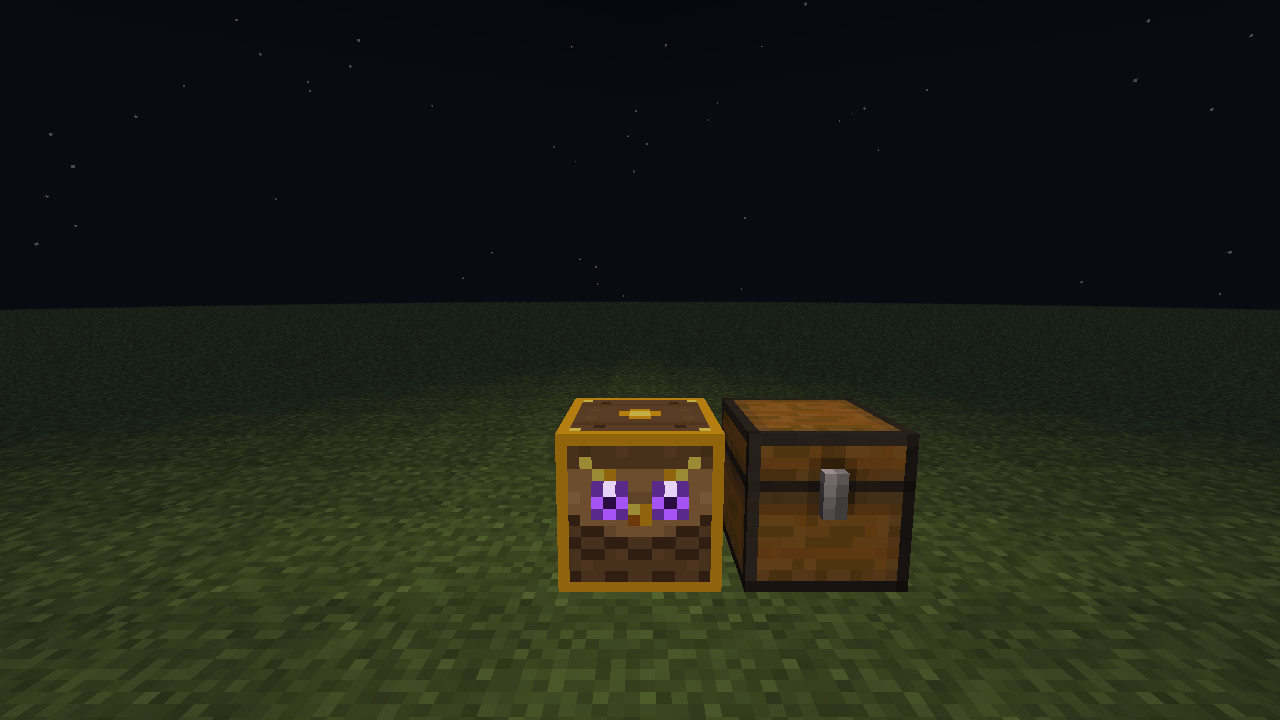
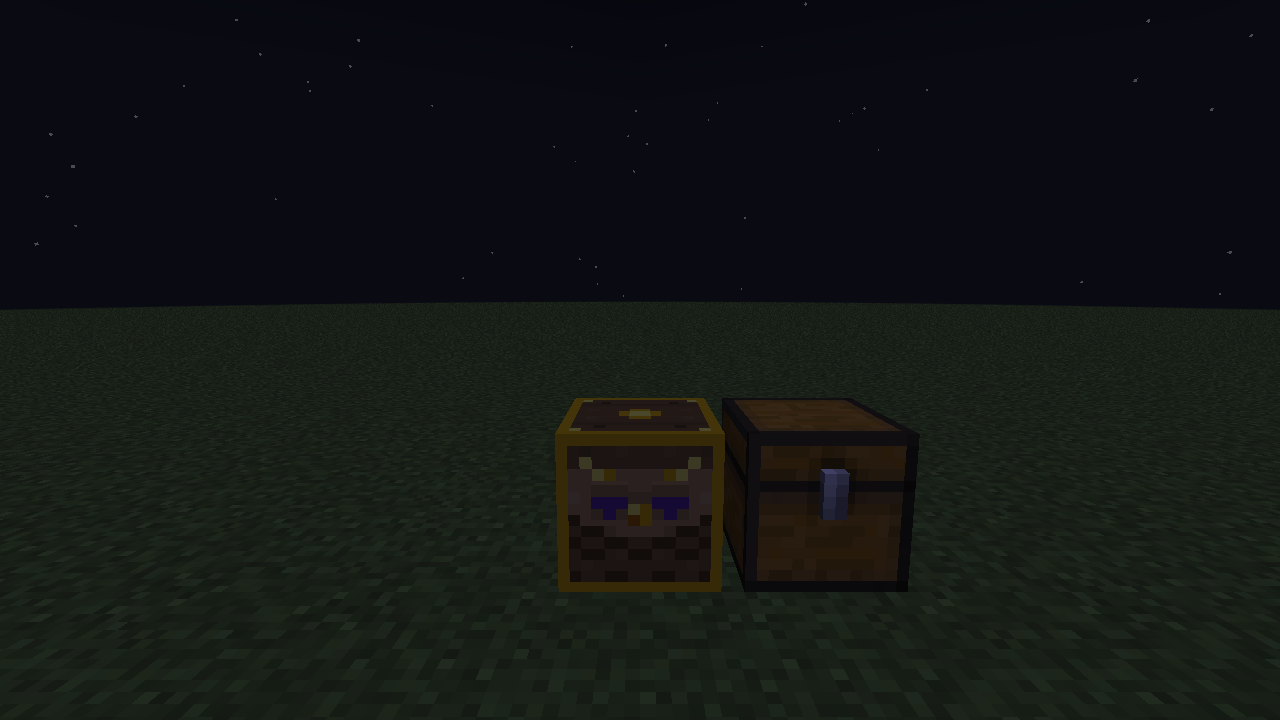
The owl's two purple eyes open and glow when a player in range is carrying something that can be deposited, and close when there's nothing to deposit. While open, the block gives off a soft light (level 10, like a soul lantern).
Eyes open: you're carrying items that match nearby storage.
After a right-click: the matching items went into the chest, so the eyes close.
Hot Deposited 3 Items:
Cobblestone x32
Torch x2
String x4
Open it from the Mods list (select Sophisticated Hot Deposit Block, then Config) or edit config/hotdeposit-common.toml.
minecraft:furnace, minecraft:armor_stand), a whole mod (somemod:*) or a tag (#c:chests). Defaults: armor stand, furnace, blast furnace, smoker, brewing stand.chatList, default on): whether using the block lists what was deposited in chat. Only the player who used it sees the list.On 1.20.1 there's no in-game config screen, so edit config/hotdeposit-common.toml and restart the game. On 26.3 the file is config/hotdeposit-local.toml.
Shaped crafting recipe, row by row:
Download the file for your Minecraft version. Every version needs Sophisticated Item Actions (and Sophisticated Core, which Sophisticated Item Actions already requires):
Every version was tested in game: the eyes open next to a chest holding an item you carry, and a right-click deposits it.
Source code: github.com/goob472/hot-deposit-sia-addon (MIT license)
Project description from CurseForge.
Pick your setup
Choose the version and loader you play, then open the matching release.
Check the dependencies, then try the file in a copied instance before changing a world you care about.
Recent files
hotdeposit-mc1.20.1-1.4.1.jar
25 Nov 2026
hotdeposit-mc1.20.1-1.4.0.jar
25 Nov 2026
hotdeposit-mc1.20.1-1.3.0.jar
17 Nov 2026
Looking for an older file? The official CurseForge project page is in Resources.