Minecraft version
Back to mods 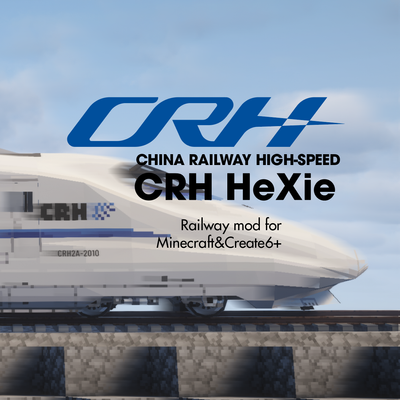
CurseForge · Minecraft mod
CRH-Hexie
China style EMU and normal train ,railway system deco mod for create6+.
Choose a version Pick your version below, then grab the matching file.
Quick answer
Which CRH-Hexie release should I use?
beta file Hexie-1.21.1-NeoForge-0.9.5-Plana-bata-261110.jar
Game version 1.21.1
Loader NeoForge
CRH-Hexie Hexie-1.21.1-NeoForge-0.9.5-Plana-bata-261110.jar targets 1.21.1 with NeoForge. The project page does not say whether this file belongs on the client, dedicated server, or both. No extra mods listed for this file.
Where it goes
Is CRH-Hexie required on the client, server, or both?
The project page does not say whether this file belongs on the client, dedicated server, or both.
Client Source doesn’t say
Dedicated server Source doesn’t say
Loader for this release NeoForge
Required install it here Optional supported, not mandatory Not supported do not install here Source doesn’t say do not assume
The source does not explicitly classify this release as client-only or server-only.
What else does CRH-Hexie Hexie-1.21.1-NeoForge-0.9.5-Plana-bata-261110.jar need?
Hexie-1.21.1-NeoForge-0.9.5-Plana-bata-261110.jar. Change the file and its required mods may change too.
This file does not list any required mods. Do not add a library just because a different file uses it.
This file does not list any required or optional mods.
Before you install it
Add CRH-Hexie without breaking your instance.
Built for CRH-Hexie Hexie-1.21.1-NeoForge-0.9.5-Plana-bata-261110.jar. Pick another file and the loader, install side or required mods may change.
- 01
Stick to this file
Use Hexie-1.21.1-NeoForge-0.9.5-Plana-bata-261110.jar. It targets 1.21.1 with NeoForge; another release may have different loader, side or dependency requirements.
- 02
Bring the mods it needs
This file does not list any required mods. Do not add a library just because a different file uses it.
- 03
Put it on the correct side
The project page does not say whether this file belongs on the client, dedicated server, or both.
- 04
Pick the file you checked
Use the “Get this file” button beside Hexie-1.21.1-NeoForge-0.9.5-Plana-bata-261110.jar. It opens that exact file at the source.
About this project
What does CRH-Hexie add?
Hello. Hello.
CRH-Hexie (Hexie meaning Harmony,a slogan of China Railway from 2008) is a Chinese-style railway mod,which is a railway decoration mod built with art assets from KuaYue 0.3.9n. Lay your first track. Assemble a complete train. Bring the Chinese railways you know to life in a world of blocks.
Requires Create 6.0.10 or later. Also compatible with tracks from Create: simurail.

Fresh thinking. From the first rail to the first departure.
Tracks. Just the right height.
CRH Hexie offers several track types in 1,435 mm standard gauge, with the railhead raised to 0.75 m. So your trains line up properly with Chinese-standard 1.25 m platforms. A little lift. A much better fit.
Ballast is built right in. Simply right-click with a block in hand to change its material. Less time wrestling with slab alignment and ballast around curves. More time bringing your railway to life.

Train control. At speed. At ease.
Built for high-speed rail, CRH Hexie introduces MTCS-200 (Minecraft Train Control System – 200 km/h), a train control system based on CTCS (Chinese Train Control System).
It works with Create’s train schedules and lets you switch back to Create’s original driving controls at any time. Two ways to drive. Every journey in your hands.  Minecraft Train Control System-200
A new train system. Built around each carriage.
A revolutionary carriage management system takes your builds beyond Create’s two-bogie limit. Locomotives with three, four, or even more bogies are now easier to recreate.
Customize the distance between the carriage floor and the rails. Fine-tune bogie bolster height and fore-and-aft positioning. Get the proportions just the way you pictured them.
CRH Hexie also improves how players move with trains. Walk around. Jump freely. Enjoy the freedom to move on board.
CRH Hexie provides a novel method for calculating train speed, which involves comprehensively calculating the maximum running speed of the entire train based on the power of the bogies; accordingly, the power of the bogies for trailers and passenger coach is set to 0.
The coupler system lets you connect carriages and freely rearrange your train. Adapters bring different coupler types together, too. From a single carriage to a complete train, build the formation you have in mind.
The carriage management system makes these features possible:
 mutil-bogies
 Animated yaw dampers
 Flexible train formations
 Adjustable bogies
Multiple bogies Animated bogie traction rods Coupler system Adjustable bogie bolster height and fore-and-aft positioning
CarriageFlow. It all falls into place.
Finding the right place for carriage plates. Getting the layout right. Selecting plates without the usual fuss.
Meet CarriageFlow. Designed to make these steps feel simpler and more intuitive, so you can focus on the train taking shape.
 CarriageFlow
Compatibility. More connections. More possibilities.
CRH Hexie works smoothly with Create: Steam'n'Rails, Create: Simurail, Create: Aeronautics, and other mods in the Aeronautics ecosystem. It also supports RailX’s superelevation feature for banked curves.
 Compatible with Simurail
 Compatible with RailX superelevation
License
- Code, build scripts and documentation: MIT, unless a separate notice states otherwise.
- Artwork in
art_assets/: GNU GPL version 3 only (GPL-3.0-only), including artwork in its subdirectories and asset archives. See the art asset licensing scope. - Third-party components: retain their original licenses and copyright notices; see THIRD_PARTY_NOTICES.txt and the notices accompanying those components.
The GPLv3 license for the artwork does not change the MIT license of the project's code.
Release JARs include the project and third-party notices under META-INF/, the upstream KuaYue MIT text under META-INF/licenses/kuayue/, full font licenses under META-INF/licenses/sign-fonts/, and the artwork license and scope under META-INF/licenses/hexie-art/.
Release packaging
Run ./gradlew assemble to build the mod, code sources JAR and matching -art-sources.zip in build/libs/. Publish the matching source artifacts alongside the mod download. The artwork archive contains the current art_assets/ tree, including editable models, and its license notices. Before publishing, check that any distributed GPL-covered artwork has its corresponding editable sources in that archive; the archive alone does not establish a source-to-export mapping or ownership of third-party assets.
Project description from CurseForge.
Pick your setup
CRH-Hexie by Minecraft version and loader
Choose the version and loader you play, then open the matching release.
Check the dependencies, then try the file in a copied instance before changing a world you care about.
Recent files
CRH-Hexie versions and loaders
Hexie-1.21.1-NeoForge-0.9.5-Plana-bata-261110.jar
9 Nov 2026
Client Source doesn’t say Server Source doesn’t say Dependencies No extras listed Listed on Release listing
Check the 1.21.1 · NeoForge setup 1.21.1NeoForge beta
Hexie-1.21.1-NeoForge-0.9.3-Plana-bata-261109.jar
9 Nov 2026
Client Source doesn’t say Server Source doesn’t say Dependencies No extras listed Listed on Release listing
Check the 1.21.1 · NeoForge setup 1.21.1NeoForge beta
Looking for an older file? The official CurseForge project page is in Resources.
 mod
CurseForge · Minecraft
Mekanism Stack Processor
A NeoForge mod that adds batch processing to Mekanism machines. Instead of processing items one at a time, machines process multiple items per operation based on their tier.
 mod
CurseForge · Minecraft
Create Aeronautics: IHADSS & M230 Chin Gun
This mod is currently in active Development. Features, models, and ballistic tuning are under active development. If you encounter any bugs, balance suggestions, or feedback, please report them in the comment section!
 mod
CurseForge · Minecraft
The Shooting Star Addition
Unofficial addon for The Shooting Star [Demo]: adds SA-01 Halley (comet), SA-02 Luna (moon), SA-04 Proxima (solar flare) and SA-00 Stellar Convergence (every weapon at once) to the Stellar Remote. For The Shooting Star 1.5.2 + RimuLib.