Minecraft version
Back to mods 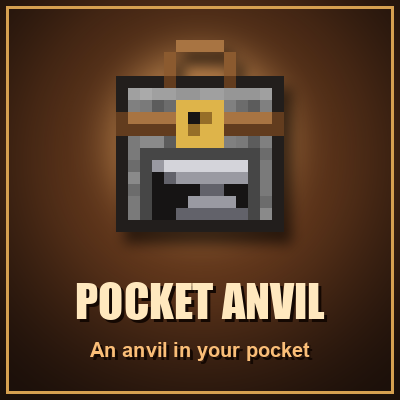
CurseForge · Minecraft mod
Pocket Anvil
An anvil you carry in your pocket: repair, combine and rename gear anywhere. It wears out after 50 uses, and an iron block fixes it up.
Choose a version Pick your version below, then grab the matching file.
Quick answer
Which Pocket Anvil release should I use?
Latest stable file pocketanvil-forge-26.3-1.1.0.jar
Game version 26.3
Loader Forge
Pocket Anvil pocketanvil-forge-26.3-1.1.0.jar targets 26.3 with Forge. The project page does not say whether this file belongs on the client, dedicated server, or both. No extra mods listed for this file.
Where it goes
Is Pocket Anvil required on the client, server, or both?
The project page does not say whether this file belongs on the client, dedicated server, or both.
Client Source doesn’t say
Dedicated server Source doesn’t say
Loader for this release Forge
Required install it here Optional supported, not mandatory Not supported do not install here Source doesn’t say do not assume
The source does not explicitly classify this release as client-only or server-only.
What else does Pocket Anvil pocketanvil-forge-26.3-1.1.0.jar need?
pocketanvil-forge-26.3-1.1.0.jar. Change the file and its required mods may change too.
This file does not list any required mods. Do not add a library just because a different file uses it.
This file does not list any required or optional mods.
Before you install it
Add Pocket Anvil without breaking your instance.
Built for Pocket Anvil pocketanvil-forge-26.3-1.1.0.jar. Pick another file and the loader, install side or required mods may change.
- 01
Stick to this file
Use pocketanvil-forge-26.3-1.1.0.jar. It targets 26.3 with Forge; another release may have different loader, side or dependency requirements.
- 02
Bring the mods it needs
This file does not list any required mods. Do not add a library just because a different file uses it.
- 03
Put it on the correct side
The project page does not say whether this file belongs on the client, dedicated server, or both.
- 04
Pick the file you checked
Use the “Get this file” button beside pocketanvil-forge-26.3-1.1.0.jar. It opens that exact file at the source.
About this project
What does Pocket Anvil add?
Pocket Anvil
An anvil you carry in your pocket. Right-click it to repair, combine and rename your gear anywhere: in a cave, out exploring, or far from your base.
How it works
- A real anvil screen. Repairing, combining enchantments and renaming use the same rules and the same XP cost as a normal anvil.
- It wears out like a real anvil. Every finished job uses 1 of its 50 uses. You can see how worn it is: Like new → Chipped → Damaged, with a durability bar on the item and in the anvil screen.
- When it breaks after the last use, the item you were working on is kept, nothing is lost.
- Fix it up: craft a worn Pocket Anvil with 1 to 3 iron blocks. Each iron block gives back 17 uses.
- No wear in Creative mode.
Recipe
String on top, leather around, and a normal anvil in the middle:
 S
LAL
LLL
S = String, L = Leather, A = Anvil
Versions
- Minecraft 26.3: NeoForge, Forge, Fabric
- Minecraft 1.21.1: NeoForge, Forge, Fabric
- Minecraft 1.20.1: Forge, Fabric
Fabric versions need Fabric API.
Part of the Pocket series
Pocket Crafter, Pocket Furnace, Pocket Smoker, Pocket Shredder, Pocket Stacker, Pocket Bags and now Pocket Anvil. See them all at dnarwimods.com.
This mod came from the Ideas Board! Have an idea for something new, or a change to one of my mods? Send it on the Ideas Board.
Project description from CurseForge.
Pick your setup
Pocket Anvil by Minecraft version and loader
Choose the version and loader you play, then open the matching release.
Minecraft version
1.21.1
3 loader buildsMinecraft version
1.20.1
2 loader buildsCheck the dependencies, then try the file in a copied instance before changing a world you care about.
Recent files
Pocket Anvil versions and loaders
pocketanvil-forge-26.3-1.1.0.jar
9 Nov 2026
Client Source doesn’t say Server Source doesn’t say Dependencies No extras listed Listed on Release listing
Check the 26.3 · Forge setup Forge26.3 release
pocketanvil-neoforge-26.3-1.1.0.jar
9 Nov 2026
Client Source doesn’t say Server Source doesn’t say Dependencies No extras listed Listed on Release listing
Check the 26.3 · NeoForge setup NeoForge26.3 release
pocketanvil-neoforge-1.21.1-1.1.0.jar
9 Nov 2026
Client Source doesn’t say Server Source doesn’t say Dependencies No extras listed Listed on Release listing
Check the 1.21.1 · NeoForge setup 1.21.1NeoForge release
pocketanvil-forge-1.21.1-1.1.0.jar
9 Nov 2026
Client Source doesn’t say Server Source doesn’t say Dependencies No extras listed Listed on Release listing
Check the 1.21.1 · Forge setup Forge1.21.1 release
pocketanvil-forge-1.20.1-1.1.0.jar
9 Nov 2026
Client Source doesn’t say Server Source doesn’t say Dependencies No extras listed Listed on Release listing
Check the 1.20.1 · Forge setup 1.20.1Forge release
pocketanvil-fabric-26.3-1.1.0.jar
9 Nov 2026
Client Source doesn’t say Server Source doesn’t say Dependencies 1 required · 1 unchecked Listed on Release listing
Check the 26.3 · Fabric setup Fabric26.3 release
pocketanvil-fabric-1.21.1-1.1.0.jar
9 Nov 2026
Client Source doesn’t say Server Source doesn’t say Dependencies 1 required · 1 unchecked Listed on Release listing
Check the 1.21.1 · Fabric setup Fabric1.21.1 release
pocketanvil-fabric-1.20.1-1.1.0.jar
9 Nov 2026
Client Source doesn’t say Server Source doesn’t say Dependencies 1 required · 1 unchecked Listed on Release listing
Check the 1.20.1 · Fabric setup Fabric1.20.1 release
pocketanvil-fabric-1.20.1-1.0.0.jar
7 Nov 2026
Client Source doesn’t say Server Source doesn’t say Dependencies 1 required · 1 unchecked Listed on Release listing
Check the 1.20.1 · Fabric setup Fabric1.20.1 release
pocketanvil-fabric-1.21.1-1.0.0.jar
7 Nov 2026
Client Source doesn’t say Server Source doesn’t say Dependencies 1 required · 1 unchecked Listed on Release listing
Check the 1.21.1 · Fabric setup Fabric1.21.1 release
pocketanvil-fabric-26.3-1.0.0.jar
7 Nov 2026
Client Source doesn’t say Server Source doesn’t say Dependencies 1 required · 1 unchecked Listed on Release listing
Check the 26.3 · Fabric setup Fabric26.3 release
pocketanvil-forge-1.20.1-1.0.0.jar
7 Nov 2026
Client Source doesn’t say Server Source doesn’t say Dependencies No extras listed Listed on Release listing
Check the 1.20.1 · Forge setup 1.20.1Forge release
Looking for an older file? The official CurseForge project page is in Resources.
 mod
CurseForge · Minecraft
Pocket Shredder
A pocket shredder for junk stacks, with a history so you can take back anything you shredded by mistake.
 mod
CurseForge · Minecraft
Pocket Smoker
A smoker you carry in your pocket that keeps cooking food at 2x speed while it sits in your inventory.
 mod
CurseForge · Minecraft
HERO PULSE
Hero Pulse is an expanding superhero universe! Start your journey mastering advanced web-swinging, and prepare for upcoming heroes from comics, TV, and anime.