Minecraft version
Back to mods 
CurseForge · Minecraft mod
KeybindProfile
Save, organize and share your Minecraft keybind profiles with change previews, conflict warnings, custom shortcuts and undo/redo.
Choose a version Pick your version below, then grab the matching file.
Quick answer
Which KeybindProfile release matches 26.1?
Best match for your filters keybindProfile
Game version 26.1
Loader Fabric
keybindProfile targets 26.1 with Fabric. The project page does not say whether this file belongs on the client, dedicated server, or both. No extra mods listed for this file.
Where it goes
Is KeybindProfile required on the client, server, or both?
The project page does not say whether this file belongs on the client, dedicated server, or both.
Client Source doesn’t say
Dedicated server Source doesn’t say
Loader for this release Fabric
Required install it here Optional supported, not mandatory Not supported do not install here Source doesn’t say do not assume
The source does not explicitly classify this release as client-only or server-only.
What else does keybindProfile need?
keybindProfile on 26.1. Every mod below is checked against that same setup.
This file does not list any required mods. Do not add a library just because a different file uses it.
This file does not list any required or optional mods.
Before you install it
Add KeybindProfile without breaking your instance.
Built for keybindProfile on 26.1. Pick another file and the loader, install side or required mods may change.
- 01
Stick to this file
Use keybindProfile. It targets 26.1 with Fabric; another release may have different loader, side or dependency requirements.
- 02
Bring the mods it needs
This file does not list any required mods. Do not add a library just because a different file uses it.
- 03
Put it on the correct side
The project page does not say whether this file belongs on the client, dedicated server, or both.
- 04
Pick the file you checked
Use the “Get this file” button beside keybindProfile. It opens that exact file at the source.
About this project
What does KeybindProfile add?
⌨️ keybindProfile
Your keybinds. Your profiles. Your playstyle.
keybindProfile is a client-side Fabric mod designed to make managing your Minecraft controls easier than ever.
Create custom keybind profiles for Crystal PvP, Sword PvP, Building, Survival and Modpacks, then switch between them instantly without manually reconfiguring your controls.
Open the profile manager with F8, or access it directly from the Controls and Key Binds menus.
📸 Preview
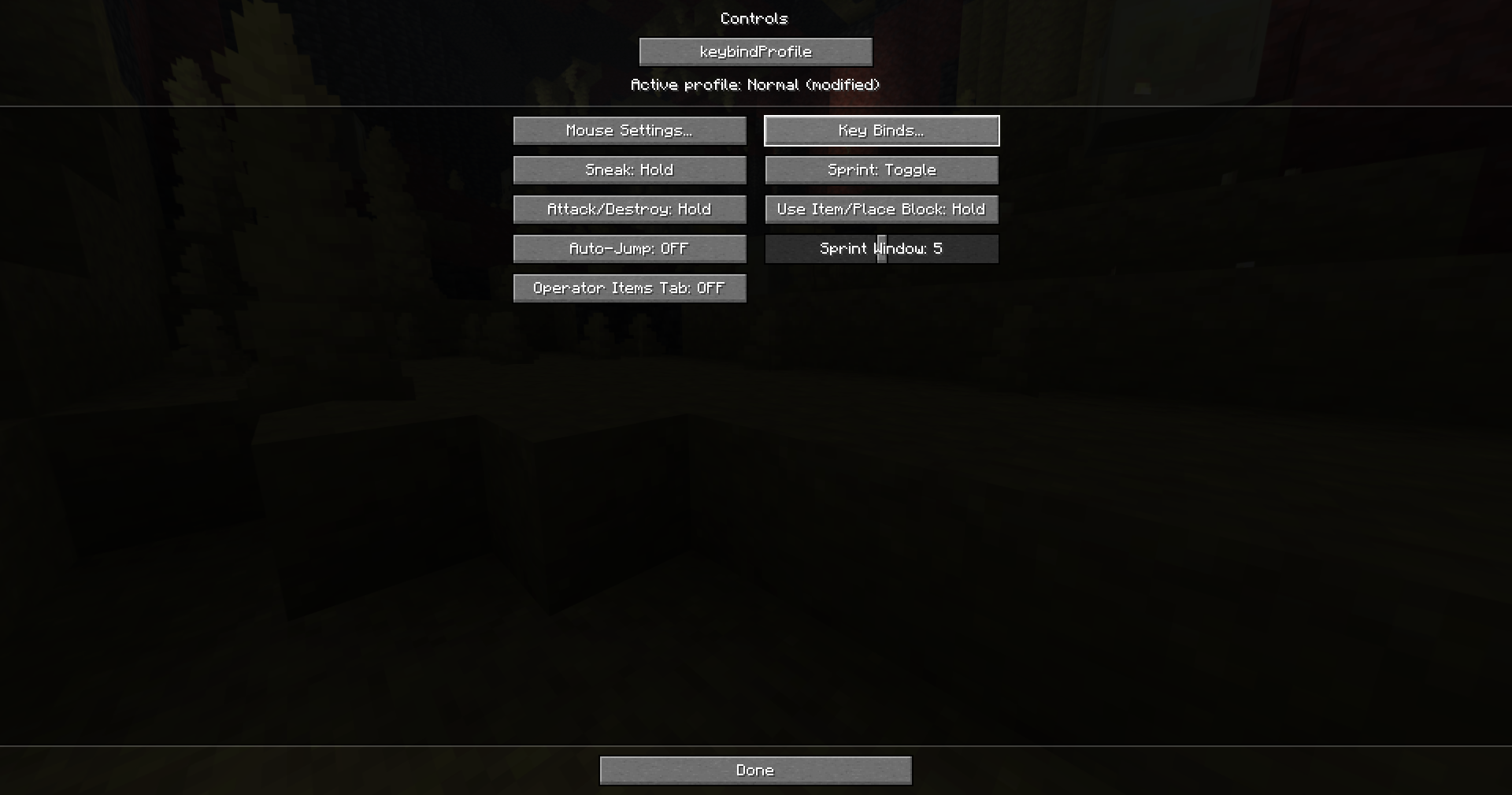
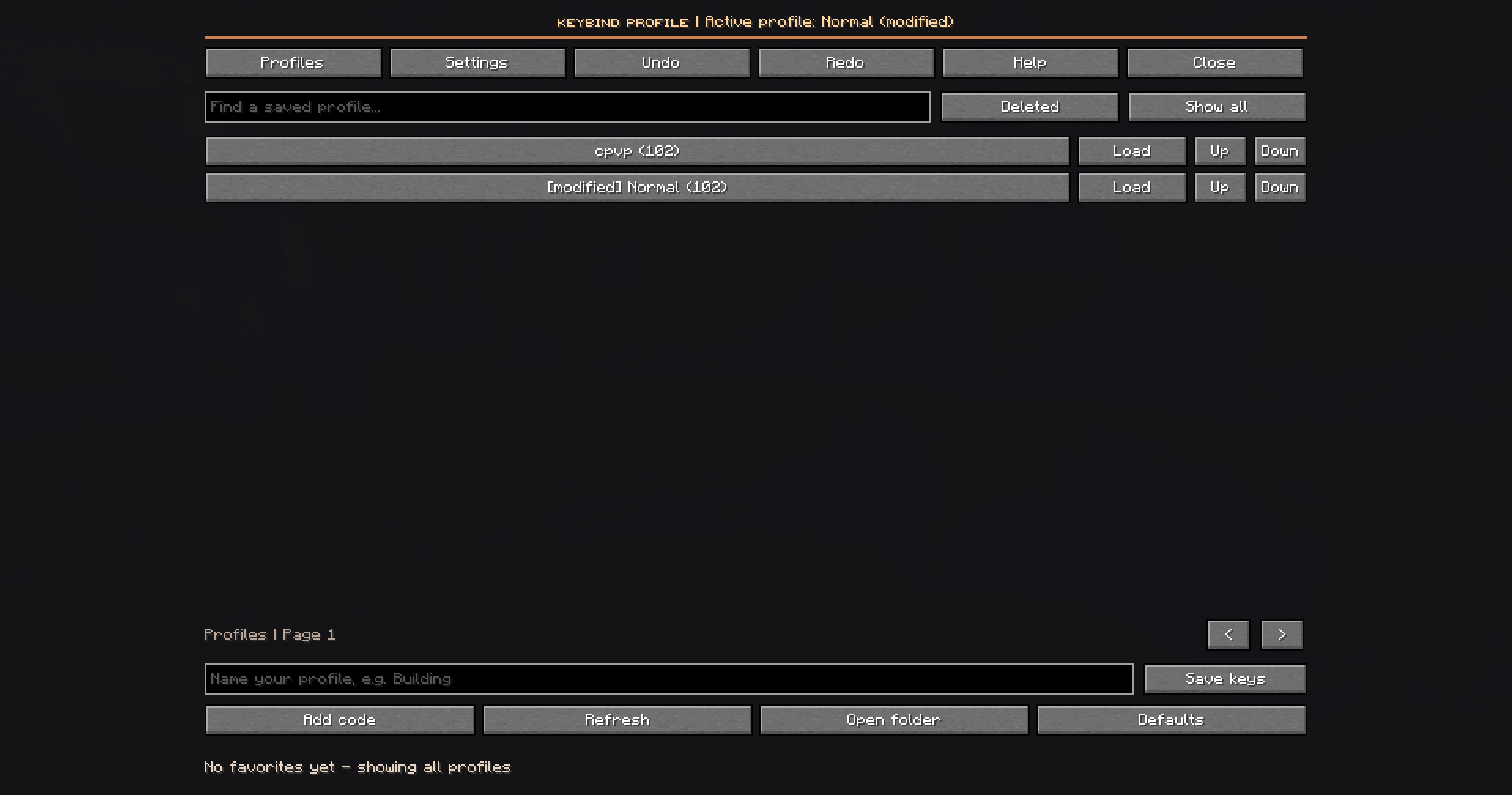
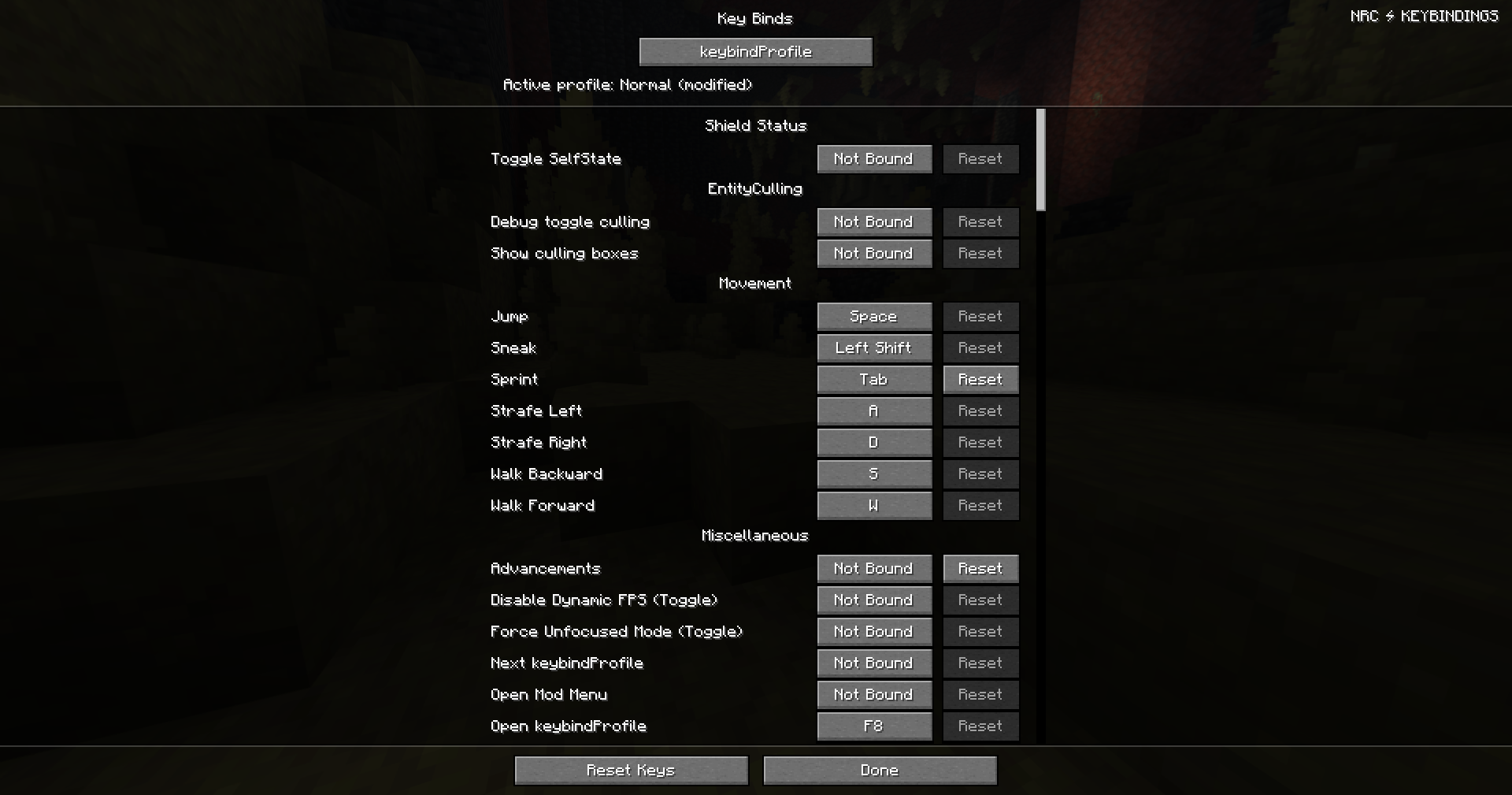
✨ Features
📁 Profile Management
Create, customize and organize your keybind layouts.
- Unlimited Profiles – Create as many profiles as you need.
- Save & Update – Save your current keybind configuration at any time.
- Rename & Duplicate – Easily manage existing profiles.
- Trash & Recovery – Restore accidentally deleted profiles.
⚡ Instant Profile Switching
Switch your entire control setup in seconds.
- Quick Switching – Apply saved profiles instantly.
- Favorites – Keep frequently used profiles within reach.
- Cycle Hotkey – Switch through profiles with a single shortcut.
- Custom Shortcuts – Assign individual hotkeys to specific profiles.
🔍 Advanced Keybind Editor
Take full control of your keybind configurations.
- Live Comparison – Preview differences before applying a profile.
- Selective Application – Apply only the bindings you want.
- Smart Search – Quickly locate actions and assigned keys.
- Advanced Filters – Find conflicts, changed bindings and missing mod entries.
- Mod Compatibility – Supports keybinds registered by other mods.
🛡️ Safety & Recovery
Your keybind configurations are protected against accidental changes.
- Undo & Redo – Restore up to 20 previous changes.
- Recovery History – Save recovery data before applying changes.
- Profile Validation – Validate configurations before application.
- Confirmation Dialogs – Optionally confirm important changes.
- In-Game Protection – Reduce accidental hotkey activation during gameplay.
🌐 Sharing & Cross-Instance Support
Use your profiles wherever you play.
- Share Codes – Export profiles and share them with friends.
- Import Preview – Review imported configurations before saving.
- Shared Profile Library – Access profiles across Minecraft instances.
- Independent Settings – Configure startup preferences separately for each instance.
🎮 Made for Every Playstyle
| Playstyle | Recommended Setup |
|---|---|
| ⚔️ Crystal PvP | Crystals, obsidian and combat keybinds |
| 🗡️ Sword PvP | Movement and combat controls |
| 🏗️ Building | Building tools and shortcuts |
| 🌍 Survival | Everyday Minecraft controls |
| 🧩 Modpacks | Custom mod-specific keybinds |
Switch between different playstyles without losing your preferred controls.
📦 Compatibility
| Minecraft Version | Mod Loader |
|---|---|
| 1.21.11 | Fabric |
| 26.1 | Fabric |
| 26.2 | Fabric |
| 26.3 | Fabric |
⚙️ Requirements
- Fabric Loader:
0.20.1+ - Fabric API: Matching Minecraft version
- Side: Client-side only
- Server Installation: Not required
🚀 Getting Started
- Install Fabric Loader and the matching Fabric API.
- Download the correct keybindProfile version.
- Place the
.jarfile inside your Minecraftmodsfolder. - Launch Minecraft and press
F8. - Create your first profile and save your keybinds.
You're ready to switch between your favorite control layouts.
⌨️ One Mod. Every Playstyle.
Create your profiles. Customize your controls. Switch instantly.
keybindProfile — Your controls, your way.
Project description from CurseForge.
Pick your setup
KeybindProfile by Minecraft version and loader
Choose the version and loader you play, then open the matching release.
Minecraft version
26.2
1 loader buildMinecraft version
26.1
1 loader buildMinecraft version
1.21.11
1 loader buildCheck the dependencies, then try the file in a copied instance before changing a world you care about.
Recent files
KeybindProfile versions and loaders
keybindProfile
keybindProfile-1.0.5-26.1.jar
7 Nov 2026
Client Source doesn’t say Server Source doesn’t say Dependencies No extras listed Listed on Release listing
Check the 26.1 · Fabric setup Fabric26.1 release
Looking for an older file? The official CurseForge project page is in Resources.
 mod
CurseForge + Modrinth · Minecraft
Craftable by Epsi_T
Actually balanced & configurable recipes that should've already been in the game.
 mod
CurseForge + Modrinth · Minecraft
Modulation
A growing collection of quality-of-life tweaks, bug fixes, and cross-mod integrations for modpack creators!
 mod
CurseForge + Modrinth · Minecraft
Reliable Advancements
In-game advancement editing and improvements to the advancement screen!