Fabric API Needed by Smart Hotbar 1.2.0-alpha.3 for Fabric 26.3
requiredMatching file found Matched file: [26.3] Fabric API 0.166.0+26.3
CurseForge · Minecraft mod
Assign tools, blocks, or specific items to your inventory slots and restore your layout with one keypress.
Quick answer
Smart Hotbar 1.2.0-alpha.3 for Fabric 26.3 targets 26.3 with Fabric. The project page does not say whether this file belongs on the client, dedicated server, or both. All 1 required mods have matching files.
Where it goes
The project page does not say whether this file belongs on the client, dedicated server, or both.
The source does not explicitly classify this release as client-only or server-only.
Smart Hotbar 1.2.0-alpha.3 for Fabric 26.3. Change the file and its required mods may change too.
Install Fabric API first. We found matching files for this game-version and loader setup. 1 comes through another mod in the chain.
1 extra mod was pulled in by another dependency. Indented rows show who needs each one. We only count dependency files that match this setup. A file for another loader does not fill the gap.
Before you install it
Built for Smart Hotbar 1.2.0-alpha.3 for Fabric 26.3. Pick another file and the loader, install side or required mods may change.
Use Smart Hotbar 1.2.0-alpha.3 for Fabric 26.3. It targets 26.3 with Fabric; another release may have different loader, side or dependency requirements.
Install Fabric API first. We found matching files for this game-version and loader setup. 1 comes through another mod in the chain.
The project page does not say whether this file belongs on the client, dedicated server, or both.
Use the “Get this file” button beside Smart Hotbar 1.2.0-alpha.3 for Fabric 26.3. It opens that exact file at the source.
About this project
Smart Hotbar
Keep your tools and supplies where you expect them. Smart Hotbar lets you choose what belongs in each of your 36 inventory slots, then organize your inventory with a single keypress.
For example, assign Axe to your first hotbar slot and Ender Pearl to your last one. The axe slot accepts any axe you carry, whether it’s stone, iron, or diamond. If you want that slot reserved specifically for a Diamond Axe, choose it by name instead.
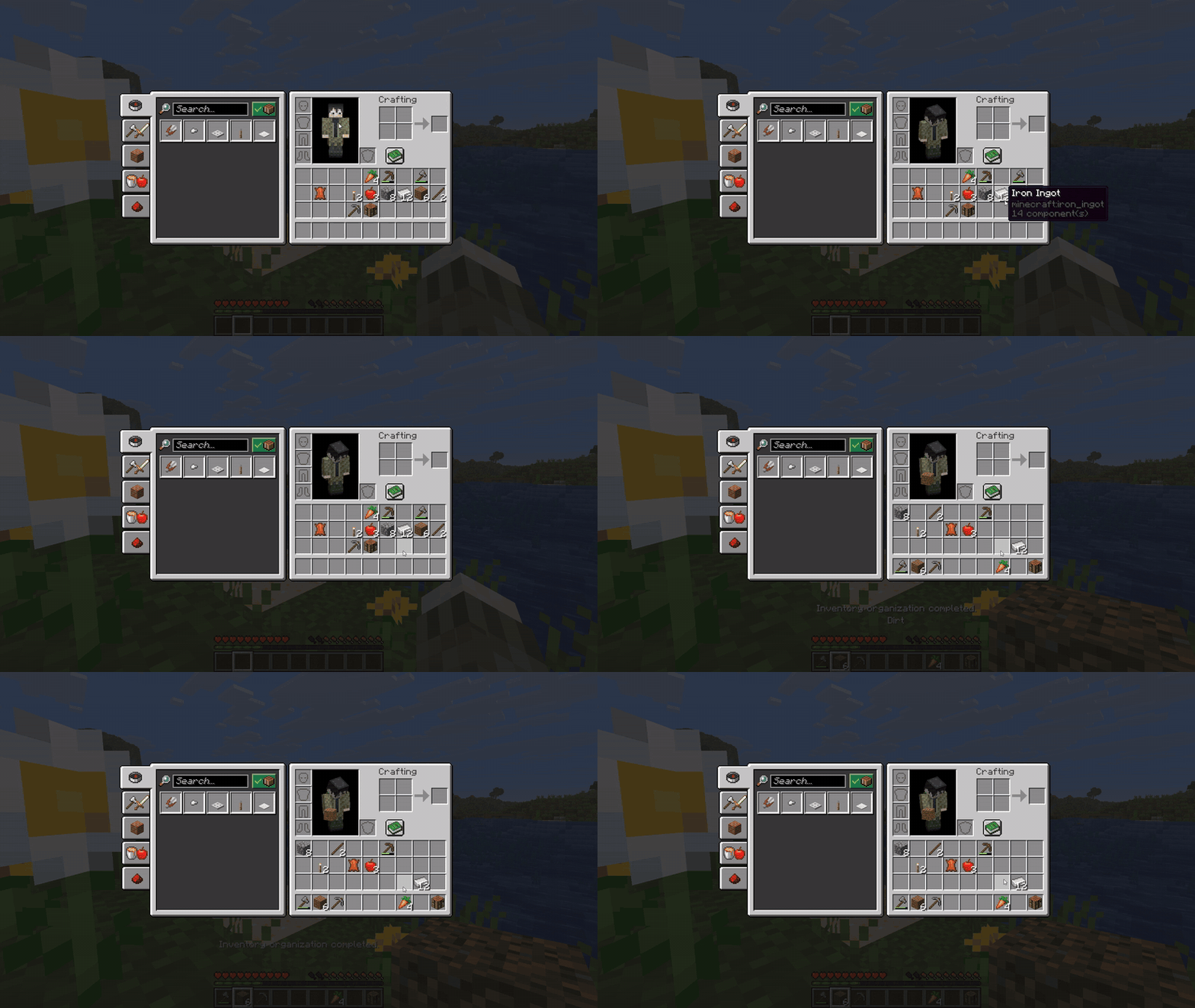
How to use it
Your layout starts empty. Set up just your hotbar or assign all 36 slots. You can drag two slots to swap their assignments and change the G key in Minecraft’s controls.
Compatibility
This release supports Minecraft Java Edition 26.3 with Fabric. It runs on the client, so your friends’ server does not need to install Smart Hotbar. Fabric API is required. Install Mod Menu to access the layout editor.
Support for additional Minecraft versions is planned. Forge and NeoForge are being considered for future releases. This file supports Fabric only.
Project description from CurseForge.
Pick your setup
Choose the version and loader you play, then open the matching release.
Check the dependencies, then try the file in a copied instance before changing a world you care about.
Recent files
smarthotbar-1.2.0-alpha.3.jar
7 Nov 2026
Looking for an older file? The official CurseForge project page is in Resources.
 mod
💥 Harvesting coal should be dangerous, now it is!
 mod
Free your pets from the curse of having to sit, let 'em roam!
 mod
This mod gives vanilla's fletching table a real GUI and nine new arrow types — explosive, lightning-calling, teleporting and more — crafted from a tip, a stick and a feather. For Fabric on Minecraft 1.21.11.