Minecraft version
Back to mods 
CurseForge · Minecraft mod
Custom Hitmarker
Adds a customizable hitmarker with smooth animations, adjustable colors, and optional hit sounds
Choose a version Pick your version below, then grab the matching file.
Quick answer
Which Custom Hitmarker release should I use?
Latest stable file CustomHitmarker 0.1.0-neo.jar
Game version 1.21.1
Loader NeoForge
Custom Hitmarker CustomHitmarker 0.1.0-neo.jar targets 1.21.1 with NeoForge. The project page does not say whether this file belongs on the client, dedicated server, or both. No extra mods listed for this file.
Where it goes
Is Custom Hitmarker required on the client, server, or both?
The project page does not say whether this file belongs on the client, dedicated server, or both.
Client Source doesn’t say
Dedicated server Source doesn’t say
Loader for this release NeoForge
Required install it here Optional supported, not mandatory Not supported do not install here Source doesn’t say do not assume
The source does not explicitly classify this release as client-only or server-only.
What else does Custom Hitmarker CustomHitmarker 0.1.0-neo.jar need?
CustomHitmarker 0.1.0-neo.jar. Change the file and its required mods may change too.
This file does not list any required mods. Do not add a library just because a different file uses it.
This file does not list any required or optional mods.
Before you install it
Add Custom Hitmarker without breaking your instance.
Built for Custom Hitmarker CustomHitmarker 0.1.0-neo.jar. Pick another file and the loader, install side or required mods may change.
- 01
Stick to this file
Use CustomHitmarker 0.1.0-neo.jar. It targets 1.21.1 with NeoForge; another release may have different loader, side or dependency requirements.
- 02
Bring the mods it needs
This file does not list any required mods. Do not add a library just because a different file uses it.
- 03
Put it on the correct side
The project page does not say whether this file belongs on the client, dedicated server, or both.
- 04
Pick the file you checked
Use the “Get this file” button beside CustomHitmarker 0.1.0-neo.jar. It opens that exact file at the source.
About this project
What does Custom Hitmarker add?
Custom Hitmarker adds customizable hitmarkers to Minecraft, with different styles, colors, and optional hit sounds.
Sword Hits
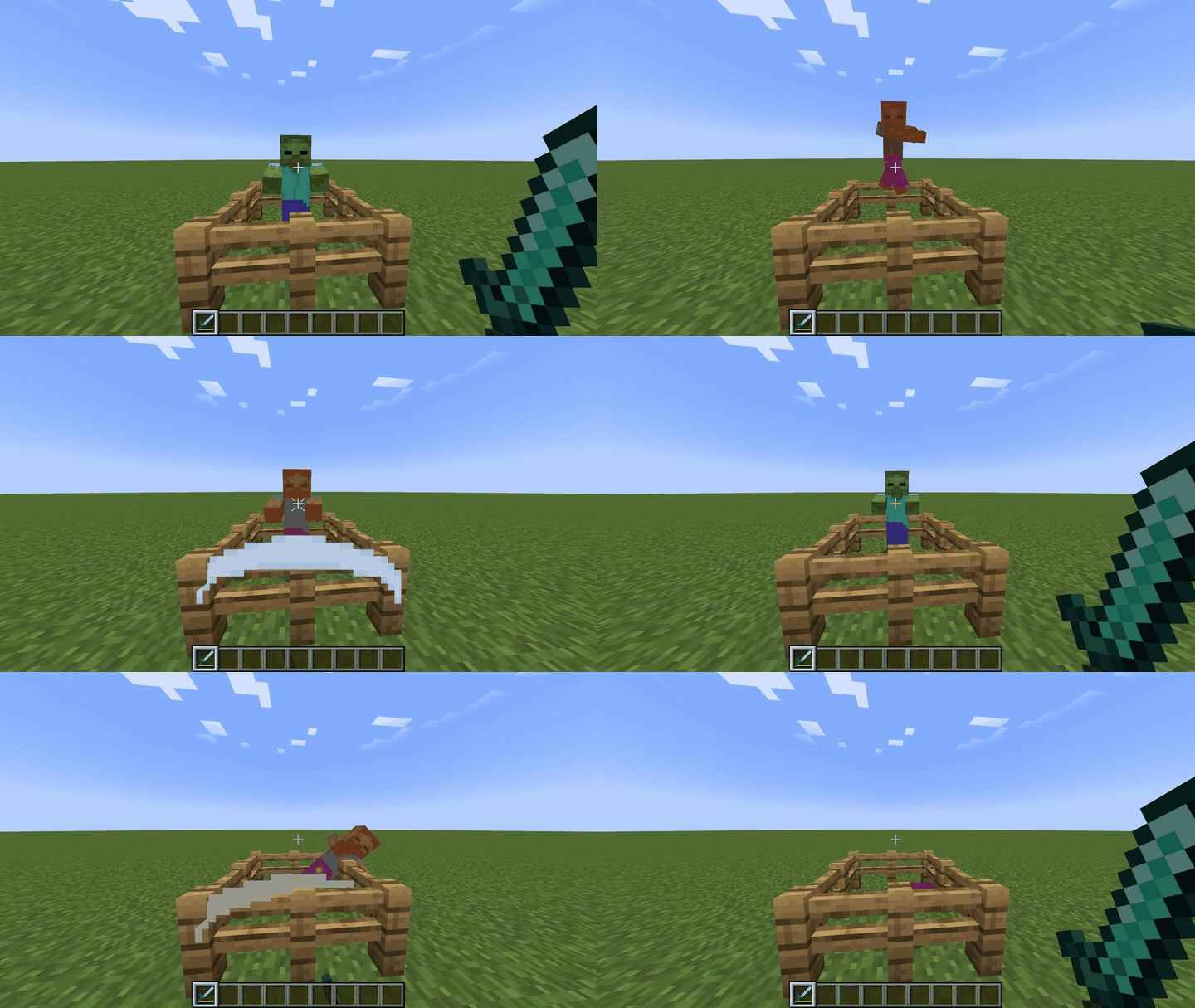
Features
- Multiple hitmarker styles
- Customizable colors
- Hit sounds with adjustable volume
- Separate sound settings for melee and ranged attacks
- In-game configuration with live preview
Configuration
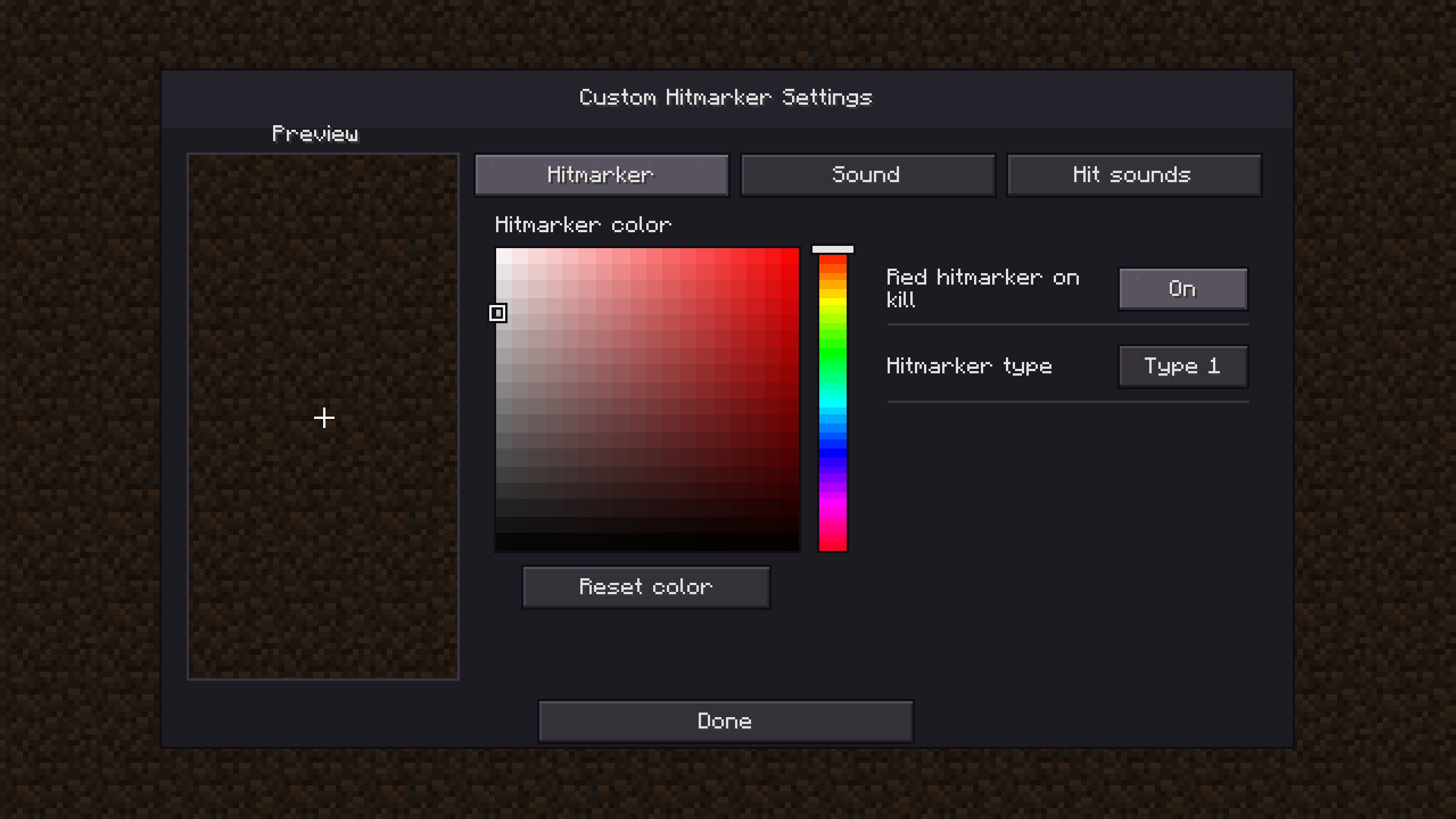
Project description from CurseForge.
Pick your setup
Custom Hitmarker by Minecraft version and loader
Choose the version and loader you play, then open the matching release.
Minecraft version
1.20.1
1 loader buildCheck the dependencies, then try the file in a copied instance before changing a world you care about.
Recent files
Custom Hitmarker versions and loaders
CustomHitmarker 0.1.0-neo.jar
CustomHitmarker-0.1.0-neo.jar
9 Nov 2026
Client Source doesn’t say Server Source doesn’t say Dependencies No extras listed Listed on Release listing
Check the 1.21.1 · NeoForge setup 1.21.1NeoForge release
CustomHitmarker-0.1.0.jar
8 Nov 2026
Client Source doesn’t say Server Source doesn’t say Dependencies No extras listed Listed on Release listing
Check the 1.20.1 · Forge setup 1.20.1Forge release
Looking for an older file? The official CurseForge project page is in Resources.
 mod
CurseForge · Minecraft
Locate Plus
Find any block, entity or item, not just structures. Scans, surveys, inspects and teleports you there safely. Server-side only, no client install needed.
 mod
CurseForge · Minecraft
Barely Enough Items (BEI)
Find any item, see every recipe, and plan the whole craft, in a viewer that stays out of your way.
 mod
CurseForge · Minecraft
Medorians Soft HC
Hardcore in a Survival Environment - 3 lives before perma death. Or is there a way to send the death away?