Minecraft version
Back to mods 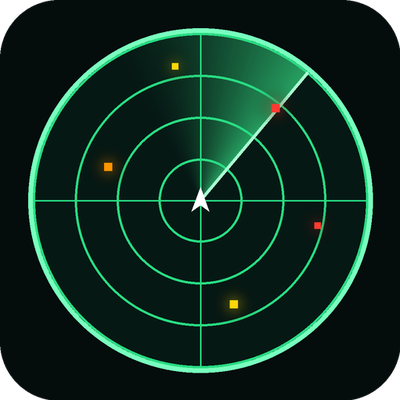
CurseForge · Minecraft mod
Hostile Radar
A client-side HUD radar showing nearby hostile mobs as colored dots, oriented to where you look. Press H to toggle.
Choose a version Pick your version below, then grab the matching file.
Quick answer
Which Hostile Radar release matches 26.2 Forge?
Best match for your filters hostileradar-1.0.0.jar
Game version 1.21, 1.20.2, 1.21.8
Loader Fabric, Forge, NeoForge
Hostile Radar hostileradar-1.0.0.jar targets 1.21, 1.20.2, 1.21.8 with Fabric, Forge, NeoForge. The project page does not say whether this file belongs on the client, dedicated server, or both. No extra mods listed for this file.
Where it goes
Is Hostile Radar required on the client, server, or both?
The project page does not say whether this file belongs on the client, dedicated server, or both.
Client Source doesn’t say
Dedicated server Source doesn’t say
Loader for this release Fabric, Forge, NeoForge
Required install it here Optional supported, not mandatory Not supported do not install here Source doesn’t say do not assume
The source does not explicitly classify this release as client-only or server-only.
What else does Hostile Radar hostileradar-1.0.0.jar need?
hostileradar-1.0.0.jar on 26.2 Forge. Every mod below is checked against that same setup.
This file does not list any required mods. Do not add a library just because a different file uses it.
This file does not list any required or optional mods.
Before you install it
Add Hostile Radar without breaking your instance.
Built for Hostile Radar hostileradar-1.0.0.jar on 26.2 Forge. Pick another file and the loader, install side or required mods may change.
- 01
Stick to this file
Use hostileradar-1.0.0.jar. It targets 1.21, 1.20.2, 1.21.8 with Fabric, Forge, NeoForge; another release may have different loader, side or dependency requirements.
- 02
Bring the mods it needs
This file does not list any required mods. Do not add a library just because a different file uses it.
- 03
Put it on the correct side
The project page does not say whether this file belongs on the client, dedicated server, or both.
- 04
Pick the file you checked
Use the “Get this file” button beside hostileradar-1.0.0.jar. It opens that exact file at the source.
About this project
What does Hostile Radar add?
**Hostile Radar** adds a small radar to your screen that shows hostile mobs around you, so nothing surprises you in the dark.
How it works
A compact radar sits in the bottom-right corner. You are the white arrow in the center, and the top of the radar is where you are looking. Hostile mobs within 24 blocks appear as dots: red when they are close, orange at medium range and yellow when they are far. A counter above the radar shows how many hostiles are nearby. Press **H** to turn the radar on or off (the key can be changed in the controls menu).
What it does not do
No new items, blocks, mobs or recipes.
It only displays information and does not change gameplay.
It does not show passive mobs, animals or other players.
It shows mobs through walls, so some servers may not allow it. Check your server's rules.
Project description from CurseForge.
Pick your setup
Hostile Radar by Minecraft version and loader
Choose the version and loader you play, then open the matching release.
Minecraft version
26.2
3 loader buildsMinecraft version
26.1.1
3 loader buildsMinecraft version
26.1
3 loader buildsMinecraft version
1.21.11
3 loader buildsMinecraft version
1.21.10
3 loader buildsMinecraft version
1.21.9
3 loader buildsMinecraft version
1.21.8
3 loader buildsMinecraft version
1.21.7
3 loader buildsMinecraft version
1.21.6
3 loader buildsMinecraft version
1.21.5
3 loader buildsMinecraft version
1.21.3
3 loader buildsShowing the newest 12 of 22 game versions. Older files are in the list below.
Check the dependencies, then try the file in a copied instance before changing a world you care about.
Recent files
Hostile Radar versions and loaders
hostileradar-1.0.0.jar
7 Nov 2026
Client Source doesn’t say Server Source doesn’t say Dependencies No extras listed Listed on Release listing
Check the 26.2 · Forge setup 1.211.20.2Fabric1.21.8 release
Looking for an older file? The official CurseForge project page is in Resources.
 mod
CurseForge + Modrinth · Minecraft
Jodek's Mob Heads
Mobs can drop their head when killed by a player, easy drop rate config, drop messages, advancement collection and more
 mod
CurseForge · Minecraft
No Trade Cycling, Just Pick
Stop rerolling villagers. Press Pick trade and select any 2 trades its profession can offer (max-level enchanted books included). Fast trade and saves time.
 mod
CurseForge · Minecraft
Breed faster Happy Ghasts
Breed faster Happy Ghasts, boost flight speed with Speed Potions or Snowballs, and inspect mount stats with a Book and Quill.