Curios API Optional for packingcube-0.1.1-beta.jar
optionalMatching file found Matched file: curios-neoforge-9.5.1+1.21.1.jar

CurseForge · Minecraft mod
A storage mod that introduces specialized pouches to make inventory management easier and more convenient.
Quick answer
packingcube-0.1.1-beta.jar targets 1.21.1 with NeoForge. The project page does not say whether this file belongs on the client, dedicated server, or both. No extra mods listed for this file.
Where it goes
The project page does not say whether this file belongs on the client, dedicated server, or both.
The source does not explicitly classify this release as client-only or server-only.
packingcube-0.1.1-beta.jar. Change the file and its required mods may change too.
This file does not list any required mods. Do not add a library just because a different file uses it.
We only count dependency files that match this setup. A file for another loader does not fill the gap.
Before you install it
Built for packingcube-0.1.1-beta.jar. Pick another file and the loader, install side or required mods may change.
Use packingcube-0.1.1-beta.jar. It targets 1.21.1 with NeoForge; another release may have different loader, side or dependency requirements.
This file does not list any required mods. Do not add a library just because a different file uses it.
The project page does not say whether this file belongs on the client, dedicated server, or both.
Use the “Get this file” button beside packingcube-0.1.1-beta.jar. It opens that exact file at the source.
About this project
A modular bag system for Minecraft 1.21.1 on NeoForge. Fit functional pouches into a backpack, open them from a radial menu, and let the bag keep the tools you reach for stocked.
Instead of digging through chests and shuffling stacks, you configure the bag once: which items each pouch accepts, which slot gets refilled, and which pouch wins when two of them want the same item.
A significant portion of this mod's code was written with the assistance of AI tools. Development involved iterative testing, debugging, and refinement.
| Minecraft | 1.21.1 |
| NeoForge | 21.1.264 or later (21.x) |
| Curios | optional, 9.5.1+ — only needed to wear the backpack in the back slot |
packingcube-<version>.jar into your mods/ folder.C by default) — opens the pouches and carried stations of the backpack you are wearing or holding, without opening the bag itself. It also opens while a station GUI is up.B by default) — the full bag, the pouch settings and the filters.Everything is made at the pouch station. The station itself is a normal crafting table recipe: three leather, two planks, one crafting table and three cobblestone.
The station bills are read from your inventory:
| Result | Materials |
|---|---|
| Storage pouch | leather 1, string 2, chest 1 |
| Refill pouch | iron ingot 2, hopper 1, storage pouch 1, redstone 1 |
| Bulk pouch | iron ingot 4, chest 4, storage pouch 1 |
| Backpack | leather 2, storage pouch 2, chest 1 |
packingcube:large_bag to packingcube:backpack, and the old id is still resolved through a registry alias.0.1.0 is the first release. The mod is covered by 338 in-game tests (game test server) that run on every build.
MIT. See LICENSE.
Project description from CurseForge.
Pick your setup
Choose the version and loader you play, then open the matching release.
Check the dependencies, then try the file in a copied instance before changing a world you care about.
Recent files
9 Nov 2026
8 Nov 2026
Looking for an older file? The official CurseForge project page is in Resources.
 mod
Announces when Pokemon battles are happening between players!
 mod
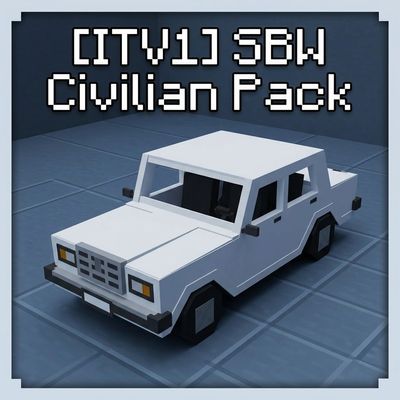
Civilian vehicles addon for Superb Warfare: Soviet, Russian and foreign cars with working seats, trunks and repaints — built for RP servers and modpacks. Requires Superb Warfare 0.8.9+
 mod
A Minecraft Mod That Allows The Usage Of Vulkan API On Devices With Unsupported Hardware By Emulating The Missing Vulkan Extensions.