Minecraft version
Back to mods 
CurseForge · Minecraft mod
Name Style+
Customize player names with colors, gradients, fonts and symbols in chat, the tab list and above heads.
Choose a version Pick your version below, then grab the matching file.
Quick answer
Which Name Style+ release should I use?
Latest stable file namestyleplus-0.3.1.jar
Game version 1.21.1
Loader NeoForge
Name Style+ namestyleplus-0.3.1.jar targets 1.21.1 with NeoForge. The project page does not say whether this file belongs on the client, dedicated server, or both. No extra mods listed for this file.
Where it goes
Is Name Style+ required on the client, server, or both?
The project page does not say whether this file belongs on the client, dedicated server, or both.
Client Source doesn’t say
Dedicated server Source doesn’t say
Loader for this release NeoForge
Required install it here Optional supported, not mandatory Not supported do not install here Source doesn’t say do not assume
The source does not explicitly classify this release as client-only or server-only.
What else does Name Style+ namestyleplus-0.3.1.jar need?
namestyleplus-0.3.1.jar. Change the file and its required mods may change too.
This file does not list any required mods. Do not add a library just because a different file uses it.
This file does not list any required or optional mods.
Before you install it
Add Name Style+ without breaking your instance.
Built for Name Style+ namestyleplus-0.3.1.jar. Pick another file and the loader, install side or required mods may change.
- 01
Stick to this file
Use namestyleplus-0.3.1.jar. It targets 1.21.1 with NeoForge; another release may have different loader, side or dependency requirements.
- 02
Bring the mods it needs
This file does not list any required mods. Do not add a library just because a different file uses it.
- 03
Put it on the correct side
The project page does not say whether this file belongs on the client, dedicated server, or both.
- 04
Pick the file you checked
Use the “Get this file” button beside namestyleplus-0.3.1.jar. It opens that exact file at the source.
About this project
What does Name Style+ add?
Players style their own name with a /style menu. Styled names show in chat, the tab list and above heads. Server-side only: players install nothing.
Features
- Colors: quick swatches, the 16 vanilla colors and a 36-color palette.
- Gradients: 2 or 3 color stops, with 4 presets, plus rainbow.
- Symbols: 40 to place before or after your name.
- Fonts: Default, Pixel, Bungee and Jersey.
- Flags: bold, italic, underline and strikethrough.
- Chat head: optional skin face beside your name in chat.
- Live preview in the menu, with Save, Undo and Reset.
Commands
/style: open the menu./style reset: clear your saved style./namestyle view <player>and/namestyle reset <player>: permission level 2. Works from the console and on offline players. Actions are logged with the prefixnamestyleplus audit:.
Server owners
Drop the jar in mods. Requires Minecraft 1.21.1 and NeoForge 21.1.250 or newer.
The mod sends its own small resource pack (about 160 KB) to players when they join. You do not host it or edit server.properties.
packMode |
What happens |
|---|---|
OPTIONAL (default) |
Players are asked. If they decline they keep playing and see plain colored names: colors, gradients, bold/italic and symbols still work. Custom fonts and chat faces need the pack. Without the pack, /style does not open and tells the player how to turn it on. |
REQUIRED |
Players who refuse the pack are disconnected after joining. |
OFF |
Outage switch. Plain names only, /style unavailable. |
A player who says No is not asked again on that server until they change its Server Resource Packs setting (Multiplayer, Edit).
For a check at the loading screen, you can serve the same pack through server.properties with require-resource-pack=true. The mod sees it is the same pack and does not send a second copy.
Config
config/namestyleplus-server.toml. A packMode change applies right away. pushPack and packUrl changes apply at each player's next join.
packMode = "OPTIONAL"
pushPack = true
packUrl = ""
hideEffects = ["minecraft:invisibility", "relics:vanishing", "irons_spellbooks:true_invisibility"]
pushPack: set tofalseto stop the automatic push.packUrl: an https URL if you want to host the pack yourself. It must be the identical file: download. A different file fails the download check, and players get plain names.hideEffects: effects that hide the head tag while active. Unknown IDs are skipped.
As with any server resource pack, the download host receives the player's username and UUID.
Good to know
- Players on a scoreboard team keep vanilla team presentation and get no head tag. No head tag shows for invisible, spectating or sleeping players, or for yourself.
- Vanish mods that hide players from the server's entity tracker (tested with Vanishmod) hide the tag too. Client-side hiding, morph and nameplate mods are not covered.
- Scoreboard sidebar names, signs and books are not restyled. Tamed pets of styled players keep their custom names visible.
- Names are limited to 200 pixels wide. Too-wide names lose symbols, then bold, then trailing characters.
- Works with FTB Essentials nicknames and FTB Ranks formats, neither required. Name Style+ styles existing display names and does not add nicknames.
- Chat faces need the server to reach
textures.minecraft.netover HTTPS. - The pack blanks the Inventory label on container screens in
en_us.
Credits
Fonts used unmodified under the SIL Open Font License 1.1: Press Start 2P (shown as Pixel, copyright 2012 The Press Start 2P Project Authors), Bungee (copyright 2023 The Bungee Project Authors) and Jersey 15 (shown as Jersey, copyright 2023 The Soft Type Project Authors). License texts are in the pack zip.
License
All Rights Reserved. Author: ZeffxY. Mod ID: namestyleplus.
Project description from CurseForge.
Pick your setup
Name Style+ by Minecraft version and loader
Choose the version and loader you play, then open the matching release.
Check the dependencies, then try the file in a copied instance before changing a world you care about.
Recent files
Name Style+ versions and loaders
namestyleplus-0.3.1.jar
8 Nov 2026
Client Source doesn’t say Server Source doesn’t say Dependencies No extras listed Listed on Release listing
Check the 1.21.1 · NeoForge setup 1.21.1NeoForge release
namestyleplus-0.3.0.jar
8 Nov 2026
Client Source doesn’t say Server Source doesn’t say Dependencies No extras listed Listed on Release listing
Check the 1.21.1 · NeoForge setup 1.21.1NeoForge release
Looking for an older file? The official CurseForge project page is in Resources.
 mod
CurseForge + Modrinth · Minecraft
Safra
Don’t mess with the server Play Minecraft with your friends in 2 clicks via P2P
 mod
CurseForge · Minecraft
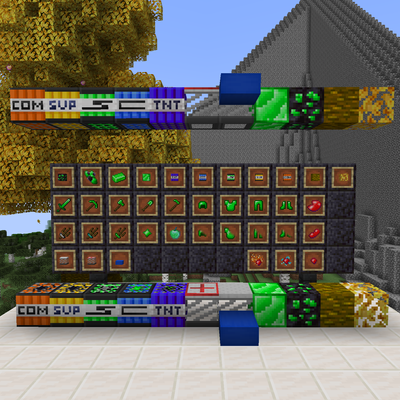
L1010's Cirasium
Adds the new Cirasium ore found in nether ceiling blackstone veins, along with ore searchers, new TNT variants, and a trampoline.
 mod
CurseForge · Minecraft
Cursed Gold
A lot of items have been added—it’s all a jumbled mess.