Fabric API Needed by Eclipse Suite Eclipse Client 2.0.1 (1.21.1)
requiredMatching file found Matched file: [1.21.1] Fabric API 0.116.18+1.21.1

CurseForge · Minecraft mod
The whole Eclipse Client in one mod: minimap + world map, HUD, tools, visuals and a Litematica printer, all in one menu.
Quick answer
Eclipse Suite Eclipse Client 2.0.1 (1.21.1) targets 1.21.1 with Fabric. The project page does not say whether this file belongs on the client, dedicated server, or both. All 1 required mods have matching files.
Where it goes
The project page does not say whether this file belongs on the client, dedicated server, or both.
The source does not explicitly classify this release as client-only or server-only.
Eclipse Client 2.0.1 (1.21.1) on Fabric. Every mod below is checked against that same setup.
Install Fabric API first. We found matching files for this game-version and loader setup.
We only count dependency files that match this setup. A file for another loader does not fill the gap.
Before you install it
Built for Eclipse Suite Eclipse Client 2.0.1 (1.21.1) on Fabric. Pick another file and the loader, install side or required mods may change.
Use Eclipse Client 2.0.1 (1.21.1). It targets 1.21.1 with Fabric; another release may have different loader, side or dependency requirements.
Install Fabric API first. We found matching files for this game-version and loader setup.
The project page does not say whether this file belongs on the client, dedicated server, or both.
Use the “Get this file” button beside Eclipse Client 2.0.1 (1.21.1). It opens that exact file at the source.
About this project
Works on 1.21.1 · 26.1.2 · 26.2 · 26.3 · Fabric · 💬 Discord
Eclipse Suite is the whole Eclipse Client in one mod. A minimap and world map, a clean HUD, lots of handy tools, nicer visuals and a Litematica printer. Everything is set up from one black + green menu: press Backspace.
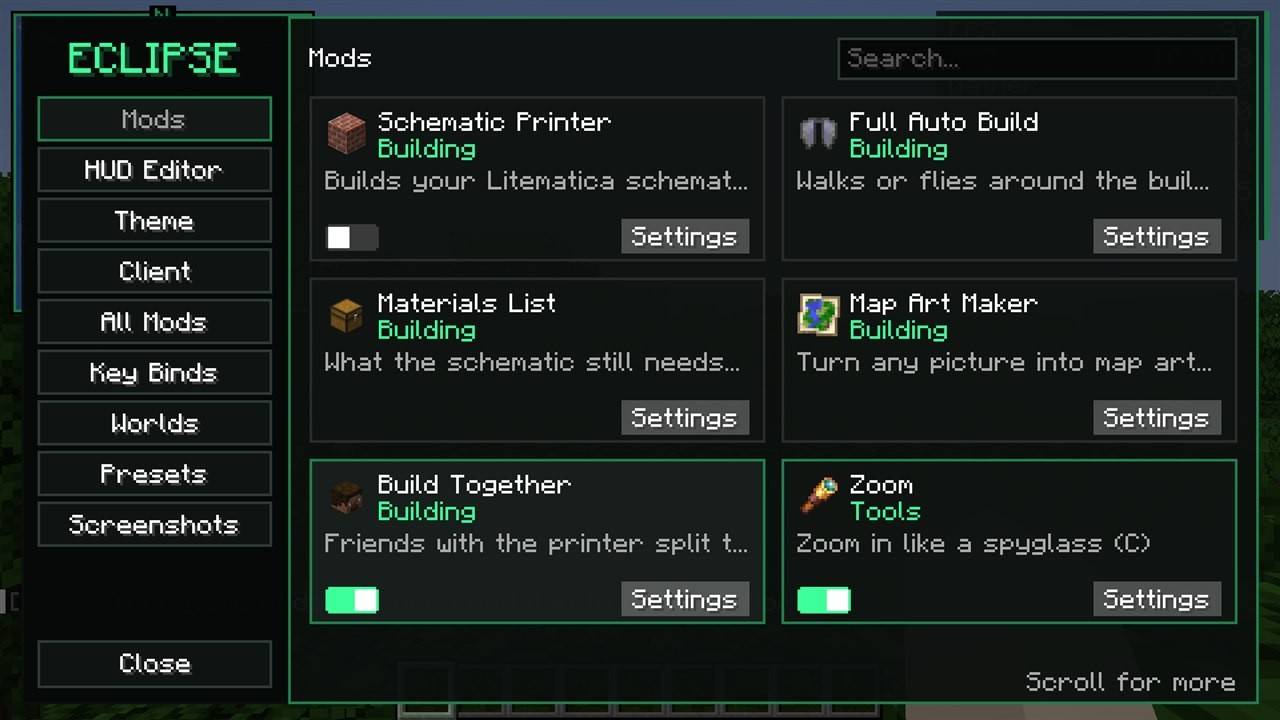
| 🖥️ Eclipse menu | Every feature is a card with an on/off switch, settings search, HUD editor, themes, presets and PC + Mac sync. |
| 🗺️ Map | Minimap, world map (M), waypoints with light beams, seed map, map art grid, mob spawn spots. Imports Xaero waypoints. |
| 📊 HUD | Info lines, compass bar, "looking at" box, armor, food and potions. Drag anything anywhere. |
| 🧰 Tools | Zoom (C), freecam, fullbright, ruler (R), chest finder (J), librarian reroll, inventory sort and more. |
| ✨ Visuals | Custom crosshair, damage numbers, dynamic lights, item physics, particles, fancy tooltips. |
| 🖨️ Printer | Builds your Litematica schematic for you, plus a Map Art Maker. Turns on when Litematica is installed. |
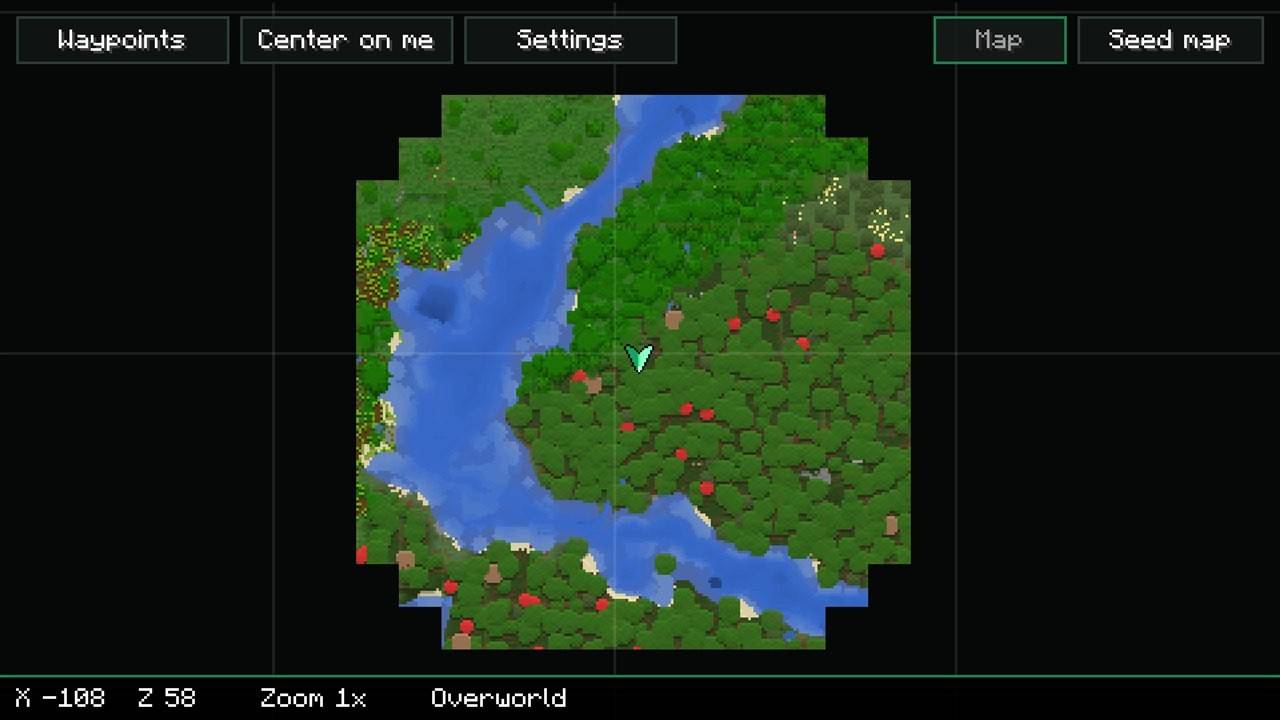

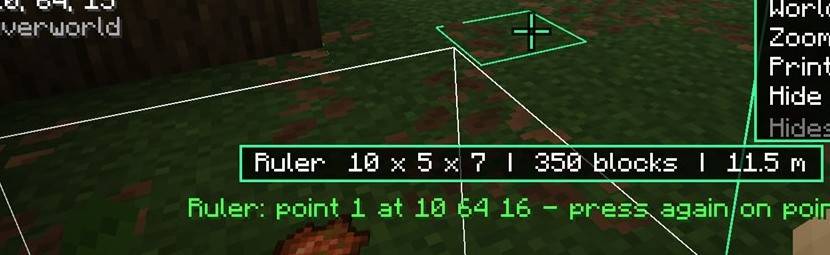
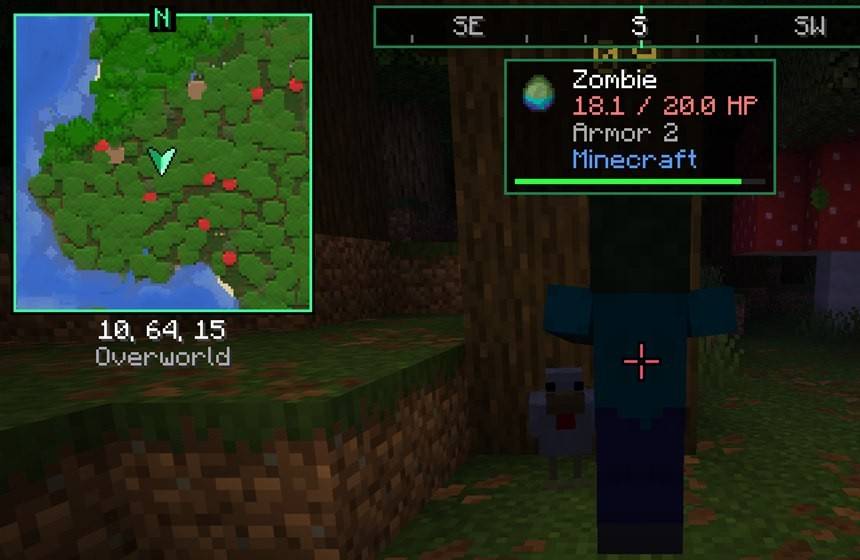
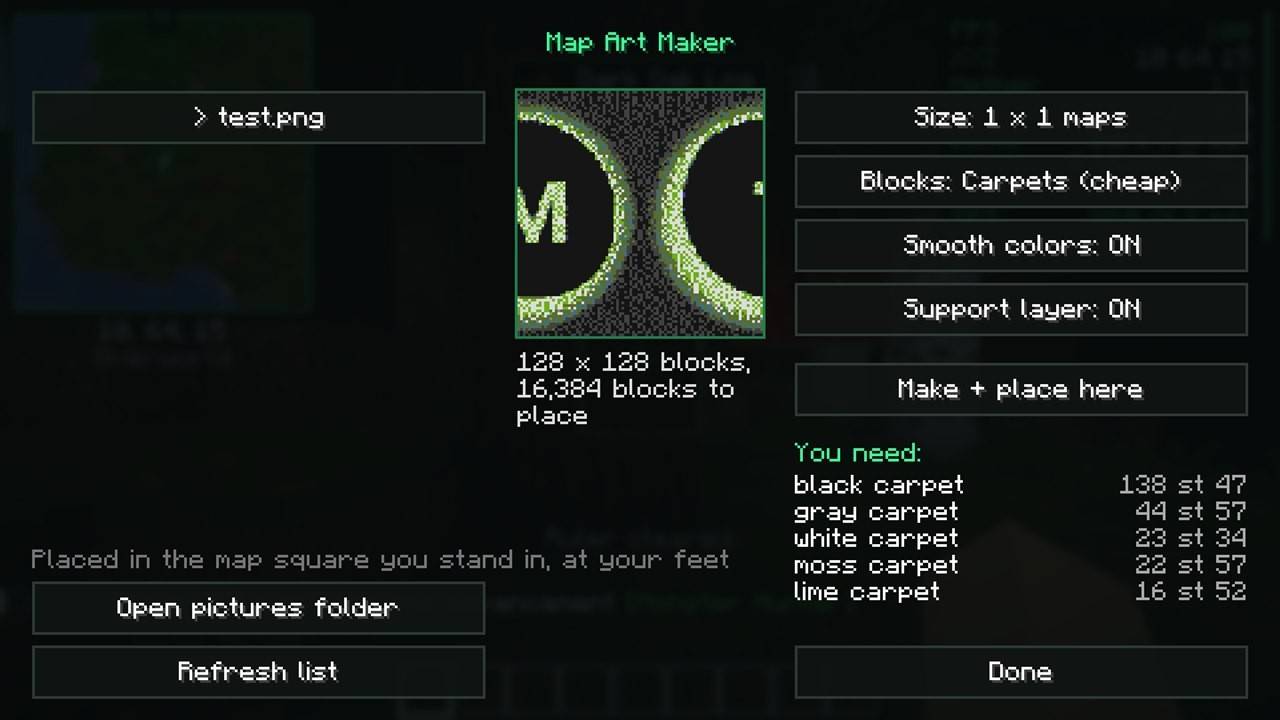
Auto hit, auto totem, freecam, cave map, mob radar and full auto walking only work in singleplayer, or on servers running Eclipse Server that allow them.
Backspace Eclipse menu · M map · X waypoint · C zoom · R ruler · J chest finder · F7 hide HUD · Caps Lock printer
Change any key in Eclipse menu → Key Binds. Litematica's own menu moves to N.
Everything works on 1.21.1 too. For the Printer, use Litematica + MaLiLib for 1.21.1.
mods folderEclipse Core, Map, HUD, Tools, Visuals and Printer are now all inside this one mod. Remove the old ones from your mods folder. Your settings, waypoints and HUD layout stay the same.
Also from Eclipse: Eclipse Server · Eclipse Plus · Eclipse Shaders · 📖 Wiki
🤖 Made with help from AI tools. Tested in-game on every supported version before each update.
Project description from CurseForge.
Pick your setup
Choose the version and loader you play, then open the matching release.
Check the dependencies, then try the file in a copied instance before changing a world you care about.
Recent files
eclipse-client-2.0.1-1.21.1.jar
12 Nov 2026
eclipse-client-2.0.0.jar
12 Nov 2026
eclipse-client-2.0.0.jar
12 Nov 2026
eclipse-client-2.0.0.jar
12 Nov 2026
eclipse-core-1.2.0.jar
12 Nov 2026
eclipse-core-1.2.0.jar
12 Nov 2026
eclipse-core-1.2.0.jar
12 Nov 2026
eclipse-core-1.1.1.jar
11 Nov 2026
eclipse-core-1.1.1.jar
11 Nov 2026
eclipse-core-1.1.2.jar
11 Nov 2026
eclipse-core-1.1.0.jar
8 Nov 2026
Looking for an older file? The official CurseForge project page is in Resources.
 mod
Server add-on for Eclipse Client (Paper, Purpur, Fabric): friends on the map, team waypoints, build together.
 mod
This mod replaces Minecraft's binary boat steering with a smooth ramp.
 mod
Mod about expressing yourself through clothing