Fabric API Needed by Eclipse HUD 1.1.1 (26.3)
requiredMatching file found Matched file: [26.3] Fabric API 0.166.0+26.3
CurseForge · Minecraft mod
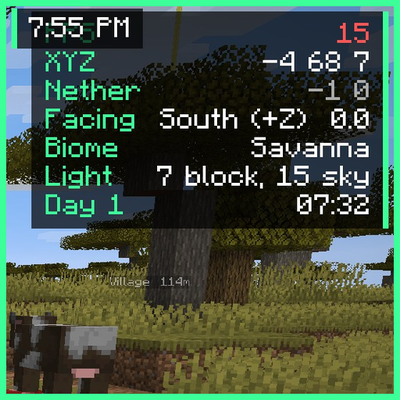
A clean, movable HUD with info lines, a compass bar, a looking-at box, armor, food and potion effects, all in the Eclipse style.
Quick answer
Eclipse HUD 1.1.1 (26.3) targets 26.3 with Fabric. The project page does not say whether this file belongs on the client, dedicated server, or both. All 1 required mods have matching files.
Where it goes
The project page does not say whether this file belongs on the client, dedicated server, or both.
The source does not explicitly classify this release as client-only or server-only.
Eclipse HUD 1.1.1 (26.3) on 26.3. Every mod below is checked against that same setup.
Install Fabric API first. We found matching files for this game-version and loader setup.
We only count dependency files that match this setup. A file for another loader does not fill the gap.
Before you install it
Built for Eclipse HUD 1.1.1 (26.3) on 26.3. Pick another file and the loader, install side or required mods may change.
Use Eclipse HUD 1.1.1 (26.3). It targets 26.3 with Fabric; another release may have different loader, side or dependency requirements.
Install Fabric API first. We found matching files for this game-version and loader setup.
The project page does not say whether this file belongs on the client, dedicated server, or both.
Use the “Get this file” button beside Eclipse HUD 1.1.1 (26.3). It opens that exact file at the source.
About this project
💬 Join the Eclipse Discord for help, updates and to share your setups.
A clean, fully movable HUD in the Eclipse style. Move everything with the HUD editor (Eclipse menu > HUD Editor).
FPS, coords, Nether/Overworld coords, facing, biome, light level, day + time, ping, TPS (singleplayer), speed, chunk, the block you look at, memory. Pick the corner, scale, background and text shadow.
A compass at the top of the screen with your waypoints and chest finder results as markers.
Shows the block or mob you look at: name, health, can you harvest it with your tool, crop growth, mining progress and which mod it's from.
Armor and held tool durability next to the hotbar, with optional numbers.
| Feature | What it does |
|---|---|
| Potion effects | Your effects with time left |
| Break warning | Warns (with a sound) before your tool breaks |
| Low health | Red edge + heartbeat when you're low |
| Item counter | How many of an item you have |
| Clock + stopwatch | Real time (12/24h) and a stopwatch key |
| Keystrokes | WASD + mouse with CPS |
| Session stats | Play time, blocks mined, kills, deaths and distance walked |
| Day counter | Big "Day 39" title each morning |
| Better tooltips | Durability, food values, shulker box preview, rarity borders |
Part of the Eclipse Client modpack.
💬 Questions or ideas? Join the Eclipse Discord
Project description from CurseForge.
Pick your setup
Choose the version and loader you play, then open the matching release.
Check the dependencies, then try the file in a copied instance before changing a world you care about.
Recent files
eclipse-hud-1.1.1.jar
11 Nov 2026
Looking for an older file? The official CurseForge project page is in Resources.
 mod
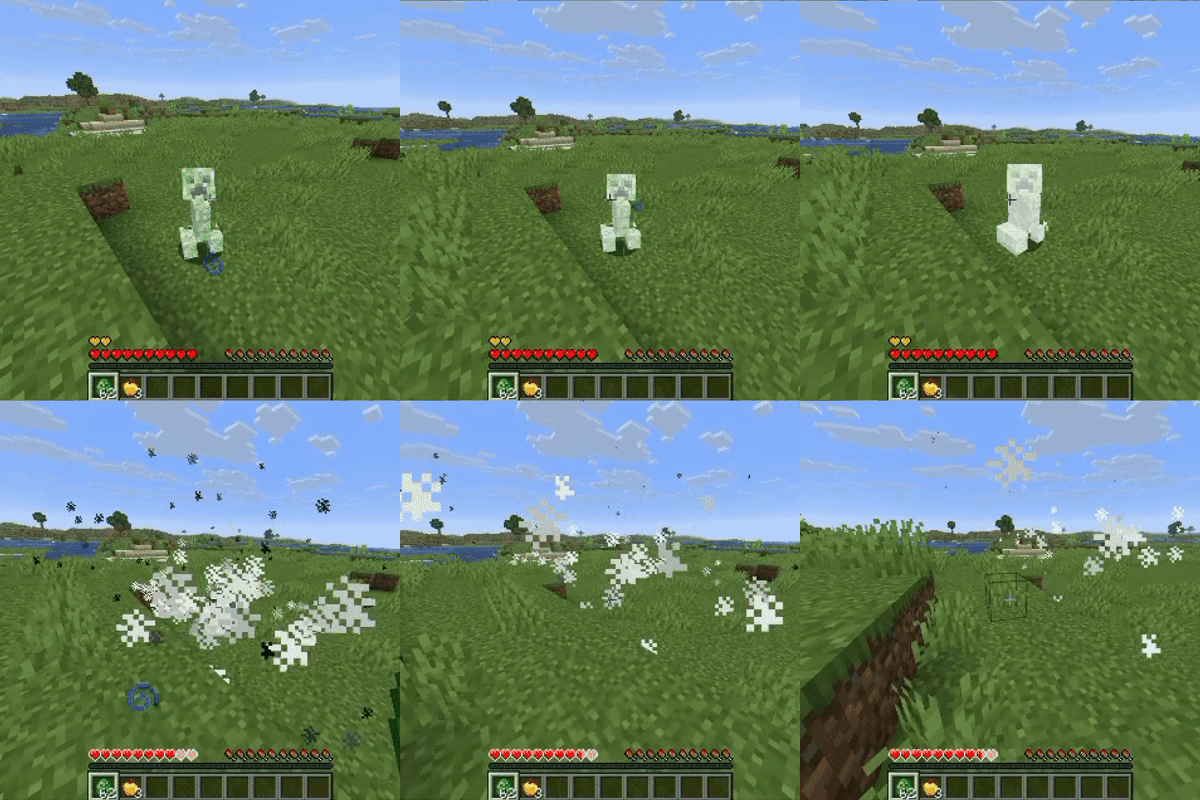
Stop grieving about griefing. Creepers keep the blast, you keep your builds.
 mod
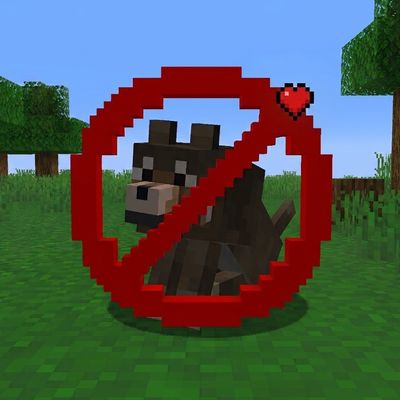
Protects all the tamed pets like a guardian angle!
 mod
UI components for Minecraft mods on NeoForge and Fabric. Let your players pick their theme.