Occultism Needed by Occulted Jars occultedjars-26.1.2-1.1.0.jar
requiredMatching file found Matched file: occultism-26.1.2-neoforge-1.266.3.jar
CurseForge · Minecraft mod
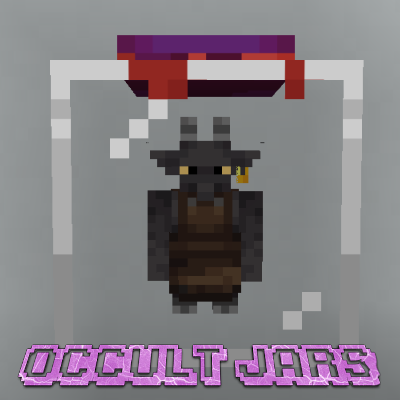
A mod to add jars for occultism spirits
Quick answer
Occulted Jars occultedjars-26.1.2-1.1.0.jar targets 26.1.2 with NeoForge. The project page does not say whether this file belongs on the client, dedicated server, or both. All 4 required mods have matching files.
Where it goes
The project page does not say whether this file belongs on the client, dedicated server, or both.
The source does not explicitly classify this release as client-only or server-only.
occultedjars-26.1.2-1.1.0.jar. Change the file and its required mods may change too.
Install Occultism, GeckoLib, Modonomicon, Curios API first. We found matching files for this game-version and loader setup. 10 come through another mod in the chain.
10 extra mods were pulled in by other dependencies. Indented rows show who needs each one. We only count dependency files that match this setup. A file for another loader does not fill the gap.
Before you install it
Built for Occulted Jars occultedjars-26.1.2-1.1.0.jar. Pick another file and the loader, install side or required mods may change.
Use occultedjars-26.1.2-1.1.0.jar. It targets 26.1.2 with NeoForge; another release may have different loader, side or dependency requirements.
Install Occultism, GeckoLib, Modonomicon, Curios API first. We found matching files for this game-version and loader setup. 10 come through another mod in the chain.
The project page does not say whether this file belongs on the client, dedicated server, or both.
Use the “Get this file” button beside occultedjars-26.1.2-1.1.0.jar. It opens that exact file at the source.
About this project
Mod adds a new jar item that allows you to put in Occultism spirits into them to automate them easier.
Project description from CurseForge.
Pick your setup
Choose the version and loader you play, then open the matching release.
Check the dependencies, then try the file in a copied instance before changing a world you care about.
Recent files
24 Nov 2026
9 Nov 2026
Looking for an older file? The official CurseForge project page is in Resources.
 mod
Extend Waystones with reversible crafting denomination payments, automatic change, combined multi-item costs, nested containers, and Lightman's Currency wallets.
 mod
Anyone is free to use this content to create and distribute videos. どなたでも自由に動画化・配信にご利用いただけます本MODは、実況者であるなぎすたんす様の敵味方クラフトシリーズにインスパイアされて制作いたしました※なぎすたんす様ご本人より、お名前の掲載およびインスパイア表記の許可をいただいております
 mod
A fullscreen map with clickable places, built on Diorama, JourneyMap or Xaero's World Map: markers, legend with search, event feed, teams and sharing. The core of the Telemap mods