Minecraft version
Back to mods 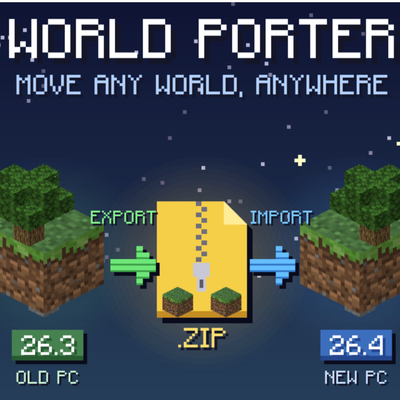
CurseForge · Minecraft mod
Import/Export Worlds
Export any singleplayer world as one .zip and import it on another PC, another launcher or a newer version, with two buttons.
Choose a version Pick your version below, then grab the matching file.
Quick answer
Which Import/Export Worlds release matches 26.3?
Best match for your filters world-porter V1.0
Game version 26.3
Loader Fabric
Import/Export Worlds world-porter V1.0 targets 26.3 with Fabric. The project page does not say whether this file belongs on the client, dedicated server, or both. No extra mods listed for this file.
Where it goes
Is Import/Export Worlds required on the client, server, or both?
The project page does not say whether this file belongs on the client, dedicated server, or both.
Client Source doesn’t say
Dedicated server Source doesn’t say
Loader for this release Fabric
Required install it here Optional supported, not mandatory Not supported do not install here Source doesn’t say do not assume
The source does not explicitly classify this release as client-only or server-only.
What else does Import/Export Worlds world-porter V1.0 need?
world-porter V1.0 on 26.3. Every mod below is checked against that same setup.
This file does not list any required mods. Do not add a library just because a different file uses it.
This file does not list any required or optional mods.
Before you install it
Add Import/Export Worlds without breaking your instance.
Built for Import/Export Worlds world-porter V1.0 on 26.3. Pick another file and the loader, install side or required mods may change.
- 01
Stick to this file
Use world-porter V1.0. It targets 26.3 with Fabric; another release may have different loader, side or dependency requirements.
- 02
Bring the mods it needs
This file does not list any required mods. Do not add a library just because a different file uses it.
- 03
Put it on the correct side
The project page does not say whether this file belongs on the client, dedicated server, or both.
- 04
Pick the file you checked
Use the “Get this file” button beside world-porter V1.0. It opens that exact file at the source.
About this project
What does Import/Export Worlds add?
World Porter
Move any world, anywhere. World Porter adds two buttons to the Singleplayer screen: Export and Import. Pack a whole world into one .zip file, then bring it back on another computer, another launcher or a newer version of Minecraft.
No digging through MANY MANY folders by hand.
How to export
- Open Singleplayer and click a world.
- Click Export... in the top right.
- Choose where to save the .zip. It suggests your Downloads folder.
- Click Show in Finder/Explorer to go straight to the file.
How to import
- Open Singleplayer.
- Click Import... in the top left and pick the .zip, or drag the .zip onto the world list.
- Your world shows up in the list, ready to play.
What's in the .zip
The whole world: the Overworld, Nether and End, with all your builds.
Players: inventories, chests, XP (and more obviously)
Mobs, pets and named mobs.
Game rules and datapacks.
Data saved by other mods.
AND MORE
Requirements
- Fabric API
- Client-side only
Project description from CurseForge.
Pick your setup
Import/Export Worlds by Minecraft version and loader
Choose the version and loader you play, then open the matching release.
Check the dependencies, then try the file in a copied instance before changing a world you care about.
Recent files
Import/Export Worlds versions and loaders
world-porter V1.0
world-porter-1.0.0.jar
9 Nov 2026
Client Source doesn’t say Server Source doesn’t say Dependencies No extras listed Listed on Release listing
Check the 26.3 · Fabric setup Fabric26.3 release
Looking for an older file? The official CurseForge project page is in Resources.
 mod
CurseForge · Minecraft
SimpleSkills Enhanced
An unofficial community fork of SimpleSkills by Ob'yekt, evolving into an expanded RPG experience with custom gameplay systems, enhanced professions, unique perks, combat mechanics, fishing, farming, exploration, and a revamped interface.
 mod
CurseForge · Minecraft
Fate Flip - Stop or Draw?
Every 2 minutes, fate deals you 10 face-down cards. Flip one... then stop, or push your luck? 67 cards that twist how you see, hear and control Minecraft.
 mod
CurseForge · Minecraft
Naturalist Feast
Naturalist + Farmer's Delight adds new foods, hearty feasts, and useful ways to make the most of nature's resources.