Minecraft version
Back to mods 
CurseForge · Minecraft mod
Holoscreens
Sci-fi screens and holographic panels that show your own text and live values from any block.
Choose a version Pick your version below, then grab the matching file.
Quick answer
Which Holoscreens release matches Forge?
Best match for your filters Holoscreens 0.1.0 (Forge 1.20.1)
Game version 1.20.1
Loader Forge
Holoscreens 0.1.0 (Forge 1.20.1) targets 1.20.1 with Forge. The project page does not say whether this file belongs on the client, dedicated server, or both. No extra mods listed for this file.
Where it goes
Is Holoscreens required on the client, server, or both?
The project page does not say whether this file belongs on the client, dedicated server, or both.
Client Source doesn’t say
Dedicated server Source doesn’t say
Loader for this release Forge
Required install it here Optional supported, not mandatory Not supported do not install here Source doesn’t say do not assume
The source does not explicitly classify this release as client-only or server-only.
What else does Holoscreens 0.1.0 (Forge 1.20.1) need?
Holoscreens 0.1.0 (Forge 1.20.1) on Forge. Every mod below is checked against that same setup.
This file does not list any required mods. Do not add a library just because a different file uses it.
This file does not list any required or optional mods.
Before you install it
Add Holoscreens without breaking your instance.
Built for Holoscreens 0.1.0 (Forge 1.20.1) on Forge. Pick another file and the loader, install side or required mods may change.
- 01
Stick to this file
Use Holoscreens 0.1.0 (Forge 1.20.1). It targets 1.20.1 with Forge; another release may have different loader, side or dependency requirements.
- 02
Bring the mods it needs
This file does not list any required mods. Do not add a library just because a different file uses it.
- 03
Put it on the correct side
The project page does not say whether this file belongs on the client, dedicated server, or both.
- 04
Pick the file you checked
Use the “Get this file” button beside Holoscreens 0.1.0 (Forge 1.20.1). It opens that exact file at the source.
About this project
What does Holoscreens add?
Holoscreens
Sci-fi screens and holographic panels that show your own text and live values from any block.
Build a control room. Put screens on a wall and they merge into one big display. Write titles and notes on it, then link it to your chests, furnaces, tanks and machines: their energy, fluids, items and state show up live as numbers, bars, gauges and graphs.
Displays
- Display Screens merge into one display up to 16 x 12 blocks (configurable). Holographic Panels do the same, see-through and glowing.
- Several lines per display: titles, notes and values, each with its own colour, size and alignment.
- Place the lines: from the top, centred, at the bottom or spread over the whole height, and Fill to make them as big as the display allows.
- Small Display Screens and Small Holographic Panels: half-block plates for a label or a single value.
- Black or white frame per display: one click in the editor, or a dye.
- Seven themes, scan lines, a scan sweep and corner brackets. Displays glow in the dark.
- Editor with a live preview: right-click a display with an empty hand.
- Layouts are never lost when you add, split or break screens.
Linking values
- Take the Data Linker, right-click a display, then right-click any block.
- A list shows every value that block offers, with its current reading. Click one and it appears on the display.
- Show it as a number, a percentage, a bar, a gauge, a graph over time or text, with a unit and decimals.
What it reads
- Energy, fluids and items of any block, through NeoForge's standard capabilities: other mods' machines work with no add-on.
- Furnaces (cooking, fuel), redstone (signal, comparator), block states (a cauldron's level, a beehive's honey, a crop's growth...).
- The world: time, day, weather.
- A small API lets other mods add their own values.
Server-friendly
- Wireless links: a display reads blocks up to 64 blocks away (range in the config), nothing to wire.
- Values are read every half second, only while a player is near, and only the changed ones are sent.
- A display never loads chunks: an unloaded block shows OFFLINE.
- Every link and edit is checked by the server.
Modpacks
Modpacks: feel free to include Holoscreens in any modpack, public or private. All recipes are plain data files (data/holoscreens/recipe) and can be changed or removed with a datapack or KubeJS/CraftTweaker; client and server settings are in the config files.
Details
- No extra mod required. Install on both client and server.
- Minecraft 26.3 and 1.21.1 (NeoForge; 21.1.259 or newer on 1.21.1).
- Shader packs keep the displays.
- English and French. In-game config screen.
NOT AN OFFICIAL MINECRAFT PRODUCT. NOT APPROVED BY OR ASSOCIATED WITH MOJANG OR MICROSOFT.
Project description from CurseForge.
Pick your setup
Holoscreens by Minecraft version and loader
Choose the version and loader you play, then open the matching release.
Minecraft version
1.21.1
1 loader buildMinecraft version
1.20.1
1 loader buildCheck the dependencies, then try the file in a copied instance before changing a world you care about.
Recent files
Holoscreens versions and loaders
Holoscreens 0.1.0 (Forge 1.20.1)
holoscreens-forge-1.20.1-0.1.0.jar
16 Nov 2026
Client Source doesn’t say Server Source doesn’t say Dependencies No extras listed Listed on Release listing
Check the 1.20.1 · Forge setup 1.20.1Forge release
Looking for an older file? The official CurseForge project page is in Resources.
 mod
CurseForge · Minecraft
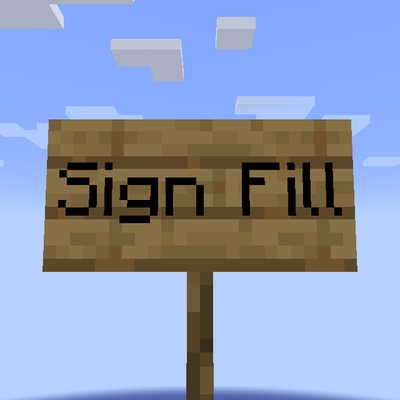
Sign Fill
Scales up short text on signs to fit
 mod
CurseForge · Minecraft
Holy Cross: Anti-Horror
Fight back against horror mods with holy crosses, holy water, churches and exorcism rituals that banish, block and silence the creatures haunting your world.
 mod
CurseForge + Modrinth · Minecraft
Kinetic Minecart
This mod increases damage to moving minecarts; the faster they move, the higher the damage, with virtually no damage limit!