Minecraft version
Back to mods 
CurseForge · Minecraft mod
Nimblecloud Sky Lite
One-time sky and cloud preset for low-end PCs: sets Clouds: Off, Graphics: Fast on first launch. Client-only.
Choose a version Pick your version below, then grab the matching file.
Quick answer
Which Nimblecloud Sky Lite release matches 26.2 Forge?
Best match for your filters nimblecloud-1.0.0.jar
Game version 1.21, 1.20.2, 1.21.8
Loader Fabric, Forge, NeoForge
Nimblecloud Sky Lite nimblecloud-1.0.0.jar targets 1.21, 1.20.2, 1.21.8 with Fabric, Forge, NeoForge. The project page does not say whether this file belongs on the client, dedicated server, or both. No extra mods listed for this file.
Where it goes
Is Nimblecloud Sky Lite required on the client, server, or both?
The project page does not say whether this file belongs on the client, dedicated server, or both.
Client Source doesn’t say
Dedicated server Source doesn’t say
Loader for this release Fabric, Forge, NeoForge
Required install it here Optional supported, not mandatory Not supported do not install here Source doesn’t say do not assume
The source does not explicitly classify this release as client-only or server-only.
What else does Nimblecloud Sky Lite nimblecloud-1.0.0.jar need?
nimblecloud-1.0.0.jar on 26.2 Forge. Every mod below is checked against that same setup.
This file does not list any required mods. Do not add a library just because a different file uses it.
This file does not list any required or optional mods.
Before you install it
Add Nimblecloud Sky Lite without breaking your instance.
Built for Nimblecloud Sky Lite nimblecloud-1.0.0.jar on 26.2 Forge. Pick another file and the loader, install side or required mods may change.
- 01
Stick to this file
Use nimblecloud-1.0.0.jar. It targets 1.21, 1.20.2, 1.21.8 with Fabric, Forge, NeoForge; another release may have different loader, side or dependency requirements.
- 02
Bring the mods it needs
This file does not list any required mods. Do not add a library just because a different file uses it.
- 03
Put it on the correct side
The project page does not say whether this file belongs on the client, dedicated server, or both.
- 04
Pick the file you checked
Use the “Get this file” button beside nimblecloud-1.0.0.jar. It opens that exact file at the source.
About this project
What does Nimblecloud Sky Lite add?
Nimblecloud Sky Lite is a small client-side Forge mod that applies a sky and cloud preset to your video settings. The first time you start the game with the mod installed, it changes the settings listed below, saves them, and then switches itself off so it never touches your options again.
What it changes (once)
- Clouds: Off
- Graphics: Fast
What it does NOT do
This mod does not rewrite the renderer, does not add mixins, and does not optimize chunk rendering or entity code. It does exactly what you could do by hand in the Video Settings menu, just in one step. For deeper gains on weak hardware, use it together with a dedicated rendering optimization mod. Results depend on your PC; do not expect miracles.
Config
A client config file (nimblecloud-client.toml) contains one option, applyOncePreset. After the first launch it is set to false. Set it back to true if you want the preset to be applied again at the next start. You can always change any video setting yourself afterwards.
Project description from CurseForge.
Pick your setup
Nimblecloud Sky Lite by Minecraft version and loader
Choose the version and loader you play, then open the matching release.
Minecraft version
26.2
3 loader buildsMinecraft version
26.1.2
3 loader buildsMinecraft version
26.1.1
3 loader buildsMinecraft version
26.1
3 loader buildsMinecraft version
1.21.11
3 loader buildsMinecraft version
1.21.10
3 loader buildsMinecraft version
1.21.9
3 loader buildsMinecraft version
1.21.8
3 loader buildsMinecraft version
1.21.7
3 loader buildsMinecraft version
1.21.6
3 loader buildsMinecraft version
1.21.5
3 loader buildsShowing the newest 12 of 24 game versions. Older files are in the list below.
Check the dependencies, then try the file in a copied instance before changing a world you care about.
Recent files
Nimblecloud Sky Lite versions and loaders
nimblecloud-1.0.0.jar
9 Nov 2026
Client Source doesn’t say Server Source doesn’t say Dependencies No extras listed Listed on Release listing
Check the 26.2 · Forge setup 1.211.20.2Fabric1.21.8 release
Looking for an older file? The official CurseForge project page is in Resources.
 mod
CurseForge · Minecraft
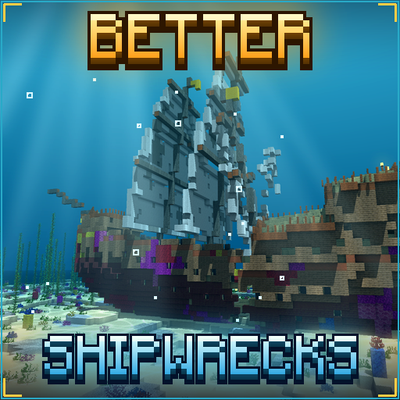
TONI's Better Shipwrecks: Sunken Ships & Pirate Wrecks (Forge/Fabric)
Every shipwreck rebuilt as a huge 3D ship: galleons, brigs, merchantmen, sloops and Viking longships, sunk or beached in many ways. Vanilla loot, server-side.
 mod
CurseForge · Minecraft
EzBackup
Create manual backups and store them as a compressed file in the directory of your choice and restore from backups without disconnecting. Works great on singleplayer and e4mc servers where you are the host!
 mod
CurseForge · Minecraft
TslatEntityStatus (TES)
A modern entity health/status/damage indicators mod for Minecraft