Minecraft version
Back to mods 
CurseForge · Minecraft mod
In borders
Fight and survive while the borders are shrinking / This is a datapack made by Emretmekvar!
Choose a version Pick your version below, then grab the matching file.
Quick answer
Which In borders release matches 26.3 Forge?
Best match for your filters in-borders-2.jar
Game version 1.21.11, 26.1, 26.1.1
Loader Fabric, Forge, NeoForge
In borders in-borders-2.jar targets 1.21.11, 26.1, 26.1.1 with Fabric, Forge, NeoForge. The project page does not say whether this file belongs on the client, dedicated server, or both. No extra mods listed for this file.
Where it goes
Is In borders required on the client, server, or both?
The project page does not say whether this file belongs on the client, dedicated server, or both.
Client Source doesn’t say
Dedicated server Source doesn’t say
Loader for this release Fabric, Forge, NeoForge
Required install it here Optional supported, not mandatory Not supported do not install here Source doesn’t say do not assume
The source does not explicitly classify this release as client-only or server-only.
What else does In borders in-borders-2.jar need?
in-borders-2.jar on 26.3 Forge. Every mod below is checked against that same setup.
This file does not list any required mods. Do not add a library just because a different file uses it.
This file does not list any required or optional mods.
Before you install it
Add In borders without breaking your instance.
Built for In borders in-borders-2.jar on 26.3 Forge. Pick another file and the loader, install side or required mods may change.
- 01
Stick to this file
Use in-borders-2.jar. It targets 1.21.11, 26.1, 26.1.1 with Fabric, Forge, NeoForge; another release may have different loader, side or dependency requirements.
- 02
Bring the mods it needs
This file does not list any required mods. Do not add a library just because a different file uses it.
- 03
Put it on the correct side
The project page does not say whether this file belongs on the client, dedicated server, or both.
- 04
Pick the file you checked
Use the “Get this file” button beside in-borders-2.jar. It opens that exact file at the source.
About this project
What does In borders add?
Fight. Survive.
In this datapack, you will have to fight while the borders keep shrinking regularly. You can't even trust the floor, it'll turn into lava eventually!
How to play:
First time you join, you will spawn on a platform. Wait for atleast 2 players, then you can get ready by typing "/trigger ready set 1". Or, if you are already ready, you can type "/trigger ready set 0" to get unready. When everyone is ready, the game starts. Every single player is spread through the map. You will have to grind materials, defend yourself, attack others and move before the borders catch on. Eventually, borders will stop shrinking lava will start to rise from the deeps. You will have to tower up and fight in the skies. Be the last one alive to win!
Details
- you can't fight on the starting platform.
- you can also start instantly by typing "/scoreboard players set start1 start 1". requires operator access.
- don't worry, it is normal to lag upon start.
- automatically sets to day upon start.
- every player is atleast 100 blocks away from each other.
- borders shrink every 5 minutes.
- borders shrink 2 blocks per second.
- you start taking damage if you stay behind the borders. you take more damage further in you are.
- border size starts at 2000×2000.
- border size goes from 2000->1600->1200->900->600->400->200->60.
- when borders shrink to 60×60, lava will start to rise after 5 minutes.
- lava rises 0.75 block per second.
- locator bar is turn off by default.
- typing "/scoreboard players set fast gamespeed 1" will make: 1.borders shrink every 5-> 2.5 minutes 2.borders shrink 2 block per second->3 block per second 3.lava rise 0.75 block per second->1.2 block per second
How to download
Single player:
While creating a world, go to "More" tab. Click on "Datapacks". Then, click on "Open pack folder" and add the datapack in the folder.
Server:
First reset the server's world files if the world is ever loaded. Second, create a folder named "datapacks" if it doesn't exist already. upload the datapack to the folder.
Updates
this datapack was mainly made for version 1.21.11. but the datapack works on versions from 1.21.6 to the newest version (I hope).
there will be regular updates and you can contact me at emretmekvar@gmail.com and maybe I can update the datapack to your version. Or, if the version you play has bugs, you can contact me and I will do a bugfix!
Credits
Made by me,myself and I (Emretmekvar). Enjoy!
Project description from CurseForge.
Pick your setup
In borders by Minecraft version and loader
Choose the version and loader you play, then open the matching release.
Minecraft version
26.2
4 loader buildsMinecraft version
26.1.2
4 loader buildsMinecraft version
26.1.1
4 loader buildsMinecraft version
26.1
4 loader buildsMinecraft version
1.21.11
4 loader buildsCheck the dependencies, then try the file in a copied instance before changing a world you care about.
Recent files
In borders versions and loaders
in-borders-2.jar
9 Nov 2026
Client Source doesn’t say Server Source doesn’t say Dependencies No extras listed Listed on Release listing
Check the 26.3 · Forge setup FabricForgeNeoForgeQuilt release
Looking for an older file? The official CurseForge project page is in Resources.
 mod
CurseForge · Minecraft
Mob Senses: Mobs Hear Sound, Guns, Light & Voice Chat
Mobs hear steps, blocks, TaCZ gunshots (with suppressors!) & Simple Voice Chat through walls, see torchlight and smell blood trails. Zombie awareness, stealth & horror survival for Forge, NeoForge, Fabric & Paper.
 mod
CurseForge · Minecraft
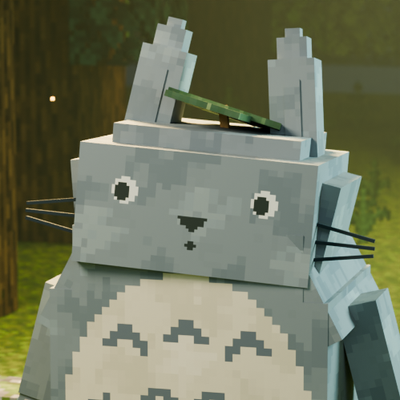
Totoro: Spirits of the Forest
Befriend Totoro forest spirits, carry supplies with Blue Totoro, find seeds, fly with an umbrella, grow a magical clearing and ride Catbus with friends. A cozy Minecraft adventure with animated companions.
 mod
CurseForge · Minecraft
Fast Horse Potion and Breeding
Fast Horse , Breeding Horse, Horse Potion,Horse Zero Fall Damage