Minecraft version
Back to mods 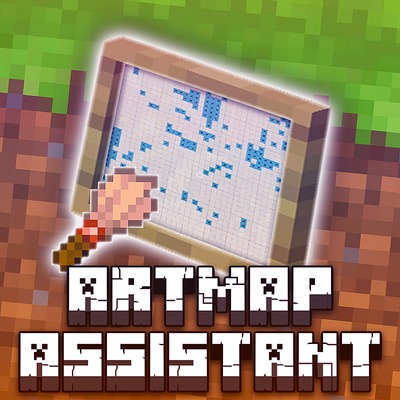
CurseForge · Minecraft mod
Artmap Assistant
Client-side ArtMap painting companion with canvas overlays, pixel guidance, draggable HUDs and live material tracking.
Choose a version Pick your version below, then grab the matching file.
Quick answer
Which Artmap Assistant release should I use?
Latest stable file artmap-assistant-0.2.21.jar
Game version 26.3
Loader Fabric
Artmap Assistant artmap-assistant-0.2.21.jar targets 26.3 with Fabric. The project page does not say whether this file belongs on the client, dedicated server, or both. No extra mods listed for this file.
Where it goes
Is Artmap Assistant required on the client, server, or both?
The project page does not say whether this file belongs on the client, dedicated server, or both.
Client Source doesn’t say
Dedicated server Source doesn’t say
Loader for this release Fabric
Required install it here Optional supported, not mandatory Not supported do not install here Source doesn’t say do not assume
The source does not explicitly classify this release as client-only or server-only.
What else does Artmap Assistant artmap-assistant-0.2.21.jar need?
artmap-assistant-0.2.21.jar. Change the file and its required mods may change too.
This file does not list any required mods. Do not add a library just because a different file uses it.
This file does not list any required or optional mods.
Before you install it
Add Artmap Assistant without breaking your instance.
Built for Artmap Assistant artmap-assistant-0.2.21.jar. Pick another file and the loader, install side or required mods may change.
- 01
Stick to this file
Use artmap-assistant-0.2.21.jar. It targets 26.3 with Fabric; another release may have different loader, side or dependency requirements.
- 02
Bring the mods it needs
This file does not list any required mods. Do not add a library just because a different file uses it.
- 03
Put it on the correct side
The project page does not say whether this file belongs on the client, dedicated server, or both.
- 04
Pick the file you checked
Use the “Get this file” button beside artmap-assistant-0.2.21.jar. It opens that exact file at the source.
About this project
What does Artmap Assistant add?
ArtMap Assistant
A client-side Minecraft assistant that makes creating pixel art with ArtMap easier. Import artwork, follow an in-game pixel overlay, track required materials and monitor your painting progress.
Features
- Image Import: Import PNG/JPG images and split larger artwork into 32×32 canvas tiles.
- Pixel Overlay: See exactly which pixels need attention and what materials they require.
- Colour Highlights: Cyan + X for base placement, Amber + X for shading, Red + X for incorrect colours or shading.
- Draggable HUDs: Independently position and toggle the Target, Tile Materials and Wrong Pixels HUDs.
- Live Material Tracking: Automatically update material counts based on the actual canvas state, sorting list alphabetical / Low/high. Completed materials turn green with a DONE indicator.
- Progress Tracking: Manually mark completed pixels and monitor remaining work.
- Project Saving: Save, reopen and automatically save
.artmapprojects.
How to use
Join a Minecraft server running the ArtMap plugin.
Press Right Shift to open ArtMap Assistant.
Import your artwork and select the tile you want to paint.
Aim at the filled-map canvas → Press Right Shift → Select Canvas.
Enable the overlay and start following the pixel instructions.
Follow the material and shading requirements, painting each pixel manually.
Image conversion: The built-in converter is still experimental. For now, I recommend using ArtMapify to convert your artwork into ArtMap-compatible colours. Download the converted image and import it into the mod.
HUD Customization
Open Right Shift → Settings → Overlay / HUD → Edit HUD Layout.
Drag the three HUD panels independently and toggle their visibility. Additional visibility keybinds are available under Options → Controls → ArtMap Assistant.
Requirements
- Minecraft Java Edition (matching the downloaded mod build).
- Fabric Loader (compatible version).
- Fabric API (compatible version).
- Java 25.
- An ArtMap server plugin.
- Mod Menu is optional and recommended for configuration.
Good to know
- The mod is entirely client-side; the server does not need ArtMap Assistant installed.
- Calibrate your canvas before painting: Right Shift → Calibrate → Depth Offset. Recommended starting value:
-0.021. Adjust if necessary and save calibration. - The manual progress Undo functionality is not yet fully reliable.
- Different servers may use different ArtMap palettes and shading conventions.
- This is an early release, so additional undiscovered bugs may exist.
Automation & Gameplay
ArtMap Assistant is a manual painting assistant, not an automated drawing bot.
It does not automatically place blocks, simulate mouse clicks, send custom painting packets or bypass server restrictions. All painting is performed manually by the player.
⚠️ Please consult your server administrators before using the mod and make sure client-side assistance tools are permitted by your server's rules.
Feedback and bug reports are appreciated!
Credits
@PsdDude - Logo background texture.
Bundled ArtMap palette data is derived from the MIT-licensed ArtMapify project by Melishy.
Website: https://artmapify.vercel.app/
Project description from CurseForge.
Pick your setup
Artmap Assistant by Minecraft version and loader
Choose the version and loader you play, then open the matching release.
Check the dependencies, then try the file in a copied instance before changing a world you care about.
Recent files
Artmap Assistant versions and loaders
artmap-assistant-0.2.21.jar
10 Nov 2026
Client Source doesn’t say Server Source doesn’t say Dependencies No extras listed Listed on Release listing
Check the 26.3 · Fabric setup Fabric26.3 release
artmap-assistant-0.2.20.jar
9 Nov 2026
Client Source doesn’t say Server Source doesn’t say Dependencies No extras listed Listed on Release listing
Check the 26.3 · Fabric setup Fabric26.3 release
Looking for an older file? The official CurseForge project page is in Resources.
 mod
CurseForge · Minecraft
Home Brewed
A Potion Brewing System Overhaul, allowing players to create potions earlygame, mix potion power with potion durability and creating powerfull potions late game
 mod
CurseForge · Minecraft
Middle Mouse Tweaks
Adds middle-click inventory sorting and scroll-wheel transfers to Minecraft.
 mod
CurseForge · Minecraft
ToF Neo Setup
In-game configurator for the Tales of Fantasia modpack: performance profiles, Java memory check, optional visual effects, a one-click restart and world border settings for operators. Press F10.