Minecraft version
Back to mods 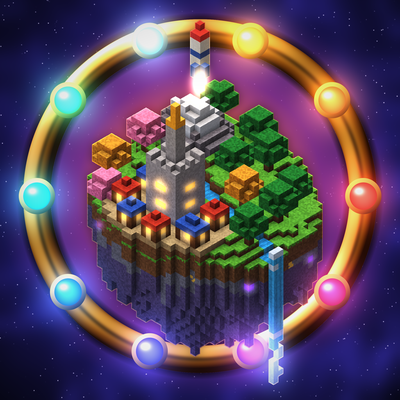
CurseForge · Minecraft mod
Godcrafts
Paint a world, drop in peoples and watch them build, fight and climb through ten ages, from first huts to the stars.
Choose a version Pick your version below, then grab the matching file.
Quick answer
Which Godcrafts release should I use?
Latest stable file GodCrafts 0.4.0
Game version 1.20.1
Loader Forge
GodCrafts 0.4.0 targets 1.20.1 with Forge. The project page does not say whether this file belongs on the client, dedicated server, or both. No extra mods listed for this file.
Where it goes
Is Godcrafts required on the client, server, or both?
The project page does not say whether this file belongs on the client, dedicated server, or both.
Client Source doesn’t say
Dedicated server Source doesn’t say
Loader for this release Forge
Required install it here Optional supported, not mandatory Not supported do not install here Source doesn’t say do not assume
The source does not explicitly classify this release as client-only or server-only.
What else does GodCrafts 0.4.0 need?
GodCrafts 0.4.0. Change the file and its required mods may change too.
This file does not list any required mods. Do not add a library just because a different file uses it.
This file does not list any required or optional mods.
Before you install it
Add Godcrafts without breaking your instance.
Built for GodCrafts 0.4.0. Pick another file and the loader, install side or required mods may change.
- 01
Stick to this file
Use GodCrafts 0.4.0. It targets 1.20.1 with Forge; another release may have different loader, side or dependency requirements.
- 02
Bring the mods it needs
This file does not list any required mods. Do not add a library just because a different file uses it.
- 03
Put it on the correct side
The project page does not say whether this file belongs on the client, dedicated server, or both.
- 04
Pick the file you checked
Use the “Get this file” button beside GodCrafts 0.4.0. It opens that exact file at the source.
About this project
What does Godcrafts add?
A god game inside Minecraft.
Shape a world, place its peoples and watch them climb from first huts to the moon. Then possess anyone and live in that world as real Minecraft.
Godcraft is still in active development. Everything here is in the game, but some of it still has bugs to work out.
New in 0.3.2
- Airports, with airliners that bank into turns and fly high over the land
- Rockets you can follow into the sky
- A moon you can visit once a people lands on it
- Worlds shown as turning blocks in space
- Underground goblin and spider-folk colonies that break out under other towns
- 200 house designs, churches, bridges, and capitals with walls and a throne room
- A cap on how many of each creature can live at once
Play God
- Shape continents across 23 kinds of land
- Place 18 peoples and 448 creatures, plus all of Minecraft's mobs
- Crown, move or change anyone, with over 150 traits
- Call down storms, meteors, volcanoes and world-breaking bombs
- Set 30 world laws and run time up to 100x
Watch History Unfold
- Ten ages, from the Dawn Age to the Stellar Age
- Kingdoms, wars, noble houses, faiths and revolutions
- Cities with districts, traffic, trains, airports and fleets
- Dragons, titans, Blood Moons and hellgates
- Rockets, moon bases and colonies on other planets
Great Ones and Lords
- 31 great ones with 146 abilities of their own
- 13 vampire Lords and 24 faction Lords, each with a weapon, combo and signature move
- 107 creatures with their own animations
Rule as a King
- Possess a ruler to command your realm
- Run your court: armies, diplomacy, marriages, taxes and laws
- Knight, banish, imprison or name an heir
- Declare war, rally your armies, and lead them yourself
Follow the Heroes
- Watch raids and heists room by room
- Replay every year in the History book
- Follow one person through their whole life
Arm Anyone
- 273 weapons, 410 armours and 132 trinkets
- 285 spells, including 39 world-breakers
- Every rarity from Common to Mythic
Live in Your World
- Possess people, animals and monsters, and see through their eyes
- Explore your map as real Minecraft at full scale
- Dig, build, fight, talk and take jobs
- Your gear and buildings stay in the world
Requirements
- Minecraft 1.20.1 with Forge 47
- At least 3 GB of memory, more for very large worlds
- Single player only
Compatibility
- Epic Fight (optional, recommended): its moves animate everyone in the game. Epic Fight uses G, R and K, like Godcraft, so change one under Options, Controls
- Creature mods: their creatures appear in the god's menu automatically
- Embeddium and Oculus: supported, with shaders paused in the god's view
Good to Know
- Your normal Minecraft worlds are not changed
- Not needed on servers, and you can still join them with it installed
Project description from CurseForge.
Pick your setup
Godcrafts by Minecraft version and loader
Choose the version and loader you play, then open the matching release.
Check the dependencies, then try the file in a copied instance before changing a world you care about.
Recent files
Godcrafts versions and loaders
GodCrafts 0.4.0
godcraft-0.4.0.jar
28 Nov 2026
Client Source doesn’t say Server Source doesn’t say Dependencies No extras listed Listed on Release listing
Check the 1.20.1 · Forge setup 1.20.1Forge release
godcraft-0.3.2.jar
22 Nov 2026
Client Source doesn’t say Server Source doesn’t say Dependencies No extras listed Listed on Release listing
Check the 1.20.1 · Forge setup 1.20.1Forge release
GodCraft
aeoncraft-0.1.0.jar
10 Nov 2026
Client Source doesn’t say Server Source doesn’t say Dependencies No extras listed Listed on Release listing
Check the 1.20.1 · Forge setup 1.20.1Forge release
Looking for an older file? The official CurseForge project page is in Resources.
 mod
CurseForge · Minecraft
Sinister Illagers
adds difficult enhancing illagers to raids.
 mod
CurseForge · Minecraft
BankaiMC (BLEACH ABILITIES)
BankaiMC brings Shikai and Bankai into Minecraft. Pick up any sword or one of BankaiMC's own katanas and start fighting.
 mod
CurseForge · Minecraft
Reconstruct Element Modules
This mod adds more modules to the Reconstruct Element mod for boosting attribute damage and attribute trigger chance!