Minecraft version
Back to mods 
CurseForge · Minecraft mod
Controlling – Forge Fork
An unofficial community port of Controlling for Minecraft Forge 26.2+.
Choose a version Pick your version below, then grab the matching file.
Quick answer
Which Controlling – Forge Fork release matches 26.3 Forge?
Best match for your filters Controlling-forge-26.3-26.3.jar
Game version 26.3
Loader Forge
Controlling – Forge Fork Controlling-forge-26.3-26.3.jar targets 26.3 with Forge. The project page does not say whether this file belongs on the client, dedicated server, or both. No extra mods listed for this file.
Where it goes
Is Controlling – Forge Fork required on the client, server, or both?
The project page does not say whether this file belongs on the client, dedicated server, or both.
Client Source doesn’t say
Dedicated server Source doesn’t say
Loader for this release Forge
Required install it here Optional supported, not mandatory Not supported do not install here Source doesn’t say do not assume
The source does not explicitly classify this release as client-only or server-only.
What else does Controlling – Forge Fork Controlling-forge-26.3-26.3.jar need?
Controlling-forge-26.3-26.3.jar on 26.3 Forge. Every mod below is checked against that same setup.
This file does not list any required mods. Do not add a library just because a different file uses it.
This file does not list any required or optional mods.
Before you install it
Add Controlling – Forge Fork without breaking your instance.
Built for Controlling – Forge Fork Controlling-forge-26.3-26.3.jar on 26.3 Forge. Pick another file and the loader, install side or required mods may change.
- 01
Stick to this file
Use Controlling-forge-26.3-26.3.jar. It targets 26.3 with Forge; another release may have different loader, side or dependency requirements.
- 02
Bring the mods it needs
This file does not list any required mods. Do not add a library just because a different file uses it.
- 03
Put it on the correct side
The project page does not say whether this file belongs on the client, dedicated server, or both.
- 04
Pick the file you checked
Use the “Get this file” button beside Controlling-forge-26.3-26.3.jar. It opens that exact file at the source.
About this project
What does Controlling – Forge Fork add?
Controlling – Forge 26.2+ Community Port
An unofficial community port of Controlling for Minecraft Forge 26.2+.
Make managing your keybindings easier!
Controlling adds a convenient search function to Minecraft's Controls menu, allowing you to quickly find and manage keybindings, especially when playing with many mods installed.
Features
Search Keybindings: Quickly find controls by their names.
Conflict Detection: Easily identify keybindings that conflict with each other.
Available Keys: See which keys are available to be assigned.
Simple & Lightweight: Improves the Controls menu without adding unnecessary complexity.
Compatibility
Minecraft: 26.2+
Mod Loader: Forge
Please check the supported Minecraft versions in the Files section.
Installation
Install Minecraft Forge for a supported Minecraft version.
Download the matching Controlling Forge Community Port.
Install any dependencies listed in the Relations section.
Place the downloaded
.jarfile into your Minecraftmodsfolder.Launch Minecraft and enjoy easier keybinding management!
Credits & License
Original Controlling mod created by Jaredlll08.
Original Project:
https://github.com/jaredlll08/Controlling
License: MIT License.
This is an unofficial community port. It is not affiliated with, endorsed by, or maintained by the original author.
Original copyright notices and the MIT License must be retained in redistributed copies.
Project description from CurseForge.
Pick your setup
Controlling – Forge Fork by Minecraft version and loader
Choose the version and loader you play, then open the matching release.
Minecraft version
26.2
1 loader buildMinecraft version
26.1.2
1 loader buildMinecraft version
26.1.1
1 loader buildMinecraft version
26.1
1 loader buildCheck the dependencies, then try the file in a copied instance before changing a world you care about.
Recent files
Controlling – Forge Fork versions and loaders
Controlling-forge-26.3-26.3.jar
10 Nov 2026
Client Source doesn’t say Server Source doesn’t say Dependencies No extras listed Listed on Release listing
Check the 26.3 · Forge setup Forge26.3 release
Looking for an older file? The official CurseForge project page is in Resources.
 mod
CurseForge · Minecraft
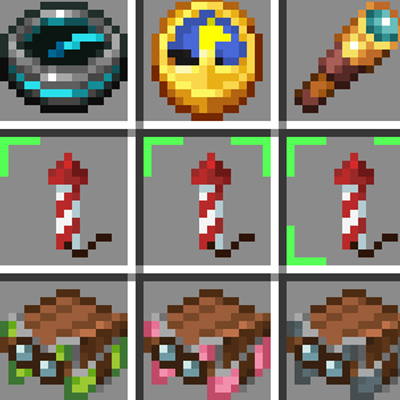
Firework Label
Firework Label shows firework details directly on your item icons. No need to hover your mouse!
 mod
CurseForge · Minecraft
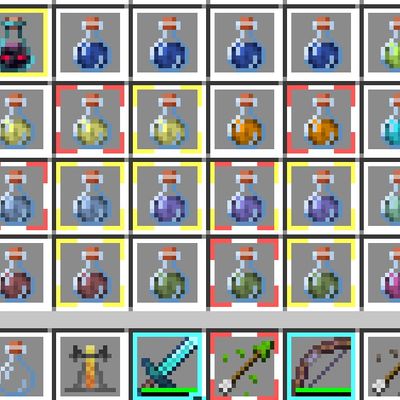
Better Item Borders
"Inspired by Item Borders by Grend_G This project expands upon the original concept by introducing functional borders—such as potion effect status and instant visual indicators—helping players read their inventory faster.."
 mod
CurseForge · Minecraft
Villagers Manage : Show Jobsite & Teleport & clear job
Interact with job sites to locate or teleport villagers, or click on villagers to identify their current workplace,profession reset ,remove job,fire villager