Minecraft version
Back to mods 
CurseForge · Minecraft mod
I/Overseer
Watch every machine in your base from one tablet: see what's working, idle, full or out of power across any tech mod, find machines through walls, pin them for alerts, and see live power draw in your hand.
Choose a version Pick your version below, then grab the matching file.
Quick answer
Which I/Overseer release should I use?
Latest stable file IOverseer 0.3.0
Game version 1.21.1
Loader NeoForge
I/Overseer IOverseer 0.3.0 targets 1.21.1 with NeoForge. The project page does not say whether this file belongs on the client, dedicated server, or both. No extra mods listed for this file.
Where it goes
Is I/Overseer required on the client, server, or both?
The project page does not say whether this file belongs on the client, dedicated server, or both.
Client Source doesn’t say
Dedicated server Source doesn’t say
Loader for this release NeoForge
Required install it here Optional supported, not mandatory Not supported do not install here Source doesn’t say do not assume
The source does not explicitly classify this release as client-only or server-only.
What else does I/Overseer IOverseer 0.3.0 need?
IOverseer 0.3.0. Change the file and its required mods may change too.
This file does not list any required mods. Do not add a library just because a different file uses it.
This file does not list any required or optional mods.
Before you install it
Add I/Overseer without breaking your instance.
Built for I/Overseer IOverseer 0.3.0. Pick another file and the loader, install side or required mods may change.
- 01
Stick to this file
Use IOverseer 0.3.0. It targets 1.21.1 with NeoForge; another release may have different loader, side or dependency requirements.
- 02
Bring the mods it needs
This file does not list any required mods. Do not add a library just because a different file uses it.
- 03
Put it on the correct side
The project page does not say whether this file belongs on the client, dedicated server, or both.
- 04
Pick the file you checked
Use the “Get this file” button beside IOverseer 0.3.0. It opens that exact file at the source.
About this project
What does I/Overseer add?
I/Overseer lets you watch every machine in your base, from any mod. Hold the tablet and see at a glance what's working, what's idle, what's full and what's out of power. It's made for kitchen-sink packs and needs no per-mod setup.
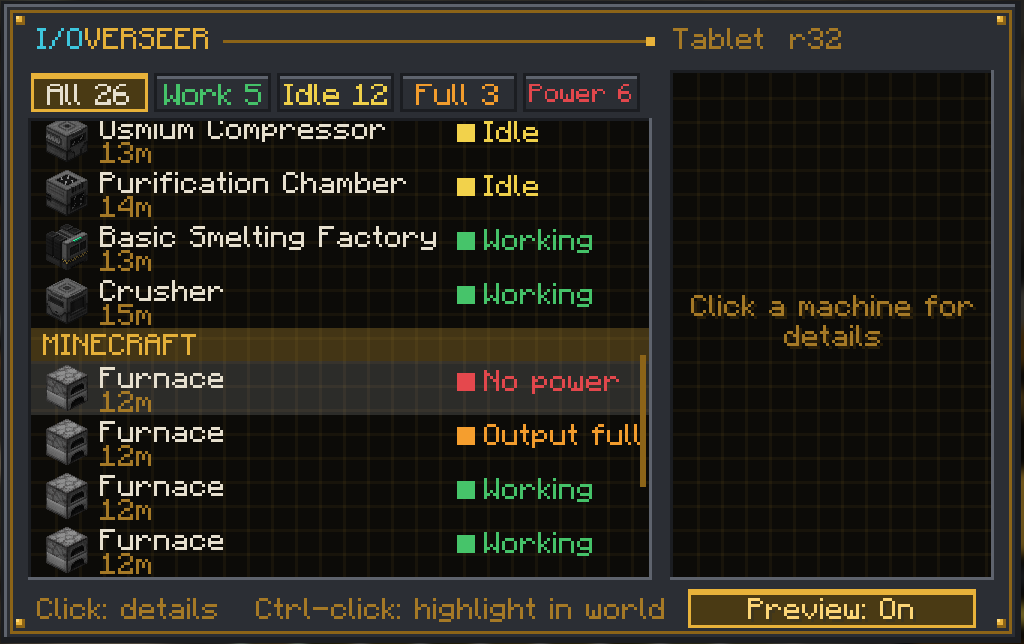
I/Overseer Tablet
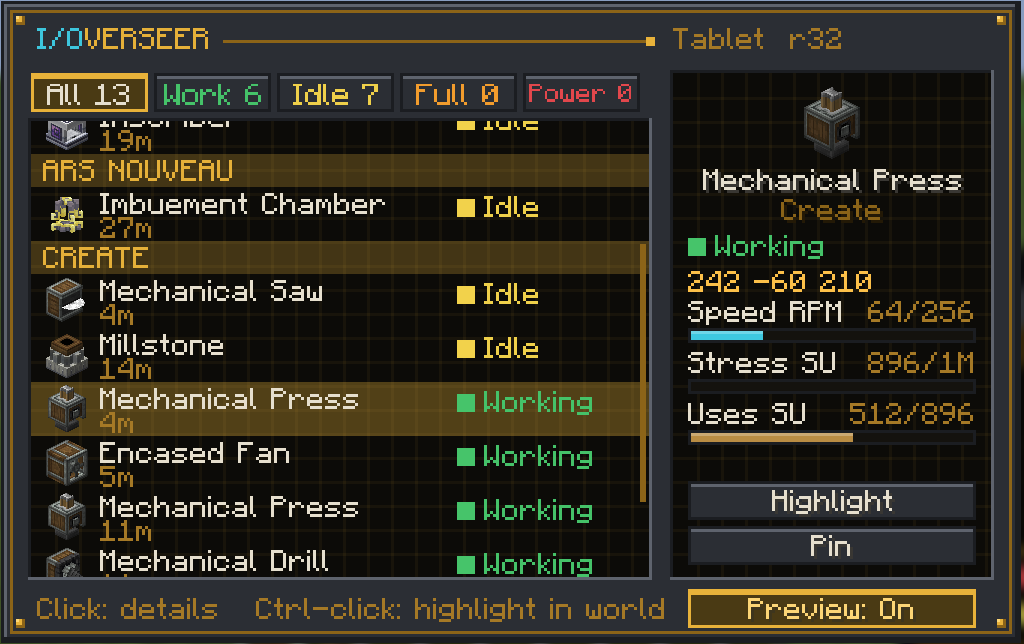
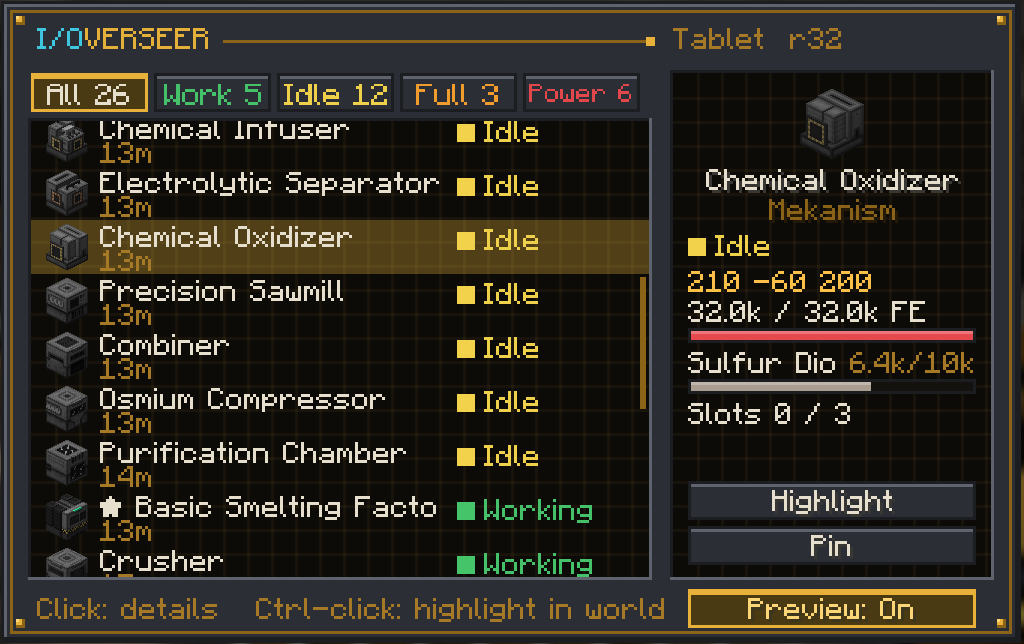
- Use it to list every machine within 32 blocks, grouped by mod. Each one shows as Working, Idle, Output full or No power.
- Filter tabs show only one status.
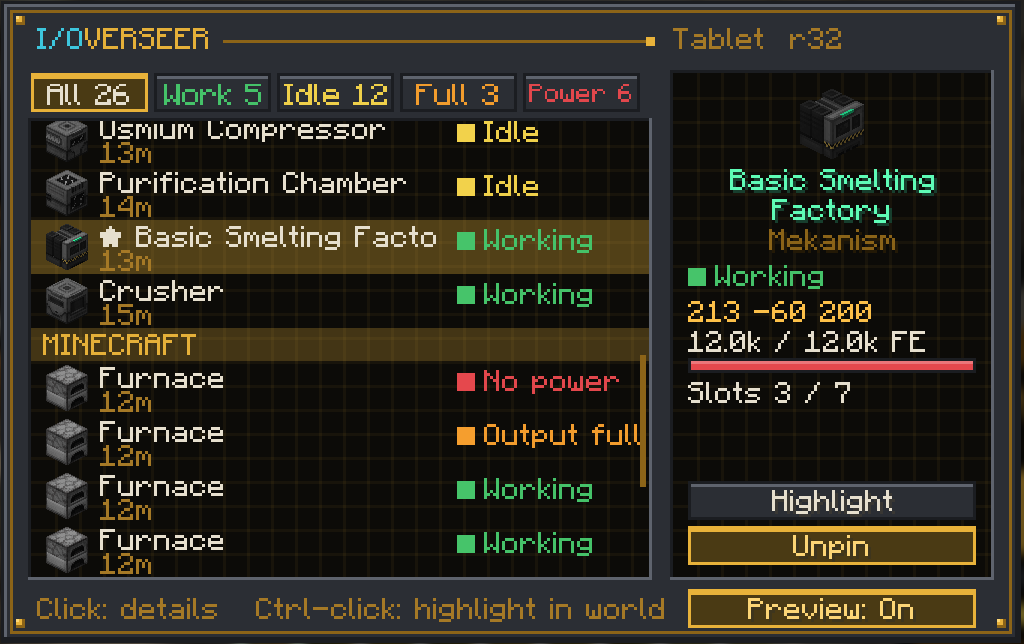
- Click a machine to see its energy, fluids, slots and position. Ars Nouveau Source and Mekanism chemicals show up too when those mods are installed.
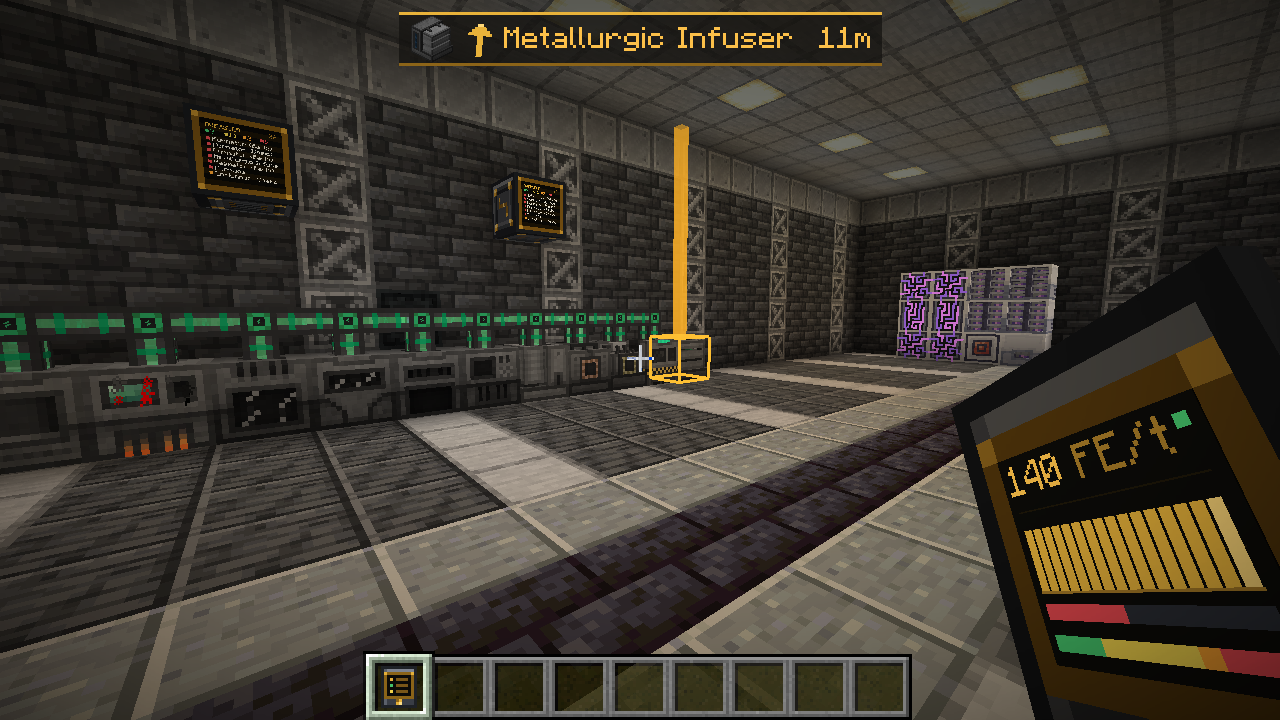
- Ctrl-click a machine to find it: a gold outline that shows through walls, a light beam, and a HUD arrow with the distance. It clears when you get there.
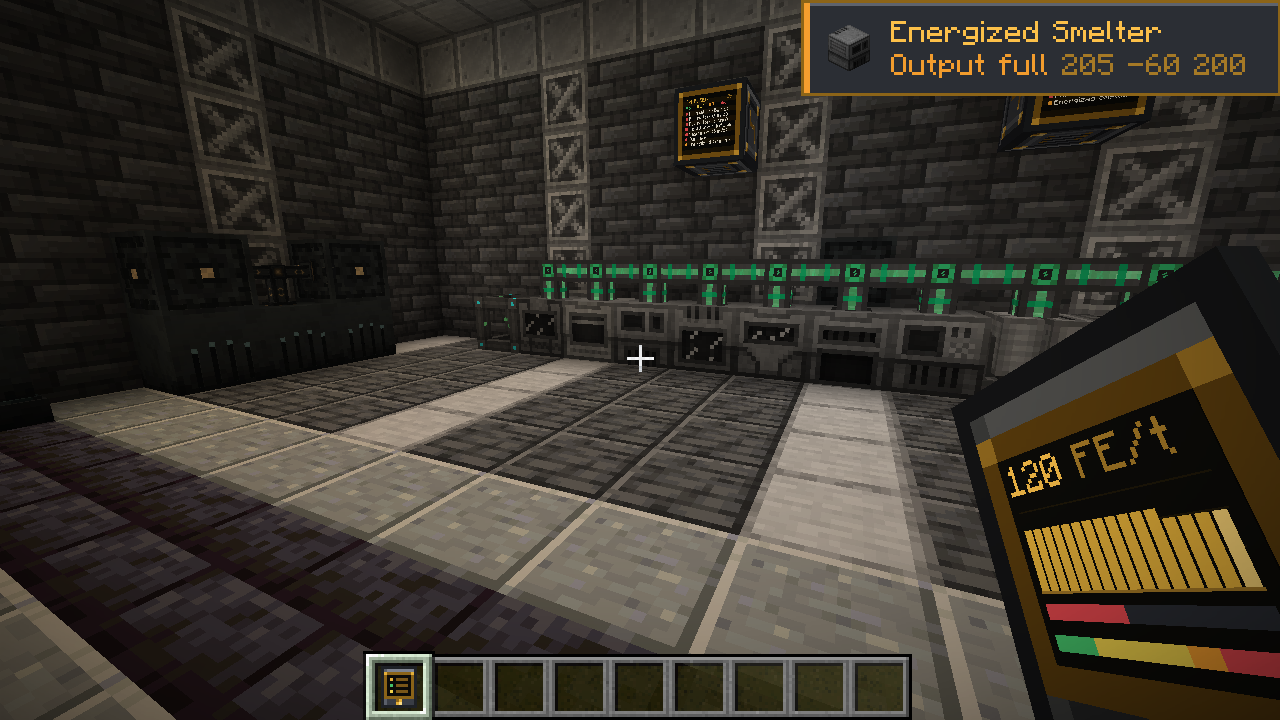
- Sneak-use a machine to pin it. Pinned machines stay in the list from any distance or dimension, and you get a toast when one runs out of power or fills its output.
Live preview
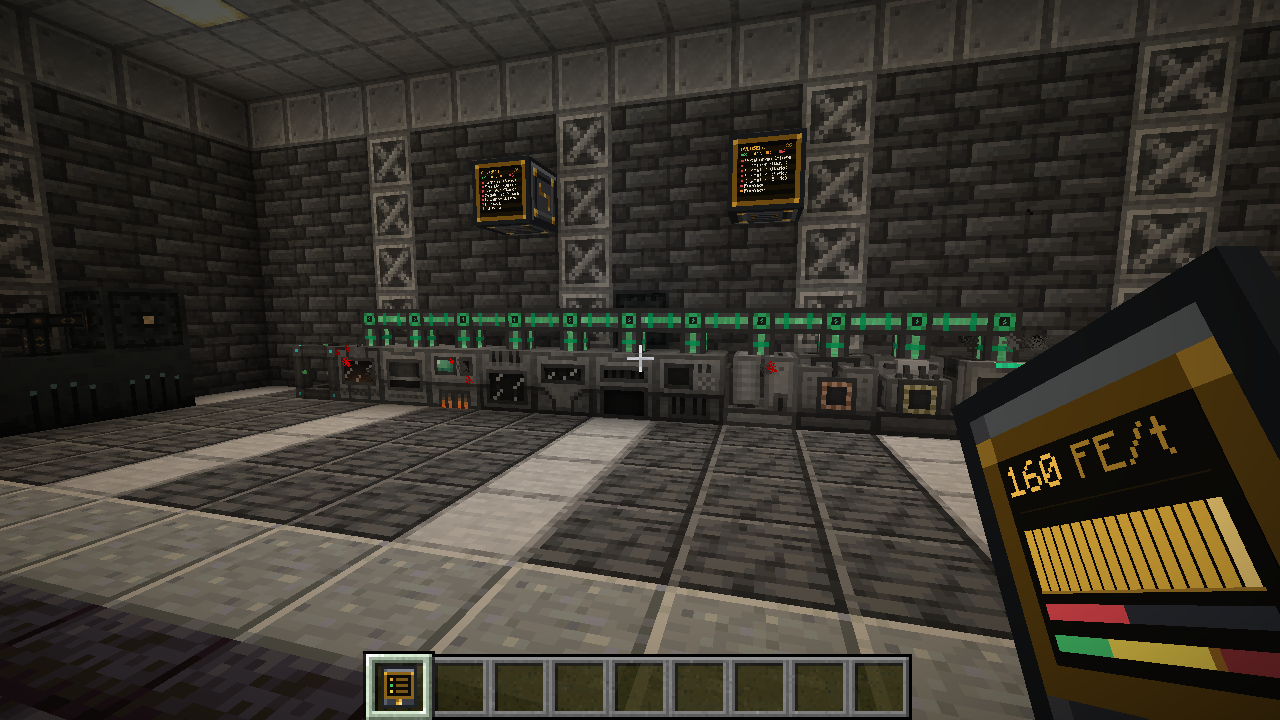
While you hold the tablet, its screen shows the power draw of nearby machines in FE/t with a 16-second graph, a stored energy bar and the status mix. Turn it on or off with the Preview button in the tablet screen.
Pin alerts
I/Overseer Screen
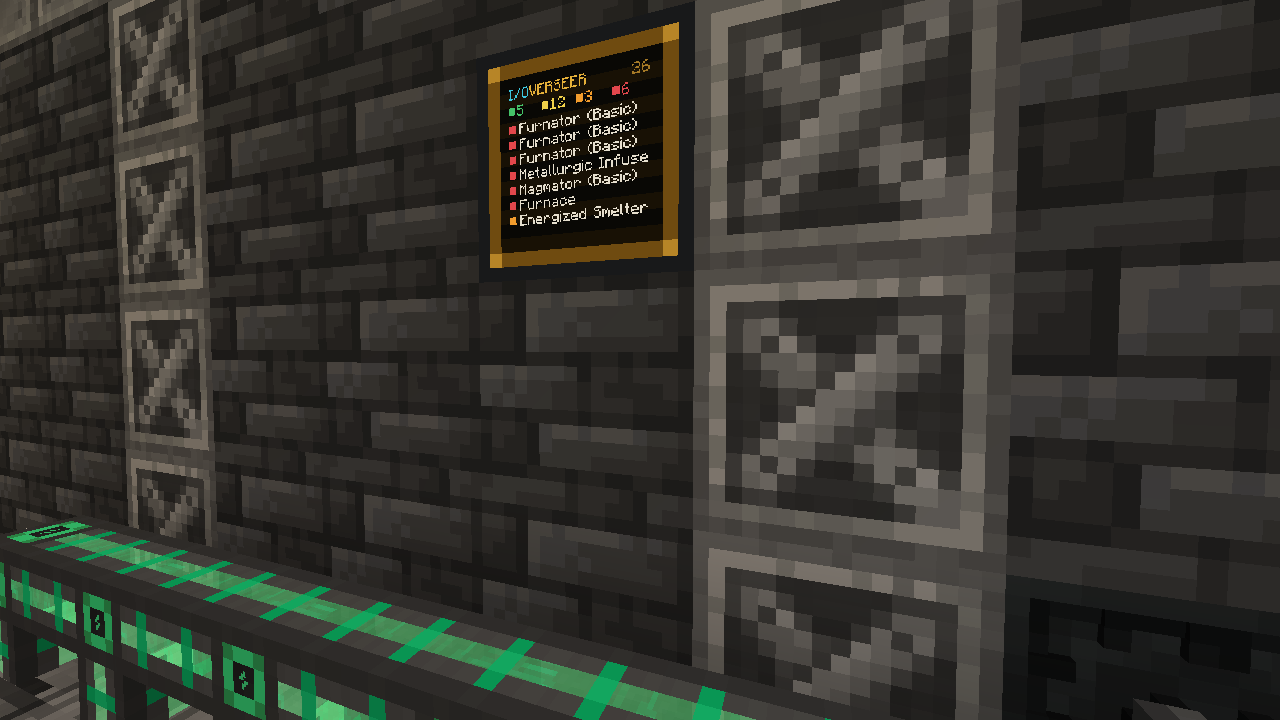
A wall monitor that shows a live status list on its face. Right-click it for the full view.
Works with any mod
I/Overseer reads the standard NeoForge energy, item and fluid capabilities, so most tech mods work out of the box. It was tested with Mekanism, Powah, Applied Energistics 2, Ars Nouveau and Create (every block that draws stress is listed. Details show its speed (RPM), the network's stress against capacity (SU) and the SU it uses. The held tablet preview shows nearby SU use too.)
- No power: the energy buffer is empty, a furnace has input but no fuel, an Ars machine has no Source, or a Create machine is stalled or overstressed.
- Working: the block shows a lit or active state, or its contents changed in the last few seconds.
- Output full: the machine is idle and a slot or tank is full.
- Power draw uses Mekanism's own usage figure. For other mods it's worked out from the drop in stored energy.
- Chests, energy cells, cables, tanks and AE2 network blocks are skipped. Packs can add blocks to the
ioverseer:ignoredtag to hide them, or toioverseer:machinesto force them in.
Recipes
- I/Overseer Tablet: iron / glass pane / iron, redstone / comparator / redstone, iron / gold ingot / iron
- I/Overseer Screen: 3 iron on top, glass pane / I/Overseer Tablet / glass pane, gold ingot / redstone block / gold ingot
Requirements
- Minecraft 1.21.1 with NeoForge 21.1+, or Minecraft 26.1.2 with NeoForge 26.1.2+
- Install on both client and server. No other dependencies.
Project description from CurseForge.
Pick your setup
I/Overseer by Minecraft version and loader
Choose the version and loader you play, then open the matching release.
Minecraft version
1.21.1
1 loader buildCheck the dependencies, then try the file in a copied instance before changing a world you care about.
Recent files
I/Overseer versions and loaders
IOverseer 0.3.0
ioverseer-0.3.0.jar
12 Nov 2026
Client Source doesn’t say Server Source doesn’t say Dependencies No extras listed Listed on Release listing
Check the 1.21.1 · NeoForge setup 1.21.1NeoForge release
IOverseer 0.2.1
ioverseer-0.2.1-26.1.2.jar
10 Nov 2026
Client Source doesn’t say Server Source doesn’t say Dependencies No extras listed Listed on Release listing
Check the 26.1.2 · NeoForge setup NeoForge26.1.2 release
IOverseer 0.2.1
ioverseer-0.2.1.jar
10 Nov 2026
Client Source doesn’t say Server Source doesn’t say Dependencies No extras listed Listed on Release listing
Check the 1.21.1 · NeoForge setup 1.21.1NeoForge release
Looking for an older file? The official CurseForge project page is in Resources.
 mod
CurseForge · Minecraft
Weavers Paradise
Mod about expressing yourself through clothing
 mod
CurseForge · Minecraft
Eclipse Suite
The whole Eclipse Client in one mod: minimap + world map, HUD, tools, visuals and a Litematica printer, all in one menu.
 mod
CurseForge · Minecraft
FTB Evolution 2 - Russian Localization
Unofficial Russian quest, book and guide localization for FTB Evolution 2 1.9.0