Voxy SeedGen Optional for Voxy Map voxy-map-0.4.0+26.2+fabric.jar
optionalMatching file found Matched file: Voxy SeedGen 0.3.0 26.2 Fabric.jar
CurseForge · Minecraft mod
What you see is what you get — the map draws exactly as far as you can see. Voxy Map turns Voxy's existing LOD data into a real-time fullscreen map: no chunk loading, no world generation — the world you can see becomes a 3D terrain map.
Quick answer
Voxy Map voxy-map-0.4.0+26.2+fabric.jar targets 26.2 with Fabric. The project page does not say whether this file belongs on the client, dedicated server, or both. No extra mods listed for this file.
Where it goes
The project page does not say whether this file belongs on the client, dedicated server, or both.
The source does not explicitly classify this release as client-only or server-only.
voxy-map-0.4.0+26.2+fabric.jar. Change the file and its required mods may change too.
This file does not list any required mods. Do not add a library just because a different file uses it.
We only count dependency files that match this setup. A file for another loader does not fill the gap.
Before you install it
Built for Voxy Map voxy-map-0.4.0+26.2+fabric.jar. Pick another file and the loader, install side or required mods may change.
Use voxy-map-0.4.0+26.2+fabric.jar. It targets 26.2 with Fabric; another release may have different loader, side or dependency requirements.
This file does not list any required mods. Do not add a library just because a different file uses it.
The project page does not say whether this file belongs on the client, dedicated server, or both.
Use the “Get this file” button beside voxy-map-0.4.0+26.2+fabric.jar. It opens that exact file at the source.
About this project
What you see is what you get — the map draws exactly as far as you can see. Voxy Map turns Voxy's existing LOD data into a real-time fullscreen map: no chunk loading, no world generation — the world you can see becomes a 3D terrain map.
Client-side only. Fabric 26.2 · Fabric 26.1.2 · NeoForge 1.21.1.
Works best together with Voxy SeedGen — it pre-generates distant terrain from the world seed, so even places you never actually loaded can be drawn on the map: https://www.curseforge.com/minecraft/mc-mods/voxy-seedgen

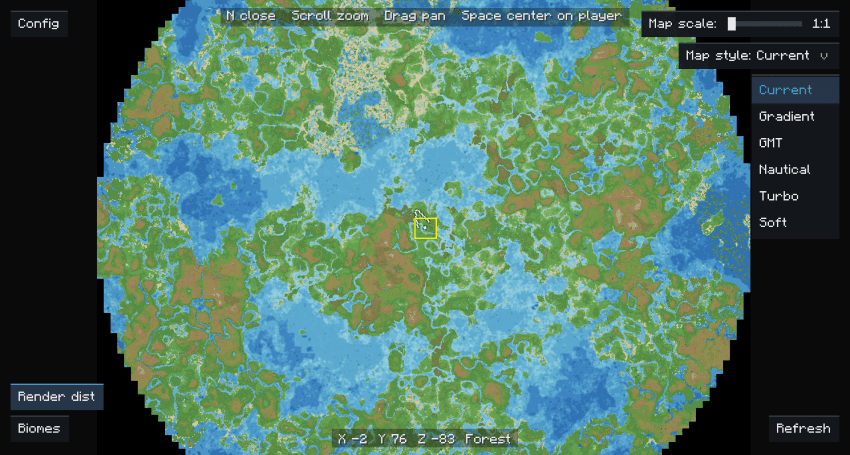
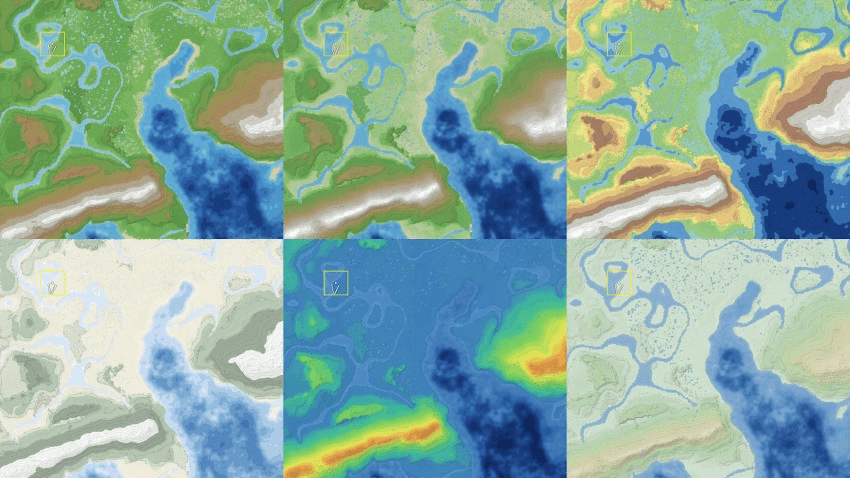
Using the Tectonic mod's "i use voxy btw" preset terrain, Voxy SeedGen distance 382 chunks, yellow box = real render distance:
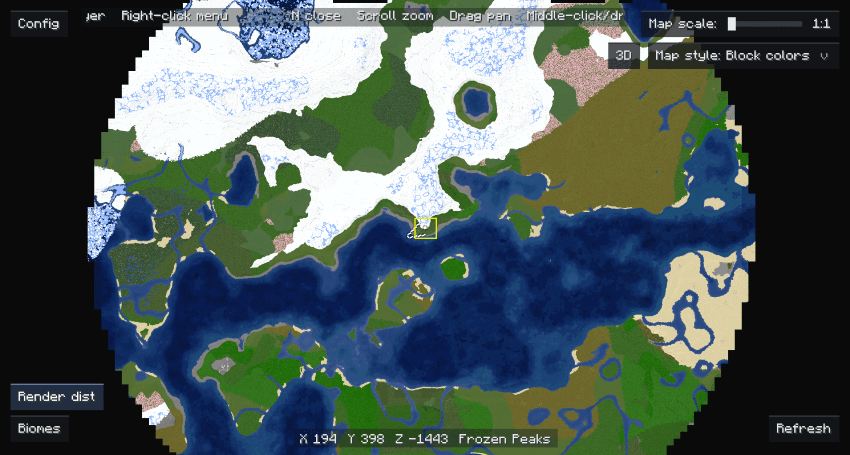
Vanilla terrain, Voxy SeedGen distance 382 chunks, yellow box = real render distance:
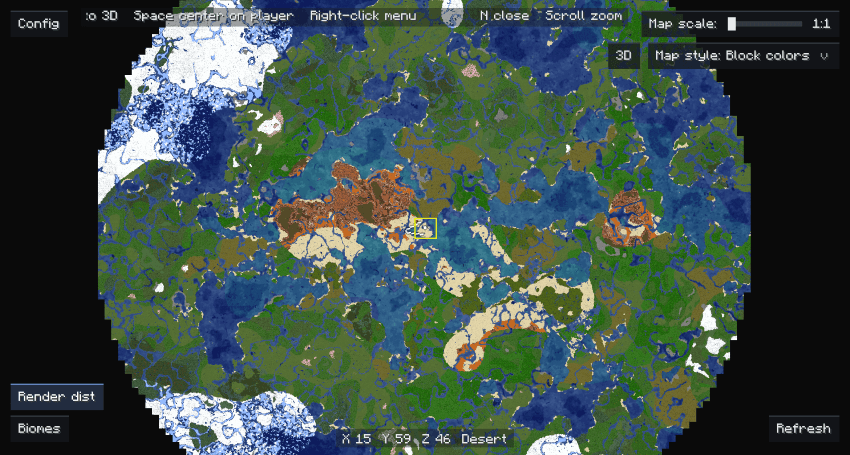
Vanilla terrain, Voxy SeedGen distance 382 chunks, yellow box = real render distance:
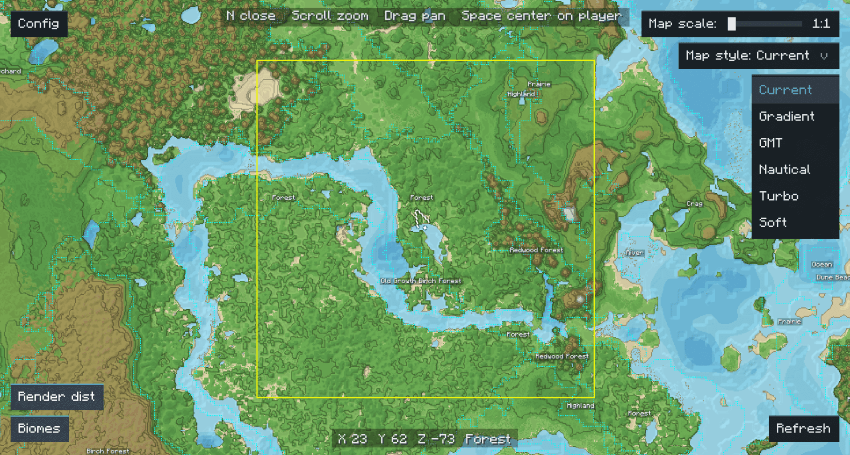
Close-up: contours, hillshade, water-depth shading, biome borders and labels:
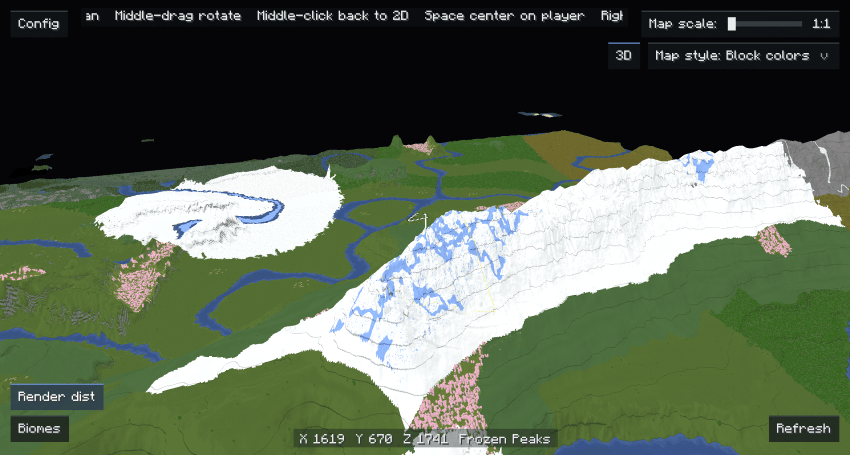
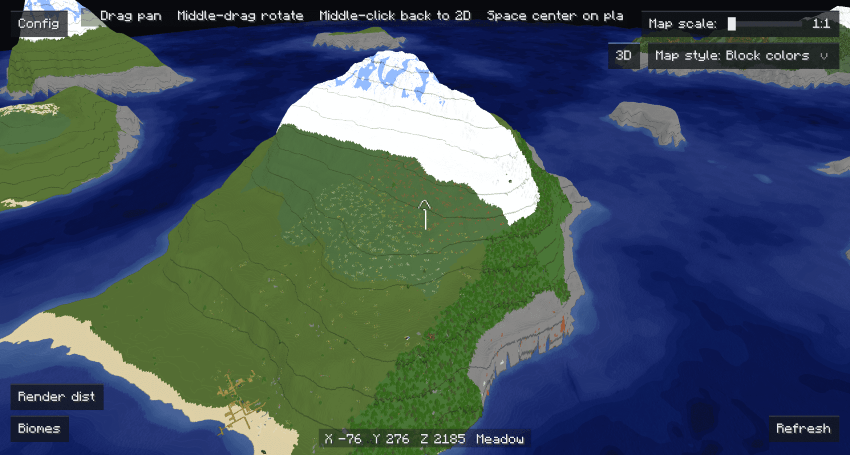
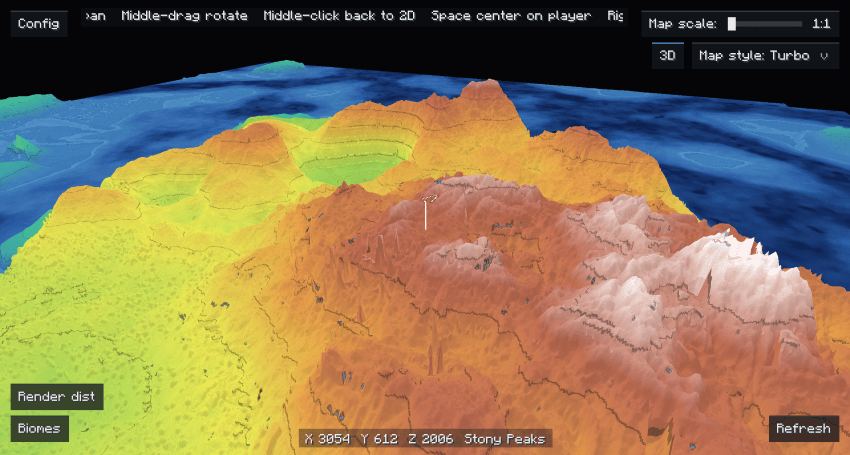
3D mode:
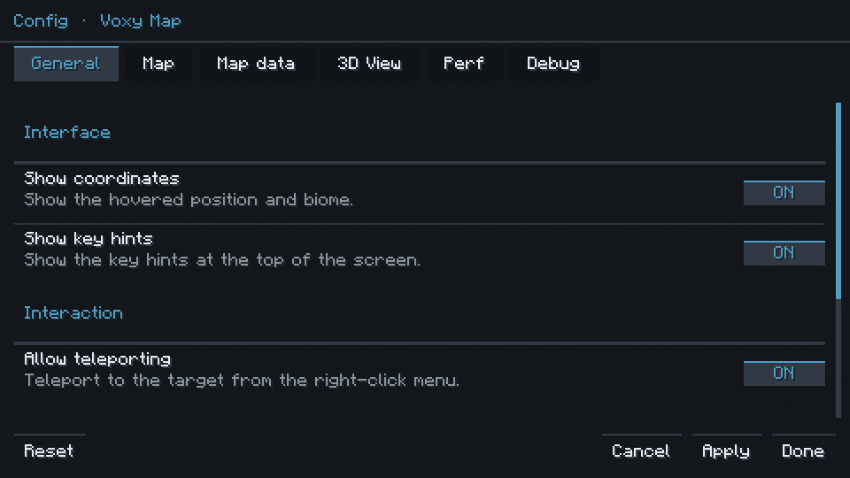
Config screen:
Using the Tectonic mod's "i use voxy btw" preset terrain, Voxy SeedGen distance 382 chunks, yellow box = real render distance (natural / gradient / GMT / nautical / gradient-turbo / gradient-soft):
| Build | Install |
|---|---|
| Fabric 26.2 | Fabric 26.2 + Fabric API + Voxy |
| Fabric 26.1.2 | Fabric 26.1.2 + Fabric API + Voxy |
| NeoForge 1.21.1 | NeoForge 21.1.224+ + Voxy + Roxy + Sodium |
mods/, launch the game and press N.| Action | Default |
|---|---|
| Open / close map | N |
| Re-centre on the player | Space |
| Zoom | Mouse wheel |
| Pan | Hold left mouse button and drag |
| Switch 2D ↔ 3D | Middle-click, or the 3D button |
| Orbit the 3D camera | Hold middle mouse button and drag |
| Map menu | Right mouse button (copy coordinates / teleport / export PNG) |
| Debug panel | Q |
| Close | Esc |
Everything is in the in-game config screen, and every option is explained there. You can also edit the file directly: Fabric config/voxymap-client.json, NeoForge config/voxymap-client.toml. The config only sets defaults for new worlds; each world remembers its own palette, overlays, map scale and zoom.
The complete option list is in TECHNICAL.md.
skipWorldRender on (it is by default); turning off the biome overlay or using a coarser map scale also helps.Implementation details, the full option list and build instructions: TECHNICAL.md.
MIT — see LICENSE. Icon and screenshots © Tsutsutsuu.
Project description from CurseForge.
Pick your setup
Choose the version and loader you play, then open the matching release.
Check the dependencies, then try the file in a copied instance before changing a world you care about.
Recent files
voxy-map-0.4.0-26.2-fabric.jar
12 Nov 2026
voxy-map-0.4.0-26.1.2-fabric.jar
12 Nov 2026
voxy-map-0.4.0-1.21.1-neoforge.jar
12 Nov 2026
voxy-map-0.3.0-1.21.1-neoforge.jar
10 Nov 2026
voxy-map-0.3.0-26.1.2-fabric.jar
10 Nov 2026
voxy-map-0.3.0-26.2-fabric.jar
10 Nov 2026
Looking for an older file? The official CurseForge project page is in Resources.
 mod
Mechanics to avoid losing your pets, but do not break the vanilla feel
 mod
Teleport, homes and everyday utility commands for modded server,
 mod
Explore a new layer of the Overworld filled with floating islands and unique sky biomes, inspired by The Legend of Zelda: Tears of the Kingdom.