Fabric API Needed by Clean Ping Display 1.0.0
requiredMatching file found Matched file: [1.21.1] Fabric API 0.116.18+1.21.1
CurseForge · Minecraft mod
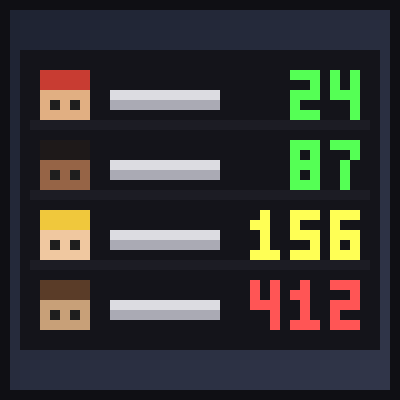
See every player's real ping as a colored number in the Tab list - 42ms green, 450ms red - instead of vague signal bars. Client side
Quick answer
Clean Ping Display 1.0.0 targets 1.21, 1.21.1 with Fabric. The project page does not say whether this file belongs on the client, dedicated server, or both. All 1 required mods have matching files.
Where it goes
The project page does not say whether this file belongs on the client, dedicated server, or both.
The source does not explicitly classify this release as client-only or server-only.
Clean Ping Display 1.0.0. Change the file and its required mods may change too.
Install Fabric API first. We found matching files for this game-version and loader setup.
We only count dependency files that match this setup. A file for another loader does not fill the gap.
Before you install it
Built for Clean Ping Display 1.0.0. Pick another file and the loader, install side or required mods may change.
Use Clean Ping Display 1.0.0. It targets 1.21, 1.21.1 with Fabric; another release may have different loader, side or dependency requirements.
Install Fabric API first. We found matching files for this game-version and loader setup.
The project page does not say whether this file belongs on the client, dedicated server, or both.
Use the “Get this file” button beside Clean Ping Display 1.0.0. It opens that exact file at the source.
About this project
Vanilla's Tab list shows ping as five little bars. Is 4 bars 50ms or 140ms? Is your friend lagging, or is it you?
**Clean Ping Display** replaces the bars with the actual number, colored so you can read it in a second.
No key bindings - just hold Tab as usual.
The file config/cleanpingdisplay.properties is created on first launch:
enabled - show numbers instead of bars (default: true) showMsSuffix - "42ms" or just "42" (default: true) colors - colored numbers (default: true) greenBelow / yellowBelow / orangeBelow - color limits in ms (default: 100 / 200 / 400)This is a **client-side only** mod. The server already sends every player's ping to everyone (that's what the bars are made from); this mod only shows the number. Works on any multiplayer server and on Realms.
mods folder. You are welcome to include this mod in any modpack. No need to ask.
The project logo is an illustration created with AI assistance; it is not an in-game screenshot. The screenshots in the gallery are real, unedited in-game captures.
Project description from CurseForge.
Pick your setup
Choose the version and loader you play, then open the matching release.
Check the dependencies, then try the file in a copied instance before changing a world you care about.
Recent files
clean-ping-display-1.0.0.jar
10 Nov 2026
Looking for an older file? The official CurseForge project page is in Resources.
 mod
A Minecraft mod that adds giant swords and shields to the game. A re-make of the original Asgard Shield, made popular by the 1.5 modpack Hexxit.
 mod
Place an Apothic Spawners spawner in a Botany Pot and it grows that mob's loot. Spawner stats apply and mob kills are simulated.
 mod
Adds bonuses for wearing a full set of vanilla armors, with tons of customization options for both vanilla and modded armor sets!